It is currently Thu Jun 25, 2026 1:08 am


All times are UTC - 5 hours [ DST ]


Post new topic Reply to topic  [ 130 posts ]  Go to page Previous  1, 2, 3, 4, 5 ... 7  Next
Author Message
 Post subject: Re: Brian plugins for Gimp-2.10
PostPosted: Tue Mar 24, 2020 5:55 am  (#31) 
Offline
GimpChat Member
User avatar

Joined: Jan 13, 2011
Posts: 2642
Location: Poland
I understand that after adding 1px the error does not occur.
Can you do it as an alternative version?

_________________
Image


Top
 Post subject: Re: Brian plugins for Gimp-2.10
PostPosted: Tue Mar 24, 2020 6:45 am  (#32) 
Offline
GimpChat Member
User avatar

Joined: Jan 20, 2013
Posts: 14831
Location: roma, italy
Here is my "quick and dirty" modified version, which accepts RGB* input images and erases pixel 1,1 for safety.
It's suffixed with an M.
Attachment:
BA_SpiderPaintM.7z [9.21 KiB]
Downloaded 133 times

_________________
"Where am I ?"


Top
 Post subject: Re: Brian plugins for Gimp-2.10
PostPosted: Tue Mar 24, 2020 7:27 am  (#33) 
Offline
GimpChat Member
User avatar

Joined: Jan 13, 2011
Posts: 2642
Location: Poland
Thanks Diego - works as agreed. :paint


Attachments:
Style_udnie_test.png
Style_udnie_test.png [ 2.72 MiB | Viewed 2024 times ]

_________________
Image
Top
 Post subject: Re: Brian plugins for Gimp-2.10
PostPosted: Tue Mar 24, 2020 7:59 am  (#34) 
Offline
GimpChat Member
User avatar

Joined: Oct 10, 2018
Posts: 191
Location: Charlottesville Virginia
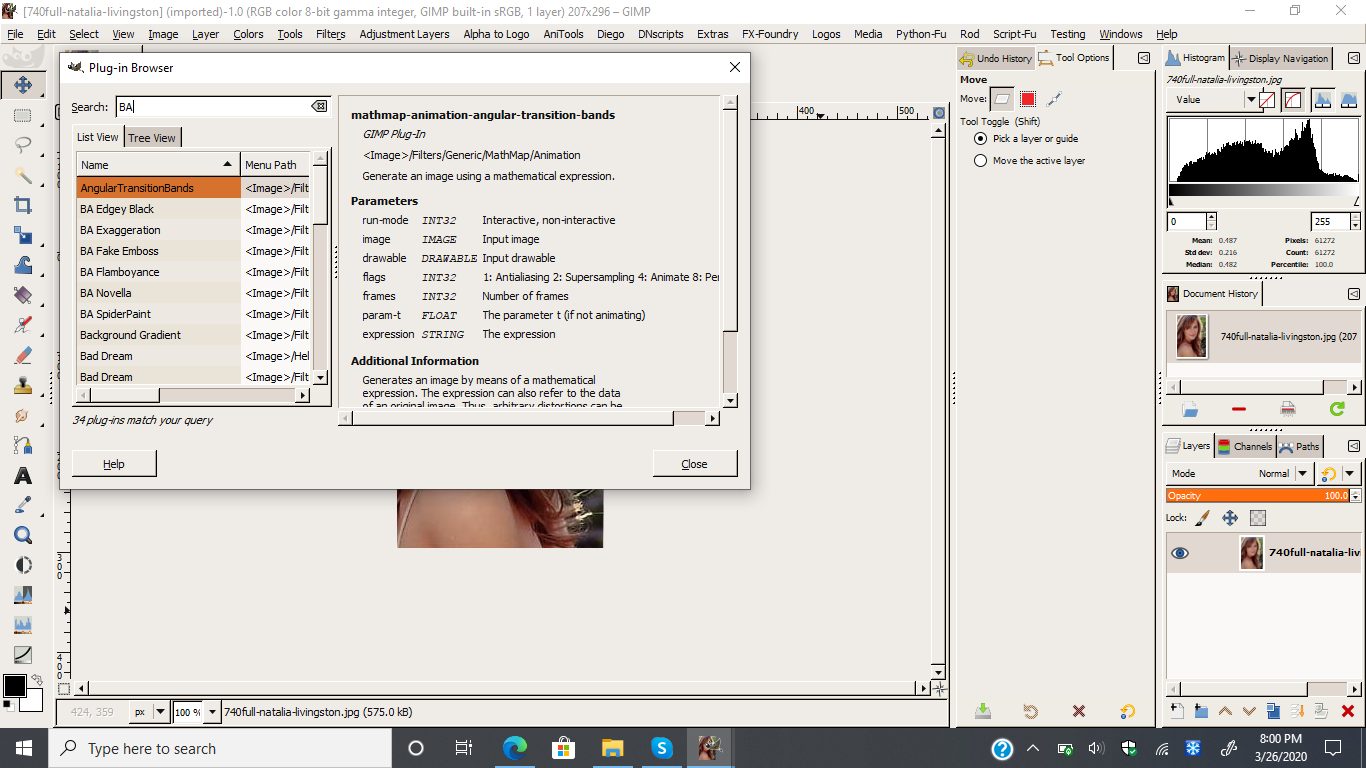
"Quick and dirty" spider-painted wasp. Windows 10 GIMP 2.10.14. Thanks to all for all the work!

Attachment:
Wasp Spider Paint.jpg
Wasp Spider Paint.jpg [ 523.97 KiB | Viewed 2016 times ]


Top
 Post subject: Re: Brian plugins for Gimp-2.10
PostPosted: Tue Mar 24, 2020 7:26 pm  (#35) 
Offline
GimpChat Member

Joined: May 12, 2015
Posts: 4693
Thank you, MareroQ for all your work and efforts to adjust these filters to 2.10. And also to Dinasset for your added effort and knowledge. The work done by both of you is greatly appreciated!


Top
 Post subject: Re: Brian plugins for Gimp-2.10
PostPosted: Tue Mar 24, 2020 10:44 pm  (#36) 
Offline
GimpChat Member

Joined: Aug 26, 2019
Posts: 49
Attachment:
Fan Illusion.JPG
Fan Illusion.JPG [ 82.07 KiB | Viewed 1991 times ]
Hello MareroQ
Reference your post #29
Here is the Window which appears when I use BA Fan Illusion.


Attachments:
BA Fan Illusion.zip [7.88 KiB]
Downloaded 126 times
Top
 Post subject: Re: Brian plugins for Gimp-2.10
PostPosted: Thu Mar 26, 2020 12:04 pm  (#37) 
Offline
GimpChat Member
User avatar

Joined: Jan 13, 2011
Posts: 2642
Location: Poland
Hi P1937.

Thanks for adding. Where are Your examples?

_________________
Image


Top
 Post subject: Re: Brian plugins for Gimp-2.10
PostPosted: Thu Mar 26, 2020 7:26 pm  (#38) 
Offline
GimpChat Member
User avatar

Joined: Jul 06, 2013
Posts: 2661
Location: California
The error I get when running BA Fan Illusion is this:
Image


Top
 Post subject: Re: Brian plugins for Gimp-2.10
PostPosted: Thu Mar 26, 2020 9:02 pm  (#39) 
Offline
GimpChat Member
User avatar

Joined: Jan 13, 2011
Posts: 2642
Location: Poland
I am sorry but I was waiting for the first to report it. :gaah

For Windows, the code must start with: :geek

#!/usr/bin/env python
# -*- coding: utf-8 -*-


Mackenzieh - can you add this 2 lines it and confirm the solution to the problem? :yes

_________________
Image


Top
 Post subject: Re: Brian plugins for Gimp-2.10
PostPosted: Thu Mar 26, 2020 9:29 pm  (#40) 
Offline
GimpChat Member
User avatar

Joined: Jul 06, 2013
Posts: 2661
Location: California
MareroQ wrote:
I am sorry but I was waiting for the first to report it. :gaah

For Windows, the code must start with: :geek

#!/usr/bin/env python
# -*- coding: utf-8 -*-


Mackenzieh - can you add this 2 lines it and confirm the solution to the problem? :yes


I added the code to the beginning of the code in notepad and I received this error:
Image


Top
 Post subject: Re: Brian plugins for Gimp-2.10
PostPosted: Thu Mar 26, 2020 9:33 pm  (#41) 
Offline
GimpChat Member
User avatar

Joined: Jan 13, 2011
Posts: 2642
Location: Poland
Does the problem recur after a Gimp reboot?
Has the secondary console window disappear?

_________________
Image


Top
 Post subject: Re: Brian plugins for Gimp-2.10
PostPosted: Thu Mar 26, 2020 10:27 pm  (#42) 
Offline
GimpChat Member
User avatar

Joined: Jul 06, 2013
Posts: 2661
Location: California
MareroQ wrote:
Does the problem recur after a Gimp reboot?
Has the secondary console window disappear?

Rebooted gimp and Fan Illusion is missing:

Image
Image
Image


Top
 Post subject: Re: Brian plugins for Gimp-2.10
PostPosted: Thu Mar 26, 2020 10:32 pm  (#43) 
Offline
GimpChat Member
User avatar

Joined: Jan 13, 2011
Posts: 2642
Location: Poland
It is possible that something went wrong with pasting the code.
Try from the attachment.
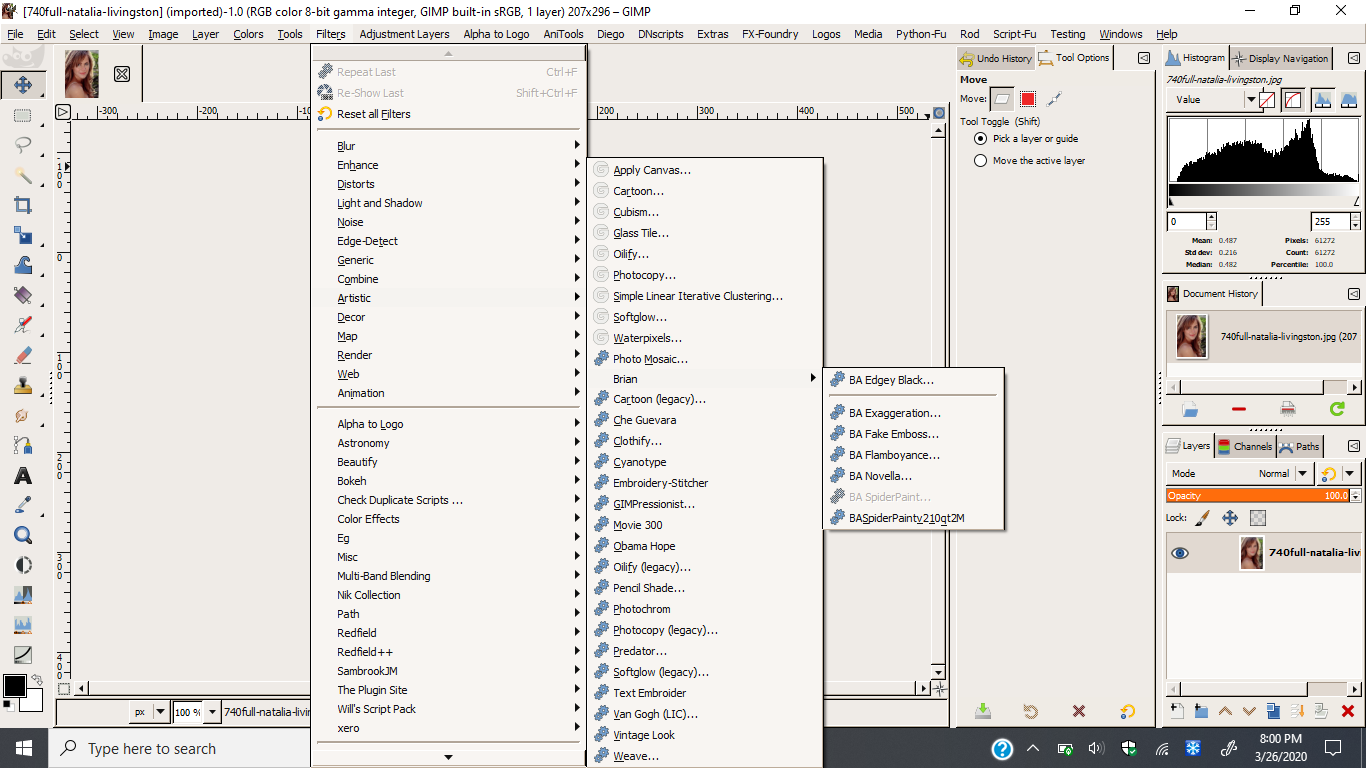
This version in menu Gimp: Filters -> Animation -> BA Fan Illusion...

Attention:
You must use an image:
1. With alpha
2. And transparency (even if the transparency is a 1 pixel eraser in a corner).


A plug-in with this patch can be downloaded in the post #54
viewtopic.php?f=9&t=18138&start=50#p249024.


Attachments:
Test BA FaIlu.gif
Test BA FaIlu.gif [ 1.53 MiB | Viewed 1919 times ]
BA_FanIllusion3f4.zip [7.81 KiB]
Downloaded 128 times

_________________
Image


Last edited by MareroQ on Sat Mar 28, 2020 12:06 am, edited 1 time in total.
Top
 Post subject: Re: Brian plugins for Gimp-2.10
PostPosted: Thu Mar 26, 2020 10:51 pm  (#44) 
Offline
GimpChat Member
User avatar

Joined: Jul 06, 2013
Posts: 2661
Location: California
MareroQ wrote:
It is possible that something went wrong with pasting the code.
Try from the attachment.
This version in menu Gimp: Filters -> Animation -> BA Fan Illusion...


I'm rebooting gimp again. Hopefully the plugin is in Filters->Animation->BA Fan Illusion. Fingers crossed!


Top
 Post subject: Re: Brian plugins for Gimp-2.10
PostPosted: Thu Mar 26, 2020 11:22 pm  (#45) 
Offline
GimpChat Member
User avatar

Joined: Jul 06, 2013
Posts: 2661
Location: California
I rebooted gimp and your new version the one you attached is there.


Last edited by mackenzieh on Fri Mar 27, 2020 1:05 am, edited 1 time in total.

Top
 Post subject: Re: Brian plugins for Gimp-2.10
PostPosted: Thu Mar 26, 2020 11:29 pm  (#46) 
Offline
GimpChat Member

Joined: Aug 26, 2019
Posts: 49
Attachment:
dog.gif
dog.gif [ 1.77 MiB | Viewed 1896 times ]
Hi MareroQ
Sorry for delay in posting. You post #37
Had some other things to deal with.
Here is my example.


Top
 Post subject: Re: Brian plugins for Gimp-2.10
PostPosted: Fri Mar 27, 2020 2:27 am  (#47) 
Offline
GimpChat Member
User avatar

Joined: Jul 06, 2013
Posts: 2661
Location: California
What is required to make this plugin work? I ask because I get errors.

Image
Image


Top
 Post subject: Re: Brian plugins for Gimp-2.10
PostPosted: Fri Mar 27, 2020 3:00 am  (#48) 
Offline
GimpChat Member
User avatar

Joined: Jan 13, 2011
Posts: 2642
Location: Poland
The black console is gone?
Check if the image has an alpha channel.

_________________
Image


Top
 Post subject: Re: Brian plugins for Gimp-2.10
PostPosted: Fri Mar 27, 2020 3:13 am  (#49) 
Offline
GimpChat Member
User avatar

Joined: Jul 06, 2013
Posts: 2661
Location: California
MareroQ wrote:
The black console is gone?
Check if the image has an alpha channel.


What do you mean by the black console? No, there is no alpha channel. Should images with out alpha channel have alpha channel added to it in order for the plugin to work? I ran the plugin with alpha channel and I still received the errors.


Top
 Post subject: Re: Brian plugins for Gimp-2.10
PostPosted: Fri Mar 27, 2020 3:20 am  (#50) 
Offline
GimpChat Member
User avatar

Joined: Jan 13, 2011
Posts: 2642
Location: Poland
"Black console" - You showed in post #38.

You must add an alpha channel before running the plugin. The best effects are the "object" on a transparent background.

_________________
Image


Top
Post new topic Reply to topic  [ 130 posts ]  Go to page Previous  1, 2, 3, 4, 5 ... 7  Next

All times are UTC - 5 hours [ DST ]


* Login  


Powered by phpBB3 © phpBB Group