It is currently Mon Aug 03, 2026 12:29 am


All times are UTC - 5 hours [ DST ]


Post new topic Reply to topic  [ 1370 posts ]  Go to page Previous  1, 2, 3, 4, 5, 6 ... 69  Next
Author Message
 Post subject: Re: Bevel Reflect Logo V1.1 (Updates & Bug Fixes)
PostPosted: Wed Feb 05, 2014 10:57 am  (#51) 
Offline
GimpChat Member
User avatar

Joined: Aug 30, 2012
Posts: 2174
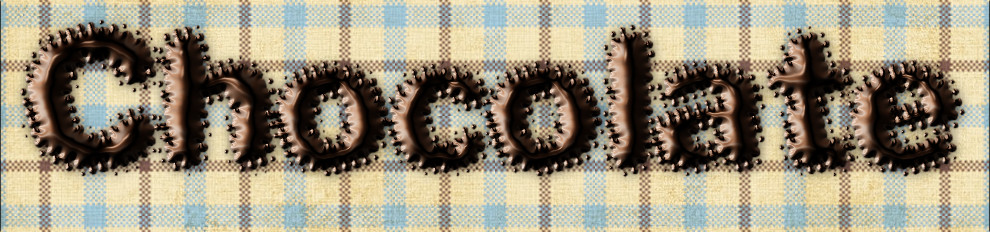
Nice one Tux, couldn't get the loading of a spherical map to work though, assume I must be doing something wrong. I had generated a map I liked and tried saving it to use again but it didn't work.

Sorted out my Issue, I had saved the Map layer generated by this script and so had saved all the transparency as well, created a new image for the sphere and cropped and saved and all ok.

Image

_________________
Image


Top
 Post subject: Re: Bevel Reflect Logo V1.1 (Updates & Bug Fixes)
PostPosted: Wed Feb 05, 2014 11:15 am  (#52) 
Offline
GimpChat Member
User avatar

Joined: Aug 16, 2012
Posts: 4271
Location: Göteborg, Sweden
molly: that's a very elegant result, and i love the colours!
he4rty: ooh, yum!! don't keep posting chocolate, it's giving me cravings.

_________________


Top
 Post subject: Re: Bevel Reflect Logo V1.1 (Updates & Bug Fixes)
PostPosted: Wed Feb 05, 2014 11:28 am  (#53) 
Offline
GimpChat Founder
User avatar

Joined: May 22, 2008
Posts: 5241
Location: Gimpville
Good results from everyone! :bigthup

Mike, you're right, in that some fonts/dings produce much better results than others. That's pretty much the case with any Logo Script, especially when dealing with EMaps. This script relies on the ML Bevel Reflect plug-in, which has 3 main slope settings. The flat slope includes a smoothing factor, while the other two slopes do not. Along with choosing the right slope, getting the right EMap (or using the right Proble/HRDi) is also a factor in getting the best results. Most of the setting in this script come directly from the EnviroMap script, so once you become intimate with how that works, you'll be ahead of the game.

I have a bunch of gradients I downloaded from around the net, which really helps to create the maps. Also, I find RobA's Sample Gradient Along Path a very useful tool for creating custom gradients.

As I've mentioned previously in this thread, one major downside to the ML Bevel Reflect plug-in, the edge aliasing that occurs. I try to mitigate that, with only varying levels of success in this script.

One little trick you can use to always get smooth edges is to use a technique I employ in the Logo Toolbox script, which is to create (what I call) a Text Stroke. Nothing in GIMP produces better anti-aliasing than fonts, so use that to your advantage.

1) Create your Text in a medium to light color, like cyan, on a transparent layer.
2) Duplicate the Text, make it invisible and move it to the bottom for later use.
3) Select the original Text Layer, Right Click, Alpha To Selection.
4) Shrink the selection by the amount of the stroke you want, using 2 for a good blend stroke.
5) Run Bevel Reflect Logo from the Alpha to Logo Menu, with "Keep Layers" unchecked.
Note: depending on the font and text size, you might also need to increase the Edge Smoothing Amount in the script to 2, 3 or even 4.
6) Move the duplicated Text Layer (from Step #2) to just under the newly created Logo Layer and make it visible.

Now you've got a nice, smooth edge. You can then use Colors/Hue & Saturation to match/blend it with the logo layer. Or, you can hue shift it to make a totally different color stroke. Either way, you end up with a really smooth edge. :hehe

Blended
Image

Stroked
Image

_________________
“If you reach for the stars, you just might land on a decently sized hill.” - Stuart Hill


Top
 Post subject: Re: Bevel Reflect Logo V1.1 (Updates & Bug Fixes)
PostPosted: Wed Feb 05, 2014 11:33 am  (#54) 
Offline
GimpChat Founder
User avatar

Joined: May 22, 2008
Posts: 5241
Location: Gimpville
he4rty wrote:
Sorted out my Issue, I had saved the Map layer generated by this script and so had saved all the transparency as well, created a new image for the sphere and cropped and saved and all ok.

Cool chocolaty results. :hehe

I usually just copy the Spherical Emap layer, paste it to a new image, then save it. :cool

_________________
“If you reach for the stars, you just might land on a decently sized hill.” - Stuart Hill


Top
 Post subject: Re: Bevel Reflect Logo V1.1 (Updates & Bug Fixes)
PostPosted: Wed Feb 05, 2014 6:53 pm  (#55) 
Offline
GimpChat Member
User avatar

Joined: Jun 02, 2013
Posts: 2090
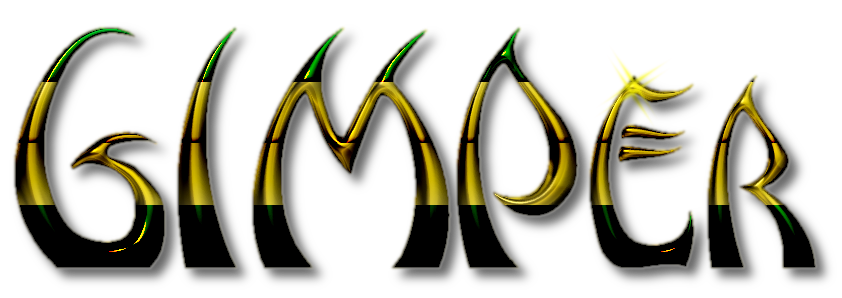
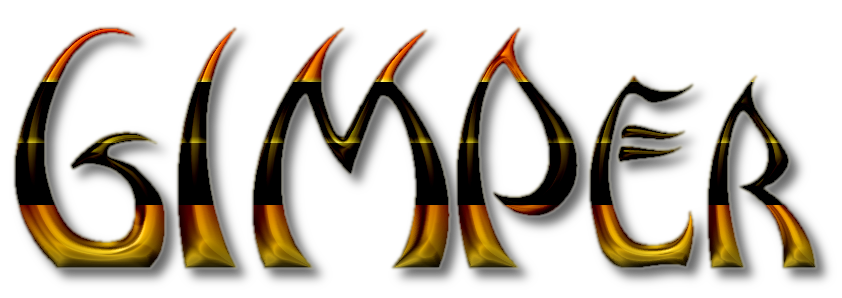
This script is so freakin' cool. Here's a few I was messing around with tonight:

Image

Image

Image

Image

Image

Image

Image

_________________
Image


Top
 Post subject: Re: Bevel Reflect Logo V1.1 (Updates & Bug Fixes)
PostPosted: Wed Feb 05, 2014 7:05 pm  (#56) 
Offline
GimpChat Member
User avatar

Joined: Apr 07, 2010
Posts: 14182
Wow so cool. The 4th from top, with the pattern, how did you do that with a gradient?

_________________
Image


Top
 Post subject: Re: Bevel Reflect Logo V1.1 (Updates & Bug Fixes)
PostPosted: Wed Feb 05, 2014 7:11 pm  (#57) 
Offline
GimpChat Member
User avatar

Joined: Jun 02, 2013
Posts: 2090
molly wrote:
Wow so cool. The 4th from top, with the pattern, how did you do that with a gradient?

Thanks. Yes. Duplicated the layer, alpha to selection, applied a gradient, and set the layer mode, to I believe, difference on the one you speak of.

_________________
Image


Top
 Post subject: Re: Bevel Reflect Logo V1.1 (Updates & Bug Fixes)
PostPosted: Wed Feb 05, 2014 7:13 pm  (#58) 
Offline
GimpChat Member
User avatar

Joined: Apr 07, 2010
Posts: 14182
Thanks love it.

_________________
Image


Top
 Post subject: Re: Bevel Reflect Logo V1.1 (Updates & Bug Fixes)
PostPosted: Wed Feb 05, 2014 7:15 pm  (#59) 
Offline
GimpChat Member
User avatar

Joined: Sep 24, 2010
Posts: 12822
Thanks Tux; wonderful script and plugin. Miss things like this since I work weekend nights. :)


Attachments:
TT.png
TT.png [ 265.8 KiB | Viewed 4026 times ]

_________________
Lyle

Psalm 109:8

Image
Top
 Post subject: Re: Bevel Reflect Logo V1.1 (Updates & Bug Fixes)
PostPosted: Wed Feb 05, 2014 7:16 pm  (#60) 
Offline
GimpChat Member
User avatar

Joined: Apr 07, 2010
Posts: 14182
Very nice Lyle

_________________
Image


Top
 Post subject: Re: Bevel Reflect Logo V1.1 (Updates & Bug Fixes)
PostPosted: Wed Feb 05, 2014 7:18 pm  (#61) 
Offline
GimpChat Member
User avatar

Joined: Jun 02, 2013
Posts: 2090
molly wrote:
Thanks love it.

Thanks Molly, it was fun to do. Starting to get addicted to 2.8 now.

_________________
Image


Top
 Post subject: Re: Bevel Reflect Logo V1.1 (Updates & Bug Fixes)
PostPosted: Thu Feb 06, 2014 1:24 am  (#62) 
Offline
GimpChat Member
User avatar

Joined: Dec 08, 2013
Posts: 1088
RE: Multiple usage of BRL in one image.

Hello GnuTux: while experimenting with BR Logo, I encountered a minor problem regarding recursive usage.

Each new usage of BRL used the same gradient as the first use.

To get around it I simply renamed the previous sphere before running BRL again:)

I like what you've done to it.
:tyspin :pengy

This way to ODINBC viewtopic.php?f=11&t=9242&p=126289#p126289


Attachments:
Bevel Reflect Settings NOTE.jpg
Bevel Reflect Settings NOTE.jpg [ 658.74 KiB | Viewed 3498 times ]

_________________
Image
Top
 Post subject: Re: Bevel Reflect Logo V1.1 (Updates & Bug Fixes)
PostPosted: Thu Feb 06, 2014 2:57 am  (#63) 
Offline
GimpChat Founder
User avatar

Joined: May 22, 2008
Posts: 5241
Location: Gimpville
Thanks Lyle and those look cool Warrior. Overlaying a gradient is a good idea! :bigthup

SysTemX, I'm not seeing that issue. If you select a different gradient, it will use that gradient.

Image

Now, if you select an external map, it will continue to use that external map, until you select another external map or clear that map. You can can clear an external map by refreshing the script: Filters/Script-Fu/Refresh Scripts.

I like how you are coloring with this script. The Logo Toolbox script can be used to do that, as well.

I'm considering adding a contours option to the Alpha To Logo Section, which could produce some cool & interesting results with the ML BR Plug-in. :hehe

_________________
“If you reach for the stars, you just might land on a decently sized hill.” - Stuart Hill


Top
 Post subject: Re: Bevel Reflect Logo V1.1 (Updates & Bug Fixes)
PostPosted: Thu Feb 06, 2014 8:23 am  (#64) 
Offline
GimpChat Member
User avatar

Joined: Apr 07, 2010
Posts: 14182
Image

_________________
Image


Top
 Post subject: Re: Bevel Reflect Logo V1.1 (Updates & Bug Fixes)
PostPosted: Thu Feb 06, 2014 9:03 am  (#65) 
Offline
GimpChat Founder
User avatar

Joined: May 22, 2008
Posts: 5241
Location: Gimpville
Very nice results, Molly!

Wallace, do you happen to be using GIMP 2.8.4? If so, you're gonna need to update. There was a major gradient bug in V2.8.4. Selecting a gradient from any script causes GIMP to crash.

viewtopic.php?f=8&t=6796

Until you can update, you can choose to use one of the "Active Gradient" options under the Environment Map Type dropdown. Then, select your gradients from the active gradient list.

Actually, I believe I've found another gradient related bug in GIMP 2.8.x. I'm gonna start a new thread on that.

_________________
“If you reach for the stars, you just might land on a decently sized hill.” - Stuart Hill


Top
 Post subject: Re: Bevel Reflect Logo V1.1 (Updates & Bug Fixes)
PostPosted: Thu Feb 06, 2014 12:31 pm  (#66) 
Offline
GimpChat Member
User avatar

Joined: Apr 07, 2010
Posts: 14182
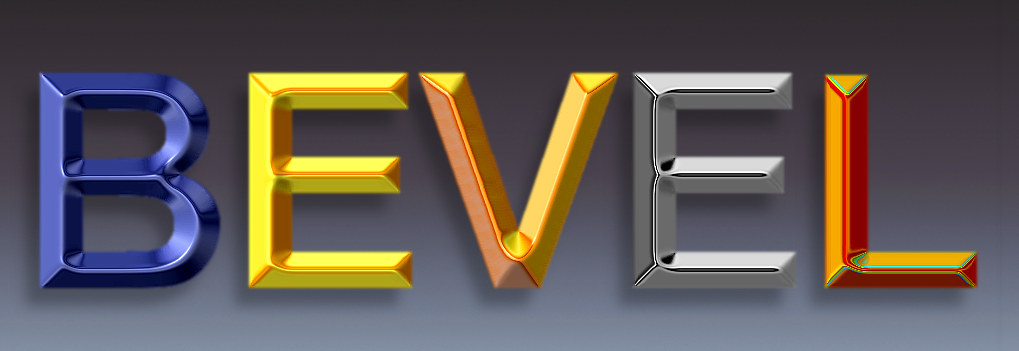
I just tried your tips and tricks tux. Wow, it works like a charm.
Image

_________________
Image


Top
 Post subject: Re: Bevel Reflect Logo V1.1 (Updates & Bug Fixes)
PostPosted: Thu Feb 06, 2014 1:08 pm  (#67) 
Offline
GimpChat Member
User avatar

Joined: Jun 02, 2013
Posts: 2090
Looks cool Molly.

_________________
Image


Top
 Post subject: Re: Bevel Reflect Logo V1.1 (Updates & Bug Fixes)
PostPosted: Thu Feb 06, 2014 1:24 pm  (#68) 
Offline
GimpChat Member
User avatar

Joined: Apr 07, 2010
Posts: 14182
Thank you warrior. that shrinking and adding a stroke did the trick.

_________________
Image


Top
 Post subject: Re: Bevel Reflect Logo V1.1 (Updates & Bug Fixes)
PostPosted: Thu Feb 06, 2014 3:49 pm  (#69) 
Offline
GimpChat Member
User avatar

Joined: Aug 11, 2013
Posts: 123
Location: Ohio
Tinkering around with this awesome script, I somehow came up with this. :) Image

_________________
Image


Top
 Post subject: Re: Bevel Reflect Logo V1.1 (Updates & Bug Fixes)
PostPosted: Thu Feb 06, 2014 4:11 pm  (#70) 
Offline
GimpChat Founder
User avatar

Joined: May 22, 2008
Posts: 5241
Location: Gimpville
Great results, Molly. There's no jaggy outside edges on that one. There are a few artifacts on the inner curves of that font, but you can probably fix that by adjusting the smoothing on the flat slope, or perhaps using one of the other slopes.

Very cool result on that one, Rellik419. :cool

_________________
“If you reach for the stars, you just might land on a decently sized hill.” - Stuart Hill


Top
Post new topic Reply to topic  [ 1370 posts ]  Go to page Previous  1, 2, 3, 4, 5, 6 ... 69  Next

All times are UTC - 5 hours [ DST ]


* Login  


Powered by phpBB3 © phpBB Group