It is currently Tue Aug 04, 2026 11:54 am


All times are UTC - 5 hours [ DST ]


Post new topic Reply to topic  [ 1370 posts ]  Go to page Previous  1 ... 25, 26, 27, 28, 29, 30, 31 ... 69  Next
Author Message
 Post subject: Re: Bevel Reflect Logo V1.5 (Depth Adjustments For Bevel Options)
PostPosted: Thu Jul 03, 2014 7:09 pm  (#541) 
Offline
GimpChat Founder
User avatar

Joined: May 22, 2008
Posts: 5241
Location: Gimpville
Rod wrote:
I wonder what G'MICs Dream Smoothing would do for the sphere maps?
Can't wait to use the script you are writing for this technique.

I tried dream smoothing on an image and created a map from the result. It actually worked out nicely and produced a cool effect. You should try it.

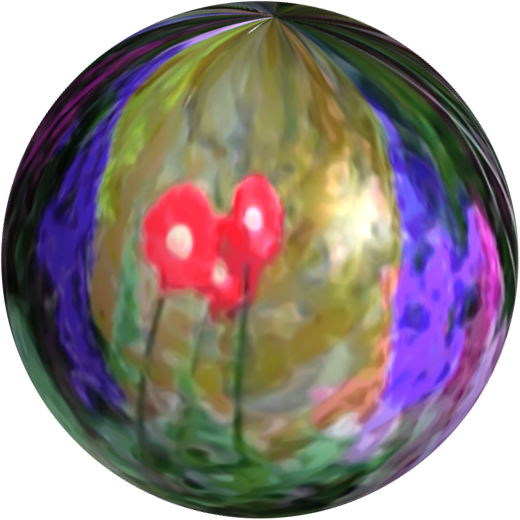
I'm not sure how useful my little script is. It's probably just better to use polar coordinates and map object (to sphere) plug-ins manually, so you can preview the result as you go. That strange result on Fedora #2 comes from mapping a circle to a sphere. The edge transparency around the circle causes missing areas in the sphere. It's still a usable emap, though.

Marcello wrote:
How I can upload an image that can be enlarged?

If you upload an image larger than 760px, it will be displayed at 760px. When you click, it will resize up or down, depending on your display resolution and the image size.

_________________
“If you reach for the stars, you just might land on a decently sized hill.” - Stuart Hill


Top
 Post subject: Re: Bevel Reflect Logo V1.5 (Depth Adjustments For Bevel Options)
PostPosted: Fri Jul 04, 2014 6:04 am  (#542) 
Offline
GimpChat Member
User avatar

Joined: Apr 07, 2010
Posts: 14182
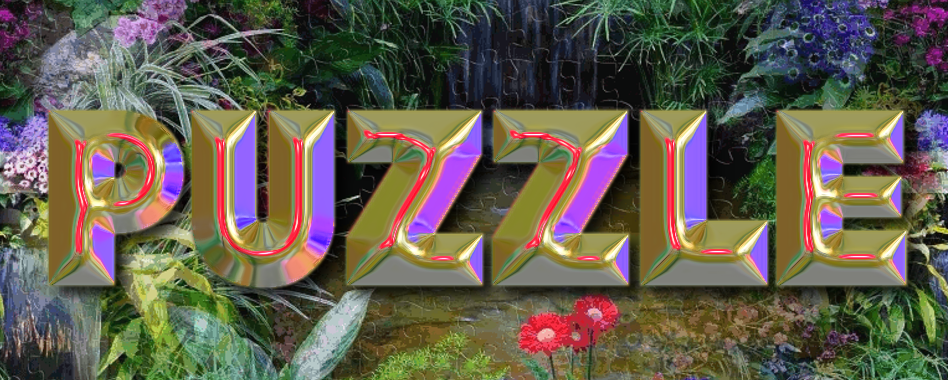
This was created from a jig-saw puzzle I just finished in ipad. The edges are not as smooth as I would like though.
Image

Image

_________________
Image


Top
 Post subject: Re: Bevel Reflect Logo V1.5 (Depth Adjustments For Bevel Options)
PostPosted: Fri Jul 04, 2014 6:07 am  (#543) 
Offline
GimpChat Member
User avatar

Joined: Mar 01, 2014
Posts: 14105
Location: Spain, Aragón
Molly what fantastic outcomes! Wow! I love what you have done. :jumpclap

_________________
Image

Gimp 2.10.30(samj) portable _ OS Windows 10 Home_ 64bits
Don’t be afraid to start over. It’s a new chance to rebuild what you want.


Top
 Post subject: Re: Bevel Reflect Logo V1.5 (Depth Adjustments For Bevel Options)
PostPosted: Fri Jul 04, 2014 6:56 am  (#544) 
Offline
GimpChat Member
User avatar

Joined: Jan 20, 2013
Posts: 590
Thanks, Molly.

_________________
Image


Top
 Post subject: Re: Bevel Reflect Logo V1.5 (Depth Adjustments For Bevel Options)
PostPosted: Fri Jul 04, 2014 6:59 am  (#545) 
Offline
GimpChat Member
User avatar

Joined: Apr 07, 2010
Posts: 14182
You are welcome Carlos.
Thank you Issabella but I would like to get the text edges smoother, I find all those settings confusing... :oops: :roll:
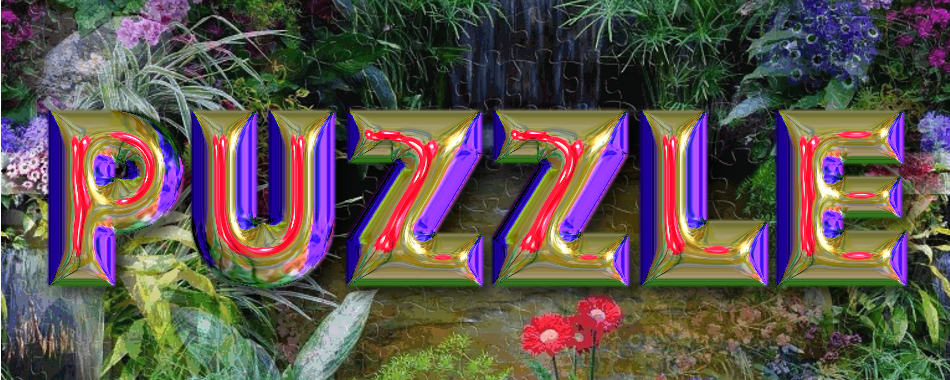
EDIT: I ran it through thin brush smoothing at default settings and I think it fixed the rough edges a bit.
Image

_________________
Image


Top
 Post subject: Re: Bevel Reflect Logo V1.5 (Depth Adjustments For Bevel Options)
PostPosted: Fri Jul 04, 2014 8:00 am  (#546) 
Offline
GimpChat Founder
User avatar

Joined: May 22, 2008
Posts: 5241
Location: Gimpville
Your last result is better and looks very nice, Molly. When there is so much going on in an image, it's take lots of smoothing to get good results. I try to smooth my emap, so I don't have to apply much smoothing to the result.

I think I could have gotten better results, had I not been limited to the 256 color .gif posted.

Here's the map I ended up with from your puzzle
Image

Result from Flat Bevel, Smoothing 17, Depth 9.9
Image

Result from Round2 Bevel, Depth 16.80
Image

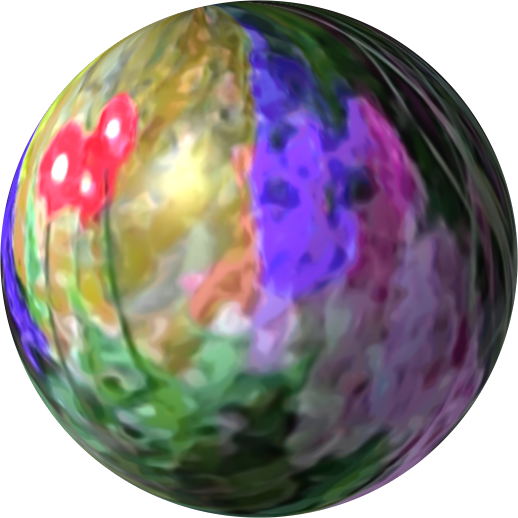
Map variation #2
Image

Image

molly wrote:
I find all those settings confusing

Half the settings are for generating emaps on the fly. If you use your own emap, you can ignore those. Running interactively (select interactive from Bevel Slope dropdown), allows you to preview all the bevel slopes, as well as preview all the emaps you have loaded into memory. ;)

_________________
“If you reach for the stars, you just might land on a decently sized hill.” - Stuart Hill


Top
 Post subject: Re: Bevel Reflect Logo V1.5 (Depth Adjustments For Bevel Options)
PostPosted: Fri Jul 04, 2014 8:04 am  (#547) 
Offline
GimpChat Member
User avatar

Joined: May 17, 2014
Posts: 1568
Molly I like the color shade in your text very much. Nice outcome!

_________________
Ella's gallery - YouTube


Top
 Post subject: Re: Bevel Reflect Logo V1.5 (Depth Adjustments For Bevel Options)
PostPosted: Fri Jul 04, 2014 8:39 am  (#548) 
Offline
GimpChat Member
User avatar

Joined: Apr 07, 2010
Posts: 14182
Thank you very much Tux, I didn't think of smoothing the emap first, that makes sense. I will look into selecting interactive from bevel slope dripdown too. back to drawing board when I come back from next door feeding the two cats and guppies etc. :paint

_________________
Image


Top
 Post subject: Re: Bevel Reflect Logo V1.5 (Depth Adjustments For Bevel Options)
PostPosted: Fri Jul 04, 2014 8:42 am  (#549) 
Offline
GimpChat Member
User avatar

Joined: Mar 01, 2014
Posts: 14105
Location: Spain, Aragón
Molly, your last outcome much better. :clap
GnuTux I love your emaps. :clap Thanks for sharing. :tyspin

_________________
Image

Gimp 2.10.30(samj) portable _ OS Windows 10 Home_ 64bits
Don’t be afraid to start over. It’s a new chance to rebuild what you want.


Top
 Post subject: Re: Bevel Reflect Logo V1.5 (Depth Adjustments For Bevel Options)
PostPosted: Fri Jul 04, 2014 8:43 am  (#550) 
Offline
GimpChat Member
User avatar

Joined: Jan 20, 2013
Posts: 14831
Location: roma, italy
Molly,
you are mastering this Logo script now, the author must be very happy!
excellent outcomes
congrats!

_________________
"Where am I ?"


Top
 Post subject: Re: Bevel Reflect Logo V1.5 (Depth Adjustments For Bevel Options)
PostPosted: Fri Jul 04, 2014 8:56 am  (#551) 
Offline
GimpChat Member
User avatar

Joined: Apr 07, 2010
Posts: 14182
Thank you dinasset and Issabella and Tux

_________________
Image


Top
 Post subject: Re: Bevel Reflect Logo V1.5 (Depth Adjustments For Bevel Options)
PostPosted: Fri Jul 04, 2014 11:06 am  (#552) 
Offline
GimpChat Member
User avatar

Joined: Apr 07, 2010
Posts: 14182
Here is another one, different settings.
Image

_________________
Image


Top
 Post subject: Re: Bevel Reflect Logo V1.5 (Depth Adjustments For Bevel Options)
PostPosted: Thu Jul 17, 2014 10:34 am  (#553) 
Offline
Script Coder
User avatar

Joined: May 07, 2014
Posts: 4527
Location: Canada
I downloaded the bevel reflect application for 64 bit windows.
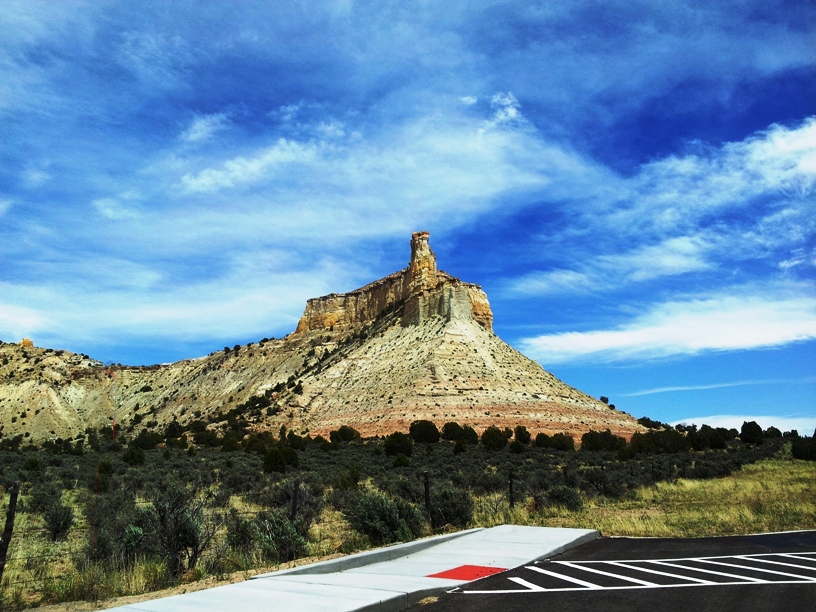
I opened this spherical as an image.
Image
Then i opened a new image and created large text "ABC" to fill the new image of same dimension as the the spherical image.
I opened Filters/Map/ML Bevel Reflect 2.0... and selected Spherical Map and selected the spherical image from the drop down. I don't see anything in the preview and when i click OK, it got rid of my "ABC" text.
What am i doing wrong?

_________________
TinT


Top
 Post subject: Re: Bevel Reflect Logo V1.5 (Depth Adjustments For Bevel Options)
PostPosted: Thu Jul 17, 2014 11:27 am  (#554) 
Offline
GimpChat Member
User avatar

Joined: Sep 22, 2012
Posts: 2089
Location: US
Tin, MLBevelReflect plugin runs inside BR Logo script put together by GnuTux

or you need to read this thread viewtopic.php?f=9&t=9435&hilit=MLBevelReflect


Top
 Post subject: Re: Bevel Reflect Logo V1.5 (Depth Adjustments For Bevel Options)
PostPosted: Thu Jul 17, 2014 12:23 pm  (#555) 
Offline
Administrator
User avatar

Joined: Aug 10, 2012
Posts: 14144
Location: Native to NYC living in Arizona, Gimp 2.8 - 3.0, Win 11 PC.
@ Tin,
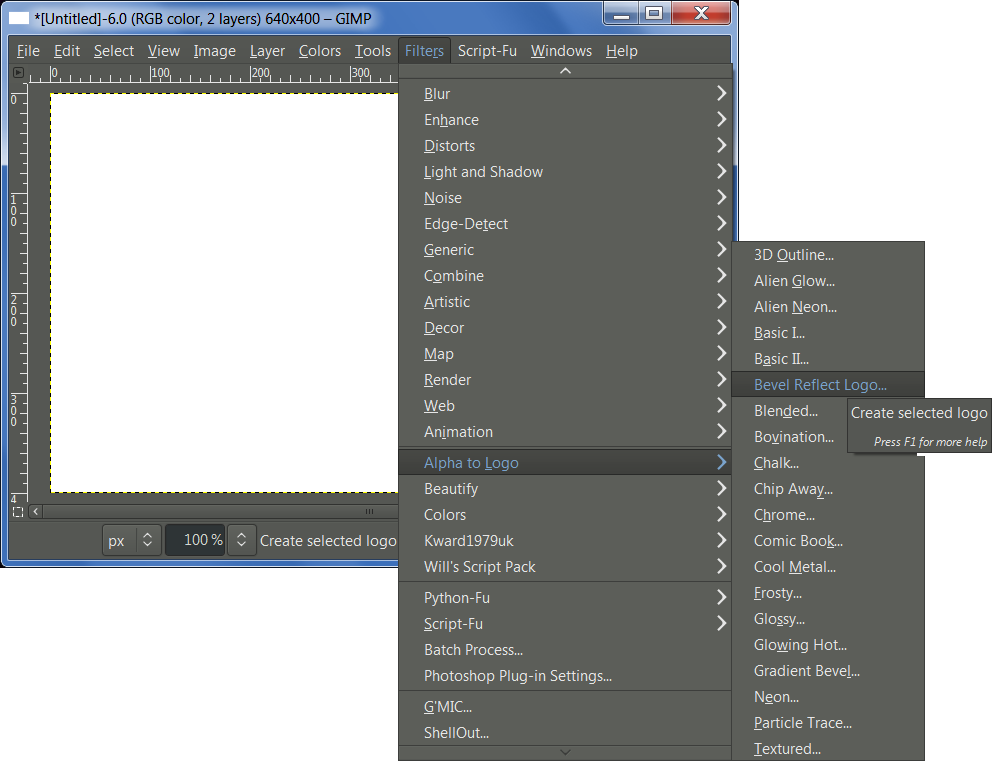
I think your best bet would be to now get the "Bevel-Reflect-Logo.scm" and run it on your text as shown in the image below. Being sure to us your "spherical probe image" as the Emap.
Image

_________________
Image
"A wise man learns more from a foolish question than a fool can learn from a wise answer"
Image


Top
 Post subject: Re: Bevel Reflect Logo V1.5 (Depth Adjustments For Bevel Options)
PostPosted: Thu Jul 17, 2014 1:02 pm  (#556) 
Offline
GimpChat Member
User avatar

Joined: Mar 10, 2014
Posts: 845
testing Light Probe Simulation scm
Image
Image
BRL result
Image


Top
 Post subject: Re: Bevel Reflect Logo V1.5 (Depth Adjustments For Bevel Options)
PostPosted: Thu Jul 17, 2014 1:10 pm  (#557) 
Offline
Administrator
User avatar

Joined: Aug 10, 2012
Posts: 14144
Location: Native to NYC living in Arizona, Gimp 2.8 - 3.0, Win 11 PC.
trandoductin wrote:
I downloaded the bevel reflect application for 64 bit windows.
I opened this spherical as an image.
Then i opened a new image and created large text "ABC" to fill the new image of same dimension as the the spherical image.
I opened Filters/Map/ML Bevel Reflect 2.0... and selected Spherical Map and selected the spherical image from the drop down. I don't see anything in the preview and when i click OK, it got rid of my "ABC" text.
What am i doing wrong?

@Tin,
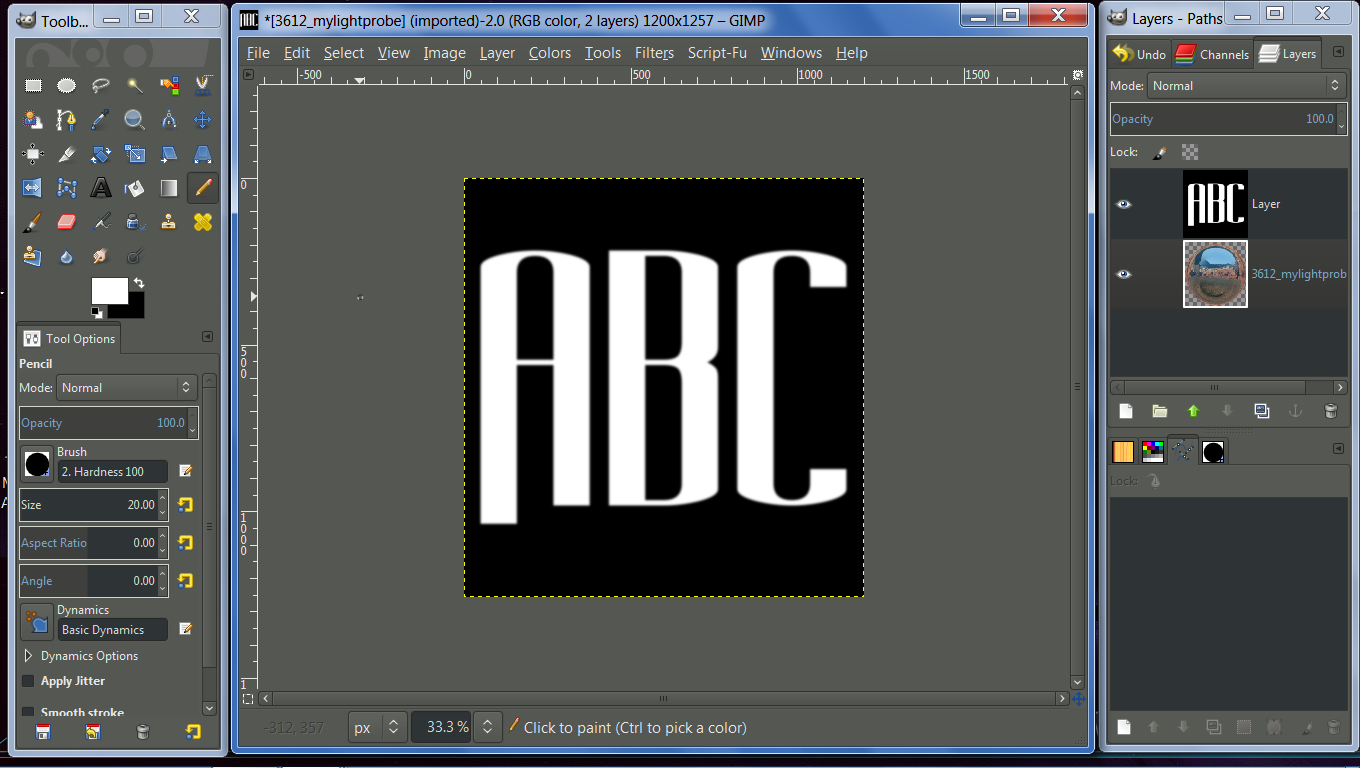
What we all have failed to mention is this, you need to put "blurred" white text on a black background when using the ML Bevel Reflect plugin.
Then select your spherical image and run the plugin/click OK...
Image
I blurred my text by 10 in the image above.


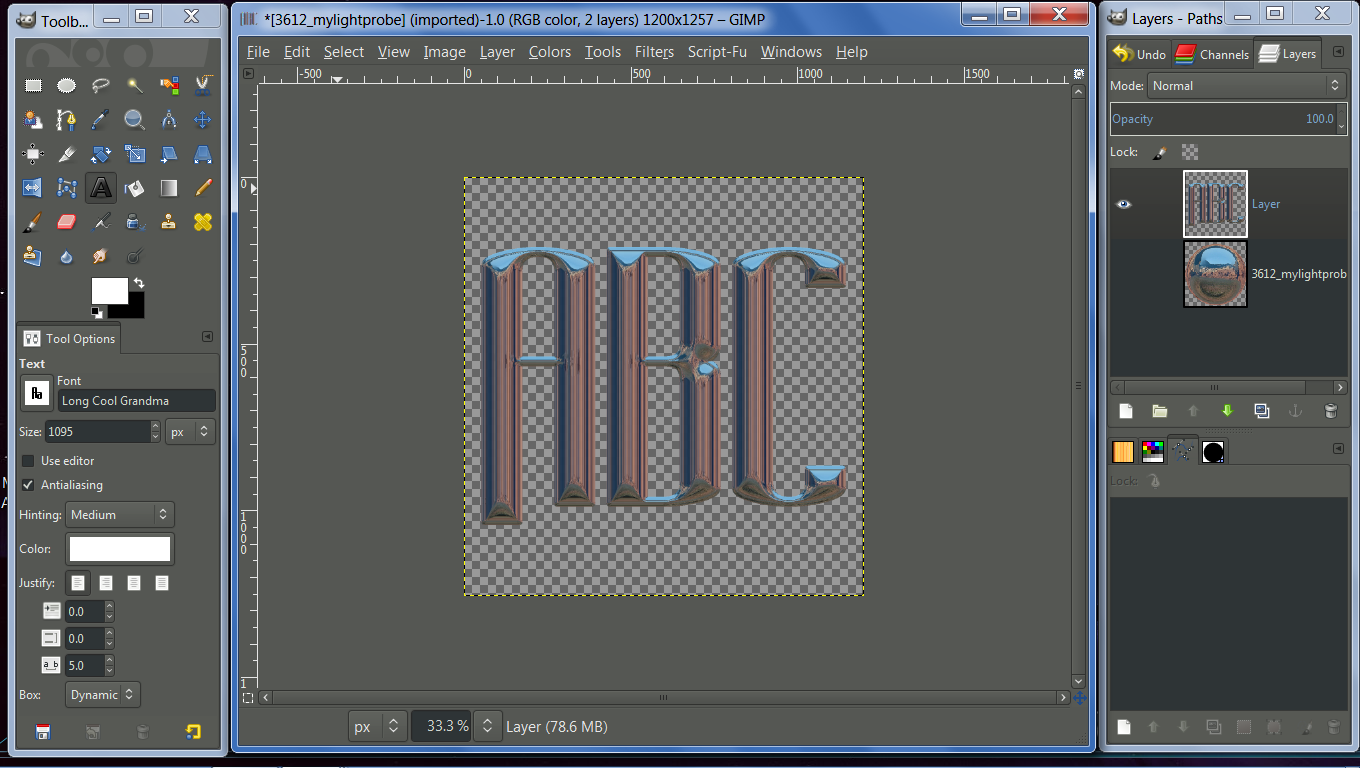
This is what I came up with, using your light prob image with the ML Bevel Reflect plugin as described above.
Image

_________________
Image
"A wise man learns more from a foolish question than a fool can learn from a wise answer"
Image


Top
 Post subject: Re: Bevel Reflect Logo V1.5 (Depth Adjustments For Bevel Options)
PostPosted: Thu Jul 17, 2014 2:23 pm  (#558) 
Offline
GimpChat Founder
User avatar

Joined: May 22, 2008
Posts: 5241
Location: Gimpville
Marcello wrote:
testing Light Probe Simulation scm

Very nice results, Marcello. :2thup

trandoductin wrote:
What am i doing wrong?

As others have already mentioned, it's best to run Bevel Reflect Logo, which calls the Bevel Reflect plug-in. BRL is much easier to use and solves several anomalies that can occur when using the Bevel Reflect plug-in directly. BRL can also create Spherical Environment Maps from gradients, on the fly.

I like to load several emaps into GIMP, then run BRL, selecting "Run Interactive" in the Bevel Slope Options drop down. That way, you can preview several emaps and slopes, while taking advantage of the ease of use of the Bevel Reflect Logo script.

_________________
“If you reach for the stars, you just might land on a decently sized hill.” - Stuart Hill


Top
 Post subject: Re: Bevel Reflect Logo V1.5 (Depth Adjustments For Bevel Options)
PostPosted: Sat Jul 19, 2014 12:53 pm  (#559) 
Offline
GimpChat Member
User avatar

Joined: Mar 10, 2014
Posts: 845
BRL - mon amour...

Image


Top
 Post subject: Re: Bevel Reflect Logo V1.5 (Depth Adjustments For Bevel Options)
PostPosted: Sun Jul 20, 2014 5:13 am  (#560) 
Offline
GimpChat Member
User avatar

Joined: Dec 08, 2013
Posts: 1088
:)


Attachments:
GC-BRL-Sphere.jpg
GC-BRL-Sphere.jpg [ 1.01 MiB | Viewed 1752 times ]

_________________
Image
Top
Post new topic Reply to topic  [ 1370 posts ]  Go to page Previous  1 ... 25, 26, 27, 28, 29, 30, 31 ... 69  Next

All times are UTC - 5 hours [ DST ]


* Login  


Powered by phpBB3 © phpBB Group