It is currently Thu Nov 12, 2026 2:34 am


All times are UTC - 5 hours [ DST ]


Post new topic Reply to topic  [ 96 posts ]  Go to page Previous  1, 2, 3, 4, 5  Next
Author Message
 Post subject: Re: binaries Gimp Win + sources
PostPosted: Sat Dec 07, 2013 4:35 pm  (#71) 
Offline
Global Moderator
User avatar

Joined: May 16, 2010
Posts: 16256
Thank you Sam. :)

_________________
Image


Top
 Post subject: Re: binaries Gimp Win + sources
PostPosted: Sat Dec 07, 2013 7:12 pm  (#72) 
Offline
Global Moderator
User avatar

Joined: May 16, 2010
Posts: 16256
Regarding Re-synthesizer. I had the same error pop up for the dll file as mentioned before. But when i go to filters>map>resynthesize it is indeed there and runs perfect for me. :)

Image

So it is my guess that to remove the popup warning you need to install the resynthesizer executables (all three) into the gimp-2/lib/gimp/2.0/plug-ins folder and all will be well. :bigthup

_________________
Image


Top
 Post subject: Re: binaries Gimp Win + sources
PostPosted: Sat Dec 07, 2013 7:54 pm  (#73) 
Offline
Global Moderator
User avatar

Joined: May 16, 2010
Posts: 16256
I was correct ^

_________________
Image


Top
 Post subject: Re: binaries Gimp Win + sources
PostPosted: Tue Aug 19, 2014 6:36 pm  (#74) 
Offline
Script Coder
User avatar

Joined: Feb 18, 2011
Posts: 4826
Location: Bendigo Vic. Australia
:bump by Graechan for those who don't have some of these great plugins from Samj

_________________
Image
No matter how much you push the envelope, it'll still be stationery.


Top
 Post subject: Re: binaries Gimp Win + sources
PostPosted: Tue Aug 19, 2014 9:18 pm  (#75) 
Offline
Script Coder
User avatar

Joined: Feb 18, 2011
Posts: 4826
Location: Bendigo Vic. Australia
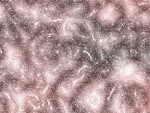
F/G using Turing Pattern, B/G using Waves of Chaos
Image

_________________
Image
No matter how much you push the envelope, it'll still be stationery.


Top
 Post subject: Re: binaries Gimp Win + sources
PostPosted: Tue Aug 19, 2014 10:03 pm  (#76) 
Offline
GimpChat Member
User avatar

Joined: Dec 08, 2013
Posts: 1088
Thanks for the bump Graechan. Lost this link and I am (I guess) a SamJ groupie.

_________________
Image


Top
 Post subject: Re: binaries Gimp Win + sources
PostPosted: Tue Aug 19, 2014 10:41 pm  (#77) 
Offline
Script Coder
User avatar

Joined: Feb 18, 2011
Posts: 4826
Location: Bendigo Vic. Australia
SysTemX Some of the plugins listed are ex-Gimp ones that were dropped over the years, and were compiled here for 2.8 by Samj, others were found on sourceforge

_________________
Image
No matter how much you push the envelope, it'll still be stationery.


Top
 Post subject: Re: binaries Gimp Win + sources
PostPosted: Wed Aug 20, 2014 12:07 am  (#78) 
Offline
GimpChat Member
User avatar

Joined: Dec 08, 2013
Posts: 1088
I just found that out thanks Graechan. I lost 2 archive drives to lightning so I'm trying source my lost resources and scripts.
I believe this is the place for SamJ ;-}

_________________
Image


Top
 Post subject: Re: binaries Gimp Win + sources
PostPosted: Wed Aug 20, 2014 1:31 am  (#79) 
Offline
GimpChat Member
User avatar

Joined: Jul 06, 2013
Posts: 2666
Location: California
I just downloaded the scripts. How do I install them and where?


Top
 Post subject: Re: binaries Gimp Win + sources
PostPosted: Wed Aug 20, 2014 1:38 am  (#80) 
Offline
GimpChat Member
User avatar

Joined: Dec 08, 2013
Posts: 1088
I run them in user plugins folder but I've been told the gimp x64bit folder is best. Might be better waiting for Graechan though. :roll:

_________________
Image


Top
 Post subject: Re: binaries Gimp Win + sources
PostPosted: Wed Aug 20, 2014 2:05 am  (#81) 
Offline
GimpChat Member
User avatar

Joined: Jul 06, 2013
Posts: 2666
Location: California
SysTemX wrote:
I run them in user plugins folder but I've been told the gimp x64bit folder is best. Might be better waiting for Graechan though. :roll:


I figured it out. Thanks. :)


Top
 Post subject: Re: binaries Gimp Win + sources
PostPosted: Wed Aug 20, 2014 2:16 am  (#82) 
Offline
Script Coder
User avatar

Joined: Feb 18, 2011
Posts: 4826
Location: Bendigo Vic. Australia
Mackenzieh As they are all plugins they go in your user-folder plugins

_________________
Image
No matter how much you push the envelope, it'll still be stationery.


Top
 Post subject: Re: binaries Gimp Win + sources
PostPosted: Wed Aug 20, 2014 2:40 am  (#83) 
Offline
GimpChat Member
User avatar

Joined: Dec 08, 2013
Posts: 1088
Thanks Graechan.

_________________
Image


Top
 Post subject: Re: binaries Gimp Win + sources
PostPosted: Wed Aug 20, 2014 5:10 pm  (#84) 
Offline
GimpChat Member
User avatar

Joined: Mar 10, 2014
Posts: 845
How can I know to use the Gimpmask.exe?

Updated
I find something here
http://gmask.wikia.com/wiki/Tutorials/FL_Flip


Top
 Post subject: Re: binaries Gimp Win + sources
PostPosted: Fri Jul 22, 2016 2:40 am  (#85) 
Offline
Global Moderator
User avatar

Joined: Apr 01, 2012
Posts: 8502
Location: On the other side of your screen
Can't believe I missed this one (Turing Pattern)
Image

_________________
Image
Free Fun Photo Editing & resources
Poems from the Lord
Gimp Newby
Gimp version 3.2.8 and GMIC-Qt 4.0.2 OS :- Windows 10 Home 64


Top
 Post subject: Re: binaries Gimp Win + sources
PostPosted: Wed Sep 23, 2020 12:19 am  (#86) 
Offline
GimpChat Member
User avatar

Joined: Jul 06, 2013
Posts: 2666
Location: California
samj wrote:
Bonjour,

Deskew version 20130830

Layer > Transform > Deskew

Binaries Gimp Win + Sources


Deskew doesn't seem to be loading properly. When I start gimp, I get this error:
Image

I am using Gimp 2.10.20 64bit


Top
 Post subject: Re: binaries Gimp Win + sources
PostPosted: Wed Sep 23, 2020 12:33 am  (#87) 
Offline
GimpChat Member
User avatar

Joined: Oct 06, 2010
Posts: 4050
mackenzieh wrote:
samj wrote:
Bonjour,

Deskew version 20130830

Layer > Transform > Deskew

Binaries Gimp Win + Sources


Deskew doesn't seem to be loading properly. When I start gimp, I get this error:
[ Image ]

I am using Gimp 2.10.20 64bit


Did you add the two library files?

_________________
"In order to attain the impossible, one must attempt the absurd."
~ Miguel de Cervantes


Top
 Post subject: Re: binaries Gimp Win + sources
PostPosted: Wed Sep 23, 2020 1:15 am  (#88) 
Offline
GimpChat Member
User avatar

Joined: Jul 06, 2013
Posts: 2666
Location: California
mahvin wrote:
mackenzieh wrote:
samj wrote:
Bonjour,

Deskew version 20130830

Layer > Transform > Deskew

Binaries Gimp Win + Sources


Deskew doesn't seem to be loading properly. When I start gimp, I get this error:
[ Image ]

I am using Gimp 2.10.20 64bit


Did you add the two library files?

Where do the two library files go?


Top
 Post subject: Re: binaries Gimp Win + sources
PostPosted: Wed Sep 23, 2020 5:41 am  (#89) 
Offline
GimpChat Member
User avatar

Joined: May 10, 2013
Posts: 1443
Location: Finland
I would put them in same folder with the plug-in, and place that folder in the user plug-ins folder to avoid conflicts. That's how I always did (do) on Windows with the plug-ins that require extra libraries.
Just like with G'mic.


Top
 Post subject: Re: binaries Gimp Win + sources
PostPosted: Wed Sep 23, 2020 8:26 pm  (#90) 
Offline
GimpChat Member
User avatar

Joined: Jul 06, 2013
Posts: 2666
Location: California
Nidhogg wrote:
I would put them in same folder with the plug-in, and place that folder in the user plug-ins folder to avoid conflicts. That's how I always did (do) on Windows with the plug-ins that require extra libraries.
Just like with G'mic.

I will try that and see what happens.

EDIT:
Here is where I put the plugin and the dll files:
Image
Image

This is what I get on start up:
Image


Top
Post new topic Reply to topic  [ 96 posts ]  Go to page Previous  1, 2, 3, 4, 5  Next

All times are UTC - 5 hours [ DST ]


* Login  


Powered by phpBB3 © phpBB Group