It is currently Sun Sep 06, 2026 10:05 pm


All times are UTC - 5 hours [ DST ]


Post new topic Reply to topic  [ 86 posts ]  Go to page Previous  1, 2, 3, 4, 5
Author Message
 Post subject: Re: ML Bevel Reflect Plug-in V2.0 With Depth Adjustments
PostPosted: Tue Feb 07, 2017 4:03 pm  (#81) 
Offline
GimpChat Member
User avatar

Joined: Apr 09, 2016
Posts: 580
Location: Sheffield UK
I've enjoyed this thread and learned a lot, thank you to all previous contributors.
Image

_________________
Image


Top
 Post subject: Re: ML Bevel Reflect Plug-in V2.0 With Depth Adjustments
PostPosted: Tue Feb 07, 2017 4:58 pm  (#82) 
Offline
Administrator
User avatar

Joined: Aug 10, 2012
Posts: 14193
Location: Native to NYC living in Arizona, Gimp 2.8 - 3.0, Win 11 PC.
RJKD wrote:
I've enjoyed this thread and learned a lot, thank you to all previous contributors.
[ Image ]

Nice one RJKD!

:bigthup

Can you post the e-map you used for that image?

_________________
Image
"A wise man learns more from a foolish question than a fool can learn from a wise answer"
Image


Top
 Post subject: Re: ML Bevel Reflect Plug-in V2.0 With Depth Adjustments
PostPosted: Wed Feb 08, 2017 7:55 am  (#83) 
Offline
GimpChat Member
User avatar

Joined: Apr 09, 2016
Posts: 580
Location: Sheffield UK
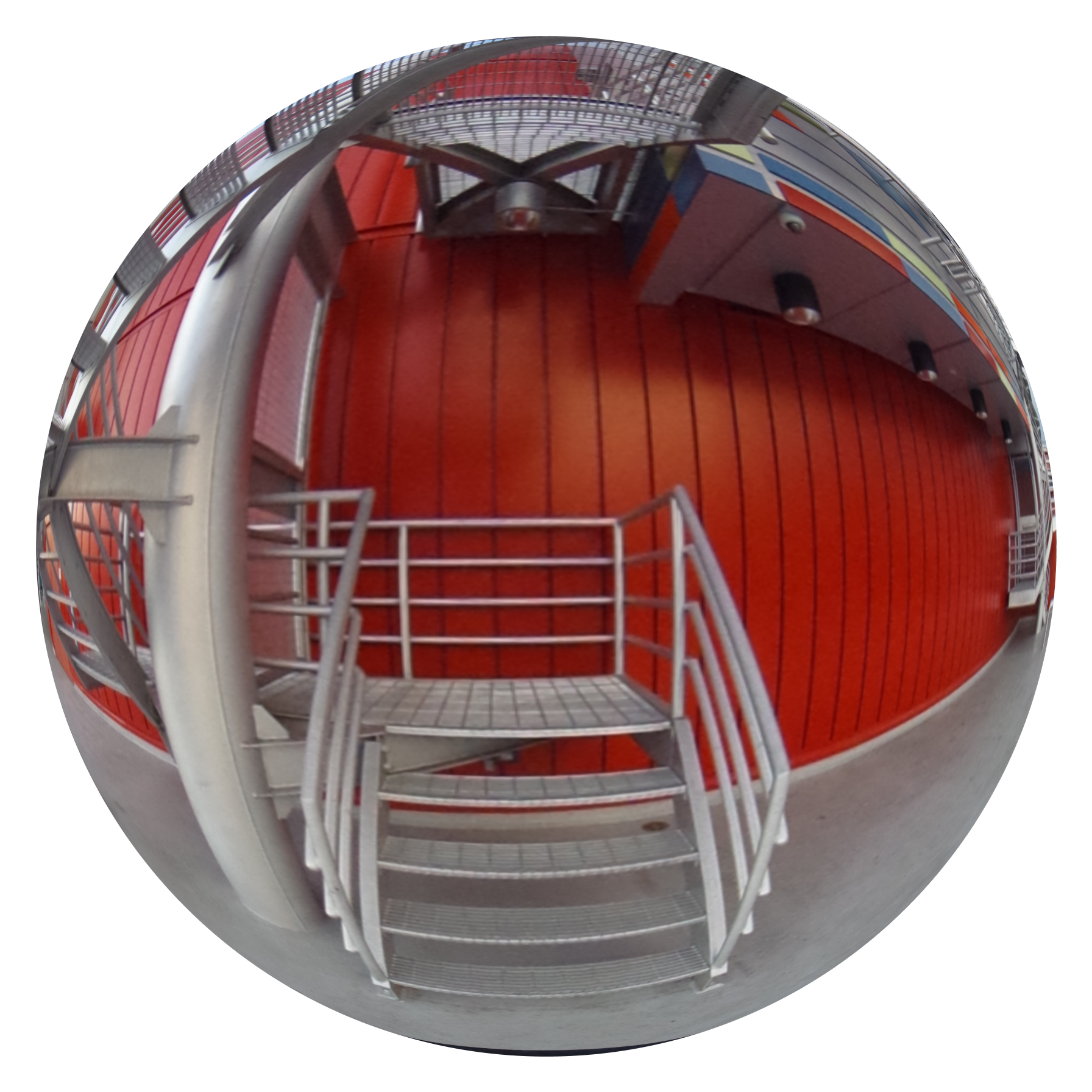
Thank you Wallace, this is the image I used without the transparent pixel at top left corner cropped out
Image
source; http://www.lughertexture.com/spherical- ... treet-hdri

_________________
Image


Top
 Post subject: Re: ML Bevel Reflect Plug-in V2.0 With Depth Adjustments
PostPosted: Wed Feb 08, 2017 10:25 am  (#84) 
Offline
GimpChat Member

Joined: Dec 29, 2015
Posts: 223
Whenever I use this plugin I get some blank pixels along the edges of thebevelled object. To complete color I place a copy of the object in solid color beneath the bevelled layer. It covers the defect to some extent. What could be a better solution to this problem?


Top
 Post subject: Re: ML Bevel Reflect Plug-in V2.0 With Depth Adjustments
PostPosted: Wed Feb 08, 2017 2:09 pm  (#85) 
Offline
GimpChat Member
User avatar

Joined: Apr 09, 2016
Posts: 580
Location: Sheffield UK
It would seem high resolution maps give cleaner outcomes
Image
Image

_________________
Image


Top
 Post subject: Re: ML Bevel Reflect Plug-in V2.0 With Depth Adjustments
PostPosted: Wed Feb 08, 2017 2:17 pm  (#86) 
Offline
Administrator
User avatar

Joined: Aug 10, 2012
Posts: 14193
Location: Native to NYC living in Arizona, Gimp 2.8 - 3.0, Win 11 PC.
Rashid wrote:
Whenever I use this plugin I get some blank pixels along the edges of thebevelled object. To complete color I place a copy of the object in solid color beneath the bevelled layer. It covers the defect to some extent. What could be a better solution to this problem?

I often create a path of the object or text,
which I intend to use the BRL script on.

After I've run the script I sometimes duplicate the BRL layer a few times.
Then Make a selection from the created path of my object or text.
Marge all the duplicated layers and clear the outside of my BRL object.

This can help to fill in any anomalies,
or artifacts that might be present and can also produce cleaner edges.

Another thing I sometimes do,
is to blur the duplicated layers a bit, before combining them.

_________________
Image
"A wise man learns more from a foolish question than a fool can learn from a wise answer"
Image


Top
Post new topic Reply to topic  [ 86 posts ]  Go to page Previous  1, 2, 3, 4, 5

All times are UTC - 5 hours [ DST ]


* Login  


Powered by phpBB3 © phpBB Group