It is currently Sun Jun 21, 2026 3:58 am


All times are UTC - 5 hours [ DST ]


Post new topic Reply to topic  [ 24 posts ]  Go to page 1, 2  Next
Author Message
 Post subject: Free Form Bokeh
PostPosted: Tue Apr 16, 2013 9:14 pm  (#1) 
Offline
Global Moderator
User avatar

Joined: May 16, 2010
Posts: 16038
Just released at the Gimp Registry.

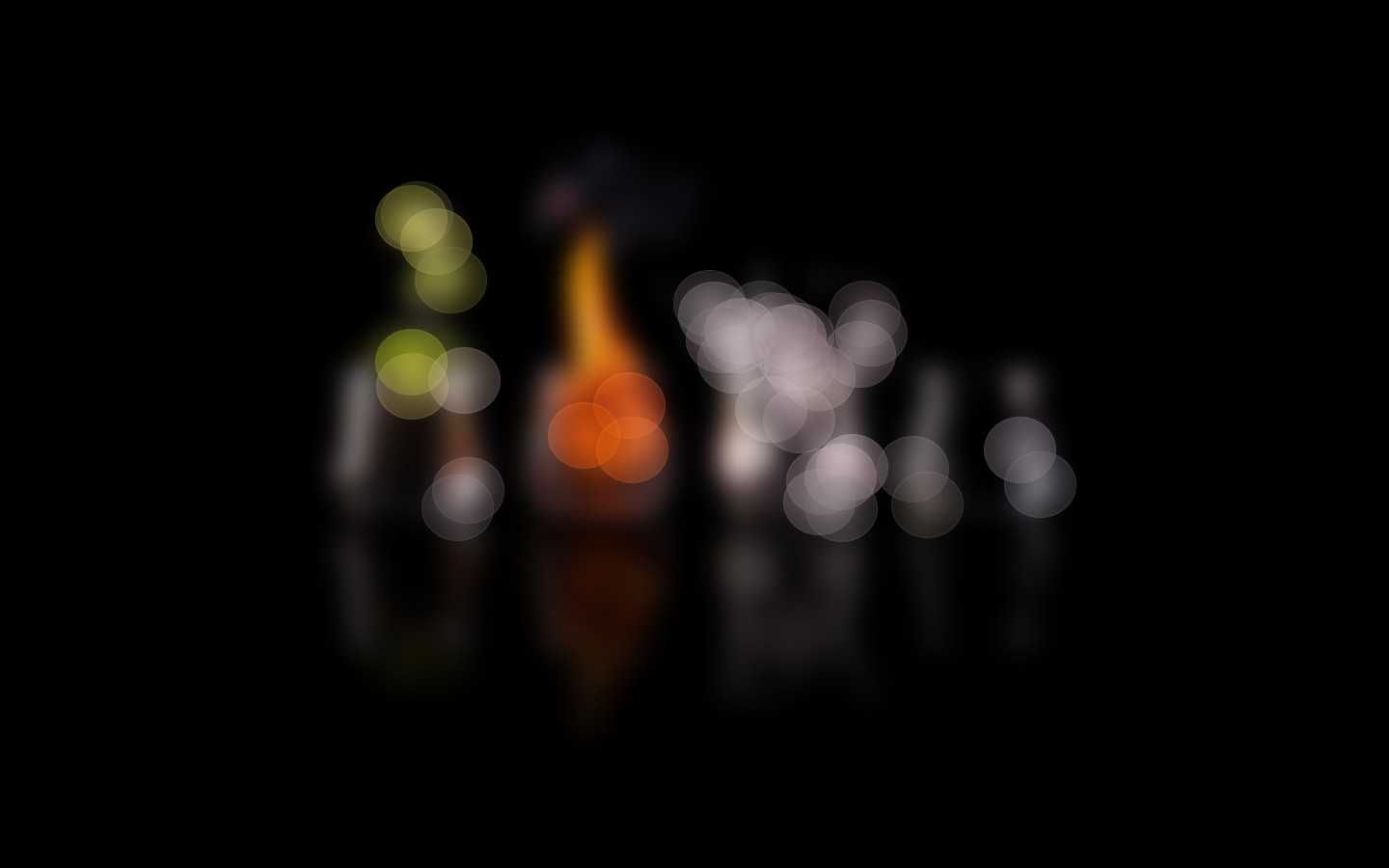
Creates a bokeh effect from available light sources in the active layer. The shape and the size of the bokeh effect is taken from a selection the user must make before using this plugin

Pretty cool little script. - http://registry.gimp.org/node/28052
The script is actually 2 in 1 scripts together.You will find them at Filters/Bokeh/free-form-auto-bokeh
One uses selections and one uses a selection and a path through the light source.

Thanks Hans@GPR

Image

Much better example can be found here - http://registry.gimp.org/files/Christma ... 0Bokeh.jpg
And here - http://registry.gimp.org/files/Bridge%2 ... 0Bokeh.jpg

_________________
Image


Share on Facebook Share on Twitter Share on Orkut Share on Digg Share on MySpace Share on Delicious Share on Technorati
Top
 Post subject: Re: Free Form Bokeh
PostPosted: Wed Apr 17, 2013 1:52 am  (#2) 
Offline
GimpChat Member
User avatar

Joined: Aug 16, 2012
Posts: 4271
Location: Göteborg, Sweden
rod: that looks really cool! thanks for watching that hans guy for us :).

_________________


Top
 Post subject: Re: Free Form Bokeh
PostPosted: Wed Apr 17, 2013 2:44 am  (#3) 
Offline
Script Coder
User avatar

Joined: Feb 18, 2011
Posts: 4826
Location: Bendigo Vic. Australia
Thanks Rod for keeping that 'Eagle-eye' of yours out for us at the registry :coolthup

_________________
Image
No matter how much you push the envelope, it'll still be stationery.


Top
 Post subject: Re: Free Form Bokeh
PostPosted: Wed Apr 17, 2013 6:33 am  (#4) 
Offline
GimpChat Member
User avatar

Joined: Mar 23, 2012
Posts: 7388
Location: Göteborg at last!
Thanks for this one Rod. Looks really useful.


Top
 Post subject: Re: Free Form Bokeh
PostPosted: Wed Apr 17, 2013 1:47 pm  (#5) 
Offline
Administrator
User avatar

Joined: Aug 10, 2012
Posts: 14043
Location: Native to NYC living in Arizona, Gimp 2.8 - 3.0, Win 11 PC.
Rod wrote:
Just released at the Gimp Registry.

Creates a bokeh effect from available light sources in the active layer. The shape and the size of the bokeh effect is taken from a selection the user must make before using this plugin

Pretty cool little script. - http://registry.gimp.org/node/28052
The script is actually 2 in 1 scripts together.You will find them at Filters/Bokeh/free-form-auto-bokeh
One uses selections and one uses a selection and a path through the light source.

Thanks Hans@GPR

Much better example can be found here - http://registry.gimp.org/files/Christma ... 0Bokeh.jpg
And here - http://registry.gimp.org/files/Bridge%2 ... 0Bokeh.jpg


This looks like a nice effect, but what is meant by using the paths tool to make selection? Can't a selection be made with any of the selection tool for the script to create the effect from an image's light source?

_________________
Image
"A wise man learns more from a foolish question than a fool can learn from a wise answer"
Image


Top
 Post subject: Re: Free Form Bokeh
PostPosted: Thu Apr 18, 2013 9:04 am  (#6) 
Offline
GimpChat Member
User avatar

Joined: Mar 23, 2012
Posts: 7388
Location: Göteborg at last!
I keep getting error messages when I run these. Are they designed for 2.8? It might be that I'm using 2.6.11.


Top
 Post subject: Re: Free Form Bokeh
PostPosted: Thu Apr 18, 2013 10:01 am  (#7) 
Offline
Global Moderator
User avatar

Joined: May 16, 2010
Posts: 16038
Erisian what error message do you get?If you are using 2.6 it's probably a deprecation warning.Does the script still run?

Wallace i believe when using the free-form-semi-auto-bokeh selecting the 2 path nodes give you super control over the colors used for the shape.You still have to use the select tool to create a bokeh shape the path determines precise color for the bokeh.So be careful where you place these two nodes.

More on the free-form-semi-auto-bokeh.
In this plug-in the user must mark the light-sources he or she wants to produce a
bokeh's from.
This is done with the path-tool, in which the nodes must be placed on the chosen
light-sources. The path between nodes and the order of the nodes is irrelevant.
Because the colour of the produce bokeh depends on the colour in the image beneath
these nodes
, care should be take in placing these nodes. Enlarge the image during placement of the nodes for better results.

_________________
Image


Top
 Post subject: Re: Free Form Bokeh
PostPosted: Thu Apr 18, 2013 3:37 pm  (#8) 
Offline
Retired Staff
User avatar

Joined: May 22, 2008
Posts: 6946
Location: Somewhere in GIMP
I must not be holding my mouth right or something. I've spent a couple hours working with this script, and have tried different settings in each choice, and haven't come up with anything I like yet. Think I'll stick to bokeh brushes and Dynamics. It looks like a nice script but just doesn't do much for me. Hopefully someone else will figure it out.

_________________
Image
World War IV will be fought with sticks and stones. - Albert Einstein


Top
 Post subject: Re: Free Form Bokeh
PostPosted: Thu Apr 18, 2013 3:45 pm  (#9) 
Offline
Administrator
User avatar

Joined: Aug 10, 2012
Posts: 14043
Location: Native to NYC living in Arizona, Gimp 2.8 - 3.0, Win 11 PC.
Rod wrote:
Erisian what error message do you get?If you are using 2.6 it's probably a deprecation warning.Does the script still run?

Wallace i believe when using the free-form-semi-auto-bokeh selecting the 2 path nodes give you super control over the colors used for the shape.You still have to use the select tool to create a bokeh shape the path determines precise color for the bokeh.So be careful where you place these two nodes.

More on the free-form-semi-auto-bokeh.
In this plug-in the user must mark the light-sources he or she wants to produce a
bokeh's from.
This is done with the path-tool, in which the nodes must be placed on the chosen
light-sources. The path between nodes and the order of the nodes is irrelevant.
Because the colour of the produce bokeh depends on the colour in the image beneath
these nodes
, care should be take in placing these nodes. Enlarge the image during placement of the nodes for better results.


@Rod,

I'm still not sure what your getting at.
Are these 'nodes' part of the script, or do I have to manually place them in my image before I use the script? If so... then it's really not a path, but just path-nodes. Without any real path.
Is this correct?

_________________
Image
"A wise man learns more from a foolish question than a fool can learn from a wise answer"
Image


Top
 Post subject: Re: Free Form Bokeh
PostPosted: Thu Apr 18, 2013 4:02 pm  (#10) 
Offline
Retired Staff
User avatar

Joined: May 22, 2008
Posts: 6946
Location: Somewhere in GIMP
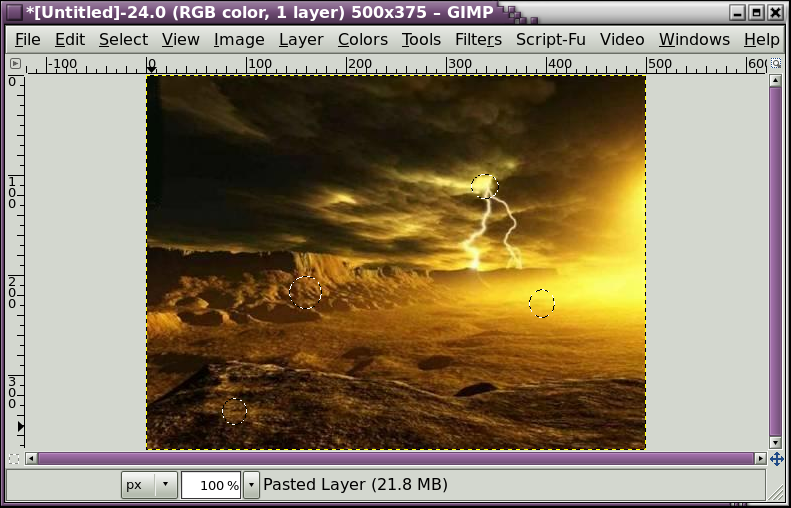
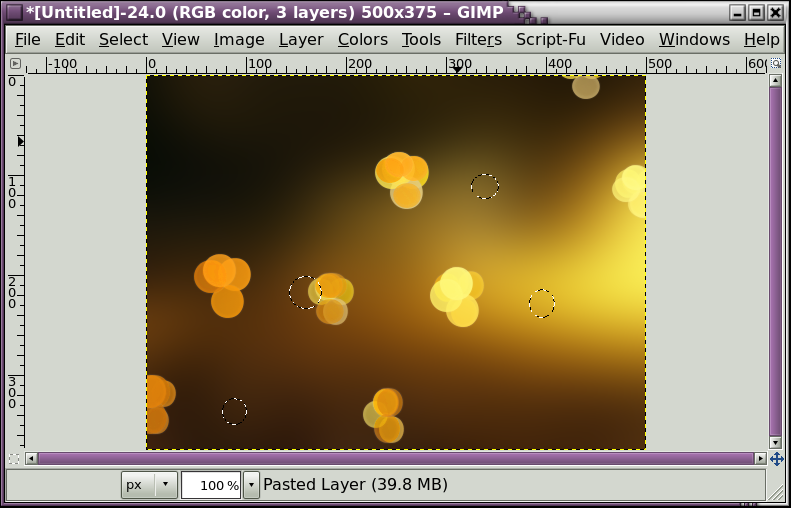
Here are my results showing the selections from path in top image and the final results in the bottom image with the selections still showing. I turned off the blurred layer and didn't like the bokehs over the original layer.

Image
Image

_________________
Image
World War IV will be fought with sticks and stones. - Albert Einstein


Top
 Post subject: Re: Free Form Bokeh
PostPosted: Thu Apr 18, 2013 4:14 pm  (#11) 
Offline
Retired Staff
User avatar

Joined: May 22, 2008
Posts: 6946
Location: Somewhere in GIMP
In case anyone wants to know how to pronounce bokeh. :mrgreen:

It loaded with the end showing. You can play it to start it from the beginning.

www.youtube.com Video from : www.youtube.com

_________________
Image
World War IV will be fought with sticks and stones. - Albert Einstein


Top
 Post subject: Re: Free Form Bokeh
PostPosted: Thu Apr 18, 2013 6:21 pm  (#12) 
Offline
Global Moderator
User avatar

Joined: May 16, 2010
Posts: 16038
Thanks O. :)

_________________
Image


Top
 Post subject: Re: Free Form Bokeh
PostPosted: Thu Apr 18, 2013 6:28 pm  (#13) 
Offline
Global Moderator
User avatar

Joined: May 16, 2010
Posts: 16038
Wallace wrote:
Rod wrote:
Erisian what error message do you get?If you are using 2.6 it's probably a deprecation warning.Does the script still run?

Wallace i believe when using the free-form-semi-auto-bokeh selecting the 2 path nodes give you super control over the colors used for the shape.You still have to use the select tool to create a bokeh shape the path determines precise color for the bokeh.So be careful where you place these two nodes.

More on the free-form-semi-auto-bokeh.
In this plug-in the user must mark the light-sources he or she wants to produce a
bokeh's from.
This is done with the path-tool, in which the nodes must be placed on the chosen
light-sources. The path between nodes and the order of the nodes is irrelevant.
Because the colour of the produce bokeh depends on the colour in the image beneath
these nodes
, care should be take in placing these nodes. Enlarge the image during placement of the nodes for better results.


@Rod,

I'm still not sure what your getting at.
Are these 'nodes' part of the script, or do I have to manually place them in my image before I use the script? If so... then it's really not a path, but just path-nodes. Without any real path.
Is this correct?


Yes you have to manually add the single line path with 2 nodes before running the script.
The bokeh's should be colored the pixel color directly beneath the nodes themselves.This is why the author states be careful where you place the nodes and use magnification while setting them.Perhaps i should ask the author to allow for color selection from the picker also?That would probably be a nice third option.
color select from the picker
color select from the 2 nodes
color select from lighter areas in the image.

_________________
Image


Top
 Post subject: Re: Free Form Bokeh
PostPosted: Thu Apr 18, 2013 10:41 pm  (#14) 
Offline
Administrator
User avatar

Joined: Aug 10, 2012
Posts: 14043
Location: Native to NYC living in Arizona, Gimp 2.8 - 3.0, Win 11 PC.
Oregonian wrote:
In case anyone wants to know how to pronounce bokeh. :mrgreen:

It loaded with the end showing. You can play it to start it from the beginning.


O-ka... :hehe

_________________
Image
"A wise man learns more from a foolish question than a fool can learn from a wise answer"
Image


Top
 Post subject: Re: Free Form Bokeh
PostPosted: Thu Apr 18, 2013 10:43 pm  (#15) 
Offline
Administrator
User avatar

Joined: Aug 10, 2012
Posts: 14043
Location: Native to NYC living in Arizona, Gimp 2.8 - 3.0, Win 11 PC.
Rod wrote:
Wallace wrote:
Rod wrote:
Erisian what error message do you get?If you are using 2.6 it's probably a deprecation warning.Does the script still run?

Wallace i believe when using the free-form-semi-auto-bokeh selecting the 2 path nodes give you super control over the colors used for the shape.You still have to use the select tool to create a bokeh shape the path determines precise color for the bokeh.So be careful where you place these two nodes.

More on the free-form-semi-auto-bokeh.
In this plug-in the user must mark the light-sources he or she wants to produce a
bokeh's from.
This is done with the path-tool, in which the nodes must be placed on the chosen
light-sources. The path between nodes and the order of the nodes is irrelevant.
Because the colour of the produce bokeh depends on the colour in the image beneath
these nodes
, care should be take in placing these nodes. Enlarge the image during placement of the nodes for better results.


@Rod,

I'm still not sure what your getting at.
Are these 'nodes' part of the script, or do I have to manually place them in my image before I use the script? If so... then it's really not a path, but just path-nodes. Without any real path.
Is this correct?


Yes you have to manually add the single line path with 2 nodes before running the script.
The bokeh's should be colored the pixel color directly beneath the nodes themselves.This is why the author states be careful where you place the nodes and use magnification while setting them.Perhaps i should ask the author to allow for color selection from the picker also?That would probably be a nice third option.
color select from the picker
color select from the 2 nodes
color select from lighter areas in the image.


So I just place 2 nodes using the paths tool and then run the script?

_________________
Image
"A wise man learns more from a foolish question than a fool can learn from a wise answer"
Image


Top
 Post subject: Re: Free Form Bokeh
PostPosted: Thu Apr 18, 2013 10:48 pm  (#16) 
Offline
Administrator
User avatar

Joined: Aug 10, 2012
Posts: 14043
Location: Native to NYC living in Arizona, Gimp 2.8 - 3.0, Win 11 PC.
Oregonian wrote:
Here are my results showing the selections from path in top image and the final results in the bottom image with the selections still showing. I turned off the blurred layer and didn't like the bokehs over the original layer.

@Oregonian
I can't get this script to do anything.

_________________
Image
"A wise man learns more from a foolish question than a fool can learn from a wise answer"
Image


Top
 Post subject: Re: Free Form Bokeh
PostPosted: Thu Apr 18, 2013 10:51 pm  (#17) 
Offline
Global Moderator
User avatar

Joined: May 16, 2010
Posts: 16038
Wallace wrote:
So I just place 2 nodes using the paths tool and then run the script?


Create two nodes , create a selection (any shape or size) and run the script. :)
It isn't necessary to create a path with the other menu choice (free-form-auto-bokeh).You only need a path with the free-form-semi-auto-bokeh menu item choice.

free-form-auto-bokeh - Only a selection any shape or size is needed to run it.
free-form-semi-auto-bokeh - Both path and selection are needed to run this one. :)

Hope that clears things up for you.

O i am not sure whats going on with yours.

_________________
Image


Top
 Post subject: Re: Free Form Bokeh
PostPosted: Thu Apr 18, 2013 10:59 pm  (#18) 
Offline
Retired Staff
User avatar

Joined: May 22, 2008
Posts: 6946
Location: Somewhere in GIMP
Well as you can see, Wallace, I didn't get it to do much either. Since it has to have an activated selection, it takes on the shape of the selection. Putting two path points won't work, they won't activate. Putting two path points and making a separate selection really doesn't give me much. Just making a selection and running the first one just gives me some bokehs but not much of an image.

_________________
Image
World War IV will be fought with sticks and stones. - Albert Einstein


Top
 Post subject: Re: Free Form Bokeh
PostPosted: Thu Apr 18, 2013 11:07 pm  (#19) 
Offline
Administrator
User avatar

Joined: Aug 10, 2012
Posts: 14043
Location: Native to NYC living in Arizona, Gimp 2.8 - 3.0, Win 11 PC.
Rod wrote:
Wallace wrote:
So I just place 2 nodes using the paths tool and then run the script?


Create two nodes , create a selection (any shape or size) and run the script. :)
It isn't necessary to create a path with the other menu choice (free-form-auto-bokeh).You only need a path with the free-form-semi-auto-bokeh menu item choice.

free-form-auto-bokeh - Only a selection any shape or size is needed to run it.
free-form-semi-auto-bokeh - Both path and selection are needed to run this one. :)

Hope that clears things up for you.

O i am not sure whats going on with yours.

@Rod,
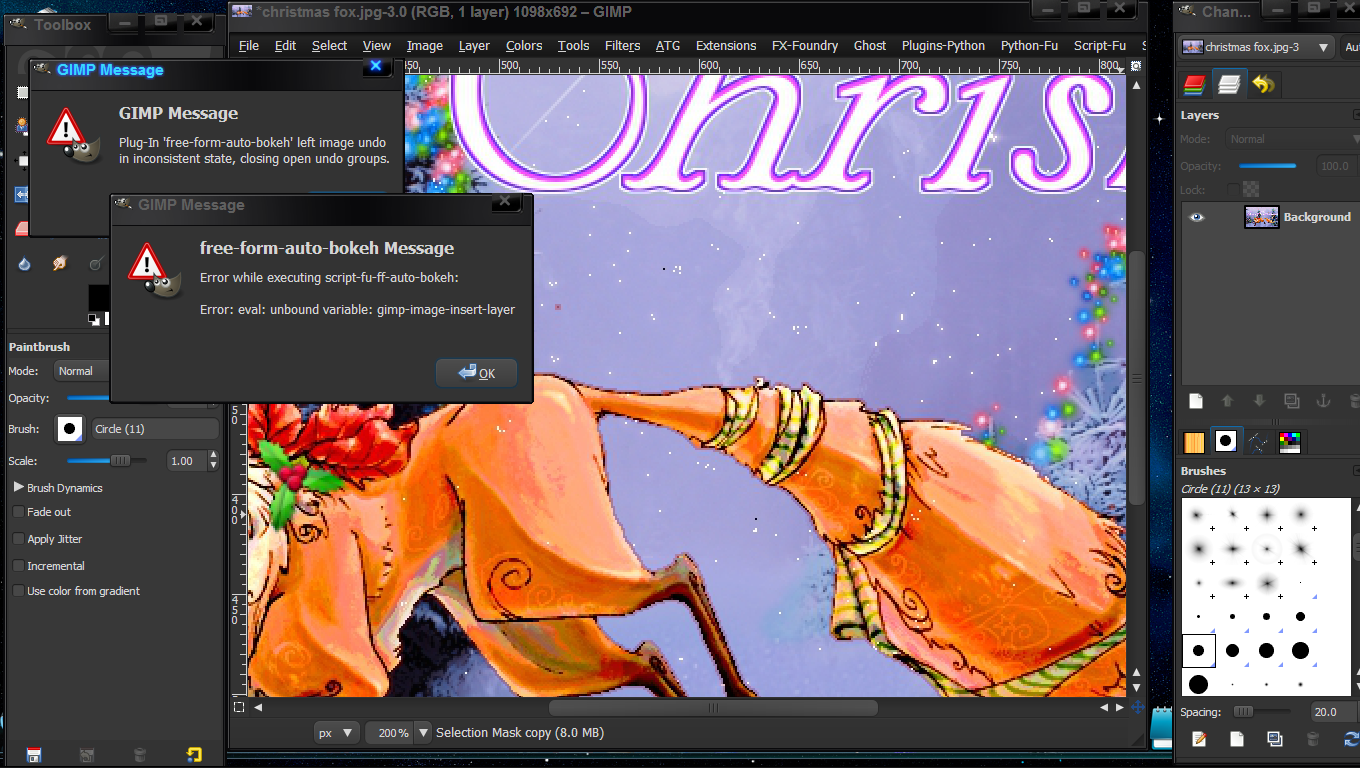
This is what I get when I use 'free-form-auto-bokeh' with a simple selection.
Image

_________________
Image
"A wise man learns more from a foolish question than a fool can learn from a wise answer"
Image


Top
 Post subject: Re: Free Form Bokeh
PostPosted: Thu Apr 18, 2013 11:14 pm  (#20) 
Offline
Global Moderator
User avatar

Joined: May 16, 2010
Posts: 16038
Wallace wrote:
Rod wrote:
Wallace wrote:
So I just place 2 nodes using the paths tool and then run the script?


Create two nodes , create a selection (any shape or size) and run the script. :)
It isn't necessary to create a path with the other menu choice (free-form-auto-bokeh).You only need a path with the free-form-semi-auto-bokeh menu item choice.

free-form-auto-bokeh - Only a selection any shape or size is needed to run it.
free-form-semi-auto-bokeh - Both path and selection are needed to run this one. :)

Hope that clears things up for you.

O i am not sure whats going on with yours.

@Rod,
This is what I get when I use 'free-form-auto-bokeh' with a simple selection.


If you are running 2.6 that is probably the reason for the error.If that is the case you will have to fix the deprecations in the script itself.Run Gimp-2.6 and open the procedure browser.Type in gimp-image-insert-layer
You will probably see only gimp-image-add-layer in Gimp-2.6 and the PDB call in Gimp-2.8 is INSERT not ADD.
Changing that in every instance may help you.I am not positive it is gimp-image-add-layer because i don't have gimp-2.6.11 installed right now.But it will be something similar. :)

I will install gimp-2.6 and make sure.

_________________
Image


Top
Post new topic Reply to topic  [ 24 posts ]  Go to page 1, 2  Next

All times are UTC - 5 hours [ DST ]


* Login  


Powered by phpBB3 © phpBB Group