It is currently Thu Jun 25, 2026 4:36 pm


All times are UTC - 5 hours [ DST ]


Post new topic Reply to topic  [ 24 posts ]  Go to page 1, 2  Next
Author Message
 Post subject: Glass Effect Text script
PostPosted: Tue Jan 01, 2019 4:32 am  (#1) 
Offline
GimpChat Member

Joined: Apr 09, 2018
Posts: 1888
Location: France
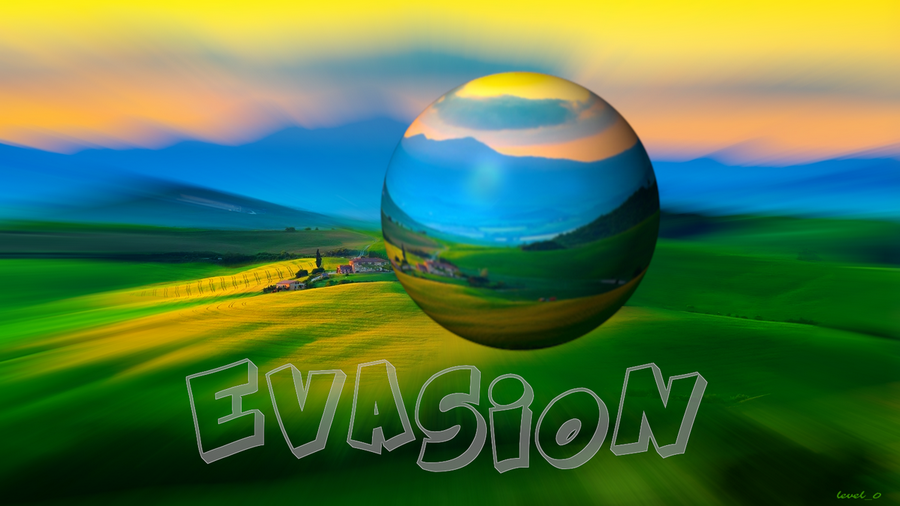
Image
In this topic, the link indicated by Gnu Tux for Glass Effect Text V1.4 script is no longer valid:
http://gimpchat.com/viewtopic.php?p=108#p108
Where to find this script?

_________________
Les parfums, les couleurs et les sons se répondent.Baudelaire (Les fleurs du mal)
2.10.36/(Samj) Gimp 2.10.38 OS Windows 10 Home 64 bits


Share on Facebook Share on Twitter Share on Orkut Share on Digg Share on MySpace Share on Delicious Share on Technorati
Top
 Post subject: Re: Glass Effect Text script
PostPosted: Tue Jan 01, 2019 4:59 am  (#2) 
Offline
GimpChat Member
User avatar

Joined: Jan 20, 2013
Posts: 14831
Location: roma, italy
Not the same, but you may give it a try.
Attachment:
glass_script_fu_runs_on_2_4_by_kward1979uk.scm [2.92 KiB]
Downloaded 437 times

_________________
"Where am I ?"


Top
 Post subject: Re: Glass Effect Text script
PostPosted: Tue Jan 01, 2019 5:05 am  (#3) 
Offline
GimpChat Member

Joined: Mar 04, 2011
Posts: 2604
@level_0

When a web site vanishes, you can sometimes find what you need using the internet archive: https://web.archive.org Copy the link and paste it into the search box. Click on one of the dates and with luck it takes you to a copy.

Image

Can be slow in some cases so try this:

https://web.archive.org/web/20161017190 ... t-v1-4.zip

Do give it a try. Might not be there for evermore.

It does work in Gimp 2.10 Find it in File -> Create -> Logos(gimpchat.com) -> Glass Effect Text


Top
 Post subject: Re: Glass Effect Text script
PostPosted: Tue Jan 01, 2019 5:16 am  (#4) 
Offline
GimpChat Member
User avatar

Joined: Jan 20, 2013
Posts: 14831
Location: roma, italy
That is !
Attachment:
ThanksRich.jpg
ThanksRich.jpg [ 275.6 KiB | Viewed 10072 times ]

Thanks Rich.
Now you may play as you like, level_0.

Happy New Year 2019 !

_________________
"Where am I ?"


Top
 Post subject: Re: Glass Effect Text script
PostPosted: Tue Jan 01, 2019 6:50 am  (#5) 
Offline
GimpChat Member

Joined: Apr 09, 2018
Posts: 1888
Location: France
dinasset wrote:
Not the same, but you may give it a try.
Attachment:
glass_script_fu_runs_on_2_4_by_kward1979uk.scm


thank dinasset but I tried it and I'm disappointed because only 2 settings

_________________
Les parfums, les couleurs et les sons se répondent.Baudelaire (Les fleurs du mal)
2.10.36/(Samj) Gimp 2.10.38 OS Windows 10 Home 64 bits


Top
 Post subject: Re: Glass Effect Text script
PostPosted: Tue Jan 01, 2019 6:54 am  (#6) 
Offline
GimpChat Member

Joined: Apr 09, 2018
Posts: 1888
Location: France
:tyspin thank you rich2005 for the direct link :bigthup :)
because:
Image

I just have to try ...
:tyspin :tyspin

_________________
Les parfums, les couleurs et les sons se répondent.Baudelaire (Les fleurs du mal)
2.10.36/(Samj) Gimp 2.10.38 OS Windows 10 Home 64 bits


Top
 Post subject: Re: Glass Effect Text script
PostPosted: Tue Jan 01, 2019 6:12 pm  (#7) 
Offline
GimpChat Member

Joined: May 12, 2015
Posts: 4693
I am not sure if this is the same script as you are looking for, but was updated for 2.10 by Paul Sherman. Hopefully it works for you if the others do not.

Attachment:
210_create-new_glass-text.scm [5.31 KiB]
Downloaded 448 times


Top
 Post subject: Re: Glass Effect Text script
PostPosted: Wed Jan 02, 2019 3:33 am  (#8) 
Offline
GimpChat Member

Joined: Apr 09, 2018
Posts: 1888
Location: France
Thanks Pat625

I will try them today. :)

_________________
Les parfums, les couleurs et les sons se répondent.Baudelaire (Les fleurs du mal)
2.10.36/(Samj) Gimp 2.10.38 OS Windows 10 Home 64 bits


Top
 Post subject: Re: Glass Effect Text script
PostPosted: Wed Jan 02, 2019 5:53 am  (#9) 
Offline
GimpChat Member

Joined: Apr 09, 2018
Posts: 1888
Location: France
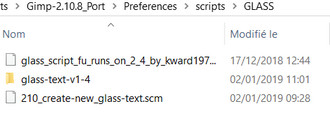
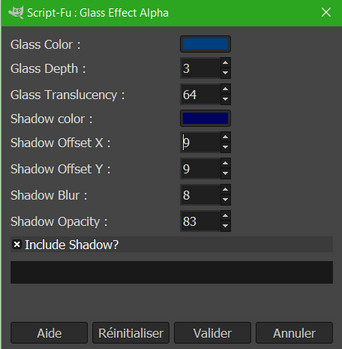
In preferences, 3 "glass" scripts:

Image

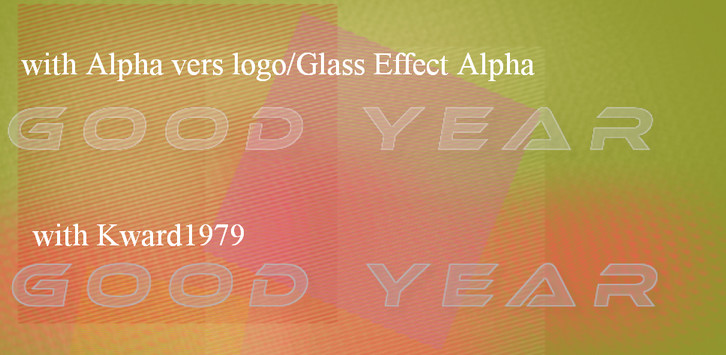
My tests:
1) with Kward1979:
-The outline is blue
-must change the blur and opacity on the layer shadows

2) with Alpha to logo / Glass Effect Alpha, the outline is not very sharp and is a bit distorted

3) I did not find the 3rd script?

Image

_________________
Les parfums, les couleurs et les sons se répondent.Baudelaire (Les fleurs du mal)
2.10.36/(Samj) Gimp 2.10.38 OS Windows 10 Home 64 bits


Top
 Post subject: Re: Glass Effect Text script
PostPosted: Wed Jan 02, 2019 8:25 am  (#10) 
Offline
GimpChat Member

Joined: Apr 09, 2018
Posts: 1888
Location: France
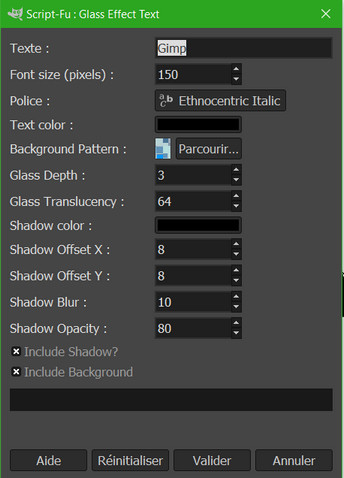
I just realized that going through: File / Create / Logo (gimpchat), or Filters / Alpha to logo, it's different;there are more possibilities for settings with File / Create/ Logo (gimpchat)

With File / Create / Logo (gimpchat):

Image

With Filters / Alpha to logo:

Image

so I think the latter is the 3rd that I did not find?

_________________
Les parfums, les couleurs et les sons se répondent.Baudelaire (Les fleurs du mal)
2.10.36/(Samj) Gimp 2.10.38 OS Windows 10 Home 64 bits


Top
 Post subject: Re: Glass Effect Text script
PostPosted: Wed Jan 02, 2019 10:34 am  (#11) 
Offline
GimpChat Member
User avatar

Joined: May 10, 2013
Posts: 1430
Location: FInland
Many logo/text scripts, especially the ones made by GnuTux and Graechan have alpha-to-logo version added so that you can use the effect also for other purposes.
These are easy to mix with each other.
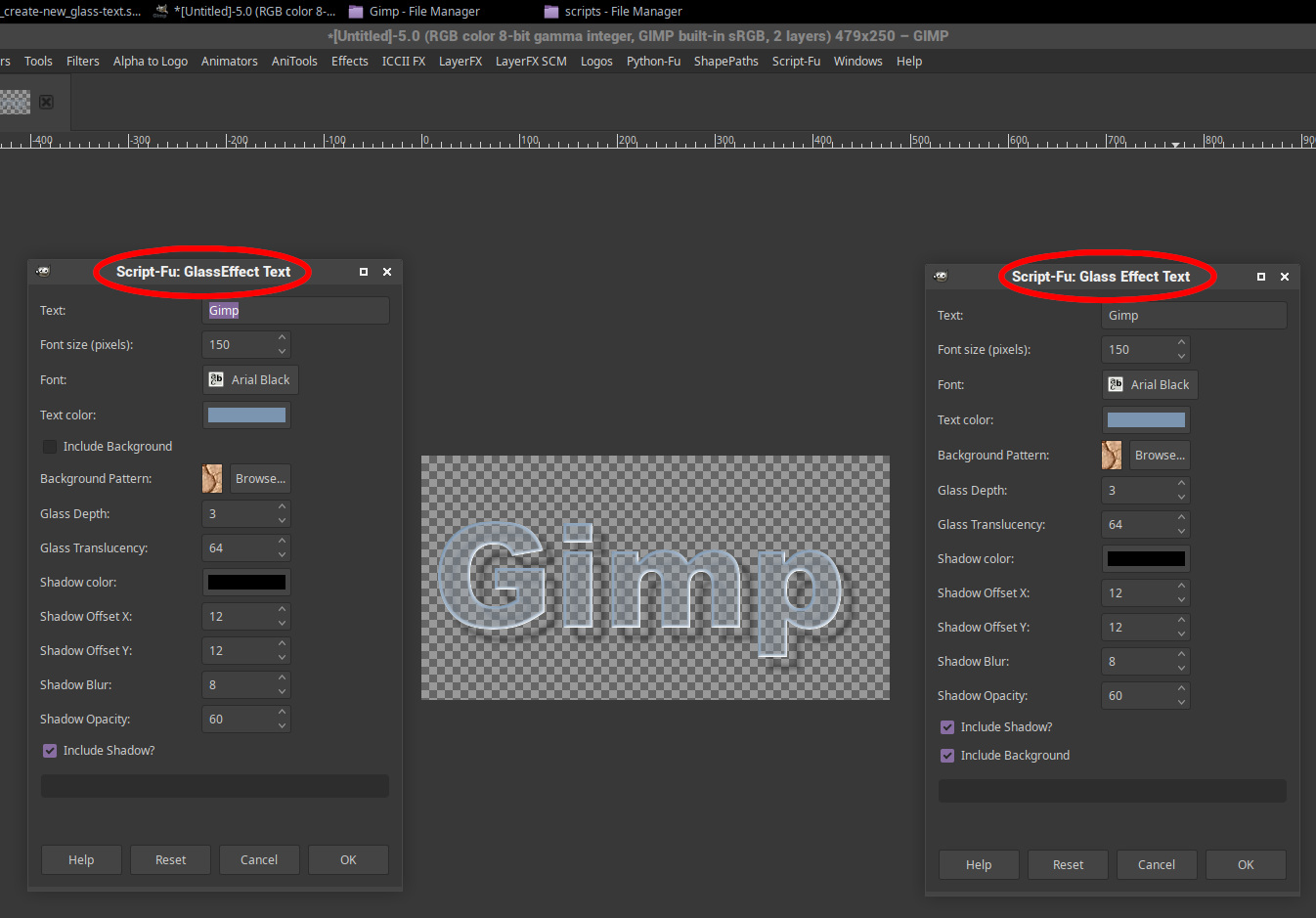
The one updated by Sherman (on left) has different title, menu entry is "Script-Fu/Create New/GlassEffect Text"
And I think it's useless if you have the Glass Effect Text 1.4.

Image


Top
 Post subject: Re: Glass Effect Text script
PostPosted: Wed Jan 02, 2019 1:14 pm  (#12) 
Offline
GimpChat Member

Joined: Apr 09, 2018
Posts: 1888
Location: France
Nidhogg Image
thank you for your reply :)

Image Image

_________________
Les parfums, les couleurs et les sons se répondent.Baudelaire (Les fleurs du mal)
2.10.36/(Samj) Gimp 2.10.38 OS Windows 10 Home 64 bits


Top
 Post subject: Re: Glass Effect Text script
PostPosted: Thu Jan 03, 2019 6:18 am  (#13) 
Offline
GimpChat Member

Joined: Apr 09, 2018
Posts: 1888
Location: France
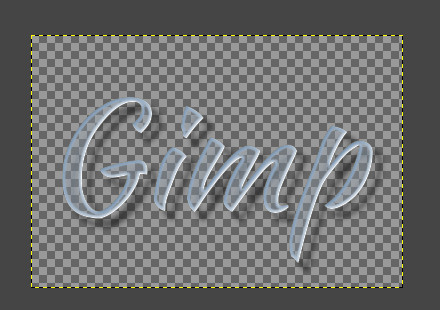
Using tips for Glass Effect text and tutorial Issabella superbly explained here:
http://gimpchat.com/viewtopic.php?f=23&t=9901

Image

Thank you all who allow me to progress!
but I still have a question:
how to improve the edge of the letters of the word "evasion",irregular and not clear?

_________________
Les parfums, les couleurs et les sons se répondent.Baudelaire (Les fleurs du mal)
2.10.36/(Samj) Gimp 2.10.38 OS Windows 10 Home 64 bits


Top
 Post subject: Re: Glass Effect Text script
PostPosted: Thu Jan 03, 2019 4:26 pm  (#14) 
Offline
GimpChat Member
User avatar

Joined: Mar 01, 2014
Posts: 14048
Location: Spain, Aragón
Hi, level_0, I think that the edges may be better if applying a path, but not sure. I hope someone here can help. ;)
Thanks for your comment, too.

_________________
Image

Gimp 2.10.30(samj) portable _ OS Windows 10 Home_ 64bits
Don’t be afraid to start over. It’s a new chance to rebuild what you want.


Top
 Post subject: Re: Glass Effect Text script
PostPosted: Fri Jan 04, 2019 2:10 am  (#15) 
Offline
GimpChat Member

Joined: Apr 09, 2018
Posts: 1888
Location: France
Image
Issabella, I had also thought of making a path and painting along a path but I had the laziness to try!
So now I'm going to have to do it ;)

_________________
Les parfums, les couleurs et les sons se répondent.Baudelaire (Les fleurs du mal)
2.10.36/(Samj) Gimp 2.10.38 OS Windows 10 Home 64 bits


Top
 Post subject: Re: Glass Effect Text script
PostPosted: Fri Jan 04, 2019 3:03 am  (#16) 
Offline
GimpChat Member

Joined: Apr 09, 2018
Posts: 1888
Location: France
Finally the problem of the crenelage on edge of the letters appears if I choose a depth < 3. So if I make a path along the text, I get the same thing as leaving 3 for the depth .... ;)

_________________
Les parfums, les couleurs et les sons se répondent.Baudelaire (Les fleurs du mal)
2.10.36/(Samj) Gimp 2.10.38 OS Windows 10 Home 64 bits


Top
 Post subject: Re: Glass Effect Text script
PostPosted: Fri Jan 04, 2019 3:14 am  (#17) 
Offline
GimpChat Member
User avatar

Joined: Jan 20, 2013
Posts: 14831
Location: roma, italy
May I suggest that in cases like the image you posted following Issa's very nice tut it's better not to use glass text but simply writing your text on a different layer, applying as suggested the selection->to path and stroking the path?
Afterwards you may play with colors, transparency, mode adjustments to obtain a text you like.

_________________
"Where am I ?"


Top
 Post subject: Re: Glass Effect Text script
PostPosted: Fri Jan 04, 2019 3:26 am  (#18) 
Offline
GimpChat Member
User avatar

Joined: Jan 20, 2013
Posts: 14831
Location: roma, italy
Just an example, you surely can create a nicer text.
Attachment:
ExampleOfGlobeViewWithText.jpg
ExampleOfGlobeViewWithText.jpg [ 398.81 KiB | Viewed 2942 times ]

_________________
"Where am I ?"


Top
 Post subject: Re: Glass Effect Text script
PostPosted: Fri Jan 04, 2019 3:54 am  (#19) 
Offline
GimpChat Member
User avatar

Joined: May 10, 2013
Posts: 1430
Location: FInland
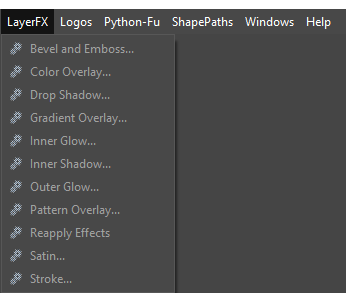
level_0, do you already have layerfx.py in your plugins folder?
It's essential in my opinion, includes also stroke.
(My menu entry is customized, it's under Layer by default)

Image


Top
 Post subject: Re: Glass Effect Text script
PostPosted: Fri Jan 04, 2019 6:42 am  (#20) 
Offline
GimpChat Member

Joined: Apr 09, 2018
Posts: 1888
Location: France
dinasset wrote:
May I suggest that in cases like the image you posted following Issa's very nice tut it's better not to use glass text but simply writing your text on a different layer, applying as suggested the selection->to path and stroking the path?
Afterwards you may play with colors, transparency, mode adjustments to obtain a text you like.


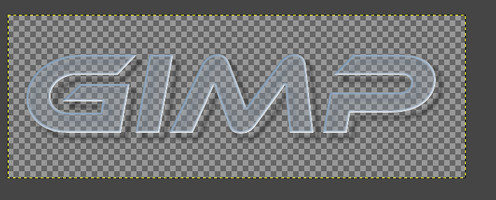
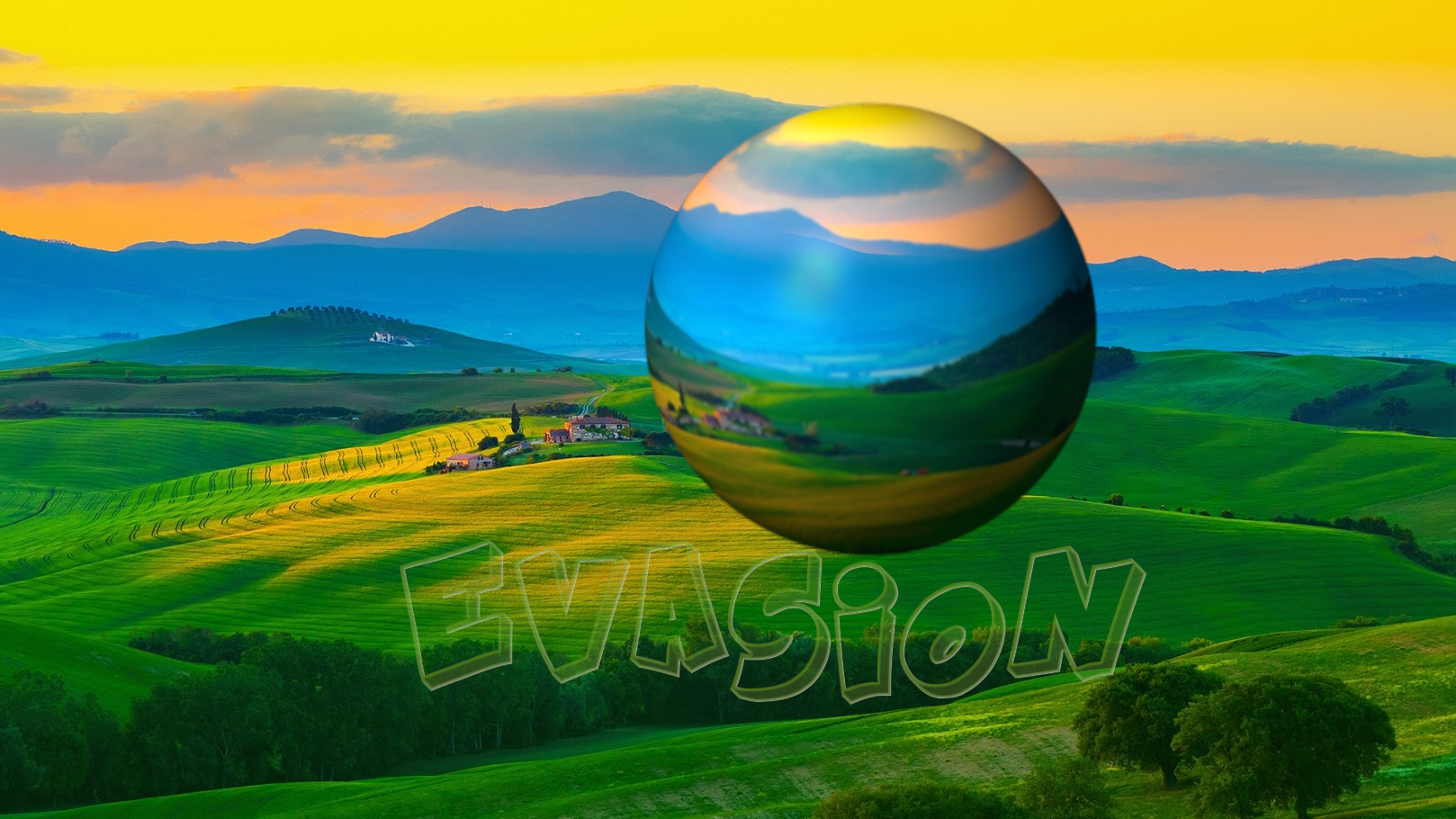
dinasset,good idea to test ! :) before I already tested with other colors in the script and here with the green that is better with the background

Image

_________________
Les parfums, les couleurs et les sons se répondent.Baudelaire (Les fleurs du mal)
2.10.36/(Samj) Gimp 2.10.38 OS Windows 10 Home 64 bits


Top
Post new topic Reply to topic  [ 24 posts ]  Go to page 1, 2  Next

All times are UTC - 5 hours [ DST ]


* Login  


Powered by phpBB3 © phpBB Group