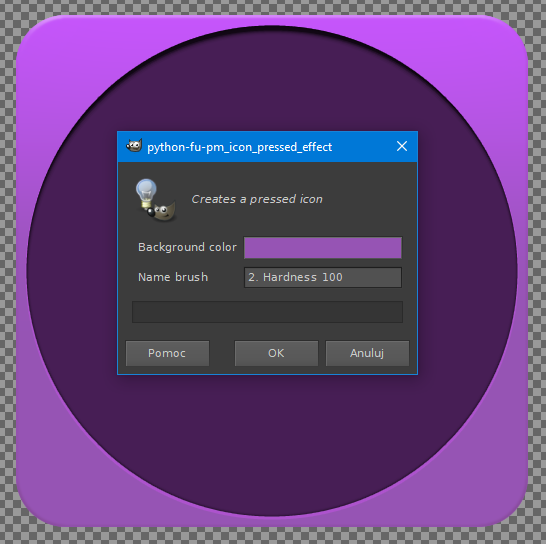
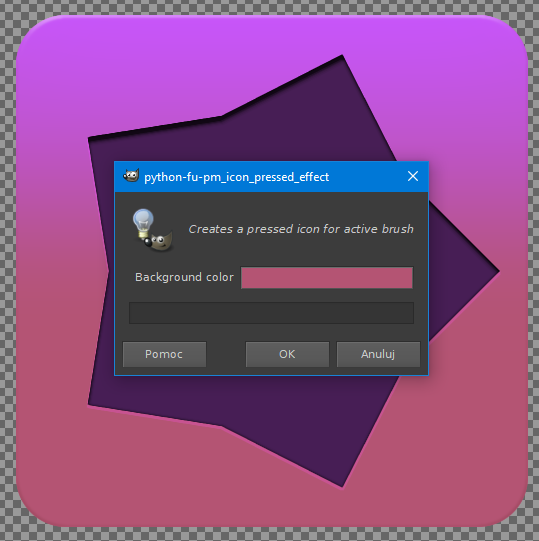
Hi you all! I wrote this python script trying to create 500 x 500 px "Icon pressed effect", and I'm stuck. The script run perfect the first time but when i try to run the second time it won't appear. I'm made it that you can choose your own media icon brush. I think it has to be with the added param for the brushes. Can any of the experience coder tell me why it's not working the second time so I can fix it?
Ps Attach is a set of icon brushes I create for the testing.
#!/usr/bin/env python

# Inspire by Conbagui tutorial found here: http://fav.me/ddit8ur
# author: Pocholo
# date: 6/6/20

# Comments directed to http://gimpchat.com

# Installation:
# This script should be placed in the user plugin folder

# Copyright (C)

#   This program is free software: you can redistribute it and/or modify
#   it under the terms of the GNU General Public License as published by
#   the Free Software Foundation, either version 3 of the License, or
#   (at your option) any later version.

#   This program is distributed in the hope that it will be useful,
#   but WITHOUT ANY WARRANTY; without even the implied warranty of
#   MERCHANTABILITY or FITNESS FOR A PARTICULAR PURPOSE.  See the
#   GNU General Public License for more details.
#
#   You should have received a copy of the GNU General Public License
#   along with this program.  If not, see <https://www.gnu.org/licenses/>.


from gimpfu import *

def pm_icon_pressed_effect(bgColor, brush):

   #Initiates the temporary state
   pdb.gimp_context_push()

   #Variables
   size = 550

   #Create a new image
   img = pdb.gimp_image_new(size, size, RGB)

   #Create a transparent background
   backLayer = pdb.gimp_layer_new(img, size, size, RGB_IMAGE, "Background", 100, LAYER_MODE_NORMAL)
   pdb.gimp_image_add_layer(img, backLayer, 0)
   pdb.gimp_layer_add_alpha(backLayer)
   pdb.gimp_drawable_fill(backLayer, FILL_TRANSPARENT)

   #Create the icon background
   pdb.gimp_image_select_round_rectangle(img, 2, 19, 19, 512, 512, 50, 50)
   pdb.gimp_context_set_background(bgColor)
   pdb.gimp_drawable_edit_fill(backLayer, FILL_BACKGROUND)
   pdb.gimp_context_set_foreground((200, 85, 255))
   pdb.gimp_edit_blend(backLayer, 2, LAYER_MODE_NORMAL, 0, 100, 0, 0, FALSE, TRUE, 5, 0.20, TRUE, 275, 20, 275, 275)

   #Create a copy
   non_empty = pdb.gimp_edit_copy(backLayer)
   copyLayer = pdb.gimp_layer_new(img, img.width, img.height, RGB, "Copy", 100, LAYER_MODE_NORMAL)
   pdb.gimp_image_add_layer(img, copyLayer, 0)
   pdb.gimp_layer_add_alpha(copyLayer)
   pdb.gimp_drawable_fill(copyLayer, FILL_TRANSPARENT)
   floating_sel = pdb.gimp_edit_paste(copyLayer, FALSE)
   pdb.gimp_floating_sel_anchor(floating_sel)

   #Gaussian blur and merge
   pdb.gimp_image_select_item(img, 2, copyLayer)
   pdb.plug_in_gauss_rle2(img, copyLayer, 120, 120)
   backLayer = pdb.gimp_image_merge_visible_layers(img, 2)
   pdb.gimp_selection_none(img)

   #Create icon layer
   iconLayer = pdb.gimp_layer_new(img, img.width, img.height, RGB, "Icon", 100, LAYER_MODE_NORMAL)
   pdb.gimp_image_add_layer(img, iconLayer, 0)
   pdb.gimp_layer_add_alpha(iconLayer)
   pdb.gimp_drawable_fill(iconLayer, FILL_TRANSPARENT)

   #Paint icon
   name = pdb.gimp_context_get_brush()
   pdb.gimp_context_set_brush (brush)
   pdb.gimp_context_set_brush_size(500)
   pdb.gimp_context_set_brush_aspect_ratio(0)
   pdb.gimp_context_set_brush_angle(0)
   pdb.gimp_context_set_brush_spacing(10)
   pdb.gimp_context_set_brush_hardness(1)
   pdb.gimp_context_set_brush_force(1)
   pdb.gimp_context_set_foreground ((71, 30, 85))
   pdb.gimp_paintbrush_default(iconLayer, 2, [275, 275])

   #Drop Shadow
   pdb.python_layerfx_drop_shadow(img, iconLayer,
                          (190, 125, 207),   #color
                                    75,   #opacity
                                    0,   #contou - linear
                                    0,   #noise
                                    5,   #mode - overlay
                                    0,   #spread
                                     1,   #size
                                   100,   #offset_angle
                                    2,   #offset_distance
                                  TRUE,   #knockout
                                 FALSE)   #merge


   #Text inner shadow
   pdb.python_layerfx_inner_shadow(img, iconLayer,
                            (0, 0, 0),   #color
                                   75,   #opacity
                                   0,   #contou -linear
                                   0,   #noise
                                   3,   #mode - multiply
                                   1,   #source
                                   0,   #choke
                                    6,   #size
                                 100,   #offset_angle
                                   8,   #offset_distance
                                 FALSE)  #merge


   #Inner Glow
   pdb.python_layerfx_inner_glow(img, iconLayer,
                            (0, 0, 0),   #color
                                 30,   #opacity
                                 0,   #contou - linear
                                 0,   #noise
                                     3,   #mode - multiply
                                 1,   #source
                                 0,   #choke
                                  3,   #size
                              FALSE)   #merge


   #Bevel and Emboss
   backLayer = pdb.gimp_image_get_layer_by_name(img, "Background")
   pdb.gimp_image_set_active_layer(img, backLayer)
   pdb.python_layerfx_bevel_emboss(img, backLayer,
                                    1,   #style inner bevel
                                    65,   #depth
                                     0,   #direction
                                     3,   #size
                                    4,   #soften
                                   100,   #angle
                                    30,   #altitude
                                    0,   #gloss_contour - linear
                        (255, 255, 255),   #highlight_color
                                     4,   #highlight_mode-screen
                                    75,   #highlight_opacity
                            (78, 48, 0),   #shadow_color
                                     3,   #shadow_mode-multiply
                                    20,   #shadow_opacity
                                     0,   #surface_contour - linear
                                 FALSE,   #use_texture
                            "Dried mud",   #pattern
                                   100,   #scale
                                   100,   #tex_depth
                                  TRUE,   #invert
                                 FALSE)   #merge


   #Resets the previous user defaults
   pdb.gimp_context_pop()

   gimp.Display(img)

register(
   "pm_icon_pressed_effect",
   "Creates a pressed icon",
   "Creates a pressed icon",
   "Pocholo",
   "Pocholo",
   "2020",
   "Icon pressed effect",
   "",
[
   (PF_COLOR, "bgColor", "Background color", (150, 84, 180)),
   (PF_BRUSH, "brush", "Choose icon", 0),
],
[],
pm_icon_pressed_effect, menu="<Image>/Pocholo-scripts/Icon pressed effect"),
main()
 Login
Login Register
 Tweets
 FAQ
FAQ Advanced Search





 Video from :