It is currently Sat Aug 15, 2026 5:40 pm


All times are UTC - 5 hours [ DST ]


Post new topic Reply to topic  [ 56 posts ]  Go to page 1, 2, 3  Next
Author Message
 Post subject: Antique Metal Script Rel3
PostPosted: Mon Aug 27, 2012 9:00 pm  (#1) 
Offline
Script Coder
User avatar

Joined: Feb 18, 2011
Posts: 4826
Location: Bendigo Vic. Australia
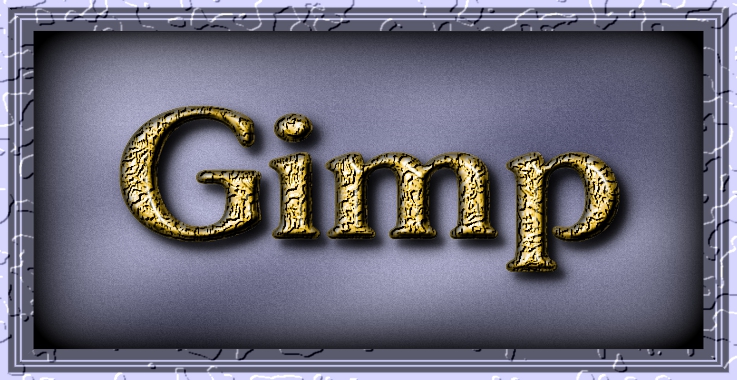
Image

Scripts locations
Script-Fu/Logos/Antique Metal Logo
Script-Fu/Alpha-to-Logos/Antique Metal Alpha

Both scripts require the Installation of GMIC Gmic Files

; Rel 0.02 - Added text options Justify, Letter Spacing, Line Spacing and option controls for 'Drop Shadow' 'Grunge' 'Vignette' 'Frame'

; Rel 0.03↓ - Bugfix for typo in script

Download from GIMP Scripts

_________________
Image
No matter how much you push the envelope, it'll still be stationery.


Last edited by Graechan on Fri Jun 06, 2014 2:16 am, edited 4 times in total.

Share on Facebook Share on Twitter Share on Orkut Share on Digg Share on MySpace Share on Delicious Share on Technorati
Top
 Post subject: Re: Antique Metal Script
PostPosted: Mon Aug 27, 2012 9:04 pm  (#2) 
Offline
GimpChat Member

Joined: Apr 12, 2010
Posts: 5870
Did you forgot to include the script ?

_________________
My 3D Gallery on Deviantart http://photocomix2.deviantart.com/
Main gallery http://www.flickriver.com/photos/photocomix-mandala/
Mandala and simmetry http://www.flickriver.com/photos/photocomix_mandala/

Image

Mrs Wilbress


Top
 Post subject: Re: Antique Metal Script
PostPosted: Mon Aug 27, 2012 9:09 pm  (#3) 
Offline
Script Coder
User avatar

Joined: Feb 18, 2011
Posts: 4826
Location: Bendigo Vic. Australia
Its there now sorry about that

_________________
Image
No matter how much you push the envelope, it'll still be stationery.


Top
 Post subject: Re: Antique Metal Script
PostPosted: Mon Aug 27, 2012 10:20 pm  (#4) 
Offline
GimpChat Member
User avatar

Joined: Jul 17, 2012
Posts: 2769
it says under Script-Fu -> Alpha-to-Logo: Anique Metal Alpha (the 't' is missing)


Top
 Post subject: Re: Antique Metal Script
PostPosted: Mon Aug 27, 2012 10:34 pm  (#5) 
Offline
Script Coder
User avatar

Joined: Feb 18, 2011
Posts: 4826
Location: Bendigo Vic. Australia
A Silly Typo, all fixed

_________________
Image
No matter how much you push the envelope, it'll still be stationery.


Top
 Post subject: Re: Antique Metal Script
PostPosted: Mon Aug 27, 2012 11:57 pm  (#6) 
Offline
GimpChat Member
User avatar

Joined: Jul 17, 2012
Posts: 2769
Graechan wrote:
A Silly Typo, all fixed
yes, but the script is really good

thank you ! :clap


Top
 Post subject: Re: Antique Metal Script
PostPosted: Tue Aug 28, 2012 12:11 am  (#7) 
Offline
GimpChat Member

Joined: Apr 12, 2010
Posts: 5870
I hate the script fu menu but i like the script much

And luckily is not that hard change registration path

_________________
My 3D Gallery on Deviantart http://photocomix2.deviantart.com/
Main gallery http://www.flickriver.com/photos/photocomix-mandala/
Mandala and simmetry http://www.flickriver.com/photos/photocomix_mandala/

Image

Mrs Wilbress


Top
 Post subject: Re: Antique Metal Script
PostPosted: Tue Aug 28, 2012 7:34 am  (#8) 
Offline
GimpChat Member
User avatar

Joined: Aug 24, 2011
Posts: 1785
Location: Dallas, TX
Wow Graetchan. I'm flattered. Is this for 2.8 only? I could not help but notice it was much brighter than the original making the "Antique" color obsolete. Is there any adjustments in the script or is it set? I don't have Gimp up right now.

_________________
Image


Top
 Post subject: Re: Antique Metal Script
PostPosted: Tue Aug 28, 2012 5:43 pm  (#9) 
Offline
GimpChat Member
User avatar

Joined: Mar 23, 2012
Posts: 7388
Location: Göteborg at last!
Works fine in 2.6 Drac and there are plenty of sliders to adjust.

Image


Top
 Post subject: Re: Antique Metal Script
PostPosted: Tue Aug 28, 2012 7:53 pm  (#10) 
Offline
Script Coder
User avatar

Joined: Feb 18, 2011
Posts: 4826
Location: Bendigo Vic. Australia
Draconian I do all my scripts in 2.6 unless it's necessary to use 2.8, but they all should run in 2.8. I added a few precious metals that have a little 'shine' to them.

Erisian nice image, not sure how you did it though.

_________________
Image
No matter how much you push the envelope, it'll still be stationery.


Top
 Post subject: Re: Antique Metal Script
PostPosted: Wed Aug 29, 2012 10:09 am  (#11) 
Offline
GimpChat Member
User avatar

Joined: Mar 23, 2012
Posts: 7388
Location: Göteborg at last!
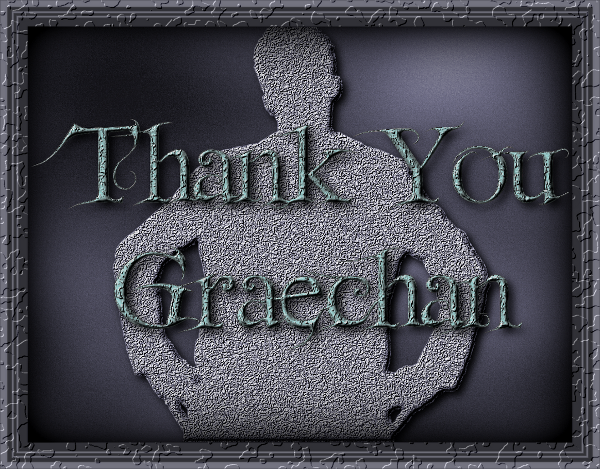
Thanks. It was simple - I just ran the filter twice - once on the cutout and once on the text.


Top
 Post subject: Re: Antique Metal Script
PostPosted: Wed Aug 29, 2012 12:14 pm  (#12) 
Offline
GimpChat Member
User avatar

Joined: Nov 16, 2011
Posts: 5127
Location: Metro Vancouver, BC
Nice one, Graechan :bigthup
It's entertaining too!


Attachments:
ant-met-scrpt-gc.jpg
ant-met-scrpt-gc.jpg [ 136.4 KiB | Viewed 3297 times ]

_________________
Image
Gimp 2.8.18, Linux, median user
Gimp Chat Tutorials Index
Spirit Bear (Kermode)
Top
 Post subject: Re: Antique Metal Script
PostPosted: Wed Aug 29, 2012 12:37 pm  (#13) 
Offline
GimpChat Member
User avatar

Joined: Apr 07, 2010
Posts: 14182
Thank you Graechan, excellent as usual.
Image

_________________
Image


Top
 Post subject: Re: Antique Metal Script
PostPosted: Wed Sep 12, 2012 4:14 pm  (#14) 
Offline
GimpChat Member

Joined: Apr 12, 2010
Posts: 5870
:bump

Hy Graechan...first i want you know that this as most of your logo script is included in GIMP-PhotoComix_Lab-2.8.2 (in both 32 and 64bit versions )

Anyway i was just using it now and i have problems with Keep layers option :
keep layers doesn't keep any of the layers i want to keep ! :gaah

I see a lot of interesting layers flashing away and immediately merged,
as example one that looks as polished silver...cool but disappear in a flash would be no possible just replace (if Keep Layers is chosen) inside your script "merge layers" with "new layers from visible" so all the layers are really preserved ?

As example i would like add a blur + sharpen (1.5 gaussian blur + unsharpmask2) sequence on the metal but the BG already merged somehow disturb

But more i want see better and maybe somehow use that polished silver layer appears and vanish in a flash
......................................................

a bit OT ,did you experimented combination of blur/sharpen ? i found often very reward
A very moderate blur (below 1.5 px) followed by a moderate dark halo sharpening (as in gmic/enhance/sharpen/Unsharp, if lowering the + value to no much more then 0 ) often make the details pop out, more sharp but more sharp in a quite smooth way

_________________
My 3D Gallery on Deviantart http://photocomix2.deviantart.com/
Main gallery http://www.flickriver.com/photos/photocomix-mandala/
Mandala and simmetry http://www.flickriver.com/photos/photocomix_mandala/

Image

Mrs Wilbress


Top
 Post subject: Re: Antique Metal Script
PostPosted: Thu Sep 13, 2012 2:53 am  (#15) 
Offline
Script Coder
User avatar

Joined: Feb 18, 2011
Posts: 4826
Location: Bendigo Vic. Australia
Would a keep text selection help you out, if a separate text layer is what you need I could even create one.

Image

_________________
Image
No matter how much you push the envelope, it'll still be stationery.


Top
 Post subject: Re: Antique Metal Script
PostPosted: Sat Sep 22, 2012 2:11 pm  (#16) 
Offline
New Member
User avatar

Joined: Sep 22, 2012
Posts: 4
This is a Gr8 Script but it keeps crashing GIMP :-( I've even re-installed GIMP and it has not helped :-( G'MIC is working fine otherwise . . . any suggestions? I would really love to use it! Thanks in advance! :-)


Attachments:
File comment: If it is any help - this is a Screenshot of the error message
ScreenShot.png
ScreenShot.png [ 454.54 KiB | Viewed 3228 times ]
Top
 Post subject: Re: Antique Metal Script
PostPosted: Thu Jan 10, 2013 7:53 am  (#17) 
Offline
Global Moderator
User avatar

Joined: Apr 01, 2012
Posts: 8457
Location: On the other side of your screen
Only just now was able to download this script successfully. Here is what I did.Image What do I need to do, to centre it?

Image
Worked it out. Just do it manually.

_________________
Image
Free Fun Photo Editing & resources
Poems from the Lord
Gimp Newby
Gimp version 3.2.4 and GMIC-Qt 4.0.2 OS :- Windows 10 Home 64


Top
 Post subject: Re: Antique Metal Script
PostPosted: Thu Jan 10, 2013 8:53 am  (#18) 
Offline
GimpChat Member
User avatar

Joined: Apr 07, 2010
Posts: 14182
Very nice sallyanne, Graechan does make some very nice scripts.

_________________
Image


Top
 Post subject: Re: Antique Metal Script
PostPosted: Sat May 04, 2013 8:35 am  (#19) 
Offline
New Member
User avatar

Joined: May 04, 2013
Posts: 2
Is it possible to get this effect on an object (not text) and show depth...☺


Top
 Post subject: Re: Antique Metal Script
PostPosted: Sat May 04, 2013 10:10 am  (#20) 
Offline
GimpChat Member
User avatar

Joined: Aug 16, 2012
Posts: 4271
Location: Göteborg, Sweden
sallyanne: looks very heavy metal-ey :). would be nice if the script automatically centred the text, though.
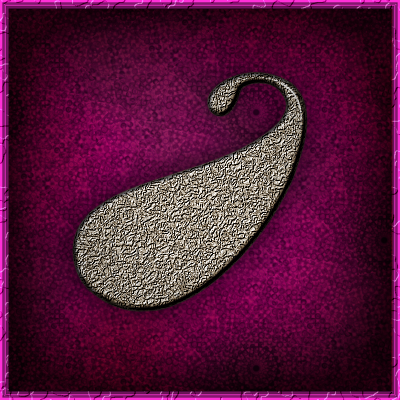

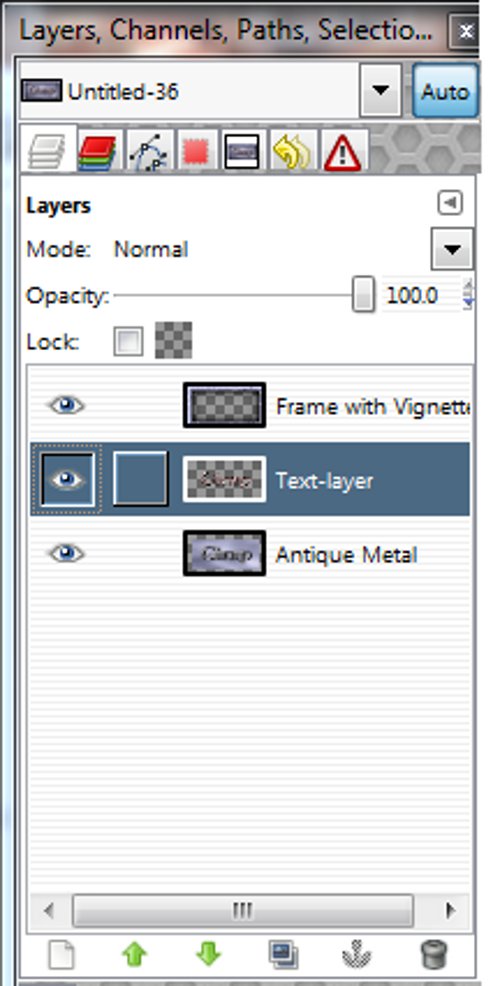
samsons1: if you have the script installed just go to "script-fu -> alpha-to-logo -> antique metal alpha and you can work on objects other than text. i'm not sure what you mean by "show depth", though - do you mean you want a bit more distance between text and bottom of box? in that case you can try setting the blur radius of the drop shadow to something big, like around 100(there is a setting for that in the script dialog box). also, if you keep the layers and add a dark blue layer in between the frame and the metal layer, set the blue layer to overlay (reduce the opacity to whatever looks good to you) you can create a feeling of distance.
i did all that on this pic and was happy with the result:
Image

_________________


Top
Post new topic Reply to topic  [ 56 posts ]  Go to page 1, 2, 3  Next

All times are UTC - 5 hours [ DST ]


* Login  


Powered by phpBB3 © phpBB Group