Draw shapes in GIMP using GEGL GIMP can draw non-destructive circles, ovals, squares, rectangles and diamonds and dividers using this plugin and in 2.99.19 it is non-destructive.
Download for Windows and Linux here
https://github.com/LinuxBeaver/Vector_L ... e/releasesAttachment:
 circle.png [ 157.08 KiB | Viewed 2962 times ]
LOCATION TO PUT BINARES
Windows C:\Users\(USERNAME)\AppData\Local\gegl-0.4\plug-ins
Linux /home/(USERNAME)/.local/share/gegl-0.4/plug-ins
Linux (Flatpak includes Chromebook) /home/(USERNAME)/.var/app/org.gimp.GIMP/data/gegl-0.4/plug-ins
Then restart GIMP and go to GEGL Operations and search for "draw shapes" or if you use GIMP 2.99.16+ you will see it in filters>render>run
More previews of the pluginAttachment:
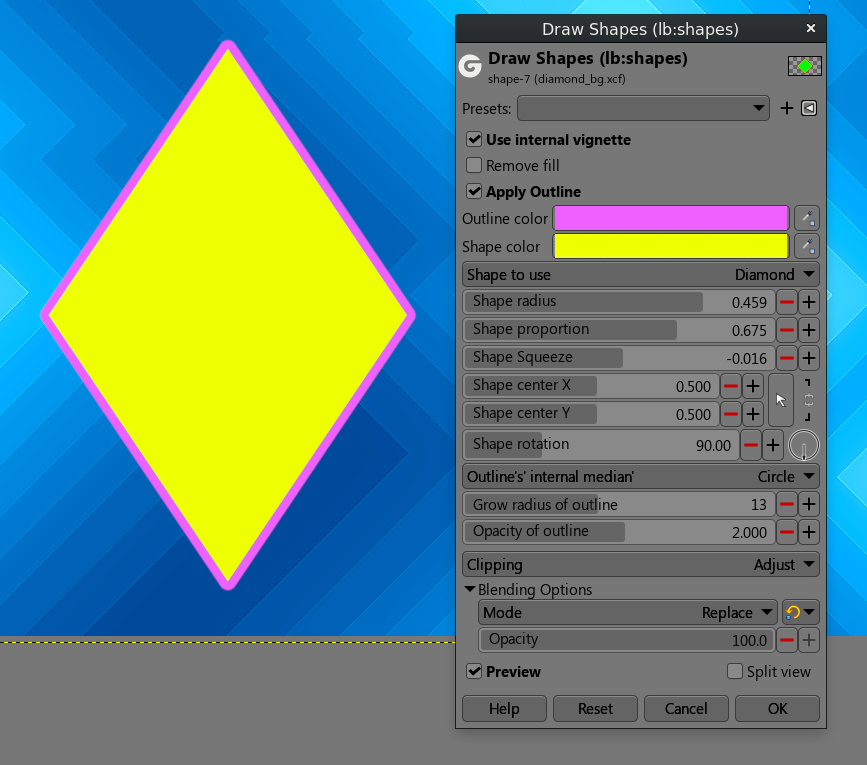 diamond.png [ 159.98 KiB | Viewed 2962 times ]
Attachment:
 square.png [ 159.04 KiB | Viewed 2962 times ]
Two limitations exist 1. It will render an oval on non 16:9 canvases. Though one can manually fix this using shape squeeze slider. This seems impossible to fix but I will investigate soon. The reason this impossible to fix is because native GIMP filter vignette has the same problem
2.It replaces everything on canvas because it uses the replace blend mode. Once I get around to it I will instruct the plugin to use the normal blend mode instead.
Remember if you use a fill or outline only with GEGL Effects or other plugins you can do all sorts of fancy shape styles
 Login
Login Register
 Tweets
 FAQ
FAQ Advanced Search


