It is currently Mon Sep 14, 2026 11:09 pm


All times are UTC - 5 hours [ DST ]


Post new topic Reply to topic  [ 70 posts ]  Go to page 1, 2, 3, 4  Next
Author Message
 Post subject: G'MIC Droste.
PostPosted: Tue Jun 12, 2012 5:45 pm  (#1) 
Offline
GimpChat Member
User avatar

Joined: Sep 24, 2010
Posts: 12845
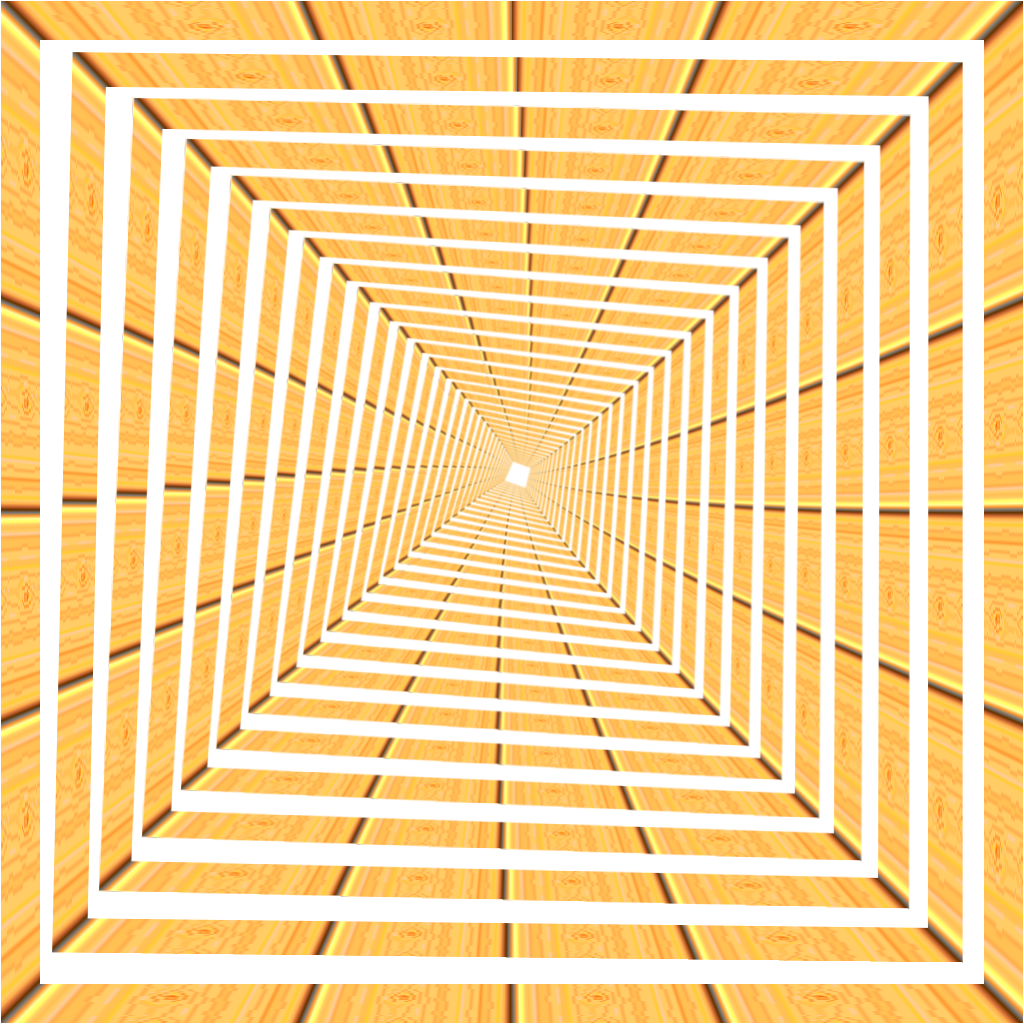
David just created this cool preset for G'MIC. It's more the magic mirror then the Droste that Mathmap creates. I use to have to do this manually (lots of work). Happy I am. :)


Attachments:
gmic_drost.png
gmic_drost.png [ 1.15 MiB | Viewed 3143 times ]

_________________
Lyle

Psalm 109:8

Image
Share on Facebook Share on Twitter Share on Orkut Share on Digg Share on MySpace Share on Delicious Share on Technorati
Top
 Post subject: Re: G'MIC Droste.
PostPosted: Tue Jun 12, 2012 5:48 pm  (#2) 
Offline
GimpChat Member
User avatar

Joined: Mar 23, 2012
Posts: 7388
Location: Göteborg at last!
That looks cool. Which preset is it?


Top
 Post subject: Re: G'MIC Droste.
PostPosted: Tue Jun 12, 2012 5:52 pm  (#3) 
Offline
GimpChat Member
User avatar

Joined: Apr 07, 2010
Posts: 14182
Lyle loves his presets, lol. quite a cool looking thing Lyle

_________________
Image


Top
 Post subject: Re: G'MIC Droste.
PostPosted: Tue Jun 12, 2012 5:53 pm  (#4) 
Offline
Global Moderator
User avatar

Joined: May 16, 2010
Posts: 16173
This is a cool looking effect Lyle. :)

_________________
Image


Top
 Post subject: Re: G'MIC Droste.
PostPosted: Tue Jun 12, 2012 5:58 pm  (#5) 
Offline
GimpChat Member
User avatar

Joined: Mar 23, 2012
Posts: 7388
Location: Göteborg at last!
Looks a bit like the tunnel array filter.


Top
 Post subject: Re: G'MIC Droste.
PostPosted: Tue Jun 12, 2012 6:07 pm  (#6) 
Offline
GimpChat Member
User avatar

Joined: Sep 24, 2010
Posts: 12845
See this thread folks for details (works in version 1.5.1.5). Just playing with some coordinate so hope none of you have vertigo. lol

Image

_________________
Lyle

Psalm 109:8

Image


Top
 Post subject: Re: G'MIC Droste.
PostPosted: Tue Jun 12, 2012 6:13 pm  (#7) 
Offline
GimpChat Member
User avatar

Joined: Mar 23, 2012
Posts: 7388
Location: Göteborg at last!
Wow! It gets better.


Top
 Post subject: Re: G'MIC Droste.
PostPosted: Tue Jun 12, 2012 6:18 pm  (#8) 
Offline
GimpChat Member
User avatar

Joined: Sep 24, 2010
Posts: 12845
Thanks Erisian; after setting up the coordinates, I simply pressed the Apply button multiple times before closing the G'MIC plugin. I see a lot of cool things with this one in my future. lol

:)

_________________
Lyle

Psalm 109:8

Image


Top
 Post subject: Re: G'MIC Droste.
PostPosted: Tue Jun 12, 2012 6:20 pm  (#9) 
Offline
GimpChat Member
User avatar

Joined: Mar 23, 2012
Posts: 7388
Location: Göteborg at last!
Just downloaded it. I'll be playing with it all night now! :hoh


Top
 Post subject: Re: G'MIC Droste.
PostPosted: Tue Jun 12, 2012 6:33 pm  (#10) 
Offline
GimpChat Member
User avatar

Joined: Sep 24, 2010
Posts: 12845
I believe I was the cause of your insomnia on multiple occasions Erisian. lolololol

:)

_________________
Lyle

Psalm 109:8

Image


Top
 Post subject: Re: G'MIC Droste.
PostPosted: Tue Jun 12, 2012 6:34 pm  (#11) 
Offline
GimpChat Member
User avatar

Joined: Apr 07, 2010
Posts: 14182
Why are those black lines ragged? Is there a way to fix that?

_________________
Image


Top
 Post subject: Re: G'MIC Droste.
PostPosted: Tue Jun 12, 2012 6:38 pm  (#12) 
Offline
GimpChat Member
User avatar

Joined: Sep 24, 2010
Posts: 12845
Click on the image Molly; this is how the Shack does Scaled images (if you know the secret, you can share a scaled preview using the Shack; it's a hidden secret though); the image is actually bigger and the black lines are actually transparent. :)

_________________
Lyle

Psalm 109:8

Image


Top
 Post subject: Re: G'MIC Droste.
PostPosted: Tue Jun 12, 2012 6:44 pm  (#13) 
Offline
GimpChat Member
User avatar

Joined: Mar 23, 2012
Posts: 7388
Location: Göteborg at last!
lylejk wrote:
I believe I was the cause of your insomnia on multiple occasions Erisian. lolololol

:)


You believe right! :hoh


Top
 Post subject: Re: G'MIC Droste.
PostPosted: Tue Jun 12, 2012 6:53 pm  (#14) 
Offline
Global Moderator
User avatar

Joined: May 16, 2010
Posts: 16173
Now this is fun! :)
Thanks David. :ninja :ninja

Image

_________________
Image


Top
 Post subject: Re: G'MIC Droste.
PostPosted: Tue Jun 12, 2012 7:00 pm  (#15) 
Offline
GimpChat Member
User avatar

Joined: Sep 24, 2010
Posts: 12845
Now that is cool Rod; possibilities are endless with this cool new toy, uh,er, preset. lol

:)

_________________
Lyle

Psalm 109:8

Image


Top
 Post subject: Re: G'MIC Droste.
PostPosted: Tue Jun 12, 2012 7:03 pm  (#16) 
Offline
GimpChat Member
User avatar

Joined: Apr 07, 2010
Posts: 14182
Thank you Lyle, that is much better. it makes me dizzy when I look at it. cool though

_________________
Image


Top
 Post subject: Re: G'MIC Droste.
PostPosted: Tue Jun 12, 2012 7:05 pm  (#17) 
Offline
Global Moderator
User avatar

Joined: May 16, 2010
Posts: 16173
I did this one with Clone Layer Tool. Another cool way to manipulate multiples with rotation and re size. :)

Image

_________________
Image


Top
 Post subject: Re: G'MIC Droste.
PostPosted: Tue Jun 12, 2012 7:15 pm  (#18) 
Offline
GimpChat Member
User avatar

Joined: Sep 24, 2010
Posts: 12845
What would be cool if David could add a rotational option. Then you would have a gui for doing these which would be cool. Going to ask David now. :)

_________________
Lyle

Psalm 109:8

Image


Top
 Post subject: Re: G'MIC Droste.
PostPosted: Tue Jun 12, 2012 7:18 pm  (#19) 
Offline
GimpChat Member
User avatar

Joined: Mar 23, 2012
Posts: 7388
Location: Göteborg at last!
Rod wrote:
I did this one with Clone Layer Tool. Another cool way to manipulate multiples with rotation and re size. :)

Image


That is beautiful - fractal like. :bigthup


Top
 Post subject: Re: G'MIC Droste.
PostPosted: Tue Jun 12, 2012 8:33 pm  (#20) 
Offline
Global Moderator
User avatar

Joined: May 16, 2010
Posts: 16173
Thanks Erisian.The Clone Layer Tool does an excellent job of creating flawless rotation increments.
I actually think it should be a default Gimp plug-in.As well as GMIC.

@ Lyle - Rotation settings would take it over the edge. :)

_________________
Image


Top
Post new topic Reply to topic  [ 70 posts ]  Go to page 1, 2, 3, 4  Next

All times are UTC - 5 hours [ DST ]


* Login  


Powered by phpBB3 © phpBB Group