It is currently Sun Aug 23, 2026 5:38 pm


All times are UTC - 5 hours [ DST ]


Post new topic Reply to topic  [ 41 posts ]  Go to page Previous  1, 2, 3  Next
Author Message
 Post subject: Re: Quick Metallic Pattern Backgrounds.
PostPosted: Sun Jul 21, 2013 10:50 am  (#21) 
:tyspin Good tut He4rty!
Image


Top
 Post subject: Re: Quick Metallic Pattern Backgrounds.
PostPosted: Sun Jul 21, 2013 1:22 pm  (#22) 
Offline
GimpChat Member
User avatar

Joined: Apr 08, 2010
Posts: 5420
Location: Northwest Ohio
Nice tutorial...if I can follow it, anyone can! am I supposed to have a transparent border around it? I assume that is from the drop shadow. Is this seamless or...how can I make it seamless.
Image


Top
 Post subject: Re: Quick Metallic Pattern Backgrounds.
PostPosted: Mon Jul 22, 2013 1:12 am  (#23) 
Offline
GimpChat Member
User avatar

Joined: Aug 30, 2012
Posts: 2174
Esper - Thanks
Molly - I type the text I'm after, then autocrop and finally use the align tool to centre.
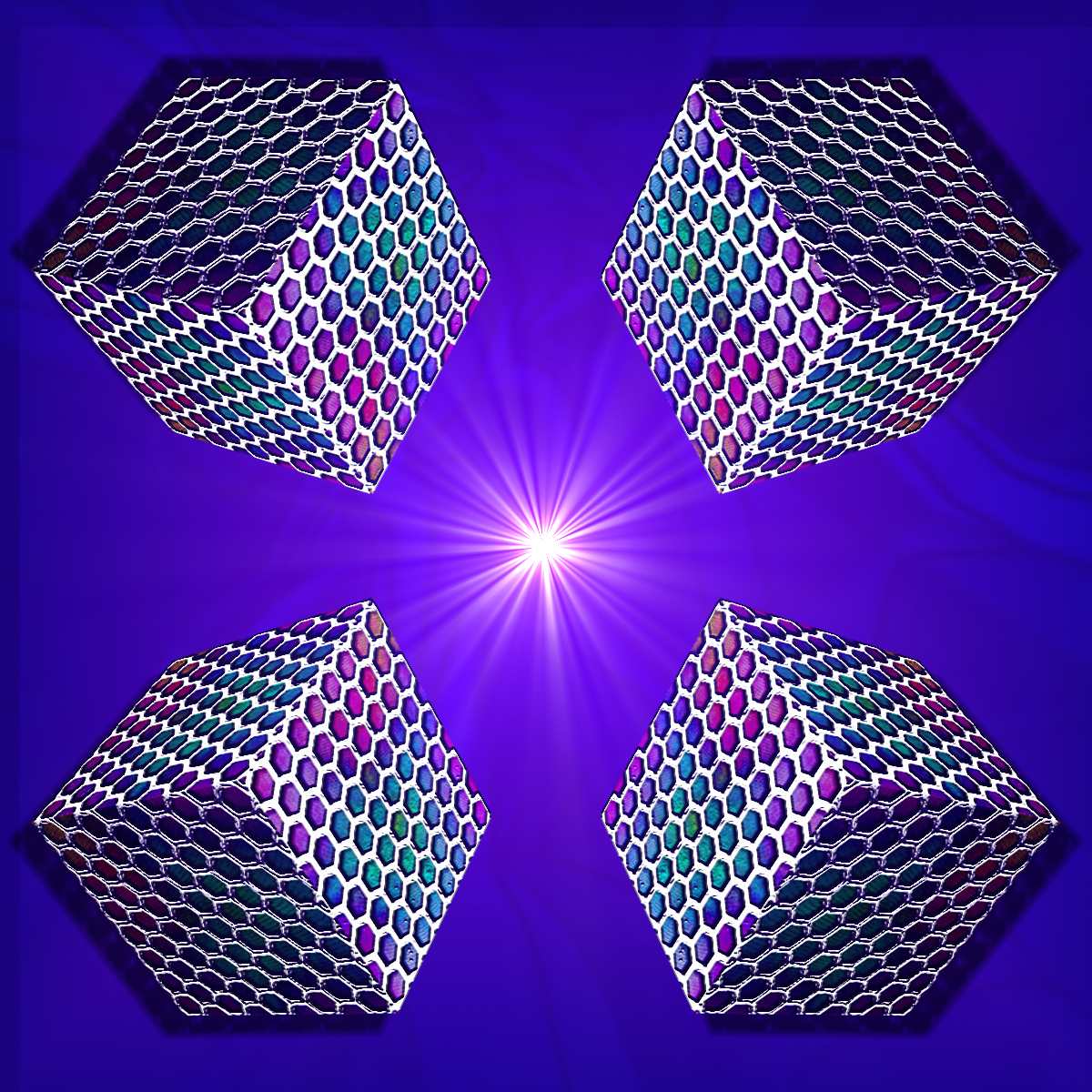
Fluffy - Nice design, liking the cubes.
2-Ton - The border comes from the fact the shadow layer is bigger than the image, hence why you unchecked the resize option. As to making it tileable, you could either crop the metal part into a tileable size then create a new tileable background or play around with the settings in the mosiac filter.

_________________
Image


Top
 Post subject: Re: Quick Metallic Pattern Backgrounds.
PostPosted: Mon Jul 22, 2013 1:24 am  (#24) 
Offline
GimpChat Member
User avatar

Joined: Jul 15, 2013
Posts: 10
Location: UK
This is definitely something i can use. Will get on it tomorrow. Thank you for the tut :tyspin

_________________
Image


Top
 Post subject: Re: Quick Metallic Pattern Backgrounds.
PostPosted: Mon Jul 22, 2013 2:26 am  (#25) 
Offline
GimpChat Member
User avatar

Joined: Aug 30, 2012
Posts: 2174
Decided to have a look at the g'mic polka dot filter, Below are the settings I tried and my results.

Image

Image

_________________
Image


Top
 Post subject: Re: Quick Metallic Pattern Backgrounds.
PostPosted: Mon Jul 22, 2013 5:24 am  (#26) 
Offline
GimpChat Member
User avatar

Joined: Aug 16, 2012
Posts: 4271
Location: Göteborg, Sweden
he4rty: i like that gimp chat text! and the effect looks good with the polka dot pattern too :).
fluffybunny: cool cubes!
akros: "erase every other row and run" :mrgreen: actually that is my favourite distortion filter, i've used it a lot.

_________________


Top
 Post subject: Re: Quick Metallic Pattern Backgrounds.
PostPosted: Mon Jul 22, 2013 7:41 am  (#27) 
Offline
GimpChat Member
User avatar

Joined: Aug 16, 2012
Posts: 4271
Location: Göteborg, Sweden
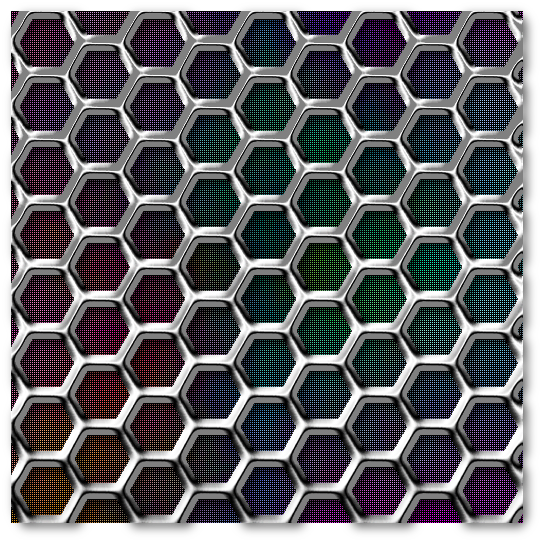
this was a very simple and fun tut to follow and i can see so many fun ways to tweak it! i'm sure graechan's script will give me even more ideas too, they usually do.

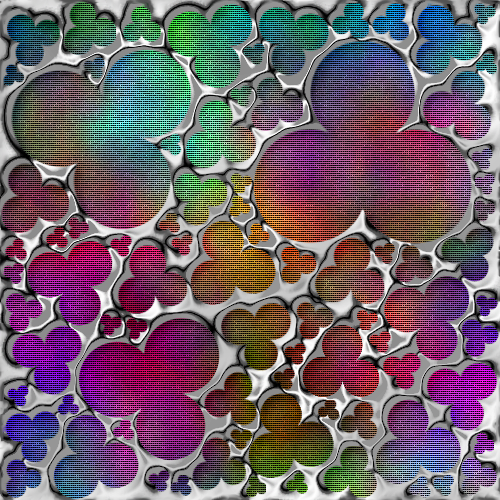
for this i used the pack sprites filter in g'mic and after making the grid i ran tileable wind on it. i had to offset the pattern layer and work on the metallic mesh by hand to make it seamless and i am not entirely happy with the metallic look - next time i'll probably use another gradient and chrome curve - but all in all i like the resulting pattern a lot.
Image

_________________


Top
 Post subject: Re: Quick Metallic Pattern Backgrounds.
PostPosted: Mon Jul 22, 2013 8:22 am  (#28) 
Offline
Global Moderator
User avatar

Joined: Apr 01, 2012
Posts: 8461
Location: On the other side of your screen
Lovely

_________________
Image
Free Fun Photo Editing & resources
Poems from the Lord
Gimp Newby
Gimp version 3.2.4 and GMIC-Qt 4.0.2 OS :- Windows 10 Home 64


Top
 Post subject: Re: Quick Metallic Pattern Backgrounds.
PostPosted: Tue Jul 23, 2013 1:21 am  (#29) 
Offline
GimpChat Member
User avatar

Joined: Aug 30, 2012
Posts: 2174
AnMal - Thats really nice and I'm impressed its not paisley.

_________________
Image


Top
 Post subject: Re: Quick Metallic Pattern Backgrounds.
PostPosted: Tue Jul 23, 2013 2:33 am  (#30) 
Offline
GimpChat Member
User avatar

Joined: Aug 16, 2012
Posts: 4271
Location: Göteborg, Sweden
sallyanne: thank you sister :)
he4rty: hehe, thank you - i've made some paisley ones as well but this was the first one that looked good enough to post.

_________________


Top
 Post subject: Re: Quick Metallic Pattern Backgrounds.
PostPosted: Wed Jul 24, 2013 2:46 am  (#31) 
Offline
Global Moderator
User avatar

Joined: Apr 01, 2012
Posts: 8461
Location: On the other side of your screen
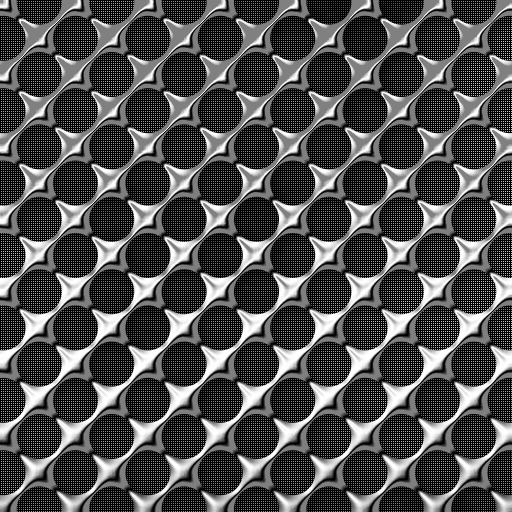
Just thought I would post one I did with the multi brush fill and G'MIC polka dots
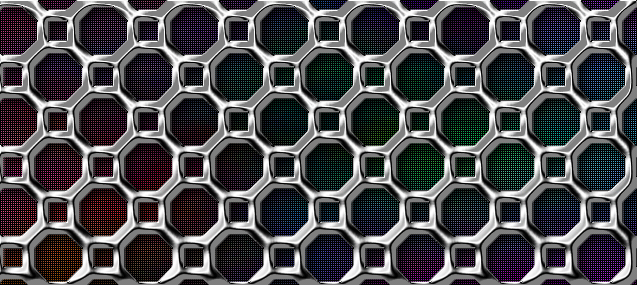
and an octagon one Image
Image
Image

_________________
Image
Free Fun Photo Editing & resources
Poems from the Lord
Gimp Newby
Gimp version 3.2.4 and GMIC-Qt 4.0.2 OS :- Windows 10 Home 64


Top
 Post subject: Re: Quick Metallic Pattern Backgrounds.
PostPosted: Wed Jul 24, 2013 4:13 am  (#32) 
Offline
GimpChat Member
User avatar

Joined: Aug 30, 2012
Posts: 2174
Sallyanne - All very nice images, I like the hearts and the Octogan pattern, the bottom pattern looks almost like one of them pin picture thingies.

_________________
Image


Top
 Post subject: Re: Quick Metallic Pattern Backgrounds.
PostPosted: Wed Jul 24, 2013 4:19 am  (#33) 
Offline
GimpChat Member
User avatar

Joined: Aug 16, 2012
Posts: 4271
Location: Göteborg, Sweden
sallyanne: wow, nice stuff! you'll never be short of good looking backgrounds now!

_________________


Top
 Post subject: Re: Quick Metallic Pattern Backgrounds.
PostPosted: Wed Jul 24, 2013 4:22 am  (#34) 
Offline
Global Moderator
User avatar

Joined: Apr 01, 2012
Posts: 8461
Location: On the other side of your screen
Thanks. I found your tutorial quite easy (if not frustrating until I was helped). Now I might not feel so overwhelmed by others. :)

_________________
Image
Free Fun Photo Editing & resources
Poems from the Lord
Gimp Newby
Gimp version 3.2.4 and GMIC-Qt 4.0.2 OS :- Windows 10 Home 64


Top
 Post subject: Re: Quick Metallic Pattern Backgrounds.
PostPosted: Fri Oct 31, 2014 10:29 pm  (#35) 
Offline
GimpChat Member

Joined: Aug 10, 2014
Posts: 140
Location: San Antonio, Tx
Thank u for the tutorial.

_________________
Image


Top
 Post subject: Re: Quick Metallic Pattern Backgrounds.
PostPosted: Fri Oct 31, 2014 11:36 pm  (#36) 
Offline
GimpChat Member

Joined: Aug 10, 2014
Posts: 140
Location: San Antonio, Tx
I love my result. Of course please provide feedback.


Attachments:
AdventureMetalMesh.png
AdventureMetalMesh.png [ 156.82 KiB | Viewed 3140 times ]

_________________
Image
Top
 Post subject: Re: Quick Metallic Pattern Backgrounds.
PostPosted: Sat Nov 01, 2014 1:33 am  (#37) 
Offline
GimpChat Member
User avatar

Joined: Aug 30, 2012
Posts: 2174
Adventure wrote:
I love my result. Of course please provide feedback.


Nice results, I'm liking the flattened look of the hexagon mesh.

_________________
Image


Top
 Post subject: Re: Quick Metallic Pattern Backgrounds.
PostPosted: Sun Nov 02, 2014 12:28 am  (#38) 
Offline
Global Moderator
User avatar

Joined: Oct 02, 2014
Posts: 5020
Location: Sydney Australia
I tried this tutorial several times but did not end up with a 'see through' grill!!

So I went very carefully through it once again and when I got to the Pattern Layer "colour to alpha" instruction, I noticed that the black background did not disappear nor the grill become see through - I repeated the instruction but again nothing changed.. Yes black was the selected colour.

So I then used the 'select by colour tool' and deleted the selection, i.e. all the black inserts and hey presto I got a see throught grill. Then I continued and ended up with the same image as everybody else.

But I do not understand why the 'colour to alpha' did not work - any ideas?

_________________
Image

Respect should be offered freely but hard earned


Top
 Post subject: Re: Quick Metallic Pattern Backgrounds.
PostPosted: Sun Nov 02, 2014 4:21 pm  (#39) 
Offline
Administrator
User avatar

Joined: Aug 10, 2012
Posts: 14166
Location: Native to NYC living in Arizona, Gimp 2.8 - 3.0, Win 11 PC.
oldmangrumpy wrote:
I tried this tutorial several times but did not end up with a 'see through' grill!!

So I went very carefully through it once again and when I got to the Pattern Layer "colour to alpha" instruction, I noticed that the black background did not disappear nor the grill become see through - I repeated the instruction but again nothing changed.. Yes black was the selected colour.

So I then used the 'select by colour tool' and deleted the selection, i.e. all the black inserts and hey presto I got a see through grill. Then I continued and ended up with the same image as everybody else.

But I do not understand why the 'colour to alpha' did not work - any ideas?

Are you positive that you turned off the visibility of the bump map layer? Even better, once it's used delete it from the image, because it's no longer needed, i.e., the Pattern Bump Layer.

_________________
Image
"A wise man learns more from a foolish question than a fool can learn from a wise answer"
Image


Top
 Post subject: Re: Quick Metallic Pattern Backgrounds.
PostPosted: Sun Nov 02, 2014 7:39 pm  (#40) 
Offline
Global Moderator
User avatar

Joined: Oct 02, 2014
Posts: 5020
Location: Sydney Australia
Oh dear Oh dear Oh dear ...to quote others in this forum, it must have been a seniors moment!

I have just tried the tutorial again and suddenly realised what the problem was - I really thought I had chosen black for the colour to alpha step, but it was not really black (wrong HTML code!).

Wallace - thanks again for trying to help this old guy; by the way I am impressed that you say you do not have to change your clock! Its a bit like Queensland her in OZ, they do not observe 'summer time', so all the guys in the New South Wales border towns pop over to Queensland pubs to get an extra hour drinking!!

_________________
Image

Respect should be offered freely but hard earned


Top
Post new topic Reply to topic  [ 41 posts ]  Go to page Previous  1, 2, 3  Next

All times are UTC - 5 hours [ DST ]


* Login  


Powered by phpBB3 © phpBB Group