Boosted_R wrote:
I am new to gimp and for some reason when I drag in a PNG image it still has the white around it. Randomly when scaling a PNG the white went away but I have no idea how I did it. Can anyone help me out on this?
Thanks,
Chase
When you scaled the image down, (I'm assuming you scaled down) the spaces left over due to the scaling will appear transparent, ie.without 'white', but the image itself will still have it's white background. Some PNG images may not contain an alpha channel.
By scaling the image down, you have effectively added an alpha channel to the layer.
The image of the baseball on the right has no alpha channel. By scaling it down, you can see in the left image that the space left over is not filled with white. By scaling the image down I have created an alpha channel for this image.
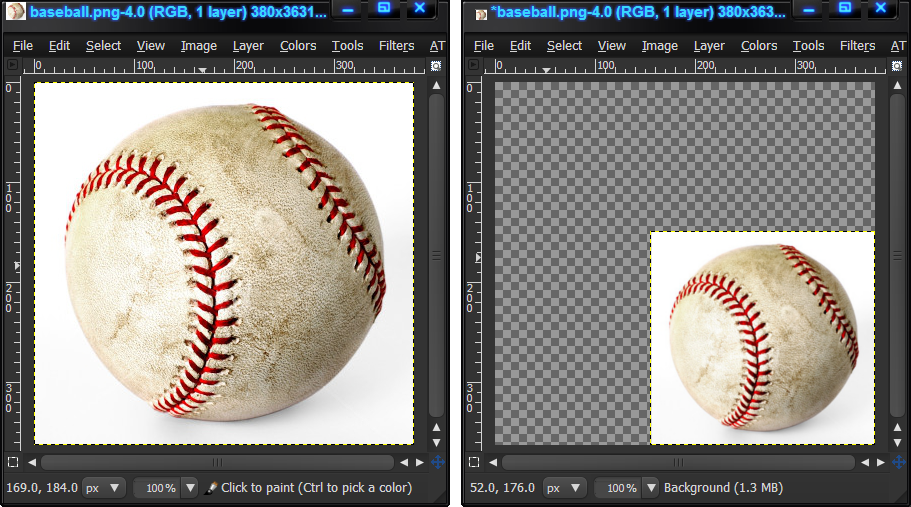
If you save your scaled image as a PNG, then opened it again in Gimp. You will see that it still has it's alpha channel. The image will then appear as it was after you scaled it down and saved it, with the alpha channel intact.
 Login
Login Register
 Tweets
 FAQ
FAQ Advanced Search






