molly wrote:
Caz did you right click on the plug-in and allow permissions? Most of them have already have that, but not all. you find that under filters > distorts > bevel
I just tried dd's version again and the permissions are allowed but it's a no show, it just don't like Linux Mint I guess.
Tux's version, and I'm not sure if it's suppose to be there, shows up under Filters> Map, not Filters > Distort > Bevel.
GnuTux wrote:
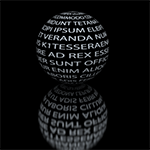
Caz, I've found that you need a white image (or text) on a black background for this plug-in to work properly. The black background on the image will take on the background color of the spherical map you are using, so if your map has a transparent background, the target image will have a transparent background after the plug-in is ran. You might want to try tweaking the gauss blur amount applied to the white image (or text). Smaller values seem to produce smoother results.
Thanks for the info. I've tried quite a few different things with this but it's mostly been on the LM logo or the text they use on the logo, which is real skinny looking. Each time the curved sections of each don't look too good. I'll keep experimenting though and see what turns up.
 Login
 Register
 Tweets
 FAQ
 Advanced Search