SONBERT wrote:
Rod wrote:
Yes you must remember there are two text and path options
1) Text Along PATH = your text FOLLOWS the PATH.
2) Text To PATH = Your text outline becomes a path.
I am assuming because you want your TEXT to follow an arch you want Text Along PATH.
Yes text following an arch. Many thanks for the info

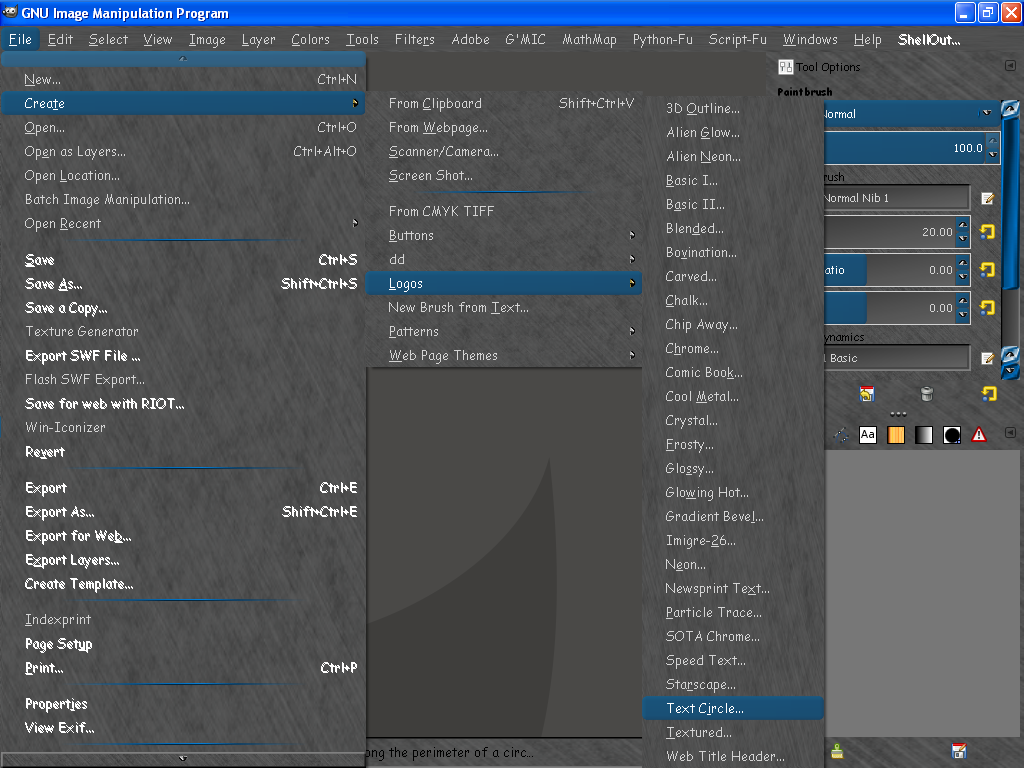
GIMP has a ready made script to place text along a elliptic PATH.
File>Create>Logos>Text Circle.

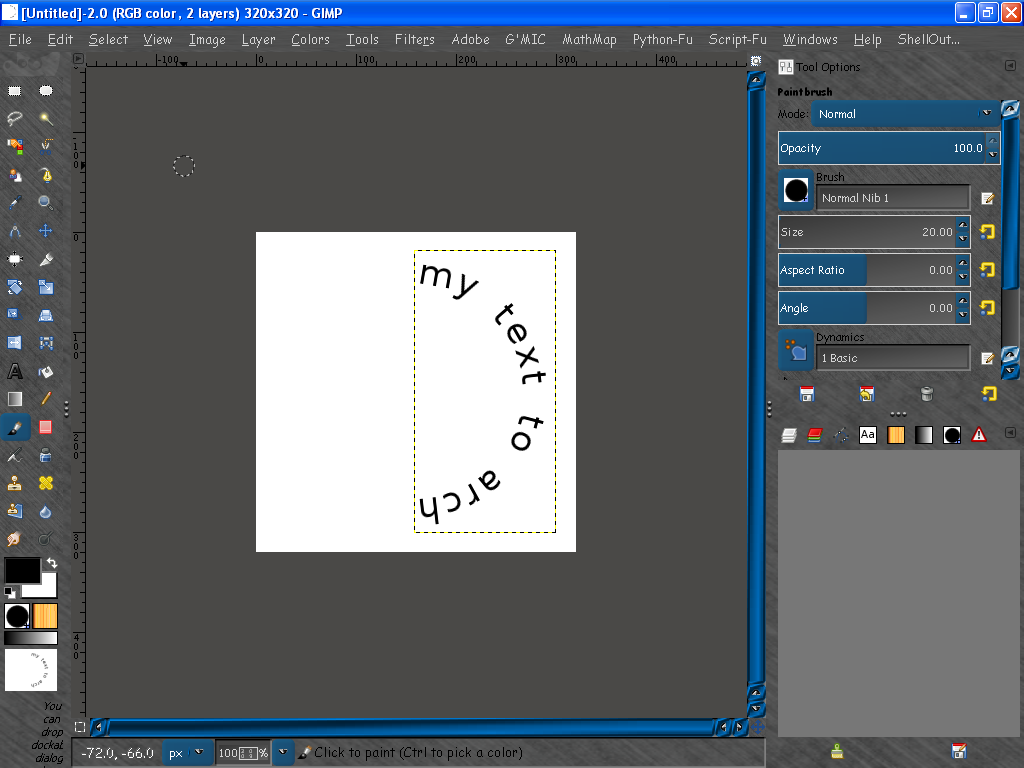
Now you need only go to Layer>Transform>Rotate 90 degrees counterclockwise.
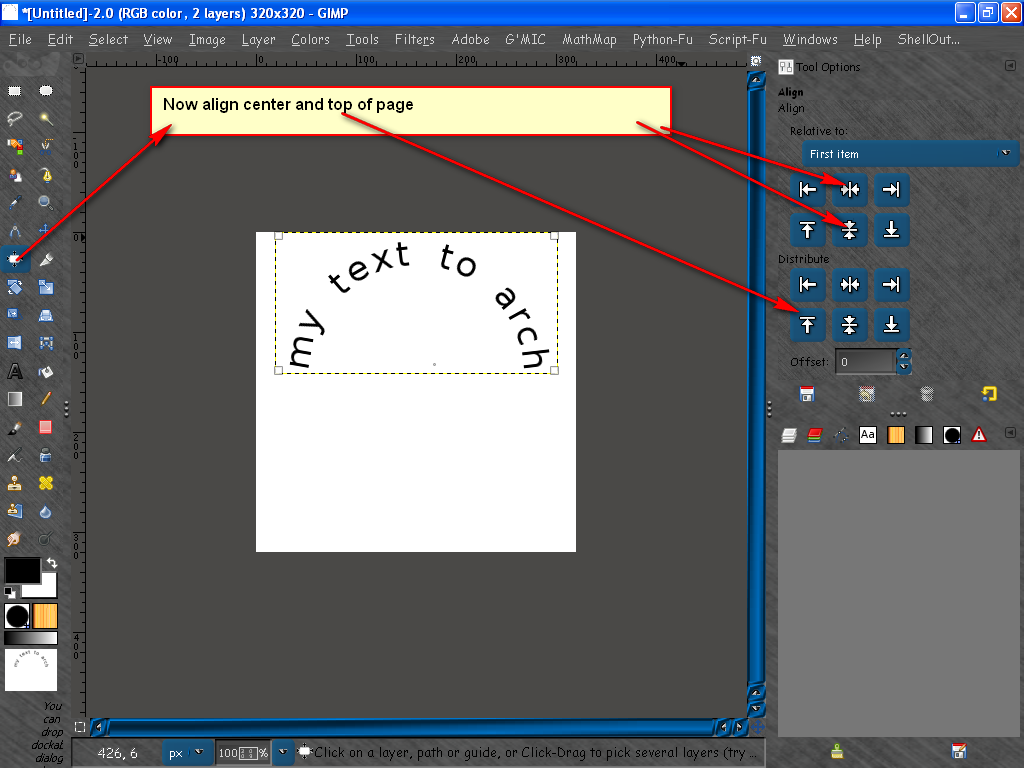
Then align as needed.
 Login
Login Register
 Tweets
 FAQ
FAQ Advanced Search




