It is currently Fri Aug 21, 2026 6:28 am


All times are UTC - 5 hours [ DST ]


Post new topic Reply to topic  [ 10 posts ] 
Author Message
 Post subject: Gmic filter- Noise Painting (Testing>Naggobot)
PostPosted: Sat Apr 26, 2014 4:28 pm  (#1) 
Offline
GimpChat Member
User avatar

Joined: Mar 10, 2014
Posts: 845
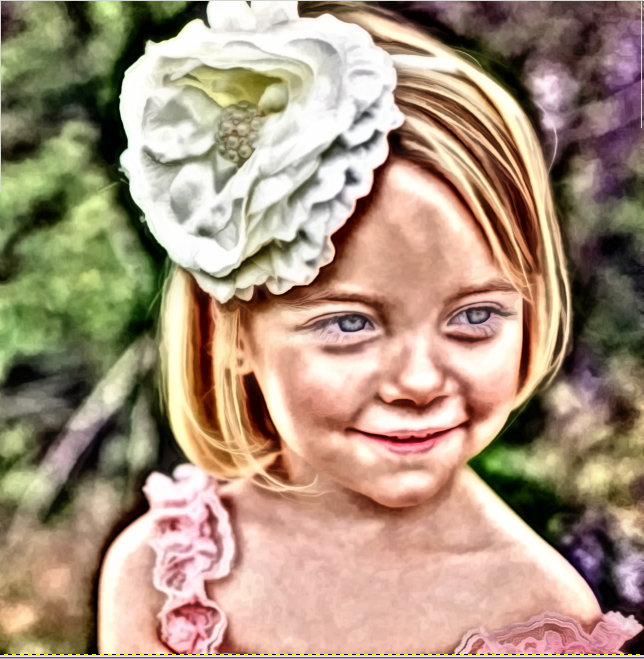
I try this filter with a watercolor and the result is excellent (in my opinion)

Image

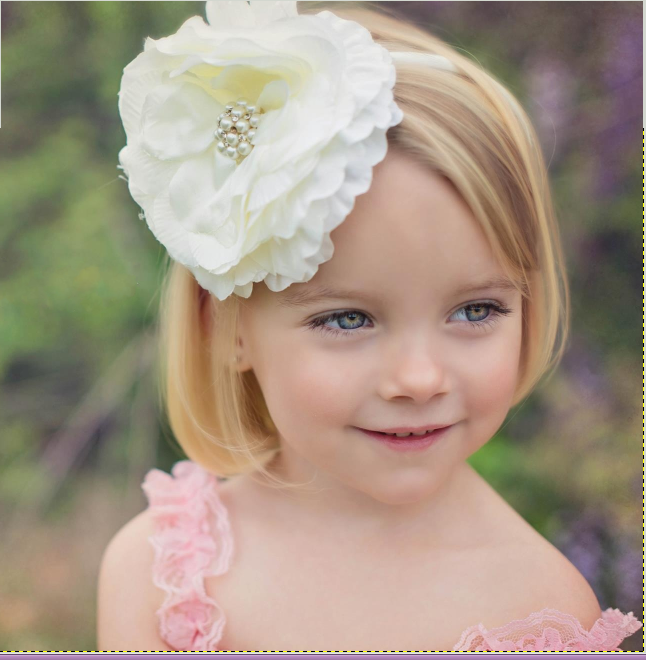
here is the original

Image

what do you think..


Share on Facebook Share on Twitter Share on Orkut Share on Digg Share on MySpace Share on Delicious Share on Technorati
Top
 Post subject: Re: Gmic filter- Noise Painting (Testing>Naggobot)
PostPosted: Sat Apr 26, 2014 7:13 pm  (#2) 
Offline
Script Coder
User avatar

Joined: Feb 18, 2011
Posts: 4826
Location: Bendigo Vic. Australia
For something different it's good to take a cruise through Gmic's Testing filters
Image
Image

_________________
Image
No matter how much you push the envelope, it'll still be stationery.


Top
 Post subject: Re: Gmic filter- Noise Painting (Testing>Naggobot)
PostPosted: Sat Apr 26, 2014 8:50 pm  (#3) 
Offline
GimpChat Member
User avatar

Joined: Mar 10, 2014
Posts: 845
Graechan wrote:
For something different it's good to take a cruise through Gmic's Testing filters
[ Image ]
[ Image ]

I'll do, thank you for the suggestion


Top
 Post subject: Re: Gmic filter- Noise Painting (Testing>Naggobot)
PostPosted: Sun Apr 27, 2014 3:22 pm  (#4) 
Offline
GimpChat Member
User avatar

Joined: Dec 02, 2012
Posts: 203
Location: Cantabria, Spain
Nearest to a paint...

Image

_________________
Image


My Gimp rides on Antergos (Arch), Linux Mint, Debian and Fedora


Top
 Post subject: Re: Gmic filter- Noise Painting (Testing>Naggobot)
PostPosted: Sun Apr 27, 2014 4:55 pm  (#5) 
Offline
GimpChat Member
User avatar

Joined: Mar 10, 2014
Posts: 845
jamac4k wrote:
Nearest to a paint...

[ Image ]

Excellent result! Did you use NOISE PAINTING Filter?


Top
 Post subject: Re: Gmic filter- Noise Painting (Testing>Naggobot)
PostPosted: Mon Apr 28, 2014 3:40 am  (#6) 
Offline
GimpChat Member
User avatar

Joined: Dec 02, 2012
Posts: 203
Location: Cantabria, Spain
# Marcello:
Yes, I set all parameters to zero, except:
Abstraction: 1
Color: 1.50
Smoothness: 50

and uncheck Luminancy only and Sharpen shades

_________________
Image


My Gimp rides on Antergos (Arch), Linux Mint, Debian and Fedora


Top
 Post subject: Re: Gmic filter- Noise Painting (Testing>Naggobot)
PostPosted: Mon Apr 28, 2014 5:17 am  (#7) 
Offline
GimpChat Member
User avatar

Joined: Apr 07, 2010
Posts: 14182
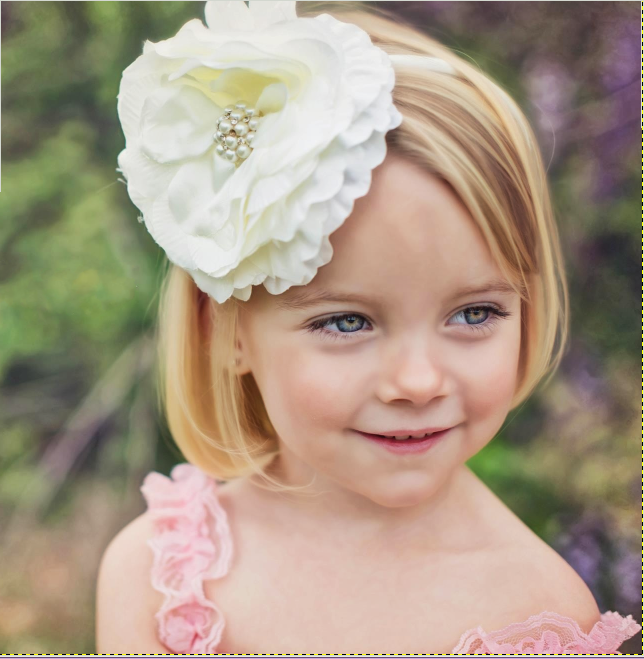
That is really nice jamac4k, it looks just like a water color should look. nice job.
I tried it using your parameters and mine came out with a dirty face and aged look.
Image

Image

_________________
Image


Top
 Post subject: Re: Gmic filter- Noise Painting (Testing>Naggobot)
PostPosted: Mon Apr 28, 2014 6:35 am  (#8) 
Offline
GimpChat Member
User avatar

Joined: Jan 20, 2013
Posts: 14831
Location: roma, italy
Molly,
maybe do you prefer the following? (0,0,0,1,0,2,250,1,0)

Attachment:
145_Mia-AfterD.png
145_Mia-AfterD.png [ 537.13 KiB | Viewed 4410 times ]

_________________
"Where am I ?"


Top
 Post subject: Re: Gmic filter- Noise Painting (Testing>Naggobot)
PostPosted: Mon Apr 28, 2014 7:10 am  (#9) 
Offline
GimpChat Member
User avatar

Joined: Dec 02, 2012
Posts: 203
Location: Cantabria, Spain
# Molly:
If you want a softest result try this:
Open your pic
Duplicate or set Gmic output mode as new layer.
Apply Noise painting, but this time increase the smoothness value to 765
Keep the others as I set.
Set the new layer in soft light blend mode and play with opacity


Attachments:
mia-soft.jpg
mia-soft.jpg [ 370.35 KiB | Viewed 4407 times ]

_________________
Image


My Gimp rides on Antergos (Arch), Linux Mint, Debian and Fedora
Top
 Post subject: Re: Gmic filter- Noise Painting (Testing>Naggobot)
PostPosted: Mon Apr 28, 2014 7:21 am  (#10) 
Offline
GimpChat Member
User avatar

Joined: Apr 07, 2010
Posts: 14182
wow that is much better, I will try that if I can. Thanks jamac4k
EDIT: Much better, almost as nice as yours, but not quite... :teeth
Image

_________________
Image


Top
Post new topic Reply to topic  [ 10 posts ] 

All times are UTC - 5 hours [ DST ]


* Login  


Powered by phpBB3 © phpBB Group