It is currently Fri Jun 12, 2026 7:21 am


All times are UTC - 5 hours [ DST ]


Post new topic Reply to topic  [ 19 posts ] 
Author Message
 Post subject: how do i weave two pics together like a basket? [SPLIT]
PostPosted: Sun Feb 27, 2011 12:30 am  (#1) 
Offline
New Member

Joined: Feb 27, 2011
Posts: 1
if anyone could help me that would be great!


Share on Facebook Share on Twitter Share on Orkut Share on Digg Share on MySpace Share on Delicious Share on Technorati
Top
 Post subject: Re: how do i weave two pics together like a basket?
PostPosted: Sun Feb 27, 2011 12:50 am  (#2) 
Offline
GimpChat Member
User avatar

Joined: Oct 06, 2010
Posts: 4050
Do you have an example of what you're looking to duplicate? All sorts of thoughts are running through my mind, just not sure which one to address.

Was it ccbarr or ofnuts who had an animation that did something similar?

_________________
"In order to attain the impossible, one must attempt the absurd."
~ Miguel de Cervantes


Top
 Post subject: Re: how do i weave two pics together like a basket?
PostPosted: Sun Feb 27, 2011 1:03 am  (#3) 
Offline
Retired Staff
User avatar

Joined: May 22, 2008
Posts: 6946
Location: Somewhere in GIMP
GIMP has a weave filter. Open your image then Filters > Artistic > Weave. Experiment with the settings in the dialog.

Image

_________________
Image
World War IV will be fought with sticks and stones. - Albert Einstein


Top
 Post subject: Re: how do i weave two pics together like a basket?
PostPosted: Sun Feb 27, 2011 1:15 am  (#4) 
Offline
GimpChat Member
User avatar

Joined: Oct 06, 2010
Posts: 4050
They said two pics. I'm wondering if they meant two layers?

_________________
"In order to attain the impossible, one must attempt the absurd."
~ Miguel de Cervantes


Top
 Post subject: Re: how do i weave two pics together like a basket?
PostPosted: Sun Feb 27, 2011 2:29 am  (#5) 
Offline
Retired Staff
User avatar

Joined: May 22, 2008
Posts: 6946
Location: Somewhere in GIMP
It would be very tedious, but you could select every other rectangle and delete from one image, then invert and do the other image.

Or make a grid and select with the fuzzy select tool in the same manner.

_________________
Image
World War IV will be fought with sticks and stones. - Albert Einstein


Top
 Post subject: Re: how do i weave two pics together like a basket?
PostPosted: Sun Feb 27, 2011 3:01 am  (#6) 
Offline
Retired Staff
User avatar

Joined: May 22, 2008
Posts: 6946
Location: Somewhere in GIMP
This is what I did. Opened two images as layers. Ran the weave filter using ribbon width of 70 and shading width 10.

Adding those together to get 80, I made a grid using 5 for the w & h on the lines and 80 for the spacing. It worked out fine. I rendered the grid on a new transparent layer.

Then I selected every other square using the fuzzy select tool, Grew the selection by 2, deleted on the top layer.

Image

_________________
Image
World War IV will be fought with sticks and stones. - Albert Einstein


Top
 Post subject: Re: how do i weave two pics together like a basket?
PostPosted: Sun Feb 27, 2011 3:32 am  (#7) 
Offline
GimpChat Member
User avatar

Joined: Sep 24, 2010
Posts: 12775
If I was a Script-fu programmer, I would create 2 script-fus from the weave Script-fu. I would call one of the vweave and the other hweave and then I would run on of the Script-fus to use as a mask for one of the images, and the other Script-fu for use as a mask on the other. Programmer I'm not though. :)

_________________
Lyle

Psalm 109:8

Image


Top
 Post subject: Re: how do i weave two pics together like a basket?
PostPosted: Sun Feb 27, 2011 3:47 am  (#8) 
Offline
Global Moderator
User avatar

Joined: May 16, 2010
Posts: 16023
If i was a script-fu writer i would create a script that could make a selection transparent...

_________________
Image


Top
 Post subject: Re: how do i weave two pics together like a basket?
PostPosted: Sun Feb 27, 2011 3:49 am  (#9) 
Offline
Global Moderator
User avatar

Joined: May 16, 2010
Posts: 16023
mahvin wrote:
Do you have an example of what you're looking to duplicate? All sorts of thoughts are running through my mind, just not sure which one to address.

Was it ccbarr or ofnuts who had an animation that did something similar?


ccbarr
viewtopic.php?f=22&t=1104&hilit=weave

not in gimp though - synfig

_________________
Image


Top
 Post subject: Re: how do i weave two pics together like a basket?
PostPosted: Sun Feb 27, 2011 3:54 am  (#10) 
Offline
Retired Staff
User avatar

Joined: May 22, 2008
Posts: 6946
Location: Somewhere in GIMP
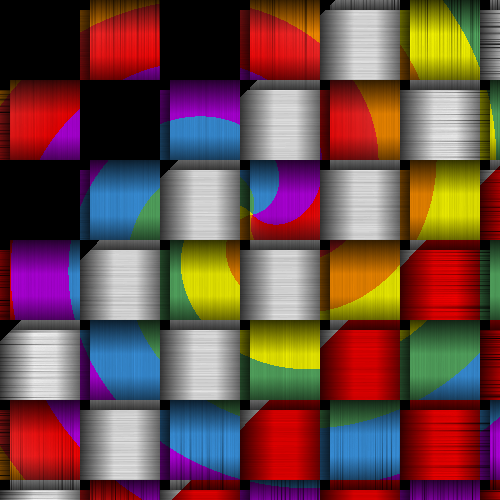
Lyle, you mentioned mask, and I thought aha! Render > Patterns > Checkerboard. Use as a mask on one layer. Works! I used 80 as the check size.

I just used different gradients on this one to save time and searching for images.

Image

_________________
Image
World War IV will be fought with sticks and stones. - Albert Einstein


Top
 Post subject: Re: how do i weave two pics together like a basket?
PostPosted: Sun Feb 27, 2011 7:53 am  (#11) 
Offline
Script Coder
User avatar

Joined: Oct 25, 2010
Posts: 4812
Oregonian wrote:
Lyle, you mentioned mask, and I thought aha! Render > Patterns > Checkerboard. Use as a mask on one layer. Works! I used 80 as the check size.


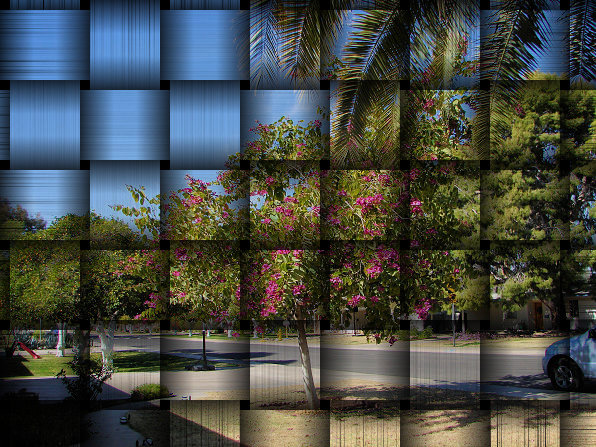
And if you ripple it a bit it gives interesting effects:
Attachment:
Car.png
Car.png [ 260.33 KiB | Viewed 2444 times ]

_________________
Image


Top
 Post subject: Re: how do i weave two pics together like a basket?
PostPosted: Sun Feb 27, 2011 8:41 am  (#12) 
Offline
Global Moderator
User avatar

Joined: May 16, 2010
Posts: 16023
That is an excellent idea, a checkerboard mask. :)
Now you got me thinking of making an image with another one bleeding through as polkadots. :P

_________________
Image


Top
 Post subject: Re: how do i weave two pics together like a basket?
PostPosted: Sun Feb 27, 2011 10:23 am  (#13) 
Offline
Retired Staff
User avatar

Joined: May 22, 2008
Posts: 6946
Location: Somewhere in GIMP
ofnuts wrote:
And if you ripple it a bit it gives interesting effects:
ofnuts, that's brilliant. I love it.

_________________
Image
World War IV will be fought with sticks and stones. - Albert Einstein


Top
 Post subject: Re: how do i weave two pics together like a basket?
PostPosted: Sun Feb 27, 2011 10:32 am  (#14) 
Offline
Script Coder
User avatar

Joined: Oct 25, 2010
Posts: 4812
Come to think of it, I wonder why I took so much time doing synchronized ripples on both pics plus the mask, in the end I could have made a square picture and applied the ripple filter once :) Normally my laziness takes the better of me.

_________________
Image


Top
 Post subject: Re: how do i weave two pics together like a basket?
PostPosted: Sun Feb 27, 2011 10:34 am  (#15) 
Offline
Retired Staff
User avatar

Joined: May 22, 2008
Posts: 6946
Location: Somewhere in GIMP
@ ofnuts: But look at the learning ... :mrgreen:

Hindsight.

_________________
Image
World War IV will be fought with sticks and stones. - Albert Einstein


Top
 Post subject: Re: how do i weave two pics together like a basket?
PostPosted: Mon Feb 28, 2011 1:14 pm  (#16) 
Offline
Retired Staff
User avatar

Joined: May 22, 2008
Posts: 6946
Location: Somewhere in GIMP
This topic has been split. Go here to read the continuing discussion.

_________________
Image
World War IV will be fought with sticks and stones. - Albert Einstein


Top
 Post subject: Re: how do i weave two pics together like a basket? [SPLIT]
PostPosted: Thu Jul 25, 2013 11:58 pm  (#17) 
Offline
GimpChat Member
User avatar

Joined: Jul 11, 2013
Posts: 5
hey Oregonian can i get a tut on that checkered/weave?? i been looking to do a basket weave but to weave in a single strand n color it.

(i'd share an example but i'm new and the site won't allow 'off-site url's') loll


Top
 Post subject: Re: how do i weave two pics together like a basket? [SPLIT]
PostPosted: Fri Jul 26, 2013 11:56 am  (#18) 
Offline
Global Moderator
User avatar

Joined: May 16, 2010
Posts: 16023
lilredhalo wrote:
hey Oregonian can i get a tut on that checkered/weave?? i been looking to do a basket weave but to weave in a single strand n color it.

(i'd share an example but i'm new and the site won't allow 'off-site url's') loll


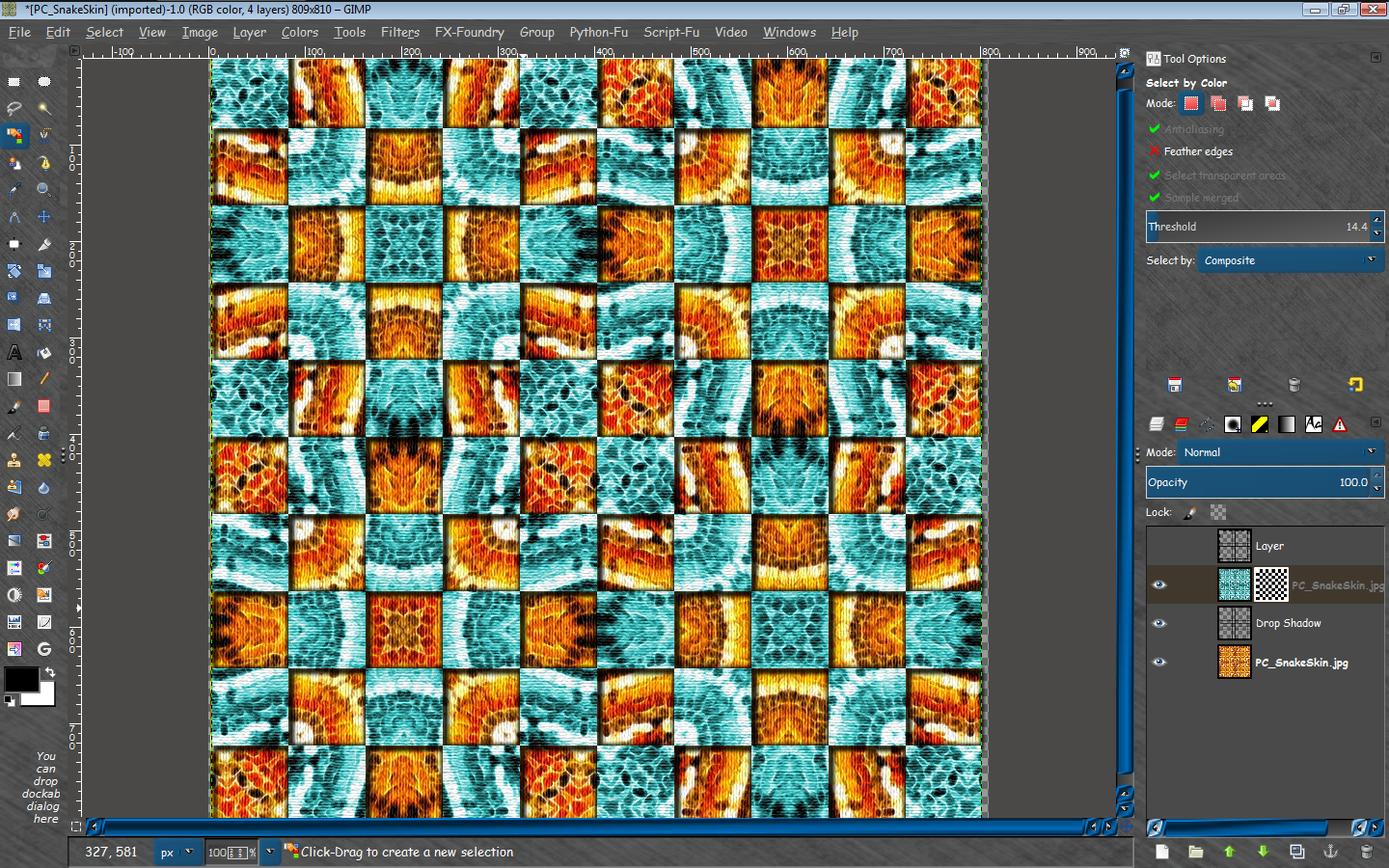
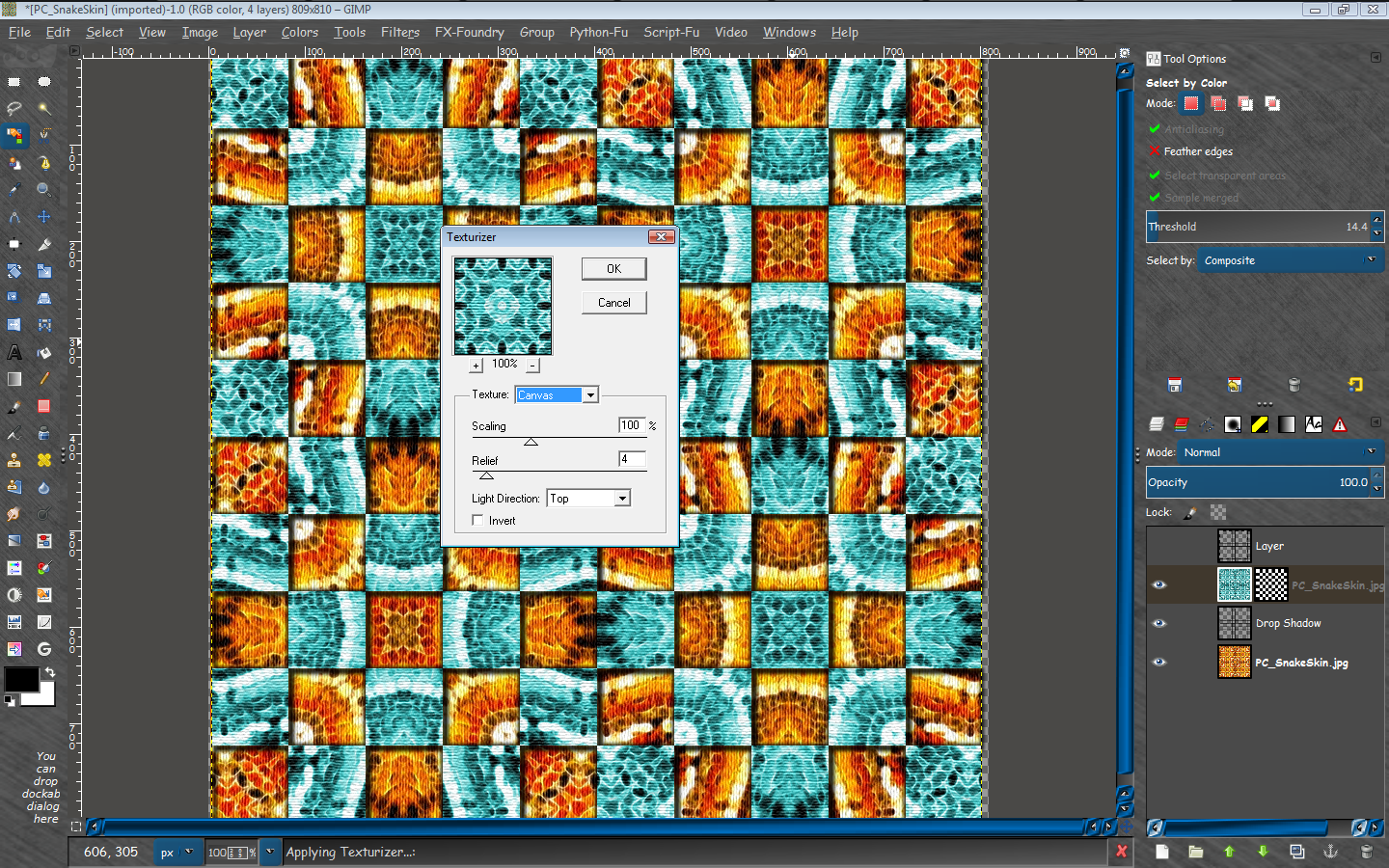
Open 2 images in GIMP
Make a new layer name it checkerboard mask
Make a checkerboard >Filters>Render>Pattern>Checkerboard (This one is 80 in size.)
Duplicate that layer

Right click top image layer and add layer mask (white full opacity)
Select the mask with the mouse (just click the mask rectangle on the layer)
Edit copy checkerboard, and Edit>paste into layer mask.

Now is the tricky part.
Select your duplicated checkerboard layer and using the color select tool select a black square in the checkerboard pattern.
Now all black squares are selected.
Go to Select>Border and select 3-5 for size.
Go to select>invert and edit clear.
You should now have a grid of black lines.
Go to Filters>Light and Shadow>Drop Shadow and add a drop shadow
offset x and y - 2
blur radius - 5
color - black
opacity - 85
allow resizing
Make the duplicated checkerboard layer invisible.
Place the drop shadow layer under the first image that contains the mask.
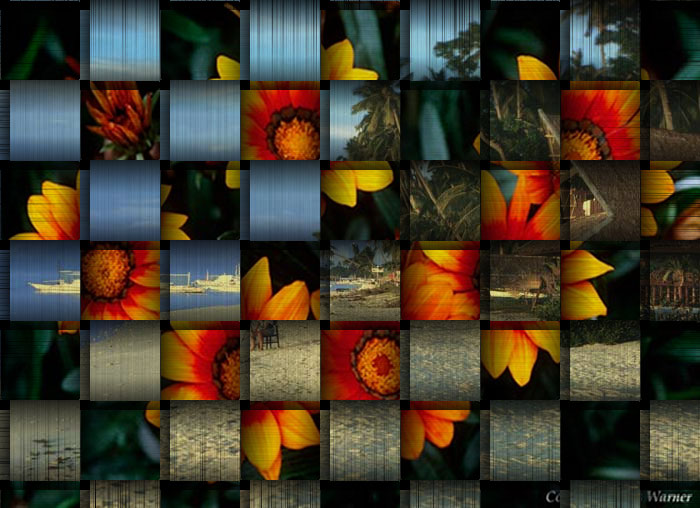
You can optionally use canvas to create lines in the images.I used my Adobe filter texturize.
Image
Image

Workspace file attached (XCF)


Attachments:
weave_RD.xcf [3.97 MiB]
Downloaded 121 times

_________________
Image
Top
 Post subject: Re: how do i weave two pics together like a basket? [SPLIT]
PostPosted: Fri Jul 26, 2013 2:37 pm  (#19) 
Offline
Script Coder
User avatar

Joined: Oct 25, 2010
Posts: 4812
Two possible simplifications:

1) you can render the checkerboard on the mask directly

2) Instead of selecting the black squares, Layer/Transparency/Alpha to selection (on top layer, after applying the mask)

_________________
Image


Top
Post new topic Reply to topic  [ 19 posts ] 

All times are UTC - 5 hours [ DST ]


* Login  


Powered by phpBB3 © phpBB Group