It is currently Sun Jul 12, 2026 11:02 pm


All times are UTC - 5 hours [ DST ]


Post new topic Reply to topic  [ 75 posts ]  Go to page Previous  1, 2, 3, 4  Next
Author Message
 Post subject: Re: Symmetry Tile
PostPosted: Thu Jul 10, 2014 7:59 am  (#41) 
Offline
GimpChat Member
User avatar

Joined: Jan 10, 2013
Posts: 863
lylejk wrote:
Quick tut on how I used this gem. (...) and then you get the following new target:

Thanks lylejk!
You are a genius! :clap :bowdown
With that your tip helped a lot. :bigthup

I chose 2000x2000, but reduce to view in this post;
Image
:tyspin

_________________
bbbbbbbbbbbImage
bbbbbbbbbbb Be patient, English is not my language.


Top
 Post subject: Re: Symmetry Tile
PostPosted: Thu Jul 10, 2014 1:27 pm  (#42) 
Offline
GimpChat Member
User avatar

Joined: Sep 24, 2010
Posts: 12796
elfnor wrote:
Lyle

That's a clever way of getting just what you want in the selection.

One early idea for the plugin, for the symmetries with non-rectangular cells, was to get the user to define the initial cell with a path on the image. The plug-in would then "tidy up" this inital rough path to be a perfect equilateral traingle or kite shape etc. as required, and use that to make a selection to make the new image. I rejected this as difficult to explain to the user, "What's a kite shape?", and while "tidying up" the users path sounds easy, the implementation was not straightforward.

Elfnor

PS. Can I add that method to my docs when (hopefully this weekend) I write a little more on how you can use the plugin?


Everything I share is for all to use freely. You are the keeper of the big manual so feel free. Just wish there was a preview for python plugins.

Also, thanks all for the comments; definitely cool result Akros. :)

_________________
Lyle

Psalm 109:8

Image


Top
 Post subject: Re: Symmetry Tile
PostPosted: Sun Jul 13, 2014 5:13 am  (#43) 
Offline
GimpChat Member
User avatar

Joined: Jul 05, 2014
Posts: 8
Just a quick update. I've added a couple of short posts on how to use the plugin over at http://elfnor.github.io/lookthinkmake/t ... ytile.html.

I found a bug when using the plug-in with images that have a transparent background and transparent fills or brush strokes. The new symmerty image still got drawn but some copies of the cell were put in place several times, making them darker than others.

I've fixed that and there's a update over at github. https://github.com/elfnor/symmetrytile

There's definitely another bug in that sometimes you get no output at all. I'm still trying to work out when this occurs. In the meantime I'm pretty sure it never occurs with a flat image like a png or jpg. If all else fails try exporting your image and reopening it.

Elfnor


Top
 Post subject: Re: Symmetry Tile
PostPosted: Sun Jul 13, 2014 9:51 am  (#44) 
Offline
GimpChat Member
User avatar

Joined: Sep 24, 2010
Posts: 12796
Not sure why the updated plugin is almost 10 times bigger then the original, but the plugin still works so thanks for the update. :)

_________________
Lyle

Psalm 109:8

Image


Top
 Post subject: Re: Symmetry Tile
PostPosted: Sun Jul 13, 2014 6:25 pm  (#45) 
Offline
Global Moderator
User avatar

Joined: May 16, 2010
Posts: 16101
lylejk wrote:
Not sure why the updated plugin is almost 10 times bigger then the original, but the plugin still works so thanks for the update. :)


Lyle the file i downloaded from the master is 1 kb smaller.

_________________
Image


Top
 Post subject: Re: Symmetry Tile
PostPosted: Mon Jul 14, 2014 3:26 pm  (#46) 
Offline
GimpChat Member
User avatar

Joined: Mar 10, 2014
Posts: 845
Elfnor - the symmetry group "pmm" is not working ( no activity after ok)
is only for me? Thk


Top
 Post subject: Re: Symmetry Tile
PostPosted: Mon Jul 14, 2014 4:02 pm  (#47) 
Offline
GimpChat Member
User avatar

Joined: Mar 01, 2014
Posts: 14053
Location: Spain, Aragón
Marcello, I checked it "pmm" and it doesn't work. it does nothing.

_________________
Image

Gimp 2.10.30(samj) portable _ OS Windows 10 Home_ 64bits
Don’t be afraid to start over. It’s a new chance to rebuild what you want.


Top
 Post subject: Re: Symmetry Tile
PostPosted: Mon Jul 14, 2014 4:16 pm  (#48) 
Offline
GimpChat Member
User avatar

Joined: Mar 10, 2014
Posts: 845
thk Issabella, I hope Elfnor can repair!
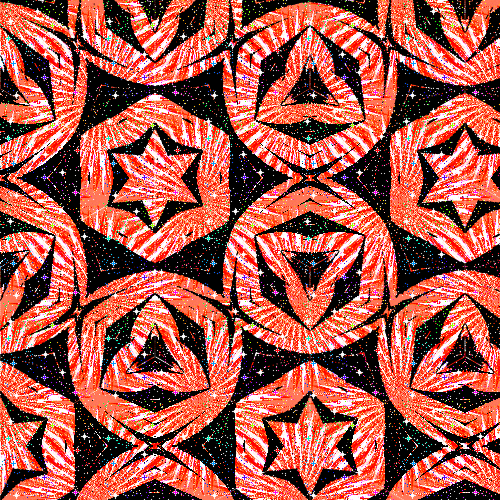
here is another my test

Image

the cell was partly trasparent and after run p2 i created a layer with a pattener


Top
 Post subject: Re: Symmetry Tile
PostPosted: Mon Jul 14, 2014 5:53 pm  (#49) 
Offline
GimpChat Member
User avatar

Joined: Jul 05, 2014
Posts: 8
Thanks Marcello and Isabella, there is a bug in the pmm setting which means no output is produced. I think if you set multiple to yes, it may work. I've fixed this bug and will update the code later today.

Elfnor


Top
 Post subject: Re: Symmetry Tile
PostPosted: Mon Jul 14, 2014 8:26 pm  (#50) 
Offline
GimpChat Member
User avatar

Joined: Sep 24, 2010
Posts: 12796
Rod wrote:
lylejk wrote:
Not sure why the updated plugin is almost 10 times bigger then the original, but the plugin still works so thanks for the update. :)


Lyle the file i downloaded from the master is 1 kb smaller.


Deleted the original one (overwritten). I do work weekend nights so I might have misread the size with tired eyes Rod (my excuse and I'll stick with it; lol). Now back to bed in prep. for my last gig (or should I say my version of Friday). :)

_________________
Lyle

Psalm 109:8

Image


Top
 Post subject: Re: Symmetry Tile
PostPosted: Tue Jul 15, 2014 8:05 am  (#51) 
Offline
GimpChat Member
User avatar

Joined: Mar 10, 2014
Posts: 845
elfnor wrote:
Thanks Marcello and Isabella, there is a bug in the pmm setting which means no output is produced. I think if you set multiple to yes, it may work. I've fixed this bug and will update the code later today.

Elfnor

Thank you for your answer I try with 'set multiple yes' but is not working
just to inform you 'cause we have a lot of possibilities!
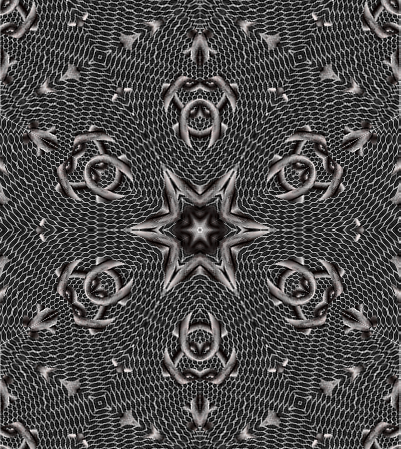
here another test with p6m
Image


Top
 Post subject: Re: Symmetry Tile
PostPosted: Tue Jul 15, 2014 8:29 am  (#52) 
Offline
GimpChat Member
User avatar

Joined: Mar 01, 2014
Posts: 14053
Location: Spain, Aragón
Here my try - p6m - I love this script Elfnor. :) Marcello, your outcome is so nice :clap


Attachments:
butterflies-p6m.jpg
butterflies-p6m.jpg [ 2.82 MiB | Viewed 2026 times ]

_________________
Image

Gimp 2.10.30(samj) portable _ OS Windows 10 Home_ 64bits
Don’t be afraid to start over. It’s a new chance to rebuild what you want.
Top
 Post subject: Re: Symmetry Tile
PostPosted: Tue Jul 15, 2014 9:15 am  (#53) 
Offline
GimpChat Member
User avatar

Joined: Dec 08, 2013
Posts: 1088
Thankyou elfnor. Very cool.
Thankyou Lyle, also very cool.

_________________
Image


Top
 Post subject: Re: Symmetry Tile
PostPosted: Tue Jul 15, 2014 10:37 am  (#54) 
Offline
GimpChat Member
User avatar

Joined: Dec 10, 2013
Posts: 1004
I really like this! Will play with it some more.

Image

_________________
Image
Macbook Air - MacOS Sierra 10.12
McGimp 2.8.14
G'mic 1.6.5


Top
 Post subject: Re: Symmetry Tile
PostPosted: Tue Jul 15, 2014 10:44 am  (#55) 
Offline
GimpChat Member
User avatar

Joined: Dec 10, 2013
Posts: 1004
Issabella how beautiful!

_________________
Image
Macbook Air - MacOS Sierra 10.12
McGimp 2.8.14
G'mic 1.6.5


Top
 Post subject: Re: Symmetry Tile
PostPosted: Tue Jul 15, 2014 11:39 am  (#56) 
Offline
GimpChat Member
User avatar

Joined: Mar 10, 2014
Posts: 845
Dalia & Issabella : beautiful!!!


Top
 Post subject: Re: Symmetry Tile
PostPosted: Tue Jul 15, 2014 12:40 pm  (#57) 
Offline
GimpChat Member
User avatar

Joined: Dec 10, 2013
Posts: 1004
Marcello you are too kind.

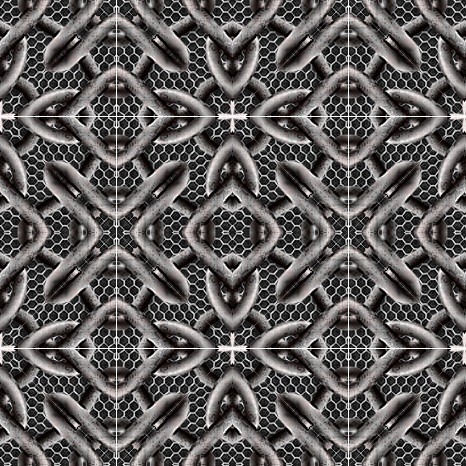
Here's another although I don't see the white lines on the actual Gimp work space.

Image

One more:

Image

_________________
Image
Macbook Air - MacOS Sierra 10.12
McGimp 2.8.14
G'mic 1.6.5


Top
 Post subject: Re: Symmetry Tile
PostPosted: Wed Jul 16, 2014 2:12 am  (#58) 
Offline
GimpChat Member
User avatar

Joined: Mar 01, 2014
Posts: 14053
Location: Spain, Aragón
Dalia, how original your outcomes. I like them. :clap
I like this script very much as one can do so many different designs. :) :paint

_________________
Image

Gimp 2.10.30(samj) portable _ OS Windows 10 Home_ 64bits
Don’t be afraid to start over. It’s a new chance to rebuild what you want.


Top
 Post subject: Re: Symmetry Tile
PostPosted: Wed Jul 16, 2014 3:51 am  (#59) 
Offline
GimpChat Member
User avatar

Joined: Jul 05, 2014
Posts: 8
Some lovely images turning up here.

I've fixed the no output for the pmm symmetry bug and there's an update over at github. https://github.com/elfnor/symmetrytile

I'm not having much luck on improving the seams between tiles. They're transparent so the quickest fix is to add a layer behind the pattern layer. Another is to set the selection to have feathered edges in the tool dialog before making the selection and running the plugin. Experiment with the feather edge radius, smaller seems to be better but will depend on selection size etc.

Bonus tip, try running the plug-in twice. The second time on the output image, using a different symmetry group.

Elfnor


Top
 Post subject: Re: Symmetry Tile
PostPosted: Wed Jul 16, 2014 6:37 am  (#60) 
Offline
GimpChat Member
User avatar

Joined: Sep 24, 2010
Posts: 12796
Thanks for the update elfnor; will try it out later. Hopefully, you'll figure out the transparent seam issue. :)

_________________
Lyle

Psalm 109:8

Image


Top
Post new topic Reply to topic  [ 75 posts ]  Go to page Previous  1, 2, 3, 4  Next

All times are UTC - 5 hours [ DST ]


* Login  


Powered by phpBB3 © phpBB Group