It is currently Thu Jun 25, 2026 10:31 am


All times are UTC - 5 hours [ DST ]


Post new topic Reply to topic  [ 154 posts ]  Go to page Previous  1 ... 3, 4, 5, 6, 7, 8  Next
Author Message
 Post subject: Re: Gradient Stroke Script V1.4
PostPosted: Sun Jul 20, 2014 1:23 pm  (#101) 
Offline
GimpChat Member
User avatar

Joined: Apr 07, 2010
Posts: 14182
Did you reboot the whole computer, not just the browser and GIMP? Other than than that, it really is a mystery.

_________________
Image


Top
 Post subject: Re: Gradient Stroke Script V1.4
PostPosted: Sun Jul 20, 2014 1:27 pm  (#102) 
Offline
Global Moderator
User avatar

Joined: Apr 01, 2012
Posts: 8394
Location: On the other side of your screen
Because of the two names Gradient stroke and Gradient stroke - 1. So I had two in there. deleted the '-1' which seems to have been the older one, now it works.
Image

_________________
Image
Free Fun Photo Editing & resources
Poems from the Lord
Gimp Newby
Gimp version 3.2.0 and GMIC-Qt 3.7.5 OS :- Windows 10 Home 64


Top
 Post subject: Re: Gradient Stroke Script V1.4
PostPosted: Sun Jul 20, 2014 1:31 pm  (#103) 
Offline
Global Moderator
User avatar

Joined: Apr 01, 2012
Posts: 8394
Location: On the other side of your screen
Thank you Molly. I think I have the correct one now......I had iit before but because there was two in there only one was being picked up - the older one.

_________________
Image
Free Fun Photo Editing & resources
Poems from the Lord
Gimp Newby
Gimp version 3.2.0 and GMIC-Qt 3.7.5 OS :- Windows 10 Home 64


Top
 Post subject: Re: Gradient Stroke Script V1.4
PostPosted: Sun Jul 20, 2014 1:39 pm  (#104) 
Offline
GimpChat Member
User avatar

Joined: Apr 07, 2010
Posts: 14182
That will do it every time. Glad you have it solved.

_________________
Image


Top
 Post subject: Re: Gradient Stroke Script V1.4
PostPosted: Sun Jul 20, 2014 2:17 pm  (#105) 
Offline
GimpChat Member
User avatar

Joined: Mar 10, 2014
Posts: 845
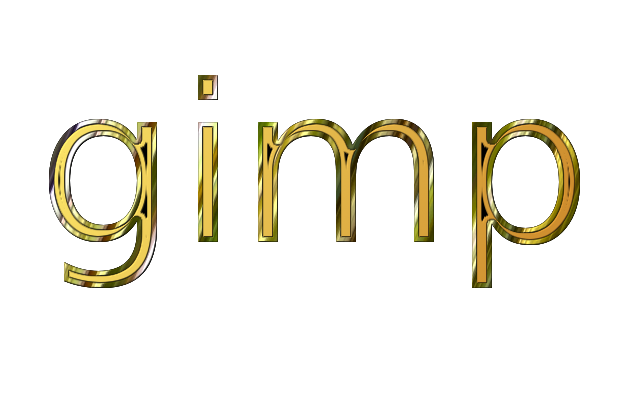
comparative test
using Gradient Bevel
Image

and Gradient Stroke
Image


Top
 Post subject: Re: Gradient Stroke Script V1.4
PostPosted: Sun Jul 20, 2014 3:02 pm  (#106) 
Offline
GimpChat Member
User avatar

Joined: Mar 01, 2014
Posts: 14048
Location: Spain, Aragón
Marcello, I love what you have done! That is so appealing! :clap :coolthup

_________________
Image

Gimp 2.10.30(samj) portable _ OS Windows 10 Home_ 64bits
Don’t be afraid to start over. It’s a new chance to rebuild what you want.


Top
 Post subject: Re: Gradient Stroke Script V1.4
PostPosted: Sun Jul 20, 2014 3:09 pm  (#107) 
Offline
GimpChat Member
User avatar

Joined: Apr 07, 2010
Posts: 14182
YES, I like that effect too. Looks like the text was made from metal

_________________
Image


Top
 Post subject: Re: Gradient Stroke Script V1.4
PostPosted: Sun Jul 20, 2014 3:24 pm  (#108) 
Offline
GimpChat Member
User avatar

Joined: Mar 10, 2014
Posts: 845
Issabella & Molly - you are so kind!
which do you like better?


Top
 Post subject: Re: Gradient Stroke Script V1.4
PostPosted: Sun Jul 20, 2014 4:05 pm  (#109) 
Offline
GimpChat Member
User avatar

Joined: Apr 07, 2010
Posts: 14182
Gosh that is a hard question. I think I like the bottom one best, It has that pewter look to it.

_________________
Image


Top
 Post subject: Re: Gradient Stroke Script V1.4
PostPosted: Sun Jul 20, 2014 4:36 pm  (#110) 
Offline
GimpChat Founder
User avatar

Joined: May 22, 2008
Posts: 5241
Location: Gimpville
Marcello wrote:
which do you like better?

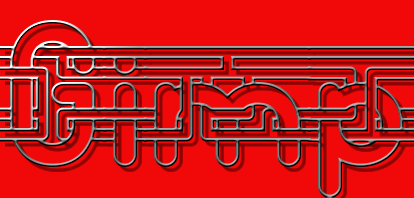
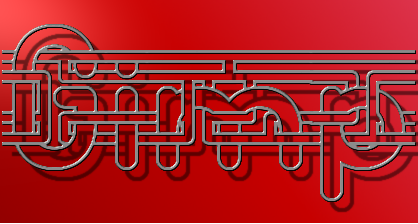
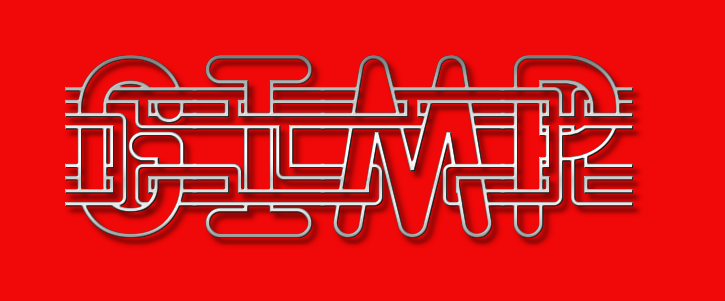
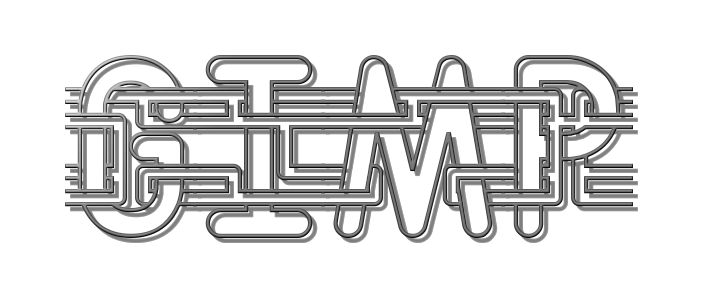
It's hard to compare the outputs from the two scripts because they are very different in what they produce. Gradient Bevel always produces a lighting effect in the upper left corner, which in most cases, I don't want.

What I do like about your Gradient Bevel result is that there is less aliasing, compared to the result you got from the Gradient Stroke. This is because Gradient Bevel internally applies Gaussian Blur to the image, as follows: Horizontal: Bevel Width - Vertical: 1. Applying Gaussian Blur in this manner helps with anti-aliasing but does change the overall look of the results, especially when you have thin lines.

Here are several more comparisons.

Gradient Bevel With Bevel Width = 3
Image

Gradient Stroke With Same Gaussian=3 applied
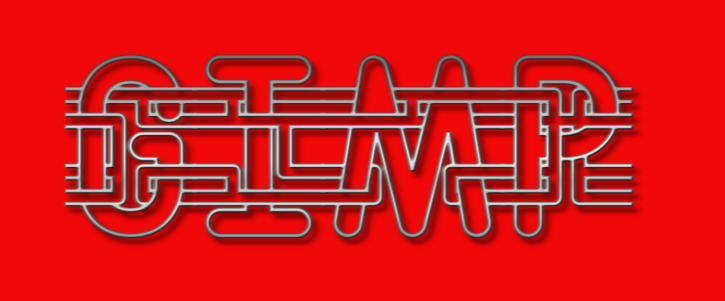
Image

Gradient Stroke With No Gaussian applied (less anti-aliasing but more accurate gradient result)
Image

Gradient Bevel With Bevel Width=1 (so you get gauss-blur of horiz :1 - vert: 1 & more aliasing )
Image

What I take away from this comparison is that adding a Gaussian Blur option to the Gradient Stroke script might be a useful addition and could help with edge aliasing. I'll do some experimenting to see what the results turn out to be. :bigthup

_________________
“If you reach for the stars, you just might land on a decently sized hill.” - Stuart Hill


Top
 Post subject: Re: Gradient Stroke Script V1.4
PostPosted: Sun Jul 20, 2014 8:29 pm  (#111) 
Offline
Script Coder
User avatar

Joined: Feb 18, 2011
Posts: 4826
Location: Bendigo Vic. Australia
GnuTux I've forgotten the font you are testing with

_________________
Image
No matter how much you push the envelope, it'll still be stationery.


Top
 Post subject: Re: Gradient Stroke Script V1.4
PostPosted: Sun Jul 20, 2014 8:36 pm  (#112) 
Offline
GimpChat Founder
User avatar

Joined: May 22, 2008
Posts: 5241
Location: Gimpville
The font used in these comparisons is called "Entangled".

http://www.dafont.com/entangled.font

_________________
“If you reach for the stars, you just might land on a decently sized hill.” - Stuart Hill


Top
 Post subject: Re: Gradient Stroke Script V1.4
PostPosted: Sun Jul 20, 2014 9:48 pm  (#113) 
Offline
GimpChat Member
User avatar

Joined: Apr 08, 2010
Posts: 5420
Location: Northwest Ohio
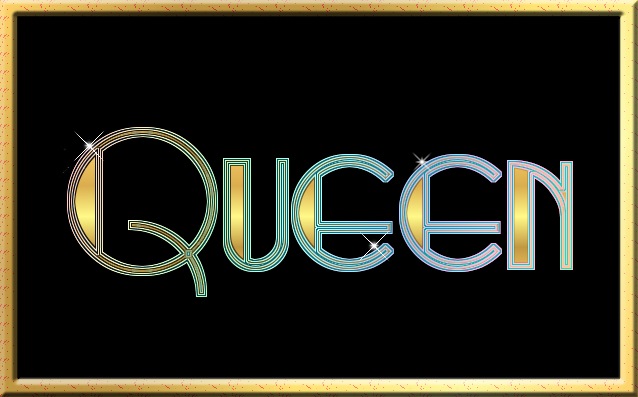
Not sure how I managed this, I think I just kept doing a gradient stroke on the previous gradient stroke, but I like it anyway! And had to use Queen because I am still on cloud 9 from actually getting to see Queen live. Well, Queen + Adam Lambert, but close enough.
Image


Top
 Post subject: Re: Gradient Stroke Script V1.4
PostPosted: Mon Jul 21, 2014 2:11 am  (#114) 
Offline
GimpChat Founder
User avatar

Joined: May 22, 2008
Posts: 5241
Location: Gimpville
Nice design 2-ton. :bigthup

_________________
“If you reach for the stars, you just might land on a decently sized hill.” - Stuart Hill


Top
 Post subject: Re: Gradient Stroke Script V1.4
PostPosted: Tue Jul 22, 2014 9:42 pm  (#115) 
Offline
GimpChat Member
User avatar

Joined: Apr 08, 2010
Posts: 5420
Location: Northwest Ohio
I still don't really know how to use the sliders very well, but manage to find results that I like, even if they aren't what I originally intended, lol.

Image


Top
 Post subject: Re: Gradient Stroke Script V1.4
PostPosted: Fri Oct 24, 2014 7:37 am  (#116) 
Offline
GimpChat Founder
User avatar

Joined: May 22, 2008
Posts: 5241
Location: Gimpville
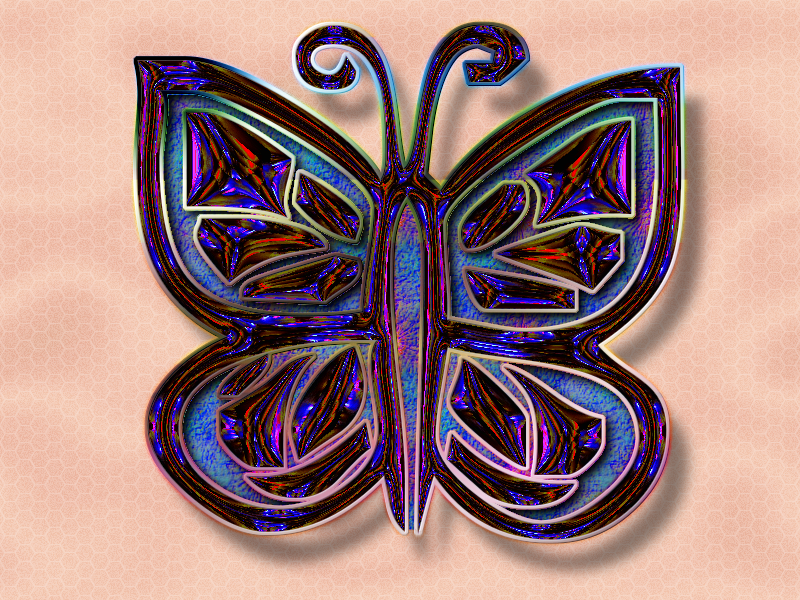
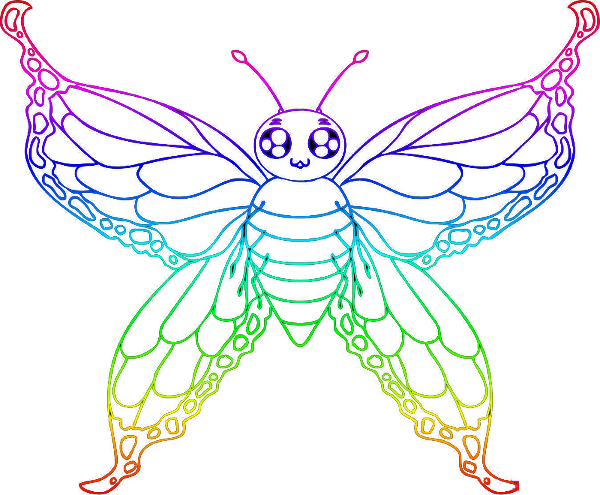
Playing around with this script to help create a colorful flutterby image.
Image

You can stroke and fill with this script. Paint by selection, with a gradient. :bigthup

_________________
“If you reach for the stars, you just might land on a decently sized hill.” - Stuart Hill


Top
 Post subject: Re: Gradient Stroke Script V1.4
PostPosted: Fri Oct 24, 2014 8:38 am  (#117) 
Offline
GimpChat Member
User avatar

Joined: Apr 07, 2010
Posts: 14182
Very cool Tux.
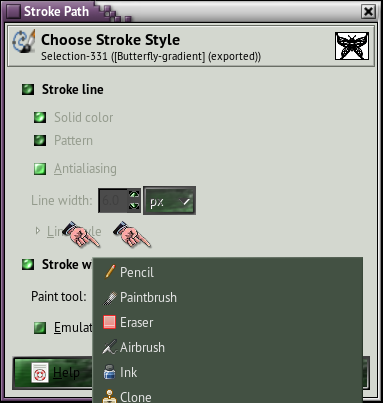
It would be nice to be able to introduce this script into this
Image

Image

_________________
Image


Top
 Post subject: Re: Gradient Stroke Script V1.4
PostPosted: Fri Oct 24, 2014 2:17 pm  (#118) 
Offline
GimpChat Founder
User avatar

Joined: May 22, 2008
Posts: 5241
Location: Gimpville
molly wrote:
It would be nice to be able to introduce this script into this
[ Image ]

Gradient Stroke doesn't use brushes to create the stroke. It uses selection & gradient to achieve the stroke (or you can fill a selection with the gradient).

_________________
“If you reach for the stars, you just might land on a decently sized hill.” - Stuart Hill


Top
 Post subject: Re: Gradient Stroke Script V1.4
PostPosted: Fri Oct 24, 2014 2:33 pm  (#119) 
Offline
Script Coder
User avatar

Joined: Jul 14, 2010
Posts: 697
molly wrote:
Very cool Tux.
It would be nice to be able to introduce this script into this
[ Image ]

[ Image ]


How about toggling quickmask, stroking the path, then toggling the quickmask to a a selection that matches the stroke, then just gradient fill the stroke....

-Rob A>

_________________
Image
Fantasy Cartography and Mapping by RobA


Top
 Post subject: Re: Gradient Stroke Script V1.4
PostPosted: Fri Oct 24, 2014 3:42 pm  (#120) 
Offline
GimpChat Member
User avatar

Joined: Apr 07, 2010
Posts: 14182
I have never tried using the quick mask for anything except removing backgrounds, but I will certainly give it a try if I can figure exactly what you mean.
Thanks, RoBA

_________________
Image


Top
Post new topic Reply to topic  [ 154 posts ]  Go to page Previous  1 ... 3, 4, 5, 6, 7, 8  Next

All times are UTC - 5 hours [ DST ]


* Login  


Powered by phpBB3 © phpBB Group