It is currently Sun Sep 06, 2026 11:59 am


All times are UTC - 5 hours [ DST ]


Post new topic Reply to topic  [ 259 posts ]  Go to page Previous  1 ... 4, 5, 6, 7, 8, 9, 10 ... 13  Next
Author Message
 Post subject: Re: Lurifax Blender Art
PostPosted: Sun Aug 17, 2014 4:22 pm  (#121) 
Offline
GimpChat Member
User avatar

Joined: Nov 16, 2011
Posts: 5127
Location: Metro Vancouver, BC
That teddy bear looks great.

_________________
Image
Gimp 2.8.18, Linux, median user
Gimp Chat Tutorials Index
Spirit Bear (Kermode)


Top
 Post subject: Re: Lurifax Blender Art
PostPosted: Sun Aug 17, 2014 4:48 pm  (#122) 
Offline
GimpChat Member
User avatar

Joined: Mar 10, 2014
Posts: 845
great Teddy Bear! Did you use the fluid simulation?


Top
 Post subject: Re: Lurifax Blender Art
PostPosted: Mon Aug 18, 2014 1:15 am  (#123) 
Offline
GimpChat Member
User avatar

Joined: Feb 14, 2013
Posts: 462
Location: Stockholm
Hello Guys and thank you.

To make hair/fur you need to use Particle System+Hair

Image

To make fluid you need to use Physics+Fluid

Poring water

_________________
Late 2017 iMac Retina 4K 21,5 inch Mac OS High Sierra version 10.13.4
3,6 GHz Intel Core i7
16 GB Ram 2400 MHz DDR4
Graphic card Radeon Pro 560 4096 MB
Affinity Photo and Affinity Designers.


Last edited by Lurifax73 on Mon Jun 11, 2018 4:41 pm, edited 1 time in total.

Top
 Post subject: Re: Lurifax Blender Art
PostPosted: Mon Aug 18, 2014 4:44 am  (#124) 
Offline
GimpChat Member
User avatar

Joined: Feb 14, 2013
Posts: 462
Location: Stockholm
Molly Head with hair

Image


You can use this tools to comb/cut/add her hair

Image

_________________
Late 2017 iMac Retina 4K 21,5 inch Mac OS High Sierra version 10.13.4
3,6 GHz Intel Core i7
16 GB Ram 2400 MHz DDR4
Graphic card Radeon Pro 560 4096 MB
Affinity Photo and Affinity Designers.


Top
 Post subject: Re: Lurifax Blender Art
PostPosted: Mon Aug 18, 2014 5:08 am  (#125) 
Offline
GimpChat Member
User avatar

Joined: Apr 07, 2010
Posts: 14182
cool Lurifax, wrong color though. :teeth

_________________
Image


Top
 Post subject: Re: Lurifax Blender Art
PostPosted: Mon Aug 18, 2014 6:03 am  (#126) 
Offline
GimpChat Member
User avatar

Joined: Dec 08, 2013
Posts: 1088
All of your work is impressive Lurifax!

_________________
Image


Top
 Post subject: Re: Lurifax Blender Art
PostPosted: Mon Aug 18, 2014 10:51 am  (#127) 
Offline
GimpChat Member
User avatar

Joined: Feb 14, 2013
Posts: 462
Location: Stockholm
Thank you SysTemX.

_________________
Late 2017 iMac Retina 4K 21,5 inch Mac OS High Sierra version 10.13.4
3,6 GHz Intel Core i7
16 GB Ram 2400 MHz DDR4
Graphic card Radeon Pro 560 4096 MB
Affinity Photo and Affinity Designers.


Last edited by Lurifax73 on Tue Jun 12, 2018 4:51 pm, edited 5 times in total.

Top
 Post subject: Re: Lurifax Blender Art
PostPosted: Mon Aug 18, 2014 10:55 am  (#128) 
Offline
GimpChat Member
User avatar

Joined: Nov 16, 2011
Posts: 5127
Location: Metro Vancouver, BC
An electric chair is a little harsh how about something more fun like a whoopee cushion? :)

_________________
Image
Gimp 2.8.18, Linux, median user
Gimp Chat Tutorials Index
Spirit Bear (Kermode)


Top
 Post subject: Re: Lurifax Blender Art
PostPosted: Mon Aug 18, 2014 11:57 am  (#129) 
Offline
GimpChat Member
User avatar

Joined: Feb 14, 2013
Posts: 462
Location: Stockholm
Odinbc. Sorry for that. Excuse my way of joking

_________________
Late 2017 iMac Retina 4K 21,5 inch Mac OS High Sierra version 10.13.4
3,6 GHz Intel Core i7
16 GB Ram 2400 MHz DDR4
Graphic card Radeon Pro 560 4096 MB
Affinity Photo and Affinity Designers.


Top
 Post subject: Re: Lurifax Blender Art
PostPosted: Mon Aug 18, 2014 12:02 pm  (#130) 
Offline
GimpChat Member
User avatar

Joined: Apr 07, 2010
Posts: 14182
lolol, I think it is funny. either way.

_________________
Image


Top
 Post subject: Re: Lurifax Blender Art
PostPosted: Mon Aug 18, 2014 5:14 pm  (#131) 
Offline
GimpChat Member
User avatar

Joined: Mar 10, 2014
Posts: 845
@Lurifax
thank for the info
you are a true expert


Top
 Post subject: Re: Lurifax Blender Art
PostPosted: Tue Aug 19, 2014 12:03 am  (#132) 
Offline
GimpChat Member
User avatar

Joined: Feb 14, 2013
Posts: 462
Location: Stockholm
molly. I apologize . Here comes the "Real Molly"

Image

Marcello.
I am not an expert, but I like to work with Blender

_________________
Late 2017 iMac Retina 4K 21,5 inch Mac OS High Sierra version 10.13.4
3,6 GHz Intel Core i7
16 GB Ram 2400 MHz DDR4
Graphic card Radeon Pro 560 4096 MB
Affinity Photo and Affinity Designers.


Top
 Post subject: Re: Lurifax Blender Art
PostPosted: Wed Sep 24, 2014 6:56 am  (#133) 
Offline
GimpChat Member
User avatar

Joined: Jan 20, 2013
Posts: 590
Lurifax73 wrote:
One other Blender project.
"Wood Chopping"
http://player.vimeo.com/video/103626066

Lurifax73, I am interested in doing something like what you posted here called WoodChipping from Spender. Could you please show me the link of the tutorial in which you are based?

_________________
Image


Top
 Post subject: Re: Lurifax Blender Art
PostPosted: Wed Sep 24, 2014 9:25 am  (#134) 
Offline
GimpChat Member
User avatar

Joined: Feb 14, 2013
Posts: 462
Location: Stockholm
Hello Carlos Ciniz.
Here we goo. This tutorial show you how to create and animate an Wood Chipping project

https://www.youtube.com/watch?v=YFmN7eTNfNw&list=UUJspWFXSL1guQPdFqh4lFjQ
JelluCubes.


One of the more advanced you can do in Blender is hair that looks realistic.
Here is few images show you how it can look.
You need a pretty girl head to put the hair on.

Image

The Pretty Girl with eyebrows and straight short hair.

Image

With Eyelashes and Eyebrows.

Image

One other Pretty Girl with good locking hair.

Image

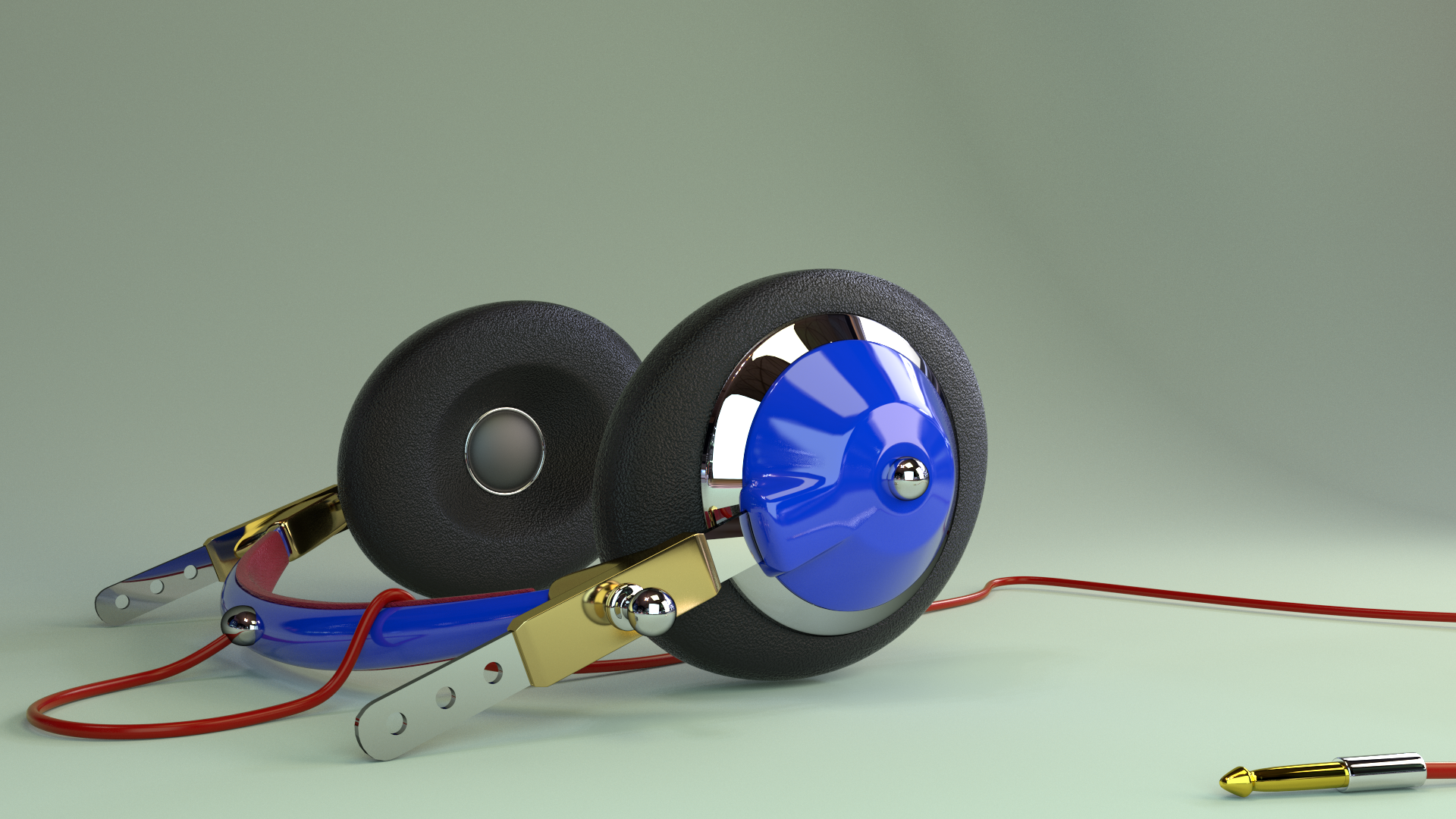
and a headset to be used on her head.

Image

Thanks.
Lurifax

_________________
Late 2017 iMac Retina 4K 21,5 inch Mac OS High Sierra version 10.13.4
3,6 GHz Intel Core i7
16 GB Ram 2400 MHz DDR4
Graphic card Radeon Pro 560 4096 MB
Affinity Photo and Affinity Designers.


Last edited by Lurifax73 on Mon Jun 11, 2018 4:45 pm, edited 2 times in total.

Top
 Post subject: Re: Lurifax Blender Art
PostPosted: Thu Sep 25, 2014 6:36 am  (#135) 
Offline
GimpChat Member
User avatar

Joined: Jan 20, 2013
Posts: 590
Thanks, Lurifax73. The "Wood Chipping project" tutorial is easy to follow because tutor4u speaks clear and slowly. My outcome is almost perfect.
The designs of human figures and machines are beyond my ability.

_________________
Image


Top
 Post subject: Re: Lurifax Blender Art
PostPosted: Thu Sep 25, 2014 7:34 am  (#136) 
Offline
GimpChat Member
User avatar

Joined: Feb 14, 2013
Posts: 462
Location: Stockholm
Wery good. Glad you got happy with the result after your first try . Congrats.

For those who are lazy there is another 3D program out there. "For Free as Blender" http://www.makehuman.org where you do not have to produce anything. It's just bringing home bodies , clothes, hair, etc, included with armatures.

Armature/Skeleton

Image


Image


When you ar happy with the result, you import/append the package in to Blender and add/chang color and animate before you render.

Image

Download and try.

_________________
Late 2017 iMac Retina 4K 21,5 inch Mac OS High Sierra version 10.13.4
3,6 GHz Intel Core i7
16 GB Ram 2400 MHz DDR4
Graphic card Radeon Pro 560 4096 MB
Affinity Photo and Affinity Designers.


Top
 Post subject: Re: Lurifax Blender Art
PostPosted: Fri Sep 26, 2014 7:03 am  (#137) 
Offline
GimpChat Member
User avatar

Joined: Jan 20, 2013
Posts: 590
Thanks, Lurifax. I'll try it. I've seen a lot of tutorials for MakeHuman. When I open the MakeHuman I get a message "Your system does not support OpenGL shaders (GLSL v1.20 required)." What should I do?

_________________
Image


Top
 Post subject: Re: Lurifax Blender Art
PostPosted: Fri Sep 26, 2014 8:37 am  (#138) 
Offline
GimpChat Member
User avatar

Joined: Feb 14, 2013
Posts: 462
Location: Stockholm
The best answers will you get if you ask the pros at the Make Human Forum where all the helpers hanging.

_________________
Late 2017 iMac Retina 4K 21,5 inch Mac OS High Sierra version 10.13.4
3,6 GHz Intel Core i7
16 GB Ram 2400 MHz DDR4
Graphic card Radeon Pro 560 4096 MB
Affinity Photo and Affinity Designers.


Last edited by Lurifax73 on Mon Jun 11, 2018 4:46 pm, edited 1 time in total.

Top
 Post subject: Re: Lurifax Blender Art
PostPosted: Fri Sep 26, 2014 2:44 pm  (#139) 
Offline
GimpChat Member
User avatar

Joined: Jan 20, 2013
Posts: 590
Thanks, Lurifax.

_________________
Image


Top
 Post subject: Re: Lurifax Blender Art
PostPosted: Fri Sep 26, 2014 4:30 pm  (#140) 
Offline
GimpChat Member
User avatar

Joined: Feb 14, 2013
Posts: 462
Location: Stockholm
Carlos Diniz.
When you download the MakeHuman Blendertools you suppose to se one folder with that name (A)
Everything inside that folder (B) need to be inside the scrip folder on your computer.
When you open Blender-User Preferences you vill se MakeHuman if you scroll down under categories.
Be sure you check those boxes. (C)

Image

_________________
Late 2017 iMac Retina 4K 21,5 inch Mac OS High Sierra version 10.13.4
3,6 GHz Intel Core i7
16 GB Ram 2400 MHz DDR4
Graphic card Radeon Pro 560 4096 MB
Affinity Photo and Affinity Designers.


Top
Post new topic Reply to topic  [ 259 posts ]  Go to page Previous  1 ... 4, 5, 6, 7, 8, 9, 10 ... 13  Next

All times are UTC - 5 hours [ DST ]


* Login  


Powered by phpBB3 © phpBB Group