It is currently Thu Jul 23, 2026 10:44 pm


All times are UTC - 5 hours [ DST ]


Post new topic Reply to topic  [ 240 posts ]  Go to page Previous  1 ... 4, 5, 6, 7, 8, 9, 10 ... 12  Next
Author Message
 Post subject: Re: path-inbetweener
PostPosted: Tue Nov 04, 2014 12:46 pm  (#121) 
Offline
Script Coder
User avatar

Joined: Oct 25, 2010
Posts: 4812
K1TesseraEna wrote:
regarding path-inbetweener script....
what line do i change in script to avoid square brackets in paths names, e.g. pathA to pathB [03/30]?
After I run stroke-visible-paths script, path names migrate to the new layers names.

I'm trying to run Animstack script to make an animation and square brackets
have a functional meaning - to define tags (see http://registry.gimp.org/node/26501)
I have to rename all layers manually to get rid of the brackets otherwise Animstack crashes.
Thanks.


Get the one I just uploaded (v0.5). Now whatever you enter In the dialog Name field, will be the name of the layers. If that string contains "{pathname}", this is replaced by the matching path name, likewise, "{index}" is the path number in the sequence, and "{count}" is the total number of paths. So you can typically use something like "Frame {index}".

_________________
Image


Top
 Post subject: Re: path-inbetweener
PostPosted: Tue Nov 04, 2014 1:07 pm  (#122) 
Offline
GimpChat Member
User avatar

Joined: Sep 22, 2012
Posts: 2089
Location: US
Got it, thank you. Will try it later, g2g to work now.


Top
 Post subject: Re: path-inbetweener
PostPosted: Tue Nov 04, 2014 5:51 pm  (#123) 
Offline
GimpChat Member
User avatar

Joined: Sep 24, 2010
Posts: 12811
What I really like about this Script-fu is that it really does make cool scuptures. My only issue is figuring out how to shade it right (sort of eye ball this right now). :)

Attachment:
pyramid.png
pyramid.png [ 1.42 MiB | Viewed 1669 times ]


Attachments:
pentagon.png
pentagon.png [ 1.63 MiB | Viewed 1669 times ]

_________________
Lyle

Psalm 109:8

Image
Top
 Post subject: Re: path-inbetweener
PostPosted: Tue Nov 04, 2014 6:38 pm  (#124) 
Offline
Script Coder
User avatar

Joined: Oct 25, 2010
Posts: 4812
lylejk wrote:
What I really like about this Script-fu


Python-fu. This is the 21st century :)

_________________
Image


Top
 Post subject: Re: path-inbetweener
PostPosted: Tue Nov 04, 2014 6:54 pm  (#125) 
Offline
Global Moderator
User avatar

Joined: Oct 02, 2014
Posts: 5005
Location: Sydney Australia
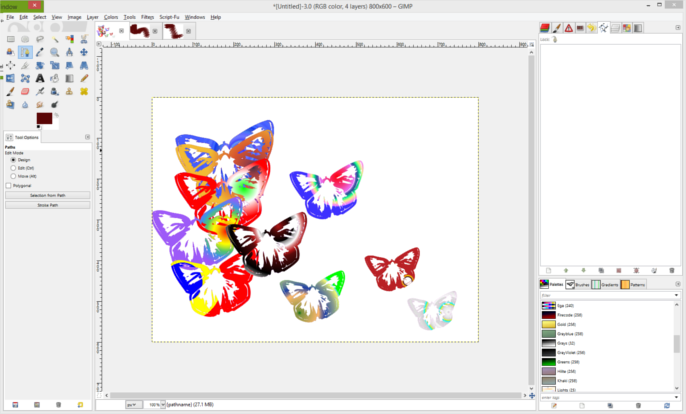
Well did I have an interesting early morning! I started to play yesterday with the updated script using a guide path and this morning I saw there was an update to 'stroke/fill visible paths', which I then downloaded.

Just to test it all out I first used butterfly dingbats, then went on to try some other shapes, just testing it out for myself ... but I could not get rid of those butterflies when i stroked/filled the paths in the new files!

Image

Image

Image

Image

Even after deleting the paths from the butterfly image I still ended up with butterflies not shapes!

I love computer software and have worked closely with it for nearly fifty years but sometimes it really confuses me!! So I gave up and restarted GIMP but then could not recreate the problem!!

Maybe I just did something stupid like not entering the new pathname correctly in the stroke/fill gui.

_________________
Image

Respect should be offered freely but hard earned


Top
 Post subject: Re: path-inbetweener
PostPosted: Tue Nov 04, 2014 7:10 pm  (#126) 
Offline
GimpChat Member
User avatar

Joined: Apr 07, 2010
Posts: 14182
Do you have a butterfly brush? That may be the problem, maybe you still had it set with that brush for your stroke.

_________________
Image


Top
 Post subject: Re: path-inbetweener
PostPosted: Tue Nov 04, 2014 7:52 pm  (#127) 
Offline
GimpChat Member
User avatar

Joined: Sep 24, 2010
Posts: 12811
ofnuts wrote:
lylejk wrote:
What I really like about this Script-fu


Python-fu. This is the 21st century :)


Oops; you're right ofnuts (am I biased or what; lolol). :)

_________________
Lyle

Psalm 109:8

Image


Top
 Post subject: Re: path-inbetweener
PostPosted: Tue Nov 04, 2014 7:56 pm  (#128) 
Offline
Script Coder
User avatar

Joined: Oct 25, 2010
Posts: 4812
oldmangrumpy wrote:
Well did I have an interesting early morning! I started to play yesterday with the updated script using a guide path and this morning I saw there was an update to 'stroke/fill visible paths', which I then downloaded.

Just to test it all out I first used butterfly dingbats, then went on to try some other shapes, just testing it out for myself ... but I could not get rid of those butterflies when i stroked/filled the paths in the new files!

Even after deleting the paths from the butterfly image I still ended up with butterflies not shapes!

I love computer software and have worked closely with it for nearly fifty years but sometimes it really confuses me!! So I gave up and restarted GIMP but then could not recreate the problem!!

Maybe I just did something stupid like not entering the new pathname correctly in the stroke/fill gui.


The script uses the current brush when stroking. Just reset the brush to a small round brush (the Pixel 3x3 is best).

_________________
Image


Top
 Post subject: Re: path-inbetweener
PostPosted: Tue Nov 04, 2014 8:13 pm  (#129) 
Offline
GimpChat Member
User avatar

Joined: Sep 24, 2010
Posts: 12811
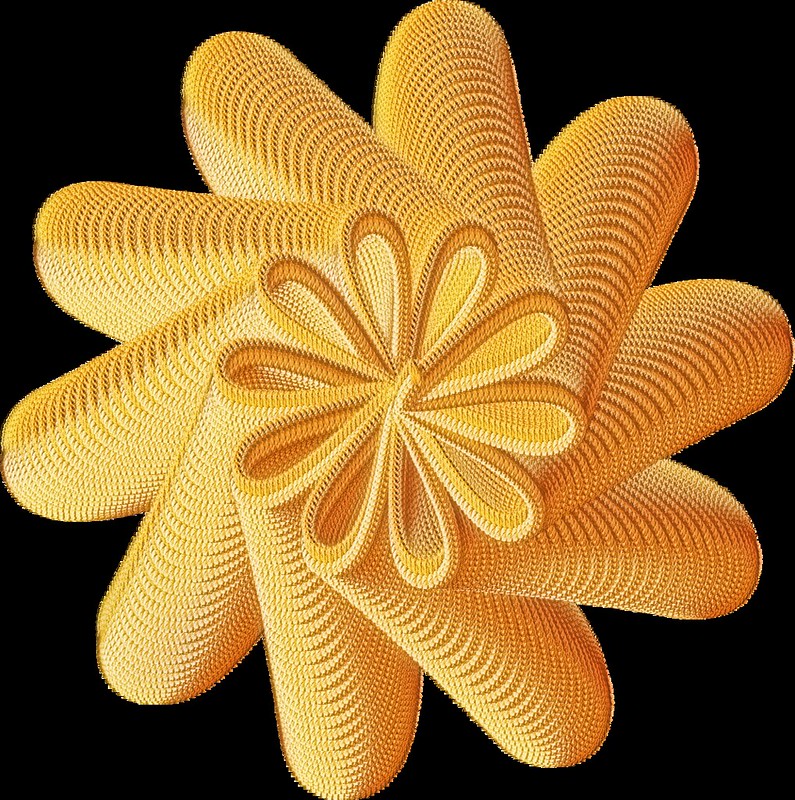
Now having fun w/ yarn. :)

https://www.flickr.com/photos/34520999@ ... 9/sizes/o/

Image

_________________
Lyle

Psalm 109:8

Image


Top
 Post subject: Re: path-inbetweener
PostPosted: Tue Nov 04, 2014 8:34 pm  (#130) 
Offline
Global Moderator
User avatar

Joined: Oct 02, 2014
Posts: 5005
Location: Sydney Australia
Thank you Molly, thank you Ofnuts ...I think my 'slip of inexperience is showing'; must have been that, now I think about it. Still I have now learnt something important!!

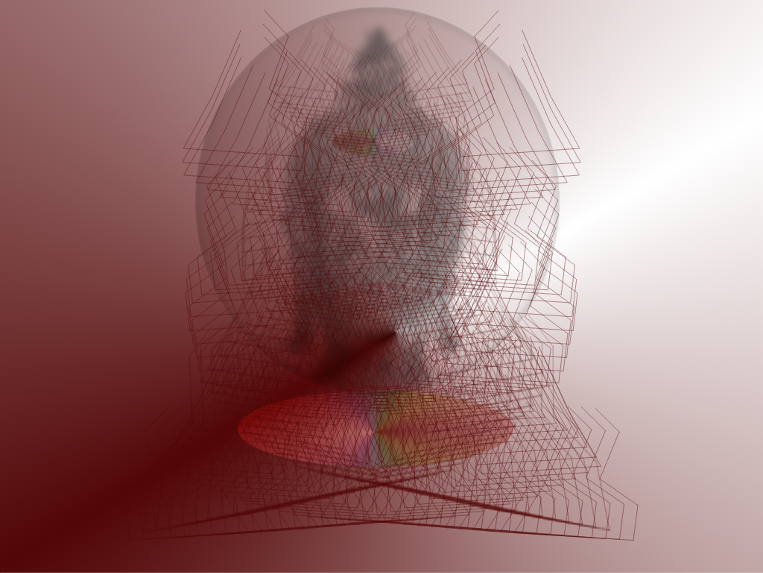
However, because I was so impressed with what Lylejk was producing with his sculptures, I tried out a few things with the path-inbetweener and stroking and then got carried away by the outcome!! They say it is all in the mind.

Image

_________________
Image

Respect should be offered freely but hard earned


Top
 Post subject: Re: path-inbetweener
PostPosted: Tue Nov 04, 2014 8:50 pm  (#131) 
Offline
Script Coder
User avatar

Joined: Oct 25, 2010
Posts: 4812
lylejk wrote:
Now having fun w/ yarn. :)

Great stuff. Some post-processing, I assume?

_________________
Image


Top
 Post subject: Re: path-inbetweener
PostPosted: Tue Nov 04, 2014 10:40 pm  (#132) 
Offline
GimpChat Member
User avatar

Joined: Sep 24, 2010
Posts: 12811
Maayyybee Ofnuts. ;)

:)

_________________
Lyle

Psalm 109:8

Image


Top
 Post subject: Re: path-inbetweener
PostPosted: Tue Nov 04, 2014 10:59 pm  (#133) 
Offline
Global Moderator
User avatar

Joined: Apr 01, 2012
Posts: 8433
Location: On the other side of your screen
like your flower lyle.

_________________
Image
Free Fun Photo Editing & resources
Poems from the Lord
Gimp Newby
Gimp version 3.2.4 and GMIC-Qt 4.2.0 OS :- Windows 10 Home 64


Top
 Post subject: Re: path-inbetweener
PostPosted: Tue Nov 04, 2014 11:10 pm  (#134) 
Offline
GimpChat Member
User avatar

Joined: Sep 24, 2010
Posts: 12811
Thanks Sallyanne. I first started out using a Gears Script-fu and then ran path smoother to make the flowery loops. :)

_________________
Lyle

Psalm 109:8

Image


Top
 Post subject: Re: path-inbetweener
PostPosted: Wed Nov 05, 2014 12:12 am  (#135) 
Offline
GimpChat Member
User avatar

Joined: Sep 24, 2010
Posts: 12811
Why not even more yarn fun. :)


Attachments:
moreyarnfun.png
moreyarnfun.png [ 2.05 MiB | Viewed 1728 times ]

_________________
Lyle

Psalm 109:8

Image
Top
 Post subject: Re: path-inbetweener
PostPosted: Wed Nov 05, 2014 2:51 am  (#136) 
Offline
Global Moderator
User avatar

Joined: Oct 02, 2014
Posts: 5005
Location: Sydney Australia
I am struggling to match Lylejk et al with my limited knowledge but here is something just to say thankyou ... my learning curve has become vertical and I am suffering from vertigo right now!!

Image

Will keep working on sculptures!!

_________________
Image

Respect should be offered freely but hard earned


Top
 Post subject: Re: path-inbetweener
PostPosted: Wed Nov 05, 2014 3:46 am  (#137) 
Offline
GimpChat Member
User avatar

Joined: Sep 24, 2010
Posts: 12811
Just requires experience (play; I've spent quite a lot of time playing with this utility since Ofnuts first introduced it) Old Man Grumpy. :)

_________________
Lyle

Psalm 109:8

Image


Top
 Post subject: Re: path-inbetweener
PostPosted: Wed Nov 05, 2014 5:00 am  (#138) 
Offline
GimpChat Member
User avatar

Joined: Sep 24, 2010
Posts: 12811
Experimenting with shading using stroke visible paths w/ gradient blending. :)


Attachments:
carpet.png
carpet.png [ 1.07 MiB | Viewed 1705 times ]

_________________
Lyle

Psalm 109:8

Image
Top
 Post subject: Re: path-inbetweener
PostPosted: Wed Nov 05, 2014 4:16 pm  (#139) 
Offline
Global Moderator
User avatar

Joined: Oct 02, 2014
Posts: 5005
Location: Sydney Australia
Thank you Lylejk (& Molly in another thread) - yesterday was a very frustrating day and I realised I was missing something fundamental re my understanding/knowledge of GIMP. It is amazing how far you can travel in GIMP and then come to a great hole in the road ... but you guys built a bridge for me!

Image

Now that means more learning to get a handle on brushes, paths, stroking and their options.

_________________
Image

Respect should be offered freely but hard earned


Top
 Post subject: Re: path-inbetweener
PostPosted: Wed Nov 05, 2014 4:41 pm  (#140) 
Offline
GimpChat Member
User avatar

Joined: Sep 24, 2010
Posts: 12811
I've been using GIMP pretty consistently since 2002 OMG and I'm still learning new things. Good luck on your quest. :)

_________________
Lyle

Psalm 109:8

Image


Top
Post new topic Reply to topic  [ 240 posts ]  Go to page Previous  1 ... 4, 5, 6, 7, 8, 9, 10 ... 12  Next

All times are UTC - 5 hours [ DST ]


* Login  


Powered by phpBB3 © phpBB Group