It is currently Sat Jul 25, 2026 3:36 am


All times are UTC - 5 hours [ DST ]


Post new topic Reply to topic  [ 240 posts ]  Go to page Previous  1 ... 5, 6, 7, 8, 9, 10, 11, 12  Next
Author Message
 Post subject: Re: path-inbetweener
PostPosted: Thu Nov 06, 2014 12:44 am  (#141) 
Offline
Global Moderator
User avatar

Joined: Oct 02, 2014
Posts: 5006
Location: Sydney Australia
OK - so play, perseverance and vastly improved levels of understanding can make all the difference in this component of stroking Ofnuts multiple paths with crazy brushes.

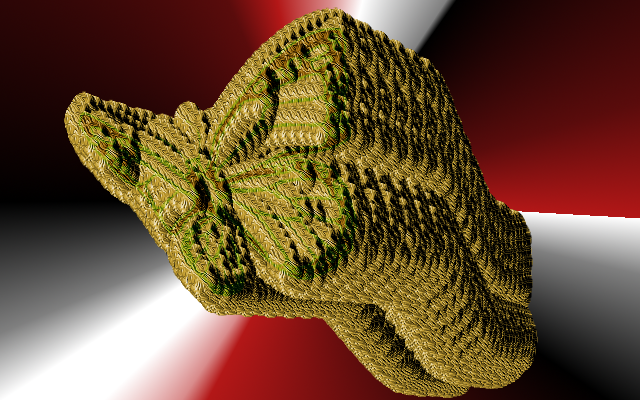
Hey Lylejk I am nowhere near sculpture yet, but things are improving - even used a home made brush to stroke this butterfly!

Image

Thanks again for the encouragement.

_________________
Image

Respect should be offered freely but hard earned


Top
 Post subject: tmp-123
PostPosted: Thu Nov 06, 2014 3:25 am  (#142) 
Offline
Administrator
User avatar

Joined: Aug 10, 2012
Posts: 14129
Location: Native to NYC living in Arizona, Gimp 2.8 - 3.0, Win 11 PC.
How about some snowflakes? It's getting close to that time of year again.
ImageImage

_________________
Image
"A wise man learns more from a foolish question than a fool can learn from a wise answer"
Image


Top
 Post subject: Re: path-inbetweener
PostPosted: Thu Nov 06, 2014 4:03 am  (#143) 
Offline
Script Coder
User avatar

Joined: Oct 25, 2010
Posts: 4812
oldmangrumpy wrote:
OK - so play, perseverance and vastly improved levels of understanding can make all the difference in this component of stroking Ofnuts multiple paths with crazy brushes.

Hey Lylejk I am nowhere near sculpture yet, but things are improving - even used a home made brush to stroke this butterfly!

[ Image ]

Thanks again for the encouragement.

You are discovering why my scripts don't do much hand-holding. Scripts that hold you hand constrain you to the imagination of their author. If they don't, the bounds are those of your own creativity.

_________________
Image


Top
 Post subject: Re: path-inbetweener
PostPosted: Thu Nov 06, 2014 9:47 am  (#144) 
Offline
GimpChat Member
User avatar

Joined: Sep 24, 2010
Posts: 12811
100% agree with you Ofnuts. :)

_________________
Lyle

Psalm 109:8

Image


Top
 Post subject: Re: path-inbetweener
PostPosted: Thu Nov 06, 2014 2:46 pm  (#145) 
Offline
Administrator
User avatar

Joined: Aug 10, 2012
Posts: 14129
Location: Native to NYC living in Arizona, Gimp 2.8 - 3.0, Win 11 PC.
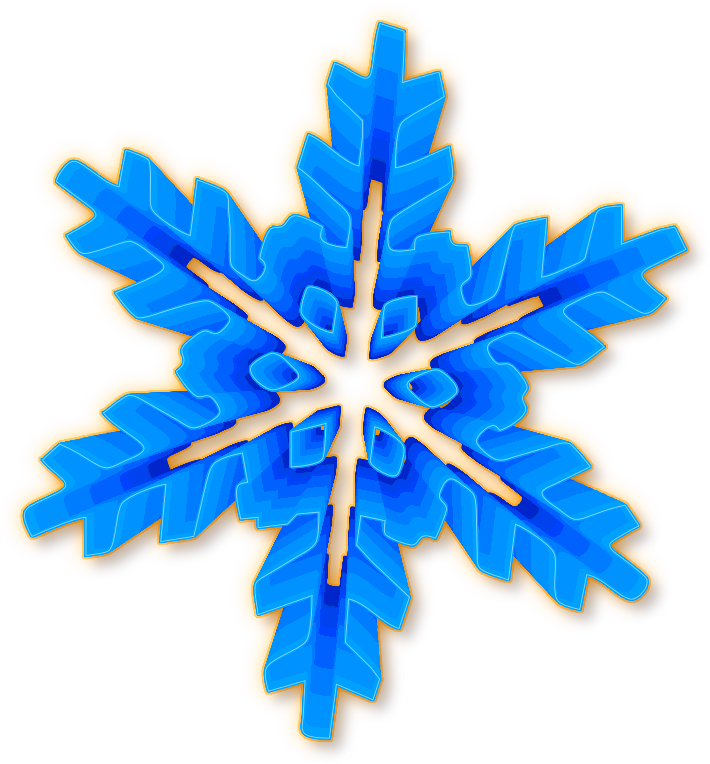
I made some more snowflakes, what do you think of these?
ImageImage

_________________
Image
"A wise man learns more from a foolish question than a fool can learn from a wise answer"
Image


Top
 Post subject: Re: path-inbetweener
PostPosted: Thu Nov 06, 2014 3:07 pm  (#146) 
Offline
GimpChat Member
User avatar

Joined: Apr 08, 2010
Posts: 5420
Location: Northwest Ohio
Beautiful snowflakes, your imagination is limitless!


Top
 Post subject: Re: path-inbetweener
PostPosted: Thu Nov 06, 2014 3:26 pm  (#147) 
Offline
Administrator
User avatar

Joined: Aug 10, 2012
Posts: 14129
Location: Native to NYC living in Arizona, Gimp 2.8 - 3.0, Win 11 PC.
2-ton wrote:
Beautiful snowflakes, your imagination is limitless!

Thanks 2-ton! :bigthup

_________________
Image
"A wise man learns more from a foolish question than a fool can learn from a wise answer"
Image


Top
 Post subject: Re: path-inbetweener
PostPosted: Thu Nov 06, 2014 3:29 pm  (#148) 
Offline
GimpChat Member
User avatar

Joined: Sep 24, 2010
Posts: 12811
Really like the extruded result Wallace. Sorry for my belated reply (was going to do so, but forgot after posting the bubbles link; lol). :)

_________________
Lyle

Psalm 109:8

Image


Top
 Post subject: Re: path-inbetweener
PostPosted: Thu Nov 06, 2014 4:40 pm  (#149) 
Offline
Administrator
User avatar

Joined: Aug 10, 2012
Posts: 14129
Location: Native to NYC living in Arizona, Gimp 2.8 - 3.0, Win 11 PC.
lylejk wrote:
Really like the extruded result Wallace. Sorry for my belated reply (was going to do so, but forgot after posting the bubbles link; lol). :)

That's quite alright and thanks. :bigthup

_________________
Image
"A wise man learns more from a foolish question than a fool can learn from a wise answer"
Image


Top
 Post subject: Re: path-inbetweener
PostPosted: Thu Nov 06, 2014 5:05 pm  (#150) 
Offline
GimpChat Member
User avatar

Joined: Apr 07, 2010
Posts: 14182
I love them Wallace and they are not even purple. They look very soft and fluffy.
Did you make them using the inbetween script?

_________________
Image


Top
 Post subject: Re: path-inbetweener
PostPosted: Thu Nov 06, 2014 5:10 pm  (#151) 
Offline
Administrator
User avatar

Joined: Aug 10, 2012
Posts: 14129
Location: Native to NYC living in Arizona, Gimp 2.8 - 3.0, Win 11 PC.
molly wrote:
I love them Wallace and they are not even purple. They look very soft and fluffy.
Did you make them using the inbetween script?

Thanks Molly and yes I used the path-inbetweener script.

_________________
Image
"A wise man learns more from a foolish question than a fool can learn from a wise answer"
Image


Top
 Post subject: Re: path-inbetweener
PostPosted: Thu Nov 06, 2014 5:55 pm  (#152) 
Offline
GimpChat Member
User avatar

Joined: Apr 07, 2010
Posts: 14182
Did you start out with a little flower thing?

_________________
Image


Top
 Post subject: Re: path-inbetweener
PostPosted: Thu Nov 06, 2014 6:34 pm  (#153) 
Offline
Administrator
User avatar

Joined: Aug 10, 2012
Posts: 14129
Location: Native to NYC living in Arizona, Gimp 2.8 - 3.0, Win 11 PC.
molly wrote:
Did you start out with a little flower thing?

Yes, I used this as a template.
Image

_________________
Image
"A wise man learns more from a foolish question than a fool can learn from a wise answer"
Image


Top
 Post subject: Re: path-inbetweener
PostPosted: Thu Nov 06, 2014 6:37 pm  (#154) 
Offline
GimpChat Member
User avatar

Joined: Apr 07, 2010
Posts: 14182
Cool, Thanks wallace,

_________________
Image


Top
 Post subject: Re: path-inbetweener
PostPosted: Thu Nov 06, 2014 6:51 pm  (#155) 
Offline
Administrator
User avatar

Joined: Aug 10, 2012
Posts: 14129
Location: Native to NYC living in Arizona, Gimp 2.8 - 3.0, Win 11 PC.
molly wrote:
Cool, Thanks wallace,

:bigthup

_________________
Image
"A wise man learns more from a foolish question than a fool can learn from a wise answer"
Image


Top
 Post subject: Re: path-inbetweener
PostPosted: Thu Nov 06, 2014 7:23 pm  (#156) 
Offline
GimpChat Member
User avatar

Joined: Sep 24, 2010
Posts: 12811
Thanks for sharing your snowflake stencils Wallace. :)


Attachments:
snowflake.jpg
snowflake.jpg [ 176.28 KiB | Viewed 2425 times ]

_________________
Lyle

Psalm 109:8

Image
Top
 Post subject: Re: path-inbetweener
PostPosted: Thu Nov 06, 2014 7:48 pm  (#157) 
Offline
GimpChat Member
User avatar

Joined: Sep 24, 2010
Posts: 12811
And why not crystal too. :)

https://www.flickr.com/photos/34520999@ ... 3/sizes/o/

Image

_________________
Lyle

Psalm 109:8

Image


Top
 Post subject: Re: path-inbetweener
PostPosted: Thu Nov 06, 2014 8:04 pm  (#158) 
Offline
Global Moderator
User avatar

Joined: Oct 02, 2014
Posts: 5006
Location: Sydney Australia
Those snowflakes are great Wallace & Lylejk and I have downloaded the templates to have a try myself - hopefully they will not melt 'downunder'!

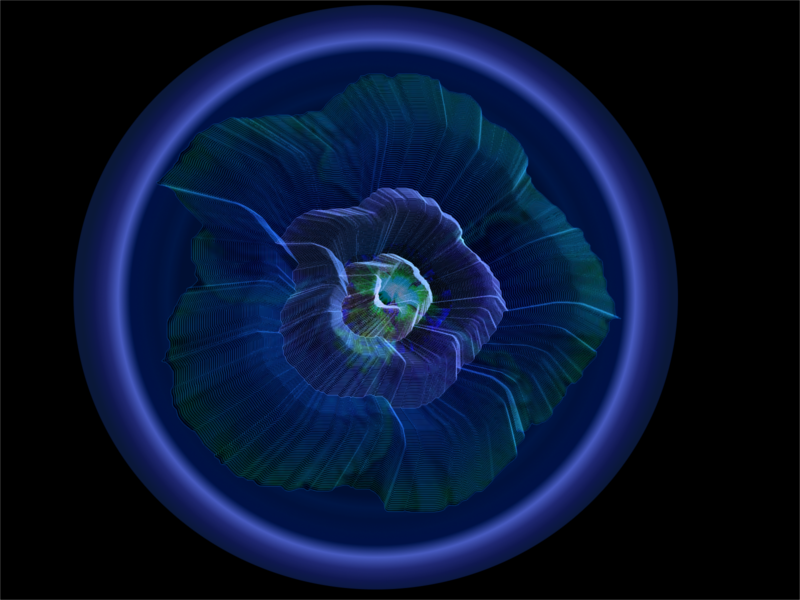
Spent a lot of time today getting an understanding of path numbers and brush size/spacing et al, as I just kept getting blobs of colour after I stroked! Again perseverance pays off and here is the proof with an hibiscus image built using the Ofnuts path-inbetweener and a background gradient created from the image using RobA's path gradient script. Thanks for the great toolkit guys.

Image

I have a question though - I thought I had previously used 'gradient & fill' and 'Gradient & stroke' to stroke/fill the paths from Ofnuts 'stroke or fill visible paths'. I tried today but nothing happens the gui just closes and there is no fill no stroke from gradient. Is there a secret or am I missing something obvious?? Thanks.

_________________
Image

Respect should be offered freely but hard earned


Top
 Post subject: Re: path-inbetweener
PostPosted: Fri Nov 07, 2014 2:46 am  (#159) 
Offline
Script Coder
User avatar

Joined: Oct 25, 2010
Posts: 4812
No error message (have you got the error console up)? The script doesn't do anything if there are not at least two visible paths.

_________________
Image


Top
 Post subject: Re: path-inbetweener
PostPosted: Fri Nov 07, 2014 8:50 am  (#160) 
Offline
GimpChat Member
User avatar

Joined: Sep 24, 2010
Posts: 12811
Why not pipe cleaner too. Used Wallace's tutorial (stroking each individual path as opposed to merging all paths before stroking). Pretty cool result. :)


Attachments:
snowflake2_pc.png
snowflake2_pc.png [ 2.8 MiB | Viewed 2371 times ]

_________________
Lyle

Psalm 109:8

Image
Top
Post new topic Reply to topic  [ 240 posts ]  Go to page Previous  1 ... 5, 6, 7, 8, 9, 10, 11, 12  Next

All times are UTC - 5 hours [ DST ]


cron

* Login  


Powered by phpBB3 © phpBB Group