It is currently Thu Aug 13, 2026 5:34 pm


All times are UTC - 5 hours [ DST ]


Post new topic Reply to topic  [ 11 posts ] 
Author Message
 Post subject: Blur by Color
PostPosted: Tue Dec 30, 2014 12:19 am  (#1) 
Offline
GimpChat Member
User avatar

Joined: Nov 16, 2011
Posts: 5127
Location: Metro Vancouver, BC
Blur by Color was mentioned by Garry Osgood in the mosaic - challenge thread. His Blur by Color tutorial at G'MIC is a must read and deserves it's own thread. The amount of useful information in this tutorial is amazing. It's a long read but well worth it.

TIP: To get the most out of it, be sure to make the Color Wheel.

_________________
Image
Gimp 2.8.18, Linux, median user
Gimp Chat Tutorials Index
Spirit Bear (Kermode)


Share on Facebook Share on Twitter Share on Orkut Share on Digg Share on MySpace Share on Delicious Share on Technorati
Top
 Post subject: Re: Blur by Color
PostPosted: Tue Dec 30, 2014 6:05 am  (#2) 
Offline
GimpChat Member
User avatar

Joined: Apr 07, 2010
Posts: 14182
Thanks Odin

_________________
Image


Top
 Post subject: Re: Blur by Color
PostPosted: Tue Dec 30, 2014 5:02 pm  (#3) 
Offline
Global Moderator
User avatar

Joined: May 16, 2010
Posts: 16158
Some great information there Odin. Thank you. :)

_________________
Image


Top
 Post subject: Re: Blur by Color
PostPosted: Wed Dec 31, 2014 11:27 am  (#4) 
Offline
GimpChat Member
User avatar

Joined: Mar 10, 2014
Posts: 845
I'm starting to test following the article.(maybe I will show the results)
Thanks Odinbc to share the info with us!


Top
 Post subject: Re: Blur by Color
PostPosted: Thu Jan 01, 2015 12:24 pm  (#5) 
Offline
GimpChat Member
User avatar

Joined: Mar 10, 2014
Posts: 845
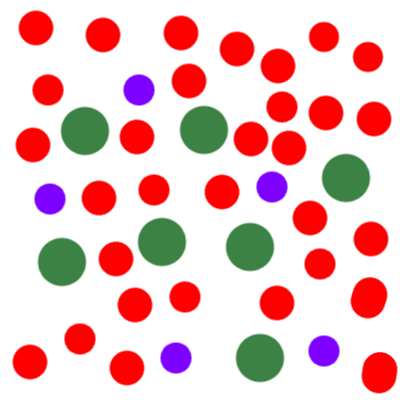
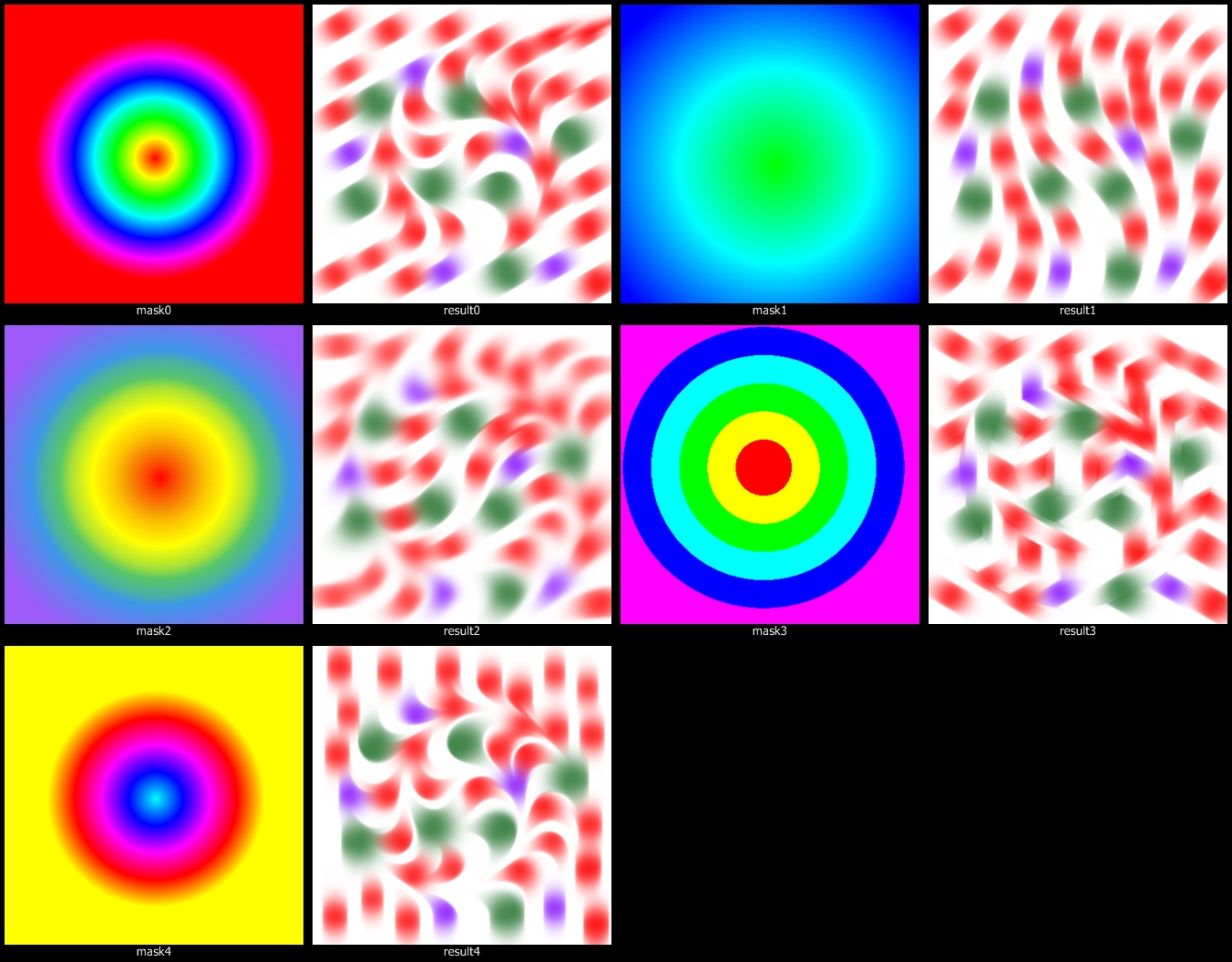
some result with round masks ( range XL)

base
Image

masks & results
Image

and happy new year!


Top
 Post subject: Re: Blur by Color
PostPosted: Thu Jan 01, 2015 10:28 pm  (#6) 
Offline
GimpChat Member
User avatar

Joined: Mar 10, 2014
Posts: 845
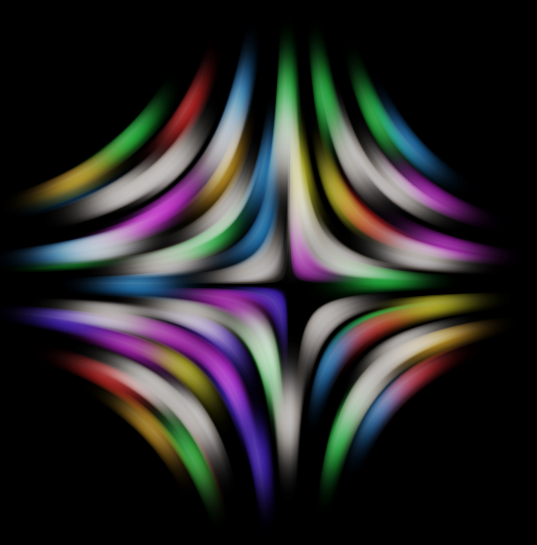
w/ mirror color wheel (to increase visibility curve x31 y226) on the result

Image


Top
 Post subject: Re: Blur by Color
PostPosted: Fri Jan 02, 2015 9:59 pm  (#7) 
Offline
GimpChat Member
User avatar

Joined: Mar 10, 2014
Posts: 845
modifying the color wheel
Image


Top
 Post subject: Re: Blur by Color
PostPosted: Sat Jan 03, 2015 4:31 am  (#8) 
Offline
GimpChat Member
User avatar

Joined: Nov 16, 2011
Posts: 5127
Location: Metro Vancouver, BC
Marcello, I love the time you explored.

_________________
Image
Gimp 2.8.18, Linux, median user
Gimp Chat Tutorials Index
Spirit Bear (Kermode)


Top
 Post subject: Re: Blur by Color
PostPosted: Sat Jan 03, 2015 7:35 pm  (#9) 
Offline
GimpChat Member
User avatar

Joined: Mar 10, 2014
Posts: 845
thank you Odinbc for your nice words


Top
 Post subject: Re: Blur by Color
PostPosted: Wed Mar 04, 2015 5:48 am  (#10) 
Offline
GimpChat Member
User avatar

Joined: Mar 15, 2014
Posts: 115
Location: Brooklyn, NY
@Marcello
Bravo! Well done. I find the series based on the blue turbulence especially satisfying and restful.

I'd like to borrow (steal) the pokadot study for that tutorial page, if you don't mind. Linkback to this thread and credit to 'Marcello.' This sequence nicely illustrates the relationship between hard/soft edges in the color map and the consequences of such on the target image, a relationship which the original tutorial does not explore that much.

Thank you in advance!

Garry


Top
 Post subject: Re: Blur by Color
PostPosted: Wed Mar 04, 2015 9:14 am  (#11) 
Offline
GimpChat Member
User avatar

Joined: Mar 10, 2014
Posts: 845
Thank You Garry! Feel free to use the study for the tutorial. Glad that it is of use. Don't worry about the credit.

Ciao - Marcello


Top
Post new topic Reply to topic  [ 11 posts ] 

All times are UTC - 5 hours [ DST ]


* Login  


Powered by phpBB3 © phpBB Group