It is currently Thu Jun 04, 2026 1:10 am


All times are UTC - 5 hours [ DST ]


Post new topic Reply to topic  [ 231 posts ]  Go to page Previous  1 ... 6, 7, 8, 9, 10, 11, 12  Next
Author Message
 Post subject: Re: How I Create BRL Images With Gimp
PostPosted: Thu Feb 12, 2015 11:48 pm  (#161) 
Offline
GimpChat Founder
User avatar

Joined: May 22, 2008
Posts: 5241
Location: Gimpville
Great work, guys & gals.

I love the way GC members combine various techniques to create unique digital art. It's very inspiring.

_________________
“If you reach for the stars, you just might land on a decently sized hill.” - Stuart Hill


Top
 Post subject: Re: How I Create BRL Images With Gimp
PostPosted: Fri Feb 13, 2015 12:26 am  (#162) 
Offline
Global Moderator
User avatar

Joined: Oct 02, 2014
Posts: 4960
Location: Sydney Australia
@GnuTux - its your toolkit that allows us to make these images ... thank you again for the opportunity!

Still enjoying this concept and extended the paths/brl/texture combination to one of my favourite sports with an influence of Moorish architecure in the subtle BRL of the frame too ...

Image

Then while I was doing it I thought I should say a very big thank you to Issabella who has been so very supportive of my GC posts, so here it is with some BRL Spanish shields as well ...

Image

@Issabella - I really appreciate your supportive words.

_________________
Image

Respect should be offered freely but hard earned


Top
 Post subject: Re: How I Create BRL Images With Gimp
PostPosted: Fri Feb 13, 2015 2:56 pm  (#163) 
Offline
Administrator
User avatar

Joined: Aug 10, 2012
Posts: 14011
Location: Native to NYC living in Arizona, Gimp 2.8 - 3.0, Win 11 PC.
oldmangrumpy wrote:
@GnuTux - its your toolkit that allows us to make these images ... thank you again for the opportunity!

Still enjoying this concept and extended the paths/brl/texture combination to one of my favourite sports with an influence of Moorish architecure in the subtle BRL of the frame too ...

[ Image ]

Then while I was doing it I thought I should say a very big thank you to Issabella who has been so very supportive of my GC posts, so here it is with some BRL Spanish shields as well ...

[ Image ]

@Issabella - I really appreciate your supportive words.

Really nice images OMG. :coolthup

_________________
Image
"A wise man learns more from a foolish question than a fool can learn from a wise answer"
Image


Top
 Post subject: Re: How I Create BRL Images With Gimp
PostPosted: Sat Feb 14, 2015 2:49 am  (#164) 
Offline
Global Moderator
User avatar

Joined: Oct 02, 2014
Posts: 4960
Location: Sydney Australia
BRL is so flexible and versatile ... I have so much fun exploring it ... so why do I call it 'blue moods' ...

Image

_________________
Image

Respect should be offered freely but hard earned


Top
 Post subject: Re: How I Create BRL Images With Gimp
PostPosted: Sat Feb 14, 2015 10:39 pm  (#165) 
Offline
GimpChat Member
User avatar

Joined: Apr 08, 2010
Posts: 5420
Location: Northwest Ohio
Beautiful...the blue patterns inside remind me of abalone shell


Top
 Post subject: Re: How I Create BRL Images With Gimp
PostPosted: Sun Feb 15, 2015 2:32 pm  (#166) 
Offline
Global Moderator
User avatar

Joined: Oct 02, 2014
Posts: 4960
Location: Sydney Australia
BRL, Paths and texture - cannot stop playing with this combination right now ...

An Aztec inspired ornament ...

Image

... and a metallic variations on a theme image ...

Image

_________________
Image

Respect should be offered freely but hard earned


Top
 Post subject: Re: How I Create BRL Images With Gimp
PostPosted: Sun Feb 15, 2015 3:14 pm  (#167) 
Offline
GimpChat Member
User avatar

Joined: Apr 08, 2010
Posts: 5420
Location: Northwest Ohio
You are making some amazing graphics!


Top
 Post subject: Re: How I Create BRL Images With Gimp
PostPosted: Mon Feb 16, 2015 3:59 am  (#168) 
Offline
Global Moderator
User avatar

Joined: Oct 02, 2014
Posts: 4960
Location: Sydney Australia
Thank you 2-ton; just using these fabulous tools to enjoy myself right now!! :yes

I must be in a blue metal mood at present so here is a fully BRL domino wall clock ...

Image

_________________
Image

Respect should be offered freely but hard earned


Top
 Post subject: Re: How I Create BRL Images With Gimp
PostPosted: Mon Feb 16, 2015 11:31 am  (#169) 
Offline
Administrator
User avatar

Joined: Aug 10, 2012
Posts: 14011
Location: Native to NYC living in Arizona, Gimp 2.8 - 3.0, Win 11 PC.
oldmangrumpy wrote:
Thank you 2-ton; just using these fabulous tools to enjoy myself right now!! :yes

I must be in a blue metal mood at present so here is a fully BRL domino wall clock ...

[ Image ]

Nice designs OMG! :bigthup

_________________
Image
"A wise man learns more from a foolish question than a fool can learn from a wise answer"
Image


Top
 Post subject: Re: How I Create BRL Images With Gimp
PostPosted: Mon Feb 16, 2015 11:40 am  (#170) 
Offline
GimpChat Member
User avatar

Joined: Mar 01, 2014
Posts: 14006
Location: Spain, Aragón
Huge thanks to you OMG, your creations and your ability to everything you have tried have been a resource of inspiration to me.
My short English vocabulary is my problem, but I can say I love what you do. Thank you very much. :clap :clap :clap

_________________
Image

Gimp 2.10.30(samj) portable _ OS Windows 10 Home_ 64bits
Don’t be afraid to start over. It’s a new chance to rebuild what you want.


Top
 Post subject: Re: How I Create BRL Images With Gimp
PostPosted: Mon Feb 16, 2015 9:48 pm  (#171) 
Offline
Global Moderator
User avatar

Joined: Oct 02, 2014
Posts: 4960
Location: Sydney Australia
Thank you again Wallace and Isabella - you guys inspire me to keep learning new tricks!! :tyspin

Today its lots of new gradients, lots of paths, lots of BRL, lots of texture and some bumping ...

Image

_________________
Image

Respect should be offered freely but hard earned


Top
 Post subject: Re: How I Create BRL Images With Gimp
PostPosted: Tue Feb 17, 2015 7:08 am  (#172) 
Offline
GimpChat Member

Joined: Mar 02, 2013
Posts: 73
How about a video how to download the script? It does not work for me. It is very cool.
Thanks.
FB66


Top
 Post subject: Re: How I Create BRL Images With Gimp
PostPosted: Tue Feb 17, 2015 9:52 am  (#173) 
Offline
Administrator
User avatar

Joined: Aug 10, 2012
Posts: 14011
Location: Native to NYC living in Arizona, Gimp 2.8 - 3.0, Win 11 PC.
Fullback66 wrote:
How about a video how to download the script? It does not work for me. It is very cool.
Thanks.
FB66

You need to first have the required ML Bevel Reflect Plug-in installed.
http://gimpscripts.com/2014/01/ml-bevel-reflect/

Then install the Bevel Reflect Logo and then it should work for you.
http://gimpscripts.com/2014/02/bevel-re ... b-file-151

Once installed the Menu Locations are as follows:
File/Create/Logos (gimpchat.com)
Filters/Alpha To Logo

_________________
Image
"A wise man learns more from a foolish question than a fool can learn from a wise answer"
Image


Top
 Post subject: Re: How I Create BRL Images With Gimp
PostPosted: Fri Feb 20, 2015 2:32 pm  (#174) 
Offline
Global Moderator
User avatar

Joined: Oct 02, 2014
Posts: 4960
Location: Sydney Australia
It seems most people have moved on from this thread now, but I must be in some form of timewarp, still exploring BRL with my new gradients and paths ... so here is my BRL equivalent of a black hole ;)

Image

_________________
Image

Respect should be offered freely but hard earned


Top
 Post subject: Re: How I Create BRL Images With Gimp
PostPosted: Fri Feb 20, 2015 3:30 pm  (#175) 
Offline
Administrator
User avatar

Joined: Aug 10, 2012
Posts: 14011
Location: Native to NYC living in Arizona, Gimp 2.8 - 3.0, Win 11 PC.
oldmangrumpy wrote:
It seems most people have moved on from this thread now, but I must be in some form of timewarp, still exploring BRL with my new gradients and paths ... so here is my BRL equivalent of a black hole ;)

[ Image ]

There's endless possibilities and you're showing us those possibilities. :bigthup

_________________
Image
"A wise man learns more from a foolish question than a fool can learn from a wise answer"
Image


Top
 Post subject: Re: How I Create BRL Images With Gimp
PostPosted: Fri Feb 20, 2015 7:09 pm  (#176) 
Offline
GimpChat Member
User avatar

Joined: Apr 08, 2010
Posts: 5420
Location: Northwest Ohio
very hypnotic to stare down into it.


Top
 Post subject: Re: How I Create BRL Images With Gimp
PostPosted: Fri Feb 20, 2015 8:45 pm  (#177) 
Offline
GimpChat Member

Joined: Mar 02, 2013
Posts: 73
Thanks Wallace


Top
 Post subject: Re: How I Create BRL Images With Gimp
PostPosted: Fri Feb 20, 2015 8:57 pm  (#178) 
Offline
Administrator
User avatar

Joined: Aug 10, 2012
Posts: 14011
Location: Native to NYC living in Arizona, Gimp 2.8 - 3.0, Win 11 PC.
Fullback66 wrote:
Thanks Wallace

You got it Fullback66. :bigthup

_________________
Image
"A wise man learns more from a foolish question than a fool can learn from a wise answer"
Image


Top
 Post subject: Re: How I Create BRL Images With Gimp
PostPosted: Fri Feb 20, 2015 10:12 pm  (#179) 
Offline
Global Moderator
User avatar

Joined: Oct 02, 2014
Posts: 4960
Location: Sydney Australia
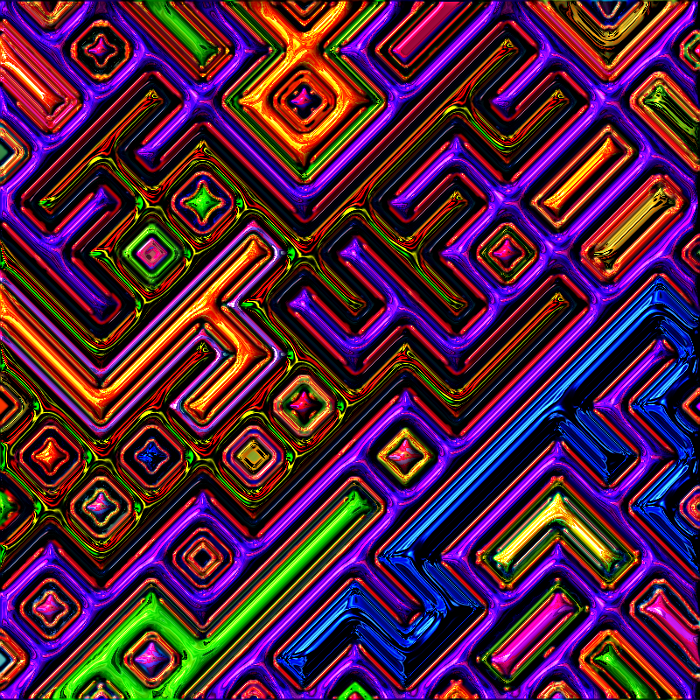
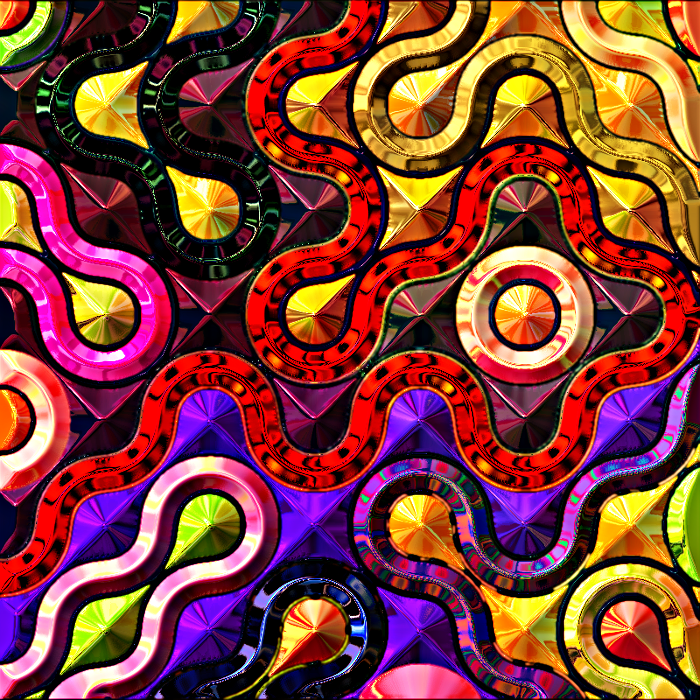
Well Wallace, Sallyanne has provided me a new medium for BRL with her Truchet thread ... so of course I cannot resist ...

So here are my BRL circuitboard and BRL topography images, courtesy of Sallyanne and Truchet ...

Image

Image

If everybody learning GIMP has half the fun I do, then we are all lucky people :hi5

_________________
Image

Respect should be offered freely but hard earned


Top
 Post subject: Re: How I Create BRL Images With Gimp
PostPosted: Fri Feb 20, 2015 10:16 pm  (#180) 
Offline
Administrator
User avatar

Joined: Aug 10, 2012
Posts: 14011
Location: Native to NYC living in Arizona, Gimp 2.8 - 3.0, Win 11 PC.
oldmangrumpy wrote:
Well Wallace, Sallyanne has provided me a new medium for BRL with her Truchet thread ... so of course I cannot resist ...

So here are my BRL circuitboard and BRL topography images, courtesy of Sallyanne and Truchet ...

[ Image ]

[ Image ]

If everybody learning GIMP has half the fun I do, then we are all lucky people :hi5

That's pretty cool OMG and I agree, we are all lucky people. ;)

_________________
Image
"A wise man learns more from a foolish question than a fool can learn from a wise answer"
Image


Top
Post new topic Reply to topic  [ 231 posts ]  Go to page Previous  1 ... 6, 7, 8, 9, 10, 11, 12  Next

All times are UTC - 5 hours [ DST ]


* Login  


Powered by phpBB3 © phpBB Group