It is currently Fri Oct 02, 2026 10:28 pm


All times are UTC - 5 hours [ DST ]


Post new topic Reply to topic  [ 27 posts ]  Go to page Previous  1, 2
Author Message
 Post subject: Re: Scripting Help
PostPosted: Sun Feb 22, 2015 6:57 pm  (#21) 
Offline
Script Coder
User avatar

Joined: Dec 27, 2014
Posts: 508
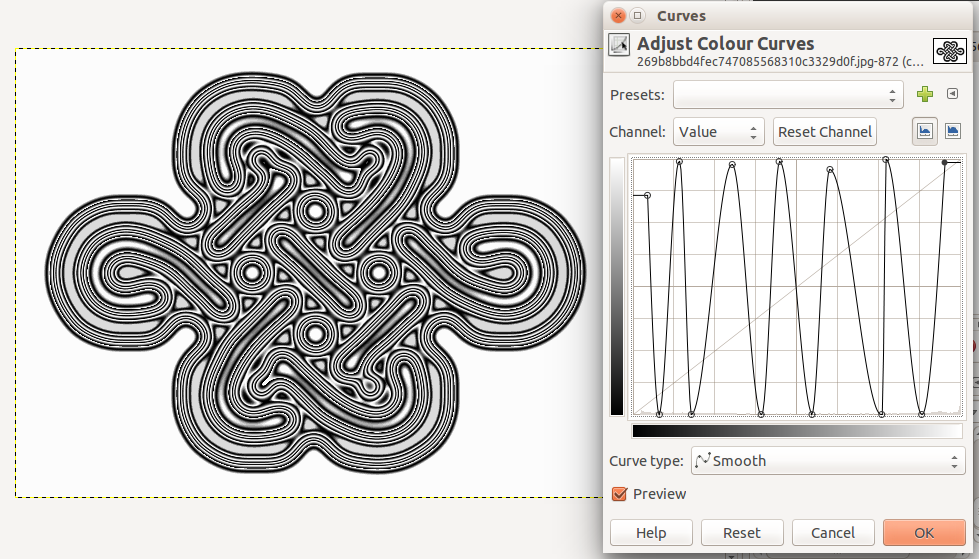
A little diversion for you when you have the time .. Celtic Knot Diffusions (yes really!)

Starting image:
Image

After 10 iterations of z22's reaction diffusion script (with threshold=127) and Color>Curves adjusted:
Image

With "Incandescent" radial background:
Image


Top
 Post subject: Re: Scripting Help
PostPosted: Sun Feb 22, 2015 8:52 pm  (#22) 
Offline
GimpChat Member
User avatar

Joined: Nov 16, 2011
Posts: 5127
Location: Metro Vancouver, BC
:coolthup jontait2

_________________
Image
Gimp 2.8.18, Linux, median user
Gimp Chat Tutorials Index
Spirit Bear (Kermode)


Top
 Post subject: Re: Scripting Help
PostPosted: Sun Feb 22, 2015 9:19 pm  (#23) 
Offline
Script Coder
User avatar

Joined: Dec 27, 2014
Posts: 508
In fact you can start with just about any image and get lots of interesting "contours" just using Color>Curves after the diffusion script.

This is an interesting effect:
Image

To do:
File>New (white)
Filters>Render>Pattern>Jigsaw (6 x 3 tiles, bevel width 8)
Filters>Generic>reaction diffusion (10 iterations)
Colors>Curves ..make 5 or 6 peaks and troughs (not too closely spaced otherwise you'll get aliasing)
Colors>Color to alpha (white)
then overlay on a (heavily) bevelled image such as the honeycomb pattern or a BRL logo.


Top
 Post subject: Re: Scripting Help
PostPosted: Mon Feb 23, 2015 1:37 pm  (#24) 
Offline
GimpChat Member
User avatar

Joined: Jan 13, 2011
Posts: 2648
Location: Poland
Very interesting topic.
Not only the effect (very interesting) - but how to write a script-fu.

_________________
Image


Top
 Post subject: Re: Scripting Help
PostPosted: Mon Feb 23, 2015 4:57 pm  (#25) 
Offline
Script Coder
User avatar

Joined: Dec 27, 2014
Posts: 508
@MareroQ:
If you're interested in writing Script-Fu scripts, start with the Gimp Manual Chapter 13 Section 2:
http://docs.gimp.org/en/gimp-concepts-script-fu.html

Image


Top
 Post subject: Re: Scripting Help
PostPosted: Mon Feb 23, 2015 5:57 pm  (#26) 
Offline
GimpChat Member
User avatar

Joined: Apr 07, 2010
Posts: 14182
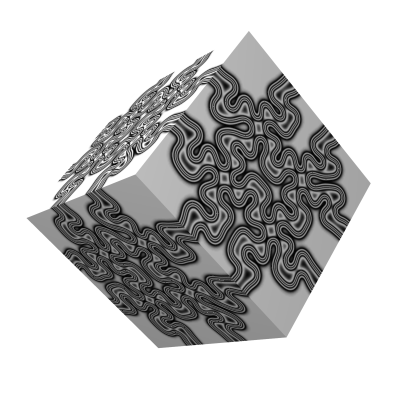
I like your box jontait2, it would make a nice gift box or wrapping paper.

_________________
Image


Top
 Post subject: Re: Scripting Help
PostPosted: Mon Feb 23, 2015 8:11 pm  (#27) 
Offline
Script Coder
User avatar

Joined: Dec 27, 2014
Posts: 508
Just for you, Molly..
Image


Top
Post new topic Reply to topic  [ 27 posts ]  Go to page Previous  1, 2

All times are UTC - 5 hours [ DST ]


* Login  


Powered by phpBB3 © phpBB Group