It is currently Thu Jun 04, 2026 2:12 am


All times are UTC - 5 hours [ DST ]


Post new topic Reply to topic  [ 126 posts ]  Go to page Previous  1, 2, 3, 4, 5 ... 7  Next
Author Message
 Post subject: Re: My Art
PostPosted: Sat May 09, 2015 3:34 pm  (#21) 
Offline
GimpChat Member
User avatar

Joined: Apr 07, 2010
Posts: 14182
I am also using Linux. ofnuts may be able to help you. I will look to see if I can find where is instrucs are for installing, it has been so long I forgot.

_________________
Image


Top
 Post subject: Re: My Art
PostPosted: Sat May 09, 2015 3:54 pm  (#22) 
Offline
GimpChat Member
User avatar

Joined: Mar 16, 2015
Posts: 613
Location: On Earth,specifically Queensland,Australia
molly wrote:
I am also using Linux. ofnuts may be able to help you. I will look to see if I can find where is instrucs are for installing, it has been so long I forgot.


Thanks Molly but I followed the instructions with and without the ini file. I found I'm not the only one having problems with it. At least it didn't crash Gimp.

_________________
Image


Top
 Post subject: Re: My Art
PostPosted: Sat May 09, 2015 5:17 pm  (#23) 
Offline
GimpChat Member
User avatar

Joined: Apr 07, 2010
Posts: 14182
These are ofnuts directions for addonmanager.
Image

_________________
Image


Top
 Post subject: Re: My Art
PostPosted: Thu May 14, 2015 11:41 pm  (#24) 
Offline
GimpChat Member
User avatar

Joined: Mar 16, 2015
Posts: 613
Location: On Earth,specifically Queensland,Australia
I made this in Xaos and then ran "concentric circles" and "black crayon graffiti" on a copy of it and set the new layer to "dodge".Image

_________________
Image


Top
 Post subject: Re: My Art
PostPosted: Sat May 16, 2015 2:32 pm  (#25) 
Offline
GimpChat Member
User avatar

Joined: Mar 16, 2015
Posts: 613
Location: On Earth,specifically Queensland,Australia
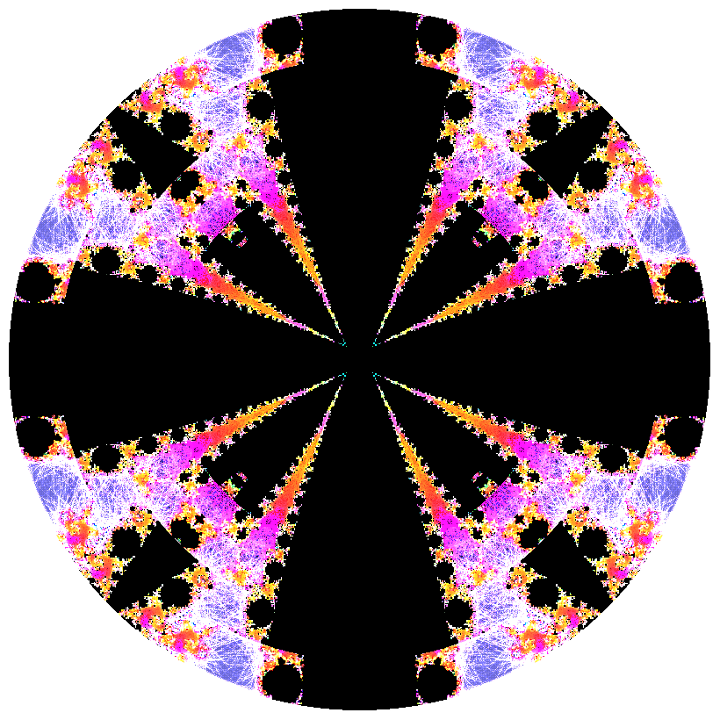
Still learning Xaos. Only just figured out how to stop banding and to use fastjulia modeImage.
Apparently, Tierazon won't work in wine so Xaos it is. Xaos can take formulas, I wish I knew how to write them.

_________________
Image


Top
 Post subject: Re: My Art
PostPosted: Sun May 17, 2015 7:01 pm  (#26) 
Offline
GimpChat Member
User avatar

Joined: Mar 16, 2015
Posts: 613
Location: On Earth,specifically Queensland,Australia
One of Anmal's paisley brushes run through "Concentric Circles a" in Gmic..Image

_________________
Image


Top
 Post subject: Re: My Art
PostPosted: Thu May 21, 2015 10:07 pm  (#27) 
Offline
GimpChat Member
User avatar

Joined: Mar 16, 2015
Posts: 613
Location: On Earth,specifically Queensland,Australia
Image I have discovered how to turn wire art into glass art. I ran the wire-art logo filter and set the layer blend mode to divide.

_________________
Image


Top
 Post subject: Re: My Art
PostPosted: Fri May 22, 2015 11:15 am  (#28) 
Offline
GimpChat Member
User avatar

Joined: Aug 16, 2012
Posts: 4271
Location: Göteborg, Sweden
kimba: nice looking glass/wire-art! i like the colour spots. and again, it's nice to see you're using some of my brushes, very flattering :). i tried to find concentric circles on g'mic online, but it's not there, so it's probably a private filter :(.

_________________


Top
 Post subject: Re: My Art
PostPosted: Fri May 22, 2015 11:23 am  (#29) 
Offline
GimpChat Member
User avatar

Joined: Jan 20, 2013
Posts: 14831
Location: roma, italy
could it be Deformations / Circle transform?

_________________
"Where am I ?"


Top
 Post subject: Re: My Art
PostPosted: Fri May 22, 2015 7:20 pm  (#30) 
Offline
GimpChat Member
User avatar

Joined: Mar 10, 2014
Posts: 845
Kimba wrote:
Still learning Xaos. Only just figured out how to stop banding and to use fastjulia
Apparently, Tierazon won't work in wine so Xaos it is. Xaos can take formulas, I wish I knew how to write them.


to improve in XaoS :

1. unzip the attached file and put the .xpf files in a sub directory of XaoS that you create
2. File>Load open one of the files unzipped
3. change some settings in Fractal and/or Calculation and/or Filter

let me know if you have problems!
PS - if it is OK I can send you more files!


Attachments:
XaosXPF.zip [1.54 KiB]
Downloaded 95 times
Top
 Post subject: Re: My Art
PostPosted: Fri May 22, 2015 8:10 pm  (#31) 
Offline
Global Moderator
User avatar

Joined: Apr 01, 2012
Posts: 8358
Location: On the other side of your screen
ooh, I like the way the paisley brushes turned out in concentric circles. Lots of your work is nice.
I got to do some more playing. No time atm :(

_________________
Image
Free Fun Photo Editing & resources
Poems from the Lord
Gimp Newby
Gimp version 3.2.0 and GMIC-Qt 3.7.5 OS :- Windows 10 Home 64


Top
 Post subject: Re: My Art
PostPosted: Fri May 22, 2015 8:20 pm  (#32) 
Offline
Global Moderator
User avatar

Joined: Oct 02, 2014
Posts: 4960
Location: Sydney Australia
@Kimba - & @Marcello - hope its OK if I use the Xaos files too; I have now settled on Incendia, Xaos and Apophyis to learn all about these fractal things :)

Also Kimba did you manage to sort out your Logo Toolbox question?

_________________
Image

Respect should be offered freely but hard earned


Top
 Post subject: Re: My Art
PostPosted: Fri May 22, 2015 10:25 pm  (#33) 
Offline
GimpChat Member
User avatar

Joined: Mar 16, 2015
Posts: 613
Location: On Earth,specifically Queensland,Australia
Thanks Marcello, the files show me how to use the user-defined filter. I don't know much about maths so I just make a small change at a time.
Thanks Sallyanne, I like to take a brush or a pattern and play with the filters, especially in g'mic.

OMG, I haven't worked it out yet but I'm working on it. I found a tutorial on doing it with brushes but it was too tedious for me.

_________________
Image


Top
 Post subject: Re: My Art
PostPosted: Sat May 23, 2015 4:14 am  (#34) 
Offline
GimpChat Member
User avatar

Joined: Mar 16, 2015
Posts: 613
Location: On Earth,specifically Queensland,Australia
OMG I've used Path Inbetweener to generate this one. It turned out alright.
Image

_________________
Image


Top
 Post subject: Re: My Art
PostPosted: Sat May 23, 2015 10:29 am  (#35) 
Offline
GimpChat Member
User avatar

Joined: Mar 10, 2014
Posts: 845
oldmangrumpy wrote:
@Kimba - & @Marcello - hope its OK if I use the Xaos files too; I have now settled on Incendia, Xaos and Apophyis to learn all about these fractal things :)

OMG - attached you can find more Xaos xpf files to study
suggestion to change the formula on image use shortcuts uppercase from A to N
instead to change color use P


Attachments:
XaosXPF2.zip [16.24 KiB]
Downloaded 98 times
Top
 Post subject: Re: My Art
PostPosted: Sat May 23, 2015 4:31 pm  (#36) 
Offline
GimpChat Member
User avatar

Joined: Mar 16, 2015
Posts: 613
Location: On Earth,specifically Queensland,Australia
Thanks, Marcello.

_________________
Image


Top
 Post subject: Re: My Art
PostPosted: Sun May 31, 2015 10:29 pm  (#37) 
Offline
GimpChat Member
User avatar

Joined: Mar 16, 2015
Posts: 613
Location: On Earth,specifically Queensland,Australia
After doing Asganafer's Mosaic tutorial I put the different layers together and got a patterned mosaic effect. I then did the guts Tutorial and put the result together with the Mosaic. Image

_________________
Image


Top
 Post subject: Re: My Art
PostPosted: Mon Jun 01, 2015 5:23 am  (#38) 
Offline
GimpChat Member
User avatar

Joined: Aug 16, 2012
Posts: 4271
Location: Göteborg, Sweden
kimba: that's a good looking thing. i think it could make a striking desktop background, perhaps combined with a really flashy text effect.

_________________


Top
 Post subject: Re: My Art
PostPosted: Mon Jun 01, 2015 10:42 pm  (#39) 
Offline
GimpChat Member
User avatar

Joined: Mar 16, 2015
Posts: 613
Location: On Earth,specifically Queensland,Australia
Desktop!!!! I shudder at the thought. It's far too bright.

_________________
Image


Top
 Post subject: Re: My Art
PostPosted: Mon Jun 01, 2015 10:46 pm  (#40) 
Offline
GimpChat Member
User avatar

Joined: Mar 16, 2015
Posts: 613
Location: On Earth,specifically Queensland,Australia
My latest creation with Anmal's lovely paisley brushes.Image

_________________
Image


Top
Post new topic Reply to topic  [ 126 posts ]  Go to page Previous  1, 2, 3, 4, 5 ... 7  Next

All times are UTC - 5 hours [ DST ]


* Login  


Powered by phpBB3 © phpBB Group