It is currently Mon Sep 14, 2026 3:34 am


All times are UTC - 5 hours [ DST ]


Post new topic Reply to topic  [ 89 posts ]  Go to page Previous  1, 2, 3, 4, 5  Next
Author Message
 Post subject: Re: Shape challenge
PostPosted: Tue Jun 30, 2015 6:13 am  (#21) 
Offline
Global Moderator
User avatar

Joined: Apr 01, 2012
Posts: 8470
Location: On the other side of your screen
Can be done with Gimp. I can't be bothered at the minute though. Gave it a quick try but it wasn't worth posting.

_________________
Image
Free Fun Photo Editing & resources
Poems from the Lord
Gimp Newby
Gimp version 3.2.4 and GMIC-Qt 4.0.2 OS :- Windows 10 Home 64


Last edited by sallyanne on Tue Jun 30, 2015 11:19 am, edited 1 time in total.

Top
 Post subject: Re: Shape challenge
PostPosted: Tue Jun 30, 2015 10:18 am  (#22) 
Offline
Script Coder
User avatar

Joined: May 07, 2014
Posts: 4546
Location: Canada
ofnuts wrote:
I wonder why you are going into so much trouble for the end points since the round caps in "Stroke path" are doing the job?

Just for fun I guess, for a time before knowing how with the superior round caps in stroke path :D

Anyone else got a shape/logo they'd like to challenge people with to share on here?...I think trying to reproduce a logo would be a fun hobby...not much use since you can't really use it for anything because it's all copyrighted.heheeh

_________________
Image
Visualize your and others dreams coming true.


Top
 Post subject: Re: Shape challenge
PostPosted: Tue Jun 30, 2015 10:25 am  (#23) 
Offline
Script Coder
User avatar

Joined: May 07, 2014
Posts: 4546
Location: Canada
I was just thinking if paths can be upscaled and downscaled when you resize and image (I tried to use offnuts script to draw multiple circles and then upscaled the image and the paths get upscaled as well)...Does this mean that if we use paths to draw everything, it'd be like a vector graphics program, we don't lose quality ever?
I mean offnuts circles are perfect circles no matter what I scale it too...Gimp just got that much cooler I thought.

_________________
Image
Visualize your and others dreams coming true.


Top
 Post subject: Re: Shape challenge
PostPosted: Tue Jun 30, 2015 10:48 am  (#24) 
Offline
Script Coder
User avatar

Joined: May 07, 2014
Posts: 4546
Location: Canada
so this led me to think what if instead of up-scaling the original image which gives poor results, what if i color selected the shape from original, turned that to a path, then upscale that and then path to selection and then fill it the selection with original color the result is pretty good (so it's totally like up-scaling a vector).
here's the result of that
Image
it's not perfect as you can see some warping around the arc's edges, but that has to do with me selecting from the original image with a not so perfect threshold.

But I think it is a lot better than just up-scaling the original which looks like this:
Image

_________________
Image
Visualize your and others dreams coming true.


Top
 Post subject: Re: Shape challenge
PostPosted: Tue Jun 30, 2015 11:17 am  (#25) 
Offline
Script Coder
User avatar

Joined: Oct 25, 2010
Posts: 4812
trandoductin wrote:
Anyone else got a shape/logo they'd like to challenge people with to share on here?...I think trying to reproduce a logo would be a fun hobby...not much use since you can't really use it for anything because it's all copyrighted.heheeh


Attachment:
HollowCube.png
HollowCube.png [ 42.92 KiB | Viewed 2198 times ]


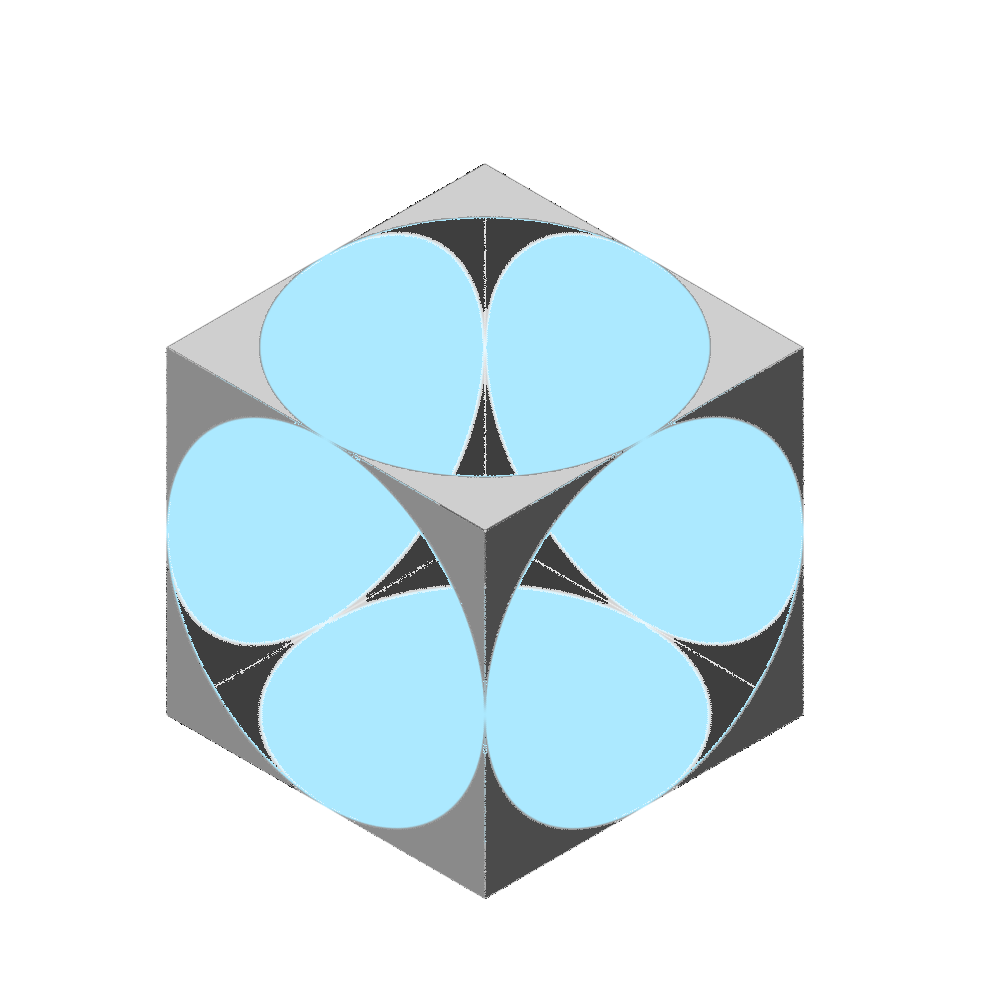
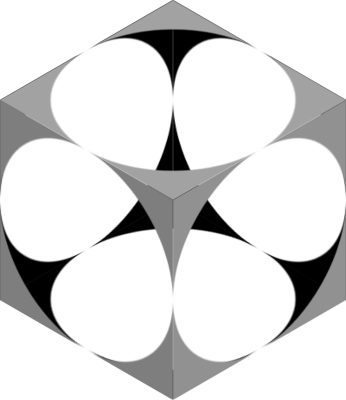
(Given the source XCF, no paths involved :)

_________________
Image


Top
 Post subject: Re: Shape challenge
PostPosted: Tue Jun 30, 2015 1:31 pm  (#26) 
Offline
Script Coder
User avatar

Joined: May 07, 2014
Posts: 4546
Location: Canada
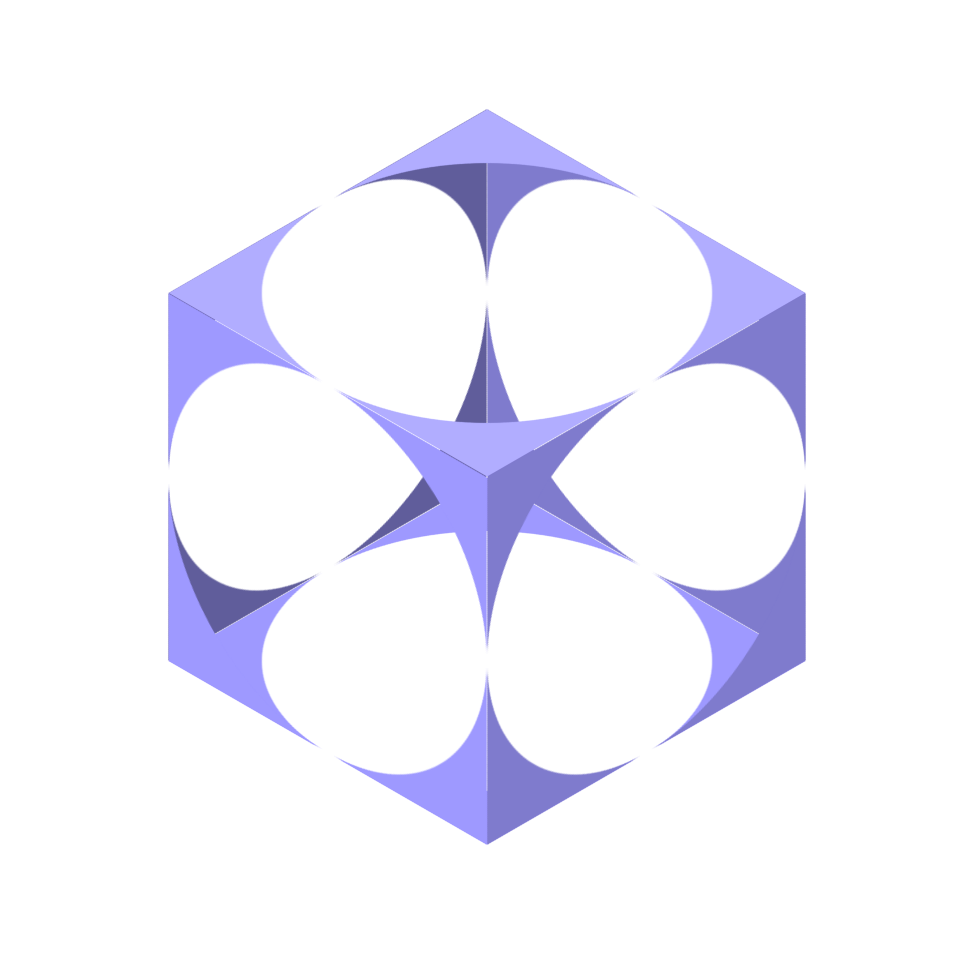
here's my try. it was challenging and fun. There's some artifacts around the fine lines as i was selecting by color and cutting and replacing with colors i wanted.
Image

I drew a perfect square, then a circle inside it.
then rotated the layer 45 degrees, scaled the height down (with some trigonometry to find out what height i needed) such that height is equal edges of new scaled edges. so it's 2 equilateral triangles.
for my 45 degree rotated square it was 638 x 638, so i used for formula 319^2 + a^2 = 4a^2
so my height would be sqrt(319^2 / 3) * 2 where a is half my new height.
Then made copies of that result and rotated 120 and -120 to get the general cube. to get the back faces i rotated the result by 60 degrees.
by now i have the general shapes needed and then did a bunch of different color selects and fill with colors i wanted.

_________________
Image
Visualize your and others dreams coming true.


Top
 Post subject: Re: Shape challenge
PostPosted: Tue Jun 30, 2015 2:32 pm  (#27) 
Offline
Administrator
User avatar

Joined: Aug 10, 2012
Posts: 14204
Location: Native to NYC living in Arizona, Gimp 2.8 - 3.0, Win 11 PC.
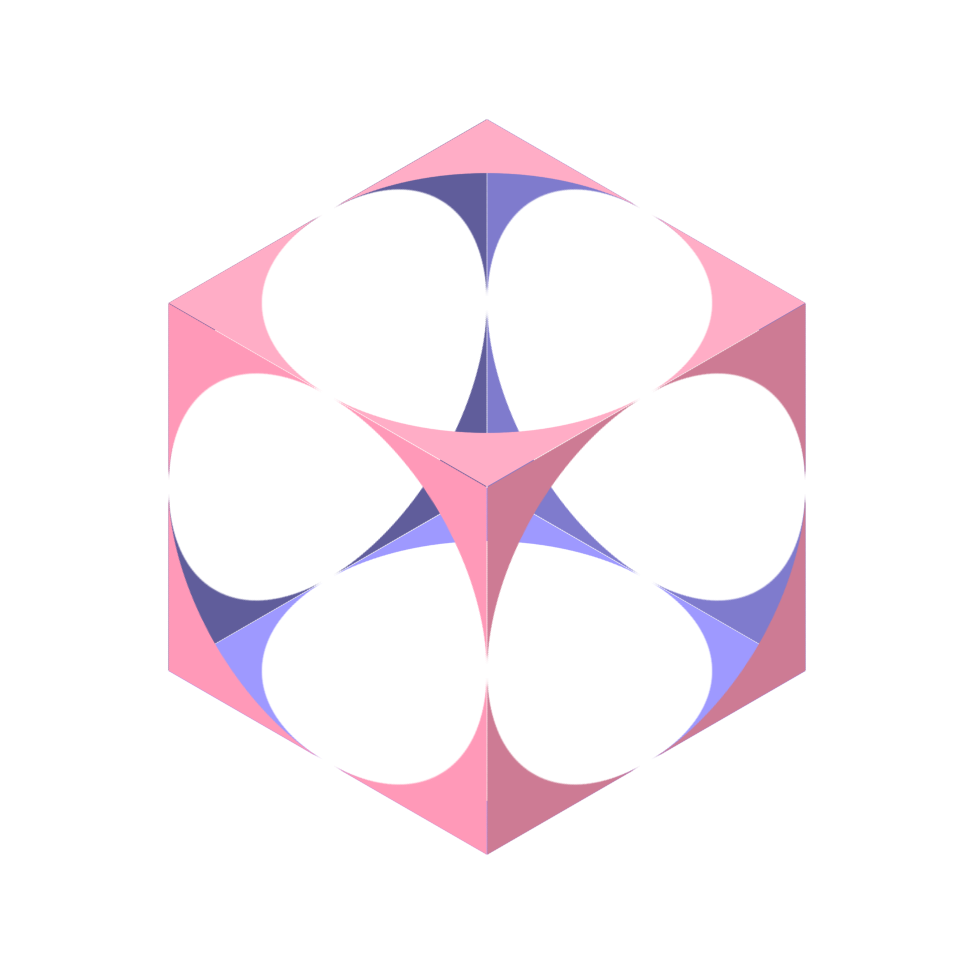
I gave it a go and came pretty close I think, but there seems to be something that's not quite right.
Getting the top and bottom parts of the cube to look correct is the trick, whatever that might be.
Image

_________________
Image
"A wise man learns more from a foolish question than a fool can learn from a wise answer"
Image


Top
 Post subject: Re: Shape challenge
PostPosted: Tue Jun 30, 2015 6:14 pm  (#28) 
Offline
Script Coder
User avatar

Joined: May 07, 2014
Posts: 4546
Location: Canada
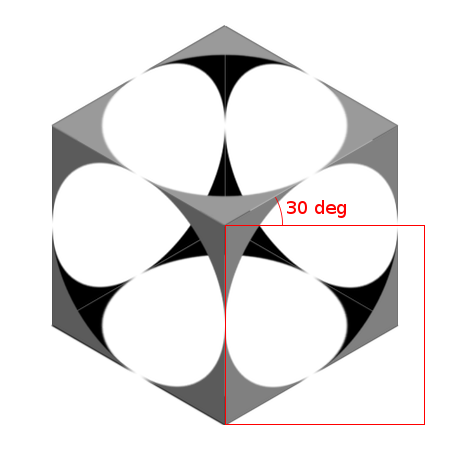
another try,
i even lucked out produced the same see through right at the edges where the faces meet.
Image
Image

_________________
Image
Visualize your and others dreams coming true.


Top
 Post subject: Re: Shape challenge
PostPosted: Wed Jul 01, 2015 6:16 am  (#29) 
Offline
Script Coder
User avatar

Joined: Oct 25, 2010
Posts: 4812
Quite good. IIRC, starting with a square with a round hole you need to scale horizontally and shear it once (gets you two of the vertical faces) and then flip that result (gets you the other two vertical faces). Top and bottom are a 45° rotation and a scaling.

_________________
Image


Top
 Post subject: Re: Shape challenge
PostPosted: Wed Jul 01, 2015 9:35 am  (#30) 
Offline
Administrator
User avatar

Joined: Aug 10, 2012
Posts: 14204
Location: Native to NYC living in Arizona, Gimp 2.8 - 3.0, Win 11 PC.
ofnuts wrote:
Quite good. IIRC, starting with a square with a round hole you need to scale horizontally and shear it once (gets you two of the vertical faces) and then flip that result (gets you the other two vertical faces). Top and bottom are a 45° rotation and a scaling.

It's the scaling of those top and bottom parts, that I find the most difficult to do.

_________________
Image
"A wise man learns more from a foolish question than a fool can learn from a wise answer"
Image


Top
 Post subject: Re: Shape challenge
PostPosted: Wed Jul 01, 2015 11:14 am  (#31) 
Offline
Script Coder
User avatar

Joined: May 07, 2014
Posts: 4546
Location: Canada
Wallace wrote:
ofnuts wrote:
Quite good. IIRC, starting with a square with a round hole you need to scale horizontally and shear it once (gets you two of the vertical faces) and then flip that result (gets you the other two vertical faces). Top and bottom are a 45° rotation and a scaling.

It's the scaling of those top and bottom parts, that I find the most difficult to do.


I didn't shear, I made a square with a hole in it, then rotated 45 degrees,
and scaled the height of that result to be sqrt(((0.5(x))^2)/3)*2 where x is the width distance of the rotated 45 degree angle square (or the length of diagonal of the original square except now its' rotated it so it's just horizontal width).
Once I have this shape (the top), I just rotated 180 degrees to get the bottom, and then all the others sides are just different rotations of that piece.

Here's more details on how i did it.
after having the rotated 45 degree square with hole
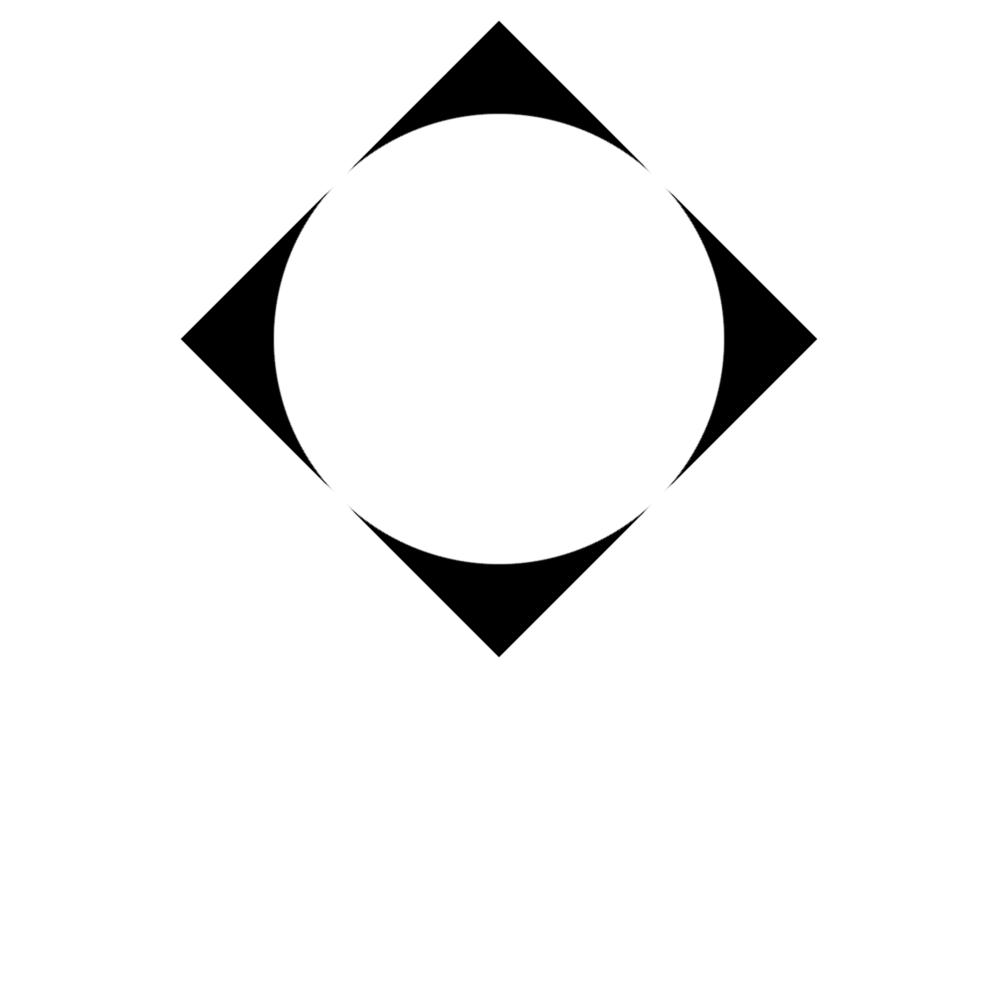
Image
Now i wanted to scale the height down such that the result has height equal to the diagonal sides which are all changing as you scale.
So I doodled something like this
Image
I know x since i am keeping the width the same when scaling, just solve for a
x^2 + a^2 = (2a)^2
x^2 + a^2 = 4a^2
x^2 = 3a^2
(x^2)/3 = a^2
sqrt((x^2)/3) = a
and there you have have 2a is my new height.

_________________
Image
Visualize your and others dreams coming true.


Top
 Post subject: Re: Shape challenge
PostPosted: Wed Jul 01, 2015 11:44 am  (#32) 
Offline
Script Coder
User avatar

Joined: Dec 27, 2014
Posts: 508
Basic trig:
Image

So to get from square starting image to a side panel:
- shear vertically by 50% of original height (ie. sin(30deg) )
- scale horizontally by 86.6% (ie. cos(30deg) )
Then just duplicate and flip to get the other sides:

Image

To get the top, duplicate one of the front sides and rotate by 120 degrees about the centre of the image.
To make the bottom, duplicate top and align to bottom of image.

Image

Note that the image Ofnuts posted has slightly "gappy" edges - to reproduce that effect precisely you need to make a slight transparent border around the starting image.


Top
 Post subject: Re: Shape challenge
PostPosted: Wed Jul 01, 2015 11:48 am  (#33) 
Offline
Script Coder
User avatar

Joined: May 07, 2014
Posts: 4546
Location: Canada
jontait2 wrote:
Basic trig:
[ Image ]

So to get from square starting image to a side panel:
- shear vertically by 50% of original height (ie. sin(30deg) )
- scale horizontally by 86.6% (ie. cos(30deg) )
Then just duplicate and flip to get the other sides:

[ Image ]

To get the top, duplicate one of the front sides and rotate by 120 degrees about the centre of the image.
To make the bottom, duplicate top and align to bottom of image.

[ Image ]

Note that the image Ofnuts posted has slightly "gappy" edges - to reproduce that effect precisely you need to make a slight transparent border around the starting image.


I enjoyed this one because it involved trig or pythagorean. :bigthup

_________________
Image
Visualize your and others dreams coming true.


Top
 Post subject: Re: Shape challenge
PostPosted: Wed Jul 01, 2015 11:59 am  (#34) 
Offline
Script Coder
User avatar

Joined: Dec 27, 2014
Posts: 508
trandoductin wrote:
I enjoyed this one because it involved trig or pythagorean. :bigthup

I'm sure you could do a script for it, Tin!


Top
 Post subject: Re: Shape challenge
PostPosted: Wed Jul 01, 2015 12:08 pm  (#35) 
Offline
Script Coder
User avatar

Joined: May 07, 2014
Posts: 4546
Location: Canada
jontait2 wrote:
trandoductin wrote:
I enjoyed this one because it involved trig or pythagorean. :bigthup

I'm sure you could do a script for it, Tin!

Wouldn't want to take away people's opportunity to brush up on math...actually i am just lazy and don't think the script will be popular use. hehehe

_________________
Image
Visualize your and others dreams coming true.


Top
 Post subject: Re: Shape challenge
PostPosted: Wed Jul 01, 2015 4:01 pm  (#36) 
Offline
Script Coder
User avatar

Joined: Oct 25, 2010
Posts: 4812
jontait2 wrote:
To get the top, duplicate one of the front sides and rotate by 120 degrees about the centre of the image.


** slaps forehead ** :) Good one.

_________________
Image


Top
 Post subject: Re: Shape challenge
PostPosted: Wed Jul 01, 2015 6:06 pm  (#37) 
Offline
GimpChat Member
User avatar

Joined: Sep 24, 2010
Posts: 12845
Yes; surprisingly easy once Tran mentioned the 120º flip idea. Just create the square with punched hole. Rotate 45º. Then do the simple relationship of [H]*Tan(30º)/1 {Tan(45º)=1; technically it should be H/2 not H, but then you have to multiply by 2 to get the new height anyway so it's a wash} for the new scaled height keeping the width the same. Then it's just a matter of rotating left 120º for one side, aligning the edges, mirror flipping for the other side, merge visible, dup, and vertical flip to complete. Then, just a matter of shading the sides. Sorry for my lazy alignment. lol

:)


Attachments:
punched_cube.png
punched_cube.png [ 198.1 KiB | Viewed 2187 times ]

_________________
Lyle

Psalm 109:8

Image
Top
 Post subject: Re: Shape challenge
PostPosted: Wed Jul 01, 2015 7:00 pm  (#38) 
Offline
Script Coder
User avatar

Joined: May 07, 2014
Posts: 4546
Location: Canada
lylejk wrote:
Yes; surprisingly easy once Tran mentioned the 120º flip idea. Just create the square with punched hole. Rotate 45º. Then do the simple relationship of [H]*Tan(30º)/1 {Tan(45º)=1; technically it should be H/2 not H, but then you have to multiply by 2 to get the new height anyway so it's a wash} for the new scaled height keeping the width the same. Then it's just a matter of rotating left 120º for one side, aligning the edges, mirror flipping for the other side, merge visible, dup, and vertical flip to complete. Then, just a matter of shading the sides. Sorry for my lazy alignment. lol

:)


It's a seamless design, am i gonna see a field of cubes? :hehe

_________________
Image
Visualize your and others dreams coming true.


Top
 Post subject: Re: Shape challenge
PostPosted: Wed Jul 01, 2015 8:52 pm  (#39) 
Offline
GimpChat Member
User avatar

Joined: Sep 24, 2010
Posts: 12845
trandoductin wrote:
lylejk wrote:
Yes; surprisingly easy once Tran mentioned the 120º flip idea. Just create the square with punched hole. Rotate 45º. Then do the simple relationship of [H]*Tan(30º)/1 {Tan(45º)=1; technically it should be H/2 not H, but then you have to multiply by 2 to get the new height anyway so it's a wash} for the new scaled height keeping the width the same. Then it's just a matter of rotating left 120º for one side, aligning the edges, mirror flipping for the other side, merge visible, dup, and vertical flip to complete. Then, just a matter of shading the sides. Sorry for my lazy alignment. lol

:)


It's a seamless design, am i gonna see a field of cubes? :hehe


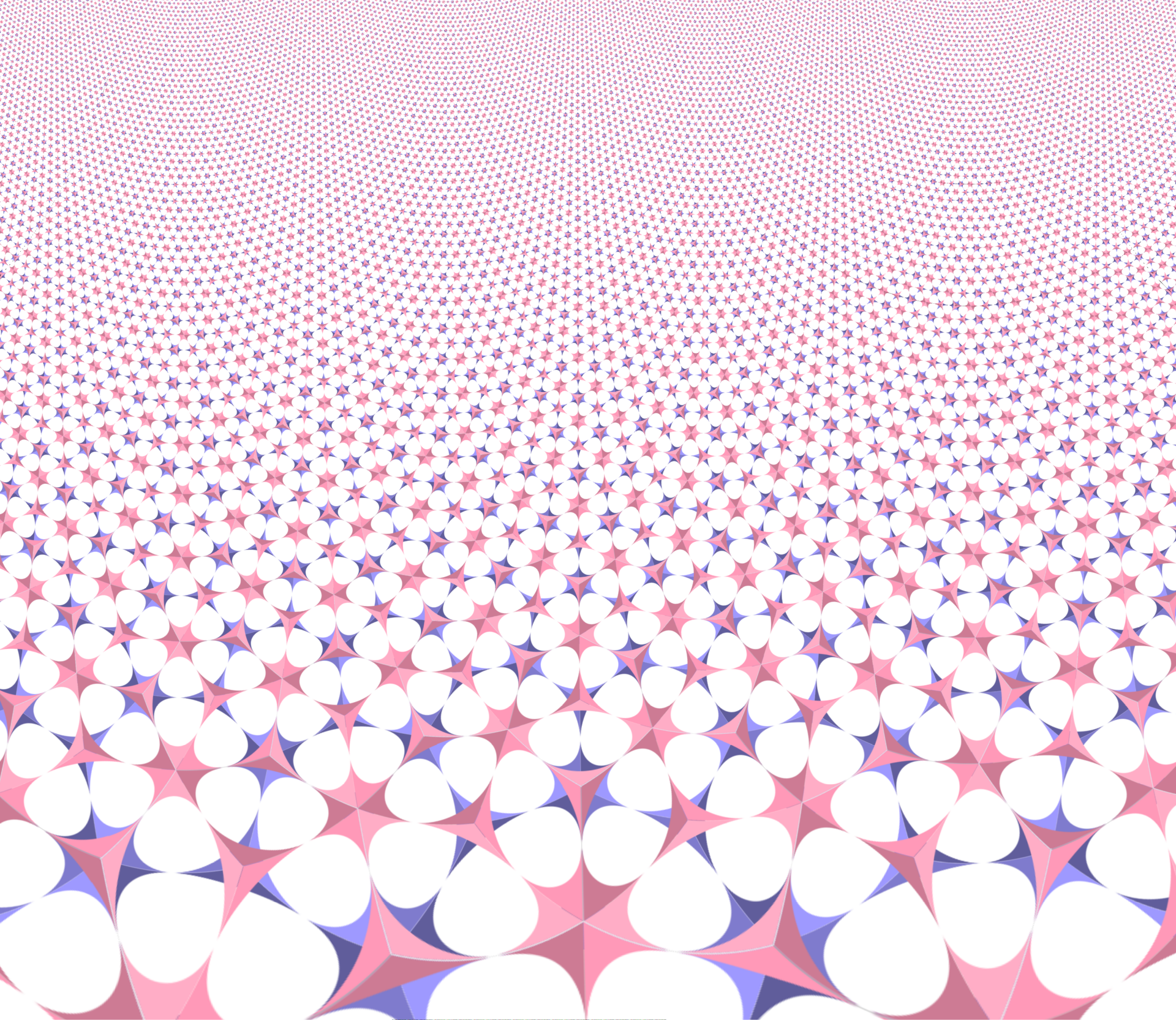
You just had to encourage me to re-open my binge didn't you Tran. lol

Redid the cube (bit more accurate), then voila. It's a PNG with transparency; just wish, when you first click to expand, you would get the gray colored background to validate the transparent background like you use to here. :)


Attachments:
Justhadtoencourageme.png
Justhadtoencourageme.png [ 1.72 MiB | Viewed 2174 times ]

_________________
Lyle

Psalm 109:8

Image
Top
 Post subject: Re: Shape challenge
PostPosted: Wed Jul 01, 2015 8:55 pm  (#40) 
Offline
Script Coder
User avatar

Joined: May 07, 2014
Posts: 4546
Location: Canada
lylejk wrote:
trandoductin wrote:
lylejk wrote:
Yes; surprisingly easy once Tran mentioned the 120º flip idea. Just create the square with punched hole. Rotate 45º. Then do the simple relationship of [H]*Tan(30º)/1 {Tan(45º)=1; technically it should be H/2 not H, but then you have to multiply by 2 to get the new height anyway so it's a wash} for the new scaled height keeping the width the same. Then it's just a matter of rotating left 120º for one side, aligning the edges, mirror flipping for the other side, merge visible, dup, and vertical flip to complete. Then, just a matter of shading the sides. Sorry for my lazy alignment. lol

:)


It's a seamless design, am i gonna see a field of cubes? :hehe


You just had to encourage me to re-open my binge didn't you Tran. lol

Redid the cube (bit more accurate), then voila. It's a PNG with transparency; just wish, when you first click to expand, you would get the gray colored background to validate the transparent background like you use to here. :)

hahaha there's my man!
wait there's white space in your render...I thought i would do one that fills everything with cubes
Image
Image
although, they don't look like cubes anymore. More like stars.

_________________
Image
Visualize your and others dreams coming true.


Top
Post new topic Reply to topic  [ 89 posts ]  Go to page Previous  1, 2, 3, 4, 5  Next

All times are UTC - 5 hours [ DST ]


* Login  


Powered by phpBB3 © phpBB Group