It is currently Mon Jul 27, 2026 5:23 pm


All times are UTC - 5 hours [ DST ]


Post new topic Reply to topic  [ 34 posts ]  Go to page 1, 2  Next
Author Message
 Post subject: [G'MIC] New filter 'Deformations / Drop water'
PostPosted: Fri Jul 17, 2015 2:19 pm  (#1) 
Offline
GimpChat Member
User avatar

Joined: Jan 03, 2011
Posts: 1656
Hello there,

I'm happy to announce a new cool filter in the G'MIC plug-in for GIMP, namely Deformations / Drop water.
As its name suggests it, it tries to render water drops.
I know there is already a script that does this (discussed on Gimpchat : http://gimpchat.com/viewtopic.php?f=9&t=3681),
but this is something I wanted to try with my own approach. At the end, we have yet another technique to simulate water drops,
so that's nice :)
Here are a few screenshots to show how it looks like. As for the script, you can set up a new layer containing the shapes to be transformed
as water drops. I hope you'll enjoy this one !

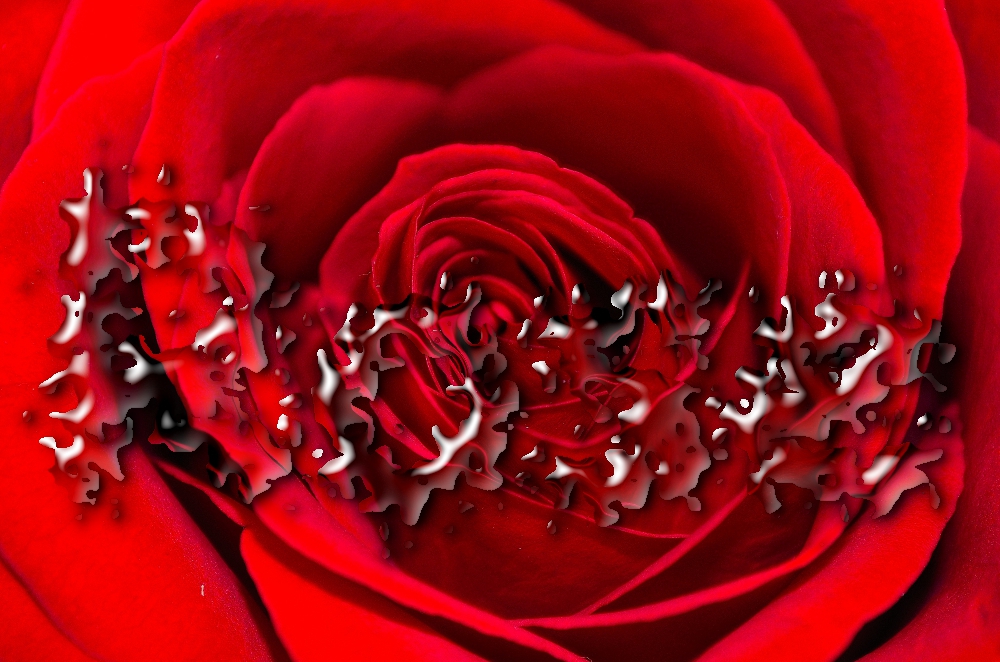
When the procedural mode is selected, this simply adds some random water drops on your image :
Attachment:
gmic_drop_water1.png
gmic_drop_water1.png [ 517.29 KiB | Viewed 6473 times ]


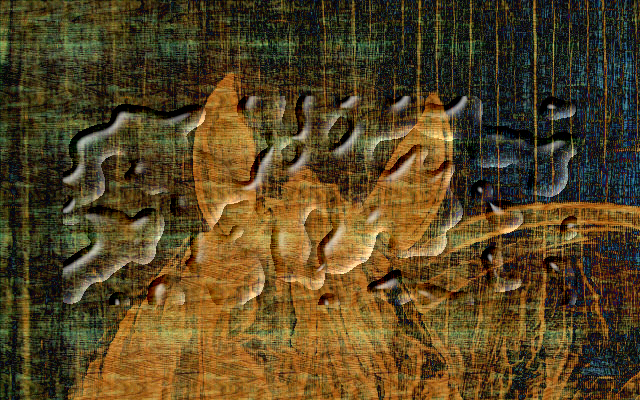
Now, you can also add a new transparent layer and draw opaque shapes in it :
Attachment:
gmic_drop_water2_5.png
gmic_drop_water2_5.png [ 744.39 KiB | Viewed 6473 times ]


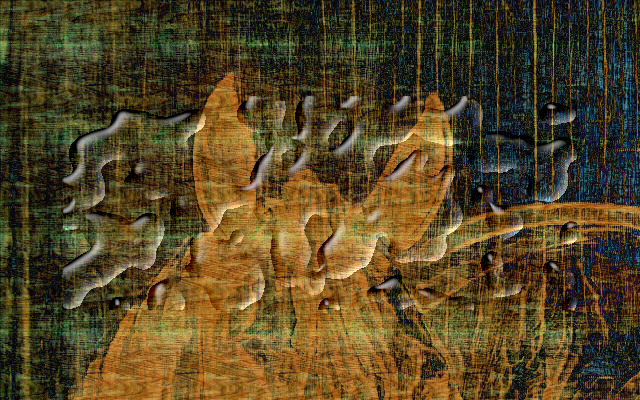
And the filter is able to generate this :
Attachment:
gmic_drop_water3.png
gmic_drop_water3.png [ 864.3 KiB | Viewed 6473 times ]


This is a first version, so I'll probably try to improve it in the future, but this is already a lot of fun !


Share on Facebook Share on Twitter Share on Orkut Share on Digg Share on MySpace Share on Delicious Share on Technorati
Top
 Post subject: Re: [G'MIC] New filter 'Deformations / Drop water'
PostPosted: Fri Jul 17, 2015 2:22 pm  (#2) 
Offline
GimpChat Member
User avatar

Joined: Sep 24, 2010
Posts: 12815
Now that's freaking awesome David. Looks like it even gives you lens distortion effects much like water will do. Cook stuff. :)

_________________
Lyle

Psalm 109:8

Image


Top
 Post subject: Re: [G'MIC] New filter 'Deformations / Drop water'
PostPosted: Fri Jul 17, 2015 2:24 pm  (#3) 
Offline
GimpChat Member
User avatar

Joined: Jan 03, 2011
Posts: 1656
Yes, I've simulated the refraction Lyle :)


Top
 Post subject: Re: [G'MIC] New filter 'Deformations / Drop water'
PostPosted: Fri Jul 17, 2015 3:05 pm  (#4) 
Offline
GimpChat Member
User avatar

Joined: Sep 24, 2010
Posts: 12815
Yeah; the word refraction eluded me earlier. lol

:)

_________________
Lyle

Psalm 109:8

Image


Top
 Post subject: Re: [G'MIC] New filter 'Deformations / Drop water'
PostPosted: Fri Jul 17, 2015 4:01 pm  (#5) 
Offline
GimpChat Member
User avatar

Joined: Nov 16, 2011
Posts: 5127
Location: Metro Vancouver, BC
Thank you for the new script. :bigthup
Here's a quick go.
Image
With multiple leaves a more precise selection on my part would have been better.

_________________
Image
Gimp 2.8.18, Linux, median user
Gimp Chat Tutorials Index
Spirit Bear (Kermode)


Top
 Post subject: Re: [G'MIC] New filter 'Deformations / Drop water'
PostPosted: Fri Jul 17, 2015 4:10 pm  (#6) 
Offline
New Member
User avatar

Joined: Jul 17, 2015
Posts: 3
Can't wait to try it! It looks awesome.....love water effects


Top
 Post subject: Re: [G'MIC] New filter 'Deformations / Drop water'
PostPosted: Fri Jul 17, 2015 4:40 pm  (#7) 
Offline
Retired Staff
User avatar

Joined: May 22, 2008
Posts: 6946
Location: Somewhere in GIMP
I couldn't get a second layer with text to work like yours. Have attached the xcf file of mine.


Attachments:
pink-roses-gmicdrops.xcf [1003.52 KiB]
Downloaded 303 times

_________________
Image
World War IV will be fought with sticks and stones. - Albert Einstein
Top
 Post subject: Re: [G'MIC] New filter 'Deformations / Drop water'
PostPosted: Fri Jul 17, 2015 4:45 pm  (#8) 
Offline
GimpChat Member
User avatar

Joined: Jan 03, 2011
Posts: 1656
It works for me.
You need to select 'Input layers -> All', and 'Shape -> Opaque regions on top layer'.

Attachment:
pink-roses-gmicdrops.png
pink-roses-gmicdrops.png [ 521.98 KiB | Viewed 6360 times ]


Top
 Post subject: Re: [G'MIC] New filter 'Deformations / Drop water'
PostPosted: Fri Jul 17, 2015 5:35 pm  (#9) 
Offline
GimpChat Member

Joined: May 12, 2015
Posts: 4693
I am unable to get Text and water drops together on the image. I get one or the other. How do you get both?


Top
 Post subject: Re: [G'MIC] New filter 'Deformations / Drop water'
PostPosted: Fri Jul 17, 2015 8:50 pm  (#10) 
Offline
Script Coder
User avatar

Joined: Feb 18, 2011
Posts: 4826
Location: Bendigo Vic. Australia
As the author of the Waterdrops script I thought I would test it out, a marvelous filter David
Image

_________________
Image
No matter how much you push the envelope, it'll still be stationery.


Top
 Post subject: Re: [G'MIC] New filter 'Deformations / Drop water'
PostPosted: Fri Jul 17, 2015 9:53 pm  (#11) 
Offline
Script Coder
User avatar

Joined: Feb 18, 2011
Posts: 4826
Location: Bendigo Vic. Australia
Suggestions: would like a distortion setting (text comes out to even), color setting for drops besides opaque (it would be great for blood)
below I've prickled the text like rose thorns
Image

for Blood drops↓ after selecting 'Output as separate layers' I used colorize on the [Gradient layer] and changed It's layermode to Normal
Image

Image

_________________
Image
No matter how much you push the envelope, it'll still be stationery.


Top
 Post subject: Re: [G'MIC] New filter 'Deformations / Drop water'
PostPosted: Sat Jul 18, 2015 1:32 am  (#12) 
Offline
GimpChat Member
User avatar

Joined: Jan 03, 2011
Posts: 1656
Graechan: My idea is to keep the filter simple enough. If you want to deform the text, I guess it's more logical to provide a deformed "shape" layer instead (using the G'MIC filter 'Deformations / Random' for instance). Same for custom colorization. As you said, we can obtain a lot of different liquid styles by playing with the output layer opacities and blending modes.
Maybe I could propose some 'presets' to set those opacities and blending modes automatically for different types of liquids.


Top
 Post subject: Re: [G'MIC] New filter 'Deformations / Drop water'
PostPosted: Sat Jul 18, 2015 1:32 am  (#13) 
Offline
Global Moderator
User avatar

Joined: May 16, 2010
Posts: 16135
Very nice effect David. Thank you for this new filter.

Image

_________________
Image


Top
 Post subject: Re: [G'MIC] New filter 'Deformations / Drop water'
PostPosted: Sat Jul 18, 2015 1:35 am  (#14) 
Offline
Global Moderator
User avatar

Joined: May 16, 2010
Posts: 16135
Dropped the gradient layer a little here.
Image

_________________
Image


Top
 Post subject: Re: [G'MIC] New filter 'Deformations / Drop water'
PostPosted: Sat Jul 18, 2015 2:32 am  (#15) 
Offline
Script Coder
User avatar

Joined: Feb 18, 2011
Posts: 4826
Location: Bendigo Vic. Australia
Ronounours you are correct distortion effects are not hard to add (I was just being lazy)
Image

_________________
Image
No matter how much you push the envelope, it'll still be stationery.


Top
 Post subject: Re: [G'MIC] New filter 'Deformations / Drop water'
PostPosted: Sat Jul 18, 2015 3:32 am  (#16) 
Offline
GimpChat Member
User avatar

Joined: Jan 03, 2011
Posts: 1656
Having fun with it :

Attachment:
malkovich_cold.jpg
malkovich_cold.jpg [ 148.91 KiB | Viewed 3016 times ]


Top
 Post subject: Re: [G'MIC] New filter 'Deformations / Drop water'
PostPosted: Sat Jul 18, 2015 4:03 am  (#17) 
Offline
GimpChat Member
User avatar

Joined: Jan 03, 2011
Posts: 1656
I've just improved the filter, now the refraction layer is output separatly, so you can change its color afterwards (with the 'colorize' tool of GIMP), to easily get colored liquid (blood for instance).

Attachment:
malkovich_blood.jpg
malkovich_blood.jpg [ 176.49 KiB | Viewed 3014 times ]


Top
 Post subject: Re: [G'MIC] New filter 'Deformations / Drop water'
PostPosted: Sat Jul 18, 2015 4:30 am  (#18) 
Offline
Global Moderator
User avatar

Joined: Apr 01, 2012
Posts: 8438
Location: On the other side of your screen
Couldn't find it until I realized I should 'refresh filters' :oops:
Image

_________________
Image
Free Fun Photo Editing & resources
Poems from the Lord
Gimp Newby
Gimp version 3.2.4 and GMIC-Qt 4.2.0 OS :- Windows 10 Home 64


Top
 Post subject: Re: [G'MIC] New filter 'Deformations / Drop water'
PostPosted: Sat Jul 18, 2015 5:10 am  (#19) 
Offline
GimpChat Member
User avatar

Joined: Jan 03, 2011
Posts: 1656
Can't stop playing with this filter. It's really awesome :)


Attachments:
scalett_colorize.jpg
scalett_colorize.jpg [ 333.81 KiB | Viewed 3003 times ]
Top
 Post subject: Re: [G'MIC] New filter 'Deformations / Drop water'
PostPosted: Sat Jul 18, 2015 6:29 am  (#20) 
Offline
Administrator
User avatar

Joined: Aug 10, 2012
Posts: 14136
Location: Native to NYC living in Arizona, Gimp 2.8 - 3.0, Win 11 PC.
Nice addition, thanks. :bigthup

_________________
Image
"A wise man learns more from a foolish question than a fool can learn from a wise answer"
Image


Top
Post new topic Reply to topic  [ 34 posts ]  Go to page 1, 2  Next

All times are UTC - 5 hours [ DST ]


* Login  


Powered by phpBB3 © phpBB Group