It is currently Wed Jul 01, 2026 12:29 pm


All times are UTC - 5 hours [ DST ]


Post new topic Reply to topic  [ 14 posts ] 
Author Message
 Post subject: how to configure wacom tablet to work with Krita
PostPosted: Wed Sep 16, 2015 5:37 pm  (#1) 
Offline
GimpChat Member
User avatar

Joined: Apr 07, 2010
Posts: 14182
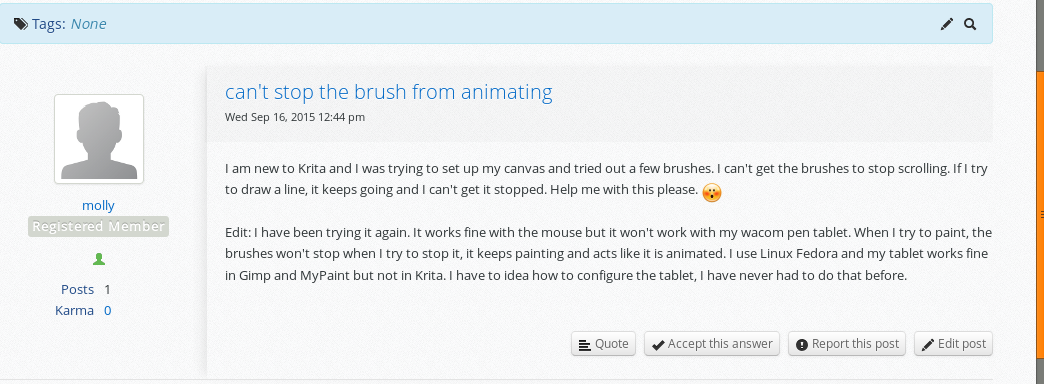
I have a wacom tablet and it works great with Gimp and MyPaint. I downloaded Krita and I can't get it to work there. I have no idea how to configure it for Fedora. Help would be appreciated.
I can use the mouse with Krita but when I switch over to the pen and tablet, the text is all animated. When I try to sketch or draw a line, the line keeps painting or drawing when I take my hand of the pen.

_________________
Image


Share on Facebook Share on Twitter Share on Orkut Share on Digg Share on MySpace Share on Delicious Share on Technorati
Top
 Post subject: Re: how to configure wacom tablet to work with Krita
PostPosted: Thu Sep 17, 2015 5:20 pm  (#2) 
Offline
GimpChat Member
User avatar

Joined: Oct 24, 2014
Posts: 49
You can try this:
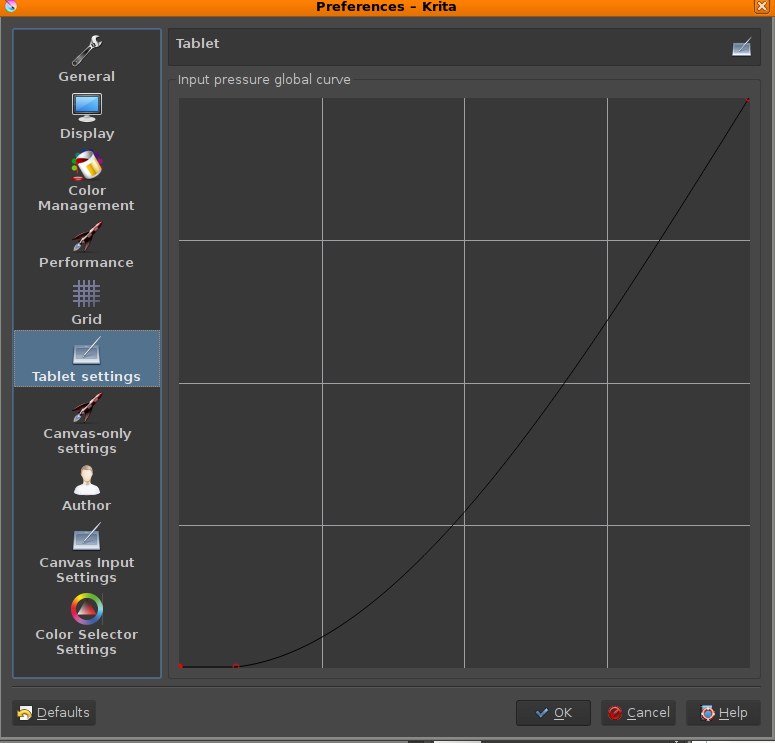
settings->configure krita->tablet settings
Use a curve similar to this one:
Image


Top
 Post subject: Re: how to configure wacom tablet to work with Krita
PostPosted: Thu Sep 17, 2015 5:41 pm  (#3) 
Offline
GimpChat Member
User avatar

Joined: Apr 07, 2010
Posts: 14182
Thank you Corvo. I tried your settings then tried a bunch more after that and nothing has changed. the curser doesn't keep up with the pen and when I let go it keeps on drawing. Is there no instructions anywhere on how to correct this. It works fine in mypaint and gimp. It also works okay when I switch over to Windows instead of Fedora. I don't want to have to do that.
Image

_________________
Image


Top
 Post subject: Re: how to configure wacom tablet to work with Krita
PostPosted: Thu Sep 17, 2015 5:59 pm  (#4) 
Offline
GimpChat Member
User avatar

Joined: Oct 24, 2014
Posts: 49
molly wrote:
the curser doesn't keep up with the pen and when I let go it keeps on drawing.

Do you have pressure sensibility?
If the answer is yes: maybe the stabilizer is on? In this case use "basic smoothing" or "no smoothing" or a low "distance" (look at the tool option docker).
If the answer is no, the only advice that I can give is trying to ask the same question to the developers.
https://forum.kde.org/viewforum.php?f=139

I have a wacom too and if I remember correctly, everything worked fine when I was using fedora :(


Top
 Post subject: Re: how to configure wacom tablet to work with Krita
PostPosted: Thu Sep 17, 2015 6:13 pm  (#5) 
Offline
GimpChat Member
User avatar

Joined: Apr 07, 2010
Posts: 14182
basic smoothing wasn't on the right side so I put it there and it didn't make any difference I then tried moving brush smoothing stabilizer and it didn't change anything either. This so very frustrating when you are new at something and can't figure it out. I could try the developers and see what happens.
I did join that forum yesterday and asked the same question but I didn't get any response from it.
Image

_________________
Image


Top
 Post subject: Re: how to configure wacom tablet to work with Krita
PostPosted: Thu Sep 17, 2015 6:26 pm  (#6) 
Offline
GimpChat Member
User avatar

Joined: Oct 24, 2014
Posts: 49
I see your post under "appearance and system customization", try "krita general help" (the link is in my previous post).


Top
 Post subject: Re: how to configure wacom tablet to work with Krita
PostPosted: Thu Sep 17, 2015 6:30 pm  (#7) 
Offline
GimpChat Member
User avatar

Joined: Apr 07, 2010
Posts: 14182
Ok thanks I will try that

_________________
Image


Top
 Post subject: Re: how to configure wacom tablet to work with Krita
PostPosted: Thu Sep 17, 2015 6:40 pm  (#8) 
Offline
GimpChat Member
User avatar

Joined: Oct 24, 2014
Posts: 49
To not lose time, tell them what you have already tried and your version of fedora and krita.
By the way, I'm using the 2.9.7 version and they recently corrected a lot of bugs; I think that the stable is 2.8.something.
Sorry for my broken English.


Top
 Post subject: Re: how to configure wacom tablet to work with Krita
PostPosted: Thu Sep 17, 2015 6:45 pm  (#9) 
Offline
GimpChat Member
User avatar

Joined: Apr 07, 2010
Posts: 14182
I must have the newest version, I just downloaded it two days ago I have 4.14.9

_________________
Image


Top
 Post subject: Re: how to configure wacom tablet to work with Krita
PostPosted: Thu Sep 17, 2015 6:56 pm  (#10) 
Offline
GimpChat Member
User avatar

Joined: Oct 24, 2014
Posts: 49
Yes, the 2.9.7 was released 2 weeks ago.
Hope that your problem get solved. Sorry that I couldn't help.


Top
 Post subject: Re: how to configure wacom tablet to work with Krita
PostPosted: Thu Sep 17, 2015 7:01 pm  (#11) 
Offline
GimpChat Member
User avatar

Joined: Apr 07, 2010
Posts: 14182
You did help, you sent me to the correct thread, thanks again

_________________
Image


Top
 Post subject: Re: how to configure wacom tablet to work with Krita
PostPosted: Tue Sep 22, 2015 8:11 am  (#12) 
Offline
GimpChat Member
User avatar

Joined: Apr 07, 2010
Posts: 14182
Is there anyone else out there that has Linux and knows how to configure your Wacom for krita? I tried playing around with the graph but no luck so far.

_________________
Image


Top
 Post subject: Re: how to configure wacom tablet to work with Krita
PostPosted: Tue Sep 22, 2015 10:25 am  (#13) 
Offline
GimpChat Member
User avatar

Joined: Nov 16, 2011
Posts: 5127
Location: Metro Vancouver, BC
Have you been to David Revoy's website? This ones about Krita, Calibrating stylus pressure

_________________
Image
Gimp 2.8.18, Linux, median user
Gimp Chat Tutorials Index
Spirit Bear (Kermode)


Top
 Post subject: Re: how to configure wacom tablet to work with Krita
PostPosted: Tue Sep 22, 2015 12:59 pm  (#14) 
Offline
GimpChat Member
User avatar

Joined: Apr 07, 2010
Posts: 14182
No I haven't Odin, I will check it out now. Thank you.

_________________
Image


Top
Post new topic Reply to topic  [ 14 posts ] 

All times are UTC - 5 hours [ DST ]


* Login  


Powered by phpBB3 © phpBB Group