It is currently Fri Jul 31, 2026 4:52 am


All times are UTC - 5 hours [ DST ]


Post new topic Reply to topic  [ 1444 posts ]  Go to page Previous  1 ... 35, 36, 37, 38, 39, 40, 41 ... 73  Next
Author Message
 Post subject: Re: For lovers of photography
PostPosted: Sat Jul 09, 2016 8:47 am  (#741) 
Offline
GimpChat Member
User avatar

Joined: Mar 12, 2016
Posts: 198
Location: Illinois, USA
That is something I'll have to try David. The sky was giving me fits !
I was messing around with the same thing ( the sky ) and was just about to post my latest try when I saw yours.
I made all the enhancements and then as the last step I used Darla's Blue Sky Gradient.
I selected by color the sky and the used the color from the original.
It has adjustments for color gradient top to bottom but I went with just a single color.


Attachments:
IMG_0897_8.JPG
IMG_0897_8.JPG [ 742 KiB | Viewed 1330 times ]

_________________
Image
Top
 Post subject: Re: For lovers of photography
PostPosted: Sat Jul 09, 2016 2:19 pm  (#742) 
Offline
GimpChat Member

Joined: May 12, 2015
Posts: 4693
David: How did you rid of the pole in front of the left upper section of the building?


Top
 Post subject: Re: For lovers of photography
PostPosted: Sat Jul 09, 2016 2:29 pm  (#743) 
Offline
GimpChat Member
User avatar

Joined: Nov 15, 2014
Posts: 875
Pat625,
I used the clone tool. The top part I used the sky next to it as a source. Where it crossed the roof I used the line of the tiles to extend them across the pole. The edge of the roof I cloned sideways across the pole and similarly where the pole was in front of the wall.

All a bit fiddly, but if you zoom in it is not too difficult. One small step at once and if its not quite correct Ctrl Z will undo the damage! (I do that frequently!)

david.


Top
 Post subject: Re: For lovers of photography
PostPosted: Sun Jul 10, 2016 2:22 am  (#744) 
Offline
GimpChat Member
User avatar

Joined: Mar 01, 2014
Posts: 14099
Location: Spain, Aragón
These pictures are around the monastery. :)


Attachments:
IMG_2965.JPG
IMG_2965.JPG [ 1.58 MiB | Viewed 1307 times ]
IMG_2968.JPG
IMG_2968.JPG [ 2.17 MiB | Viewed 1307 times ]

_________________
Image

Gimp 2.10.30(samj) portable _ OS Windows 10 Home_ 64bits
Don’t be afraid to start over. It’s a new chance to rebuild what you want.
Top
 Post subject: Re: For lovers of photography
PostPosted: Sun Jul 10, 2016 3:54 pm  (#745) 
Offline
GimpChat Member
User avatar

Joined: Mar 01, 2014
Posts: 14099
Location: Spain, Aragón
I applied it- tone maping- corrected levels - contrast - luma invert .


Attachments:
IMG_2965-Issa.JPG
IMG_2965-Issa.JPG [ 1.89 MiB | Viewed 1281 times ]

_________________
Image

Gimp 2.10.30(samj) portable _ OS Windows 10 Home_ 64bits
Don’t be afraid to start over. It’s a new chance to rebuild what you want.
Top
 Post subject: Re: For lovers of photography
PostPosted: Sun Jul 10, 2016 6:09 pm  (#746) 
Offline
GimpChat Member
User avatar

Joined: Mar 12, 2016
Posts: 198
Location: Illinois, USA
I've been trying the one with the water off and on most of the day without much luck.
I don't remember all what I did on this try but a mask on the dark part of the water, Beautify Smart Colors and then G'MIC Details Inverse sharpening.
I like yours better Issabella.
The other was mask on DDD for the tree trunk, added contrast and sharpening.


Attachments:
IMG_2968_1.JPG
IMG_2968_1.JPG [ 2.63 MiB | Viewed 1275 times ]
IMG_2965_!.JPG
IMG_2965_!.JPG [ 2.19 MiB | Viewed 1275 times ]

_________________
Image
Top
 Post subject: Re: For lovers of photography
PostPosted: Mon Jul 11, 2016 12:37 am  (#747) 
Offline
GimpChat Member
User avatar

Joined: Jan 20, 2013
Posts: 14831
Location: roma, italy
my try on the "fountain"
- unsharp mask
- duplicate, mode=multiply
- applied a curve on the top layer to adjust effect on dark/light areas

Attachment:
IMG_2965-dn1.JPG
IMG_2965-dn1.JPG [ 1.84 MiB | Viewed 1267 times ]

_________________
"Where am I ?"


Top
 Post subject: Re: For lovers of photography
PostPosted: Mon Jul 11, 2016 12:58 am  (#748) 
Offline
GimpChat Member
User avatar

Joined: Jan 20, 2013
Posts: 14831
Location: roma, italy
...and on the trees

- contrast
- duplicate, desaturate luma, mode Burn
- lights : 95,20,15,1,0.5,Transparent, mode Addition
- duplicate twice
- on the first produced lights later: Colorize 120, 100, 20, set Opacity = 80%

Attachment:
IMG_2968-dn1.JPG
IMG_2968-dn1.JPG [ 2.33 MiB | Viewed 1266 times ]

_________________
"Where am I ?"


Top
 Post subject: Re: For lovers of photography
PostPosted: Mon Jul 11, 2016 1:24 am  (#749) 
Offline
GimpChat Member
User avatar

Joined: Jan 20, 2013
Posts: 14831
Location: roma, italy
another try on the trees
- duplicate
- desaturate average, mode=Multiply
- lights (output new layer) 90, 20, 15, 1, 0.5, Transparent; mode Normal
- colorized the latter as before 120, 100, 20
- added a new transparent layer where applied a gradient radial, mode Softlight

Attachment:
IMG_2968-dn2.JPG
IMG_2968-dn2.JPG [ 2.03 MiB | Viewed 1265 times ]


I like it better

_________________
"Where am I ?"


Top
 Post subject: Re: For lovers of photography
PostPosted: Mon Jul 11, 2016 2:04 am  (#750) 
Offline
Administrator
User avatar

Joined: Aug 10, 2012
Posts: 14142
Location: Native to NYC living in Arizona, Gimp 2.8 - 3.0, Win 11 PC.
dinasset wrote:
another try on the trees
- duplicate
- desaturate average, mode=Multiply
- lights (output new layer) 90, 20, 15, 1, 0.5, Transparent; mode Normal
- colorized the latter as before 120, 100, 20
- added a new transparent layer where applied a gradient radial, mode Softlight

Attachment:
IMG_2968-dn2.JPG


I like it better

Not bad!

What I do is an alpha to color of black on the light-ray layer and a color curve with alpha selected.
Pulling the curve down a bit.
To get my base light-ray layer.

_________________
Image
"A wise man learns more from a foolish question than a fool can learn from a wise answer"
Image


Top
 Post subject: Re: For lovers of photography
PostPosted: Mon Jul 11, 2016 2:16 am  (#751) 
Offline
GimpChat Member
User avatar

Joined: Nov 15, 2014
Posts: 875
dinasset,
I also prefer your second try at the "tree" picture - it is very effective. However, what has caused the slight "banding" in the radial gradient?

Issabella,
My try at your latest photographs. Done late at night, after a busy day, so I may need to have another attempt!

The spring, which I have called "water":
A Luminosity Mask to try to bring more detail out of the water, overall curve to limit the brightest parts and wavelet sharpening. (No smooth areas on either of these pictures to show noise!)

The other picture: I treated the fireplace as the main feature. I used a mask to bring out the textures of the stone (and the tree trunk), slight adjustment to colours, cropped and sharpened.

(Both pictures scaled.)

david.


Attachments:
water.JPG
water.JPG [ 1.03 MiB | Viewed 1397 times ]
fireplace.JPG
fireplace.JPG [ 1.4 MiB | Viewed 1397 times ]
Top
 Post subject: Re: For lovers of photography
PostPosted: Mon Jul 11, 2016 2:26 am  (#752) 
Offline
GimpChat Member
User avatar

Joined: Jan 20, 2013
Posts: 14831
Location: roma, italy
David, the "banding" is wanted, I used a banded gradient (one of those many Mandelburb gradients).
Banding also happens in the light...

edit: banding can be improved by using a different gradient

_________________
"Where am I ?"


Top
 Post subject: Re: For lovers of photography
PostPosted: Mon Jul 11, 2016 12:11 pm  (#753) 
Offline
GimpChat Member
User avatar

Joined: Mar 01, 2014
Posts: 14099
Location: Spain, Aragón
I find your results so beautiful. There is much harmony in all your photos. I have so much to learn. :bigthup :kpix

_________________
Image

Gimp 2.10.30(samj) portable _ OS Windows 10 Home_ 64bits
Don’t be afraid to start over. It’s a new chance to rebuild what you want.


Top
 Post subject: Re: For lovers of photography
PostPosted: Tue Jul 12, 2016 3:24 am  (#754) 
Offline
GimpChat Member
User avatar

Joined: Nov 15, 2014
Posts: 875
Issabella,
You also produce beautiful results and we all have much to learn.

I decided to have another try at one of the photographs, but this time make the tree the star of the show!
Much playing with masks, blur, gradients, colours.........

david.


Attachments:
tree.jpg
tree.jpg [ 1.28 MiB | Viewed 1339 times ]
Top
 Post subject: Re: For lovers of photography
PostPosted: Tue Jul 12, 2016 3:56 am  (#755) 
Offline
GimpChat Member
User avatar

Joined: Mar 01, 2014
Posts: 14099
Location: Spain, Aragón
Thank you so much David. :hi5
The tree is really beautiful in your outcome. :)

_________________
Image

Gimp 2.10.30(samj) portable _ OS Windows 10 Home_ 64bits
Don’t be afraid to start over. It’s a new chance to rebuild what you want.


Top
 Post subject: Re: For lovers of photography
PostPosted: Thu Jul 14, 2016 2:59 pm  (#756) 
Offline
GimpChat Member
User avatar

Joined: Mar 01, 2014
Posts: 14099
Location: Spain, Aragón
I post these photos so that you all can play on them.


Attachments:
IMG_8936.JPG
IMG_8936.JPG [ 252.79 KiB | Viewed 1294 times ]
IMG_8825.JPG
IMG_8825.JPG [ 212.35 KiB | Viewed 1294 times ]

_________________
Image

Gimp 2.10.30(samj) portable _ OS Windows 10 Home_ 64bits
Don’t be afraid to start over. It’s a new chance to rebuild what you want.
Top
 Post subject: Re: For lovers of photography
PostPosted: Thu Jul 14, 2016 7:25 pm  (#757) 
Offline
GimpChat Member
User avatar

Joined: Nov 16, 2011
Posts: 5127
Location: Metro Vancouver, BC
Image

_________________
Image
Gimp 2.8.18, Linux, median user
Gimp Chat Tutorials Index
Spirit Bear (Kermode)


Top
 Post subject: Re: For lovers of photography
PostPosted: Fri Jul 15, 2016 1:14 am  (#758) 
Offline
GimpChat Member
User avatar

Joined: Mar 01, 2014
Posts: 14099
Location: Spain, Aragón
Thanks Odin, beautiful colours in your effect. I like it. :)

_________________
Image

Gimp 2.10.30(samj) portable _ OS Windows 10 Home_ 64bits
Don’t be afraid to start over. It’s a new chance to rebuild what you want.


Top
 Post subject: Re: For lovers of photography
PostPosted: Fri Jul 15, 2016 2:37 am  (#759) 
Offline
GimpChat Member
User avatar

Joined: Nov 15, 2014
Posts: 875
Harbour photograph: I drew a mask so that I could bring out the reflections in the water - fairly hard edge by quay and rocks, very diffuse where it had to blend into the water.
Mask DD to lighten the darkest parts of the image. A little cleaning up (scaffolding etc.) Cropped to move the horizon above centre. Slight increase in saturation.
Probably increased noise, but sharpened to bring out detail in buildings and stone.

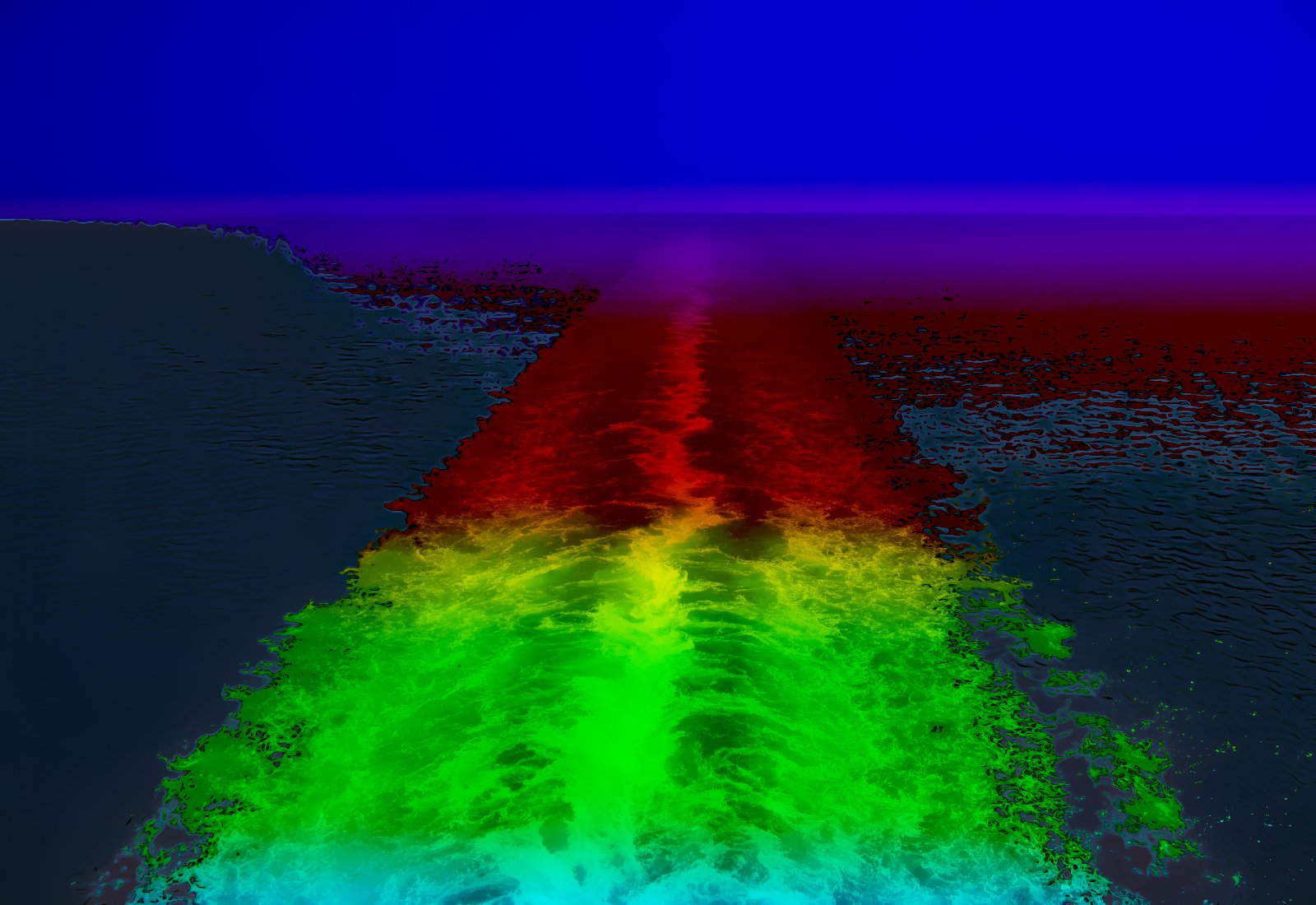
The ships wake: I decided to be silly!

david.


Attachments:
harbour.jpg
harbour.jpg [ 505.63 KiB | Viewed 1266 times ]
moonlight.JPG
moonlight.JPG [ 283.01 KiB | Viewed 1266 times ]
Top
 Post subject: Re: For lovers of photography
PostPosted: Fri Jul 15, 2016 2:41 am  (#760) 
Offline
GimpChat Member
User avatar

Joined: Jan 20, 2013
Posts: 14831
Location: roma, italy
just to do something a bit different
-playing with curves

Attachment:
IMG_8825-met15col.JPG
IMG_8825-met15col.JPG [ 391.07 KiB | Viewed 1263 times ]

_________________
"Where am I ?"


Top
Post new topic Reply to topic  [ 1444 posts ]  Go to page Previous  1 ... 35, 36, 37, 38, 39, 40, 41 ... 73  Next

All times are UTC - 5 hours [ DST ]


* Login  


Powered by phpBB3 © phpBB Group