It is currently Sun Aug 23, 2026 11:14 pm


All times are UTC - 5 hours [ DST ]


Post new topic Reply to topic  [ 178 posts ]  Go to page Previous  1 ... 5, 6, 7, 8, 9  Next
Author Message
 Post subject: Re: Lion Photo Manip
PostPosted: Fri Sep 11, 2015 8:39 pm  (#141) 
Offline
Administrator
User avatar

Joined: Aug 10, 2012
Posts: 14168
Location: Native to NYC living in Arizona, Gimp 2.8 - 3.0, Win 11 PC.
The Warrior wrote:
Good thing, it still won't upload for whatever reason.

Maybe the file is too large?
I think the limit is 5.24 megabytes...

_________________
Image
"A wise man learns more from a foolish question than a fool can learn from a wise answer"
Image


Top
 Post subject: Re: Lion Photo Manip
PostPosted: Fri Sep 11, 2015 9:55 pm  (#142) 
Offline
GimpChat Member
User avatar

Joined: Jun 02, 2013
Posts: 2090
Wallace wrote:
The Warrior wrote:
Good thing, it still won't upload for whatever reason.

Maybe the file is too large?
I think the limit is 5.24 megabytes...

Yup, that's what it is.

Image

_________________
Image


Top
 Post subject: Re: Lion Photo Manip
PostPosted: Fri Sep 11, 2015 10:03 pm  (#143) 
Offline
Administrator
User avatar

Joined: Aug 10, 2012
Posts: 14168
Location: Native to NYC living in Arizona, Gimp 2.8 - 3.0, Win 11 PC.
The Warrior wrote:
Yup, that's what it is.
[ Image ]

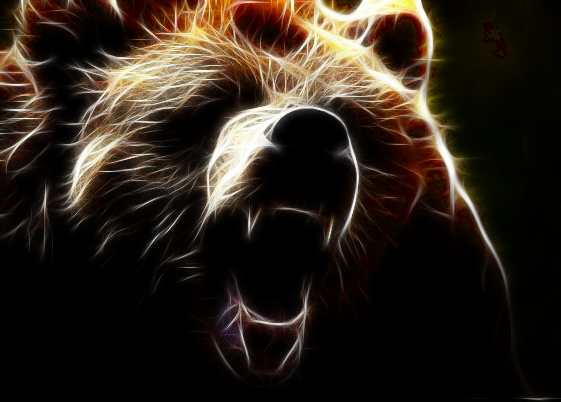
I thought as much. Nice bear. :bigthup

_________________
Image
"A wise man learns more from a foolish question than a fool can learn from a wise answer"
Image


Top
 Post subject: Re: Lion Photo Manip
PostPosted: Sun Sep 13, 2015 9:52 pm  (#144) 
Offline
GimpChat Member
User avatar

Joined: Jun 02, 2013
Posts: 2090
Image

_________________
Image


Top
 Post subject: Re: Lion Photo Manip
PostPosted: Mon Sep 14, 2015 7:38 am  (#145) 
Offline
GimpChat Member
User avatar

Joined: Aug 16, 2012
Posts: 4271
Location: Göteborg, Sweden
the warrior: very nice work on the eagle! but imo the effect looks a little bit washed out - maybe because of how the flag was put into the composition. i

_________________


Top
 Post subject: Re: Lion Photo Manip
PostPosted: Mon Sep 14, 2015 2:31 pm  (#146) 
Offline
GimpChat Member
User avatar

Joined: Jun 02, 2013
Posts: 2090
AnMal wrote:
the warrior: very nice work on the eagle! but imo the effect looks a little bit washed out - maybe because of how the flag was put into the composition. i

Thanks. I purposely made it that way. The flag in the background has color, yet I left it dark. I wanted it faded on the eagle, as colorful detracted from the eagle itself.

_________________
Image


Top
 Post subject: Re: Lion Photo Manip
PostPosted: Wed Jul 20, 2016 2:04 pm  (#147) 
Offline
GimpChat Member
User avatar

Joined: Jun 30, 2016
Posts: 16
Love me some Rodilius


Attachments:
Eagle 1.jpg
Eagle 1.jpg [ 276.92 KiB | Viewed 4646 times ]
Top
 Post subject: Re: Lion Photo Manip
PostPosted: Wed Jul 20, 2016 2:26 pm  (#148) 
Offline
Administrator
User avatar

Joined: Aug 10, 2012
Posts: 14168
Location: Native to NYC living in Arizona, Gimp 2.8 - 3.0, Win 11 PC.
AKMusician wrote:
Love me some Rodilius

Cool looking Eagle!
:jumpclap

_________________
Image
"A wise man learns more from a foolish question than a fool can learn from a wise answer"
Image


Top
 Post subject: Re: Lion Photo Manip
PostPosted: Wed Jul 20, 2016 3:45 pm  (#149) 
Offline
GimpChat Member
User avatar

Joined: Apr 08, 2010
Posts: 5420
Location: Northwest Ohio
Beautiful eagle, AK!


Top
 Post subject: Re: Lion Photo Manip
PostPosted: Wed Jul 20, 2016 5:53 pm  (#150) 
Offline
GimpChat Member

Joined: Jul 17, 2016
Posts: 293
Location: Arlington, TX
The rodilius pics I've attempted do not come out anything like what I see here. Is there some prep work to do on the picture before running rodilius? I mean, should the background be black, or should there be something about the color or resolution of the picture? Or maybe I just don't have the settings right.

_________________
Just a short while ago I was a complete idiot when it comes to GIMP. Today, after many hours of practice, reading, and watching tutorials, I am proud to say I am an incomplete idiot.

Image


Top
 Post subject: Re: Lion Photo Manip
PostPosted: Wed Jul 20, 2016 6:09 pm  (#151) 
Offline
GimpChat Member
User avatar

Joined: Jun 30, 2016
Posts: 16
It's important to keep in mind that The Warrior is using Fractalius, a PAID plug-in only available for Adobe Photoshop.

There is, in fact, lots of prep-work that goes into creating ones like these.

Here's my xcf so you can see some of my steps.

I used some filters like tone mapping, freaky details, levels. Then I played around the setting in rodilius until I found a pleasing result. I think I ran freaky detail on the rodiliusified layer again, too


Attachments:
Eagle 1.xcf [5.41 MiB]
Downloaded 154 times
Top
 Post subject: Re: Lion Photo Manip
PostPosted: Wed Jul 20, 2016 6:19 pm  (#152) 
Offline
GimpChat Member
User avatar

Joined: Jun 02, 2013
Posts: 2090
AKMusician wrote:
It's important to keep in mind that The Warrior is using Fractalius, a PAID plug-in only available for Adobe Photoshop.

There is, in fact, lots of prep-work that goes into creating ones like these.

Here's my xcf so you can see some of my steps.

I used some filters like tone mapping, freaky details, levels. Then I played around the setting in rodilius until I found a pleasing result. I think I ran freaky detail on the rodiliusified layer again, too

Don't really come here anymore, but noticed this bumped up. Fractalius is a paid plug in for P/S. I looked real hard, and didn't pay a dime for it. Nice work on the eagle, btw. Very cool.

_________________
Image


Top
 Post subject: Re: Lion Photo Manip
PostPosted: Wed Jul 20, 2016 7:12 pm  (#153) 
Offline
GimpChat Member
User avatar

Joined: Jun 30, 2016
Posts: 16
Where're you going these days for all your gimp related chatting needs?


Top
 Post subject: Re: Lion Photo Manip
PostPosted: Wed Jul 20, 2016 7:47 pm  (#154) 
Offline
Administrator
User avatar

Joined: Aug 10, 2012
Posts: 14168
Location: Native to NYC living in Arizona, Gimp 2.8 - 3.0, Win 11 PC.
@ AKMusician

I have the of Fractalius Demo Version in Gimp, but it applies a watermark.
The larger the image the more watermarks.
Also the pspi plug-in needs to be installed and configured to run any photoshop plug-ins.

Would you like me to post the plug-in?

_________________
Image
"A wise man learns more from a foolish question than a fool can learn from a wise answer"
Image


Top
 Post subject: Re: Lion Photo Manip
PostPosted: Wed Jul 20, 2016 7:56 pm  (#155) 
Offline
GimpChat Member
User avatar

Joined: Jun 30, 2016
Posts: 16
Not needed. I have Photoshop CC.

Thanks, though.


Top
 Post subject: Re: Lion Photo Manip
PostPosted: Wed Jul 20, 2016 8:18 pm  (#156) 
Offline
Administrator
User avatar

Joined: Aug 10, 2012
Posts: 14168
Location: Native to NYC living in Arizona, Gimp 2.8 - 3.0, Win 11 PC.
AKMusician wrote:
Not needed. I have Photoshop CC.

Thanks, though.

:bigthup

_________________
Image
"A wise man learns more from a foolish question than a fool can learn from a wise answer"
Image


Top
 Post subject: Re: Lion Photo Manip
PostPosted: Thu Jul 21, 2016 9:58 am  (#157) 
Offline
GimpChat Member

Joined: Jul 17, 2016
Posts: 293
Location: Arlington, TX
AKMusician wrote:
It's important to keep in mind that The Warrior is using Fractalius, a PAID plug-in only available for Adobe Photoshop.

There is, in fact, lots of prep-work that goes into creating ones like these.

Here's my xcf so you can see some of my steps.

I used some filters like tone mapping, freaky details, levels. Then I played around the setting in rodilius until I found a pleasing result. I think I ran freaky detail on the rodiliusified layer again, too

So the basic idea is to whittle the original picture down to the more coarse colors and details. Then the rodilius makes those come to life. Correct? The xcf was definitely interesting. I'm going to revisit a couple of my attempts to see if I can't improve them. Thanks.

_________________
Just a short while ago I was a complete idiot when it comes to GIMP. Today, after many hours of practice, reading, and watching tutorials, I am proud to say I am an incomplete idiot.

Image


Top
 Post subject: Re: Lion Photo Manip
PostPosted: Mon Jul 25, 2016 12:59 pm  (#158) 
Offline
GimpChat Member
User avatar

Joined: Jun 02, 2013
Posts: 2090
AKMusician wrote:
Where're you going these days for all your gimp related chatting needs?

I really don't go anywhere for it. I liked this site, but in my opinion, it has become redundant. Same 'ol stuff over, and over, and over. Don't see near as much creativity anymore. Also, liked it better when Gnu Tux was still here.

_________________
Image


Top
 Post subject: Re: Lion Photo Manip
PostPosted: Mon Jul 25, 2016 1:30 pm  (#159) 
Offline
GimpChat Member
User avatar

Joined: Jan 20, 2013
Posts: 14831
Location: roma, italy
is this also "old stuff"?

Attachment:
lion2 (pointillistic)-b.jpg
lion2 (pointillistic)-b.jpg [ 3.27 MiB | Viewed 4534 times ]

_________________
"Where am I ?"


Top
 Post subject: Re: Lion Photo Manip
PostPosted: Mon Jul 25, 2016 6:14 pm  (#160) 
Offline
GimpChat Member

Joined: May 12, 2015
Posts: 4693
I hope this still isn't only for lions. This was orig. titled Lone tree in a Lake.
Attachment:
Fractalius Lone Tree in Lake.jpg
Fractalius Lone Tree in Lake.jpg [ 3.18 MiB | Viewed 4524 times ]


Top
Post new topic Reply to topic  [ 178 posts ]  Go to page Previous  1 ... 5, 6, 7, 8, 9  Next

All times are UTC - 5 hours [ DST ]


* Login  


Powered by phpBB3 © phpBB Group