It is currently Fri Jul 31, 2026 4:16 am


All times are UTC - 5 hours [ DST ]


Post new topic Reply to topic  [ 44 posts ]  Go to page Previous  1, 2, 3  Next
Author Message
 Post subject: Re: Creating svg gradients for Gimp
PostPosted: Tue Sep 20, 2016 8:00 am  (#21) 
Offline
Global Moderator
User avatar

Joined: May 16, 2010
Posts: 16139
I wonder if someone using GIMP-2.8.14 could try it? Or even earlier versions.
Gradient file attached.

Attachment:
RD_myWhiteToBlueFireGrad.zip [335 Bytes]
Downloaded 242 times

_________________
Image


Top
 Post subject: Re: Creating svg gradients for Gimp
PostPosted: Tue Sep 20, 2016 8:03 am  (#22) 
Offline
GimpChat Member

Joined: Sep 20, 2016
Posts: 293
Thanks for clearing that up !
Glad its not a problem on my side.

Im afraid i dont know how to make a bug report.


Top
 Post subject: Re: Creating svg gradients for Gimp
PostPosted: Tue Sep 20, 2016 8:08 am  (#23) 
Offline
Global Moderator
User avatar

Joined: May 16, 2010
Posts: 16139
Konstantin wrote:
Thanks for clearing that up !
Glad its not a problem on my side.

Im afraid i dont know how to make a bug report.


http://www.gimp.org/bugs/

I will take care of it for you.

_________________
Image


Top
 Post subject: Re: Creating svg gradients for Gimp
PostPosted: Tue Sep 20, 2016 8:15 am  (#24) 
Offline
Global Moderator
User avatar

Joined: May 16, 2010
Posts: 16139
Bug was already reported.
https://bugzilla.gnome.org/show_bug.cgi?id=371925

_________________
Image


Top
 Post subject: Re: Creating svg gradients for Gimp
PostPosted: Tue Sep 20, 2016 8:20 am  (#25) 
Offline
Global Moderator
User avatar

Joined: May 16, 2010
Posts: 16139
I resubmitted as it was closed as incomplete.

Windows 10 64 bit / GIMP-2.8.16 64 bit

SVG gradients not working in GIMP-2.8.16 same problem. A black tile shows in the dialog.
I created my own here
<defs>
<linearGradient id="myWhiteToBlueFireGrad" x1="0%" y1="0%" x2="100%" y2="0%">
<stop offset="0%" style="stop-color:rgb(255,255,255);
stop-opacity:1"/>
<stop offset="25%" style="stop-color:rgb(255,240,0);
stop-opacity:1"/>
<stop offset="50%" style="stop-color:rgb(245,125,0);
stop-opacity:1"/>
<stop offset="75%" style="stop-color:rgb(255,0,0);
stop-opacity:1"/>
<stop offset="100%" style="stop-color:rgb(0,10,195);
stop-opacity:1"/>
</linearGradient>
</defs>

Saved in my /.gimp-2.8/gradients folder as RD_myWhiteToBlueGradient.svg

Expected a white to blue linear gradient.

Results - A black tile.

_________________
Image


Top
 Post subject: Re: Creating svg gradients for Gimp
PostPosted: Tue Sep 20, 2016 8:25 am  (#26) 
Offline
Global Moderator
User avatar

Joined: May 16, 2010
Posts: 16139
I am going to try and create and save a gradient file from InKscape and see if they are different code wise.

_________________
Image


Top
 Post subject: Re: Creating svg gradients for Gimp
PostPosted: Tue Sep 20, 2016 8:50 am  (#27) 
Offline
Global Moderator
User avatar

Joined: May 16, 2010
Posts: 16139
Been a while since i've done this. Isn't there a way to save a gradient in Inkscape?

_________________
Image


Top
 Post subject: Re: Creating svg gradients for Gimp
PostPosted: Tue Sep 20, 2016 9:08 am  (#28) 
Offline
GimpChat Member
User avatar

Joined: Oct 06, 2010
Posts: 4050
capnhud wrote:
:) Yes you would need inkscape installed. But since it works on windows and linux ( not sure about mac) it complements gimp


Inkscape works on Mac using XQuartz. Just putting that out there.

https://inkscape.org/en/download/mac-os/

_________________
"In order to attain the impossible, one must attempt the absurd."
~ Miguel de Cervantes


Top
 Post subject: Re: Creating svg gradients for Gimp
PostPosted: Tue Sep 20, 2016 9:25 am  (#29) 
Offline
Global Moderator
User avatar

Joined: May 16, 2010
Posts: 16139
Figured it out.

The gradient syntax is different now.

    <defs>
      <linearGradient id="MyGradient">
        <stop offset="5%" stop-color="#F60" />
        <stop offset="95%" stop-color="#FF6" />
      </linearGradient>
    </defs>


So This
<defs>
<linearGradient id="myWhiteToBlueFireGrad" x1="0%" y1="0%" x2="100%" y2="0%">
<stop offset="0%" style="stop-color:rgb(255,255,255);
stop-opacity:1"/>
<stop offset="25%" style="stop-color:rgb(255,240,0);
stop-opacity:1"/>
<stop offset="50%" style="stop-color:rgb(245,125,0);
stop-opacity:1"/>
<stop offset="75%" style="stop-color:rgb(255,0,0);
stop-opacity:1"/>
<stop offset="100%" style="stop-color:rgb(0,10,195);
stop-opacity:1"/>
</linearGradient>
</defs>


Reverts to this
<defs>
<linearGradient id="myWhiteToBlueFireGrad">
<stop offset="5%" stop-color="#FFFFFF" />
<stop offset="25%" stop-color="#fff000" />
<stop offset="50%" stop-color="#f57d00" />
<stop offset="75%" stop-color="#ff0000" />
<stop offset="100%" stop-color="#000ac3" />
</linearGradient>
</defs>


Image

Much simpler code also. :) :bigthup

_________________
Image


Top
 Post subject: Re: Creating svg gradients for Gimp
PostPosted: Tue Sep 20, 2016 9:57 am  (#30) 
Offline
Global Moderator
User avatar

Joined: May 16, 2010
Posts: 16139
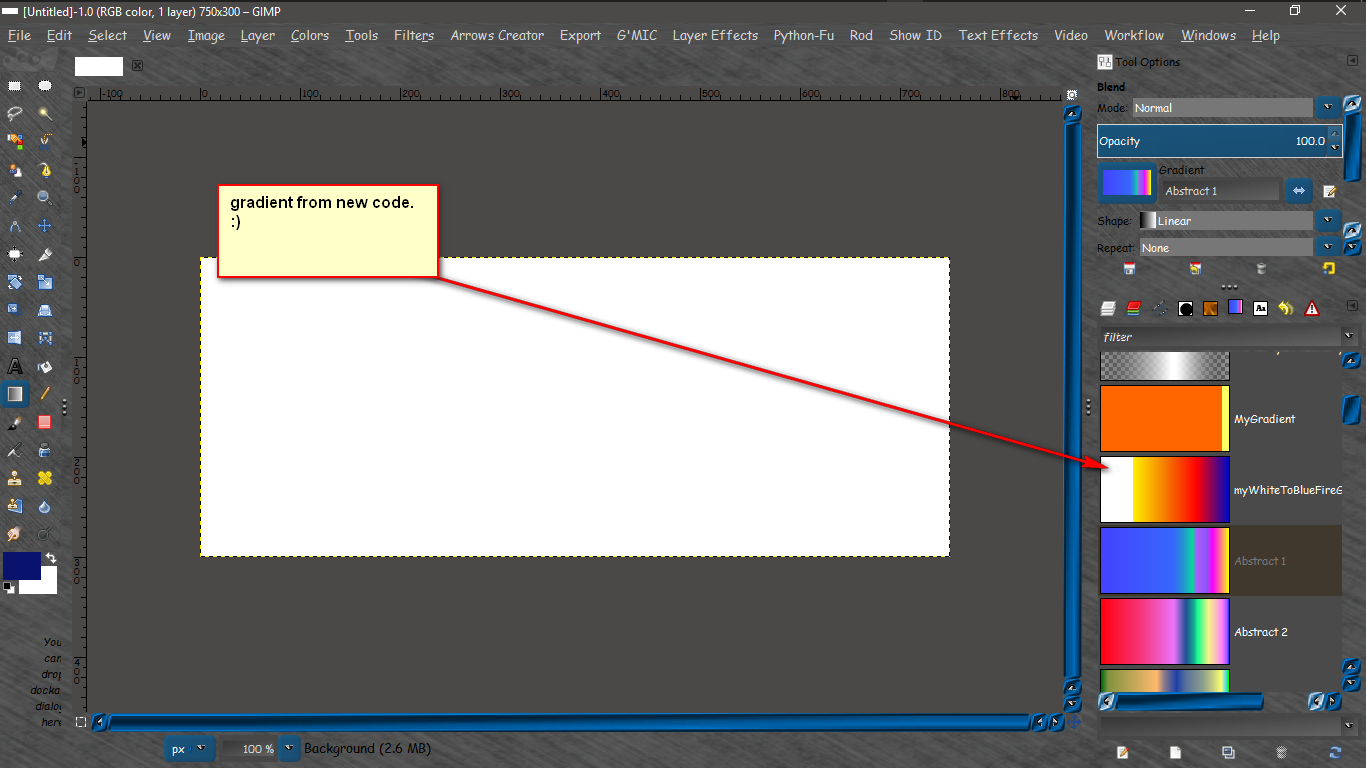
But i found that the white is really sharp using those percentages so i went with this instead.

<defs>
<linearGradient id="myWhiteToBlueFireGrad">
<stop offset="0%" stop-color="#ffffff" />
<stop offset="10%" stop-color="#fff000" />
<stop offset="25%" stop-color="#fff000" />
<stop offset="75%" stop-color="#ff0000" />
<stop offset="100%" stop-color="#000ac3" />
</linearGradient>
</defs>


Results
Image

_________________
Image


Top
 Post subject: Re: Creating svg gradients for Gimp
PostPosted: Tue Sep 20, 2016 10:00 am  (#31) 
Offline
Global Moderator
User avatar

Joined: May 16, 2010
Posts: 16139
Oh by the way i submitted this to the bug thread so they can close it for good. :)

_________________
Image


Top
 Post subject: Re: Creating svg gradients for Gimp
PostPosted: Tue Sep 20, 2016 10:05 am  (#32) 
Offline
Global Moderator
User avatar

Joined: May 16, 2010
Posts: 16139
Tested in GIMP-2.9.5 and it works great there too. :) I love the on canvas gradient editing. :bigthup

Image

_________________
Image


Top
 Post subject: Re: Creating svg gradients for Gimp
PostPosted: Tue Sep 20, 2016 11:45 am  (#33) 
Offline
Global Moderator
User avatar

Joined: May 16, 2010
Posts: 16139
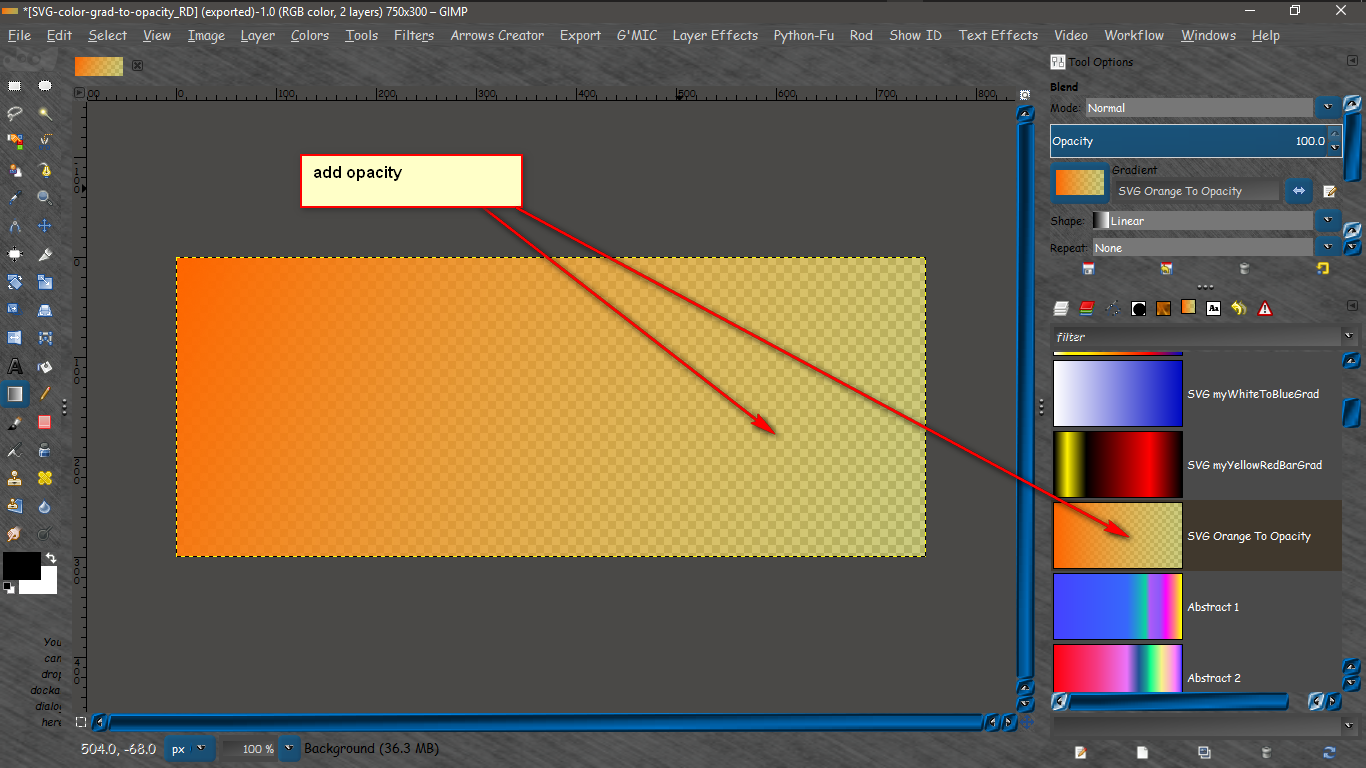
And an orange to opacity % SVG gradient.

    <defs>
      <linearGradient id="SVG Orange To Opacity">
        <stop offset="0%" stop-color="#F60" />
        <stop offset="100%" stop-color="#FF6" stop-opacity="0.50" />
      </linearGradient>
    </defs>


Results

Image
And for full transparency on one side.
    <defs>
      <linearGradient id="SVG Orange To Opacity">
        <stop offset="0%" stop-color="#F60" />
        <stop offset="100%" stop-color="#FF6" stop-opacity="0.0" />
      </linearGradient>
    </defs>


Image

_________________
Image


Top
 Post subject: Re: Creating svg gradients for Gimp
PostPosted: Tue Sep 20, 2016 11:50 am  (#34) 
Offline
Global Moderator
User avatar

Joined: May 16, 2010
Posts: 16139
Experiment with the adding of points and opacities within those points. You can get bars by using this one.

<defs>
<linearGradient id="SVG myYellowRedBarGrad">
<stop offset="0%" stop-color="#ffffff stop-opacity=50" />
<stop offset="10%" stop-color="#fff000" />
<stop offset="25%" stop-color="#fff000 stop-opacity=50" />
<stop offset="75%" stop-color="#ff0000" />
<stop offset="100%" stop-color="#000ac3 stop-opacity=50" />
</linearGradient>
</defs>


Results
Image

_________________
Image


Top
 Post subject: Re: Creating svg gradients for Gimp
PostPosted: Tue Sep 20, 2016 11:54 am  (#35) 
Offline
Global Moderator
User avatar

Joined: May 16, 2010
Posts: 16139
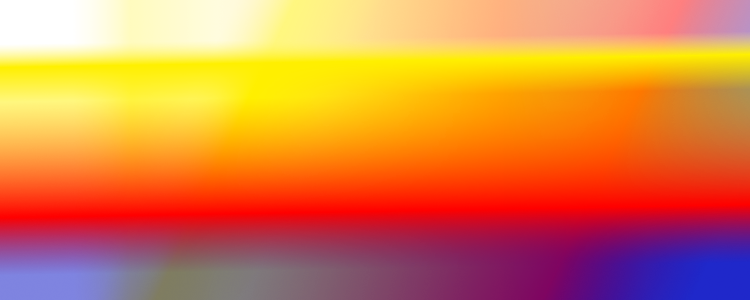
This one adds actual transparent areas between colors.
<defs>
<linearGradient id="SVG myYellowRedBarGrad">
<stop offset="0%" stop-color="#ffffff" stop-opacity="0.50" />
<stop offset="10%" stop-color="#fff000" />
<stop offset="25%" stop-color="#fff000" stop-opacity="0.50" />
<stop offset="75%" stop-color="#ff0000" />
<stop offset="100%" stop-color="#000ac3" stop-opacity="0.50" />
</linearGradient>
</defs>


Results

Image

_________________
Image


Top
 Post subject: Re: Creating svg gradients for Gimp
PostPosted: Tue Sep 20, 2016 12:37 pm  (#36) 
Offline
GimpChat Member

Joined: Sep 20, 2016
Posts: 293
Good Job !
This will be very useful.


Top
 Post subject: Re: Creating svg gradients for Gimp
PostPosted: Tue Sep 20, 2016 5:53 pm  (#37) 
Offline
Script Coder
User avatar

Joined: May 07, 2014
Posts: 4526
Location: Canada
You guys might want to check out this .py script which exposes 3 functions to work with svg gradients for Gimp.
Click on this link

_________________
TinT


Top
 Post subject: Re: Creating svg gradients for Gimp
PostPosted: Tue Sep 20, 2016 11:37 pm  (#38) 
Offline
GimpChat Member

Joined: May 12, 2015
Posts: 4693
Please excuse my lack of knowledge. Are the .svg gradients better than the regular .ggr gradients?


Top
 Post subject: Re: Creating svg gradients for Gimp
PostPosted: Wed Sep 21, 2016 12:20 am  (#39) 
Offline
GimpChat Member
User avatar

Joined: Jan 20, 2013
Posts: 14831
Location: roma, italy
I guess the benefit is the possibility to edit it in an easier way (especially with Tin's filter), I don't know about better quality

_________________
"Where am I ?"


Top
 Post subject: Re: Creating svg gradients for Gimp
PostPosted: Wed Sep 21, 2016 1:58 am  (#40) 
Offline
Global Moderator
User avatar

Joined: May 16, 2010
Posts: 16139
Pat625 wrote:
Please excuse my lack of knowledge. Are the .svg gradients better than the regular .ggr gradients?

It has always seemed tedious working with GIMPs gradient manager. In my honest opinion these are easier to create. Quality is about the same.
Thanks for the link Tran.

_________________
Image


Top
Post new topic Reply to topic  [ 44 posts ]  Go to page Previous  1, 2, 3  Next

All times are UTC - 5 hours [ DST ]


* Login  


Powered by phpBB3 © phpBB Group