It is currently Thu Jul 30, 2026 10:21 am


All times are UTC - 5 hours [ DST ]


Post new topic Reply to topic  [ 144 posts ]  Go to page Previous  1, 2, 3, 4, 5, 6 ... 8  Next
Author Message
 Post subject: Re: Gimp Splash Screens
PostPosted: Sat Oct 08, 2016 5:55 pm  (#41) 
Offline
GimpChat Member
User avatar

Joined: Mar 16, 2015
Posts: 613
Location: On Earth,specifically Queensland,Australia
Wallace, I think it's just right,personally.

_________________
Image


Last edited by Kimba on Sat Oct 08, 2016 10:26 pm, edited 1 time in total.

Top
 Post subject: Re: Gimp Splash Screens
PostPosted: Sat Oct 08, 2016 7:53 pm  (#42) 
Offline
GimpChat Member

Joined: May 12, 2015
Posts: 4693
I agree with Kimba.


Top
 Post subject: Re: Gimp Splash Screens
PostPosted: Sat Oct 08, 2016 9:37 pm  (#43) 
Offline
GimpChat Member
User avatar

Joined: Mar 13, 2016
Posts: 83
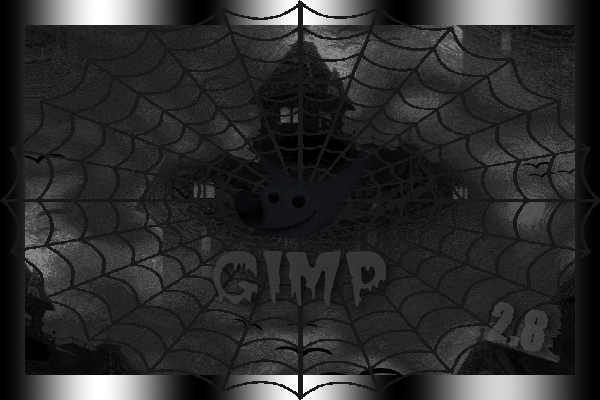
A few splashes for Halloween! :)

ImageImageImageImageImage


Attachment:
Halloween_Splash_1-5_2.8.zip [2.09 MiB]
Downloaded 303 times

_________________
Image


Top
 Post subject: Re: Gimp Splash Screens
PostPosted: Sun Oct 09, 2016 2:04 am  (#44) 
Offline
Administrator
User avatar

Joined: Aug 10, 2012
Posts: 14141
Location: Native to NYC living in Arizona, Gimp 2.8 - 3.0, Win 11 PC.
RMDesigns wrote:
A few splashes for Halloween! :)
ImageImageImageImageImage

Attachment:
Halloween_Splash_1-5_2.8.zip


Nice looking Halloween splashes RMDesigns thanks.
Image

_________________
Image
"A wise man learns more from a foolish question than a fool can learn from a wise answer"
Image


Top
 Post subject: Re: Gimp Splash Screens
PostPosted: Sun Oct 09, 2016 7:38 am  (#45) 
Offline
GimpChat Member

Joined: May 12, 2015
Posts: 4693
Thank you, RMDesigns. I like them. Decorative and useful this time of the year.


Top
 Post subject: Re: Gimp Splash Screens
PostPosted: Sun Oct 09, 2016 9:47 am  (#46) 
Offline
GimpChat Member
User avatar

Joined: Mar 12, 2016
Posts: 198
Location: Illinois, USA
Thanks everyone, I didn't know I could make my own.
I made one with as a gif and didn't like how it changed the gradient.
Reading through the forums I found a mention of APNG Anime Maker that lets you make animated png's but
to do that you need to export all the layers to it. More reading in the forums I found a plugin called
export-layers-2.4
So here it is my first try, an animated png


Attachments:
Fireworks_Gimp.png
Fireworks_Gimp.png [ 813.53 KiB | Viewed 6359 times ]

_________________
Image
Top
 Post subject: Re: Gimp Splash Screens
PostPosted: Sun Oct 09, 2016 10:54 am  (#47) 
Offline
GimpChat Member

Joined: May 12, 2015
Posts: 4693
I really like that, Serious Tom. It is very pretty, also. Unfortunately, not all browsers support APNG. I tried to use it previously and could not get it to work. Maybe. . . .someday. With the fireworks, it would be good for the 4th of July!


Top
 Post subject: Re: Gimp Splash Screens
PostPosted: Sun Oct 09, 2016 11:07 am  (#48) 
Offline
GimpChat Member

Joined: May 12, 2015
Posts: 4693
I attempted a second Splash Screen. Since it will soon be Halloween, I did one for that. Included the .xcf if anyone wants to play with it. Improvements welcome!
Attachment:
Halloween Pumpkins.png
Halloween Pumpkins.png [ 547.17 KiB | Viewed 6354 times ]


I made this one quite large so easily seen when loading.


Attachments:
Halloween Pumpkins.xcf [2.15 MiB]
Downloaded 289 times
Top
 Post subject: Re: Gimp Splash Screens
PostPosted: Sun Oct 09, 2016 6:01 pm  (#49) 
Offline
GimpChat Member

Joined: May 12, 2015
Posts: 4693
Wallace, or whoever can help. When I had only one image in my Splash folder, it worked and appeared every time I opened Gimp. Now that I have several, it keeps going to the default from the system. Any one know why, and what I can do about it?


Top
 Post subject: Re: Gimp Splash Screens
PostPosted: Sun Oct 09, 2016 6:39 pm  (#50) 
Offline
Administrator
User avatar

Joined: Aug 10, 2012
Posts: 14141
Location: Native to NYC living in Arizona, Gimp 2.8 - 3.0, Win 11 PC.
Pat625 wrote:
Wallace, or whoever can help. When I had only one image in my Splash folder, it worked and appeared every time I opened Gimp. Now that I have several, it keeps going to the default from the system. Any one know why, and what I can do about it?

The folder should be named "splashes" (without quotations) and be in your Gimp user folder.
Is this how you have it set up?

_________________
Image
"A wise man learns more from a foolish question than a fool can learn from a wise answer"
Image


Top
 Post subject: Re: Gimp Splash Screens
PostPosted: Sun Oct 09, 2016 10:18 pm  (#51) 
Offline
GimpChat Member

Joined: May 12, 2015
Posts: 4693
Yes, that is how it is set up. It worked well at first until I started adding few more to it. Sometimes it works well with random choices from my user folder and then it will start using the default one again.


Top
 Post subject: Re: Gimp Splash Screens
PostPosted: Sun Oct 09, 2016 11:35 pm  (#52) 
Offline
GimpChat Member
User avatar

Joined: Mar 13, 2016
Posts: 83
@Pat, Thanks for your comment. Very nice Pumpkin splash.
@Wallace, Thank you, your comment is appreciated
.
:nite

_________________
Image


Top
 Post subject: Re: Gimp Splash Screens
PostPosted: Mon Oct 10, 2016 4:20 am  (#53) 
Offline
Administrator
User avatar

Joined: Aug 10, 2012
Posts: 14141
Location: Native to NYC living in Arizona, Gimp 2.8 - 3.0, Win 11 PC.
Pat625 wrote:
Yes, that is how it is set up.
It worked well at first until I started adding few more to it.
Sometimes it works well with random choices from my user folder and then it will start using the default one again.

I don't use a "splashes" folder,
because I'd rather have only one splash screen display when I launch Gimp.

However,
you could try naming the default splash something other then gimp-splash.png.
As I did in the screenshot below.
By just adding an extra letter to the default splash's name.

Image

Doing this,
might force Gimp to use your splashes folder to look for a splash screen to display.

_________________
Image
"A wise man learns more from a foolish question than a fool can learn from a wise answer"
Image


Top
 Post subject: Re: Gimp Splash Screens
PostPosted: Mon Oct 10, 2016 8:12 am  (#54) 
Offline
GimpChat Member

Joined: May 12, 2015
Posts: 4693
Thank you, Wallace. I'll do that.


Top
 Post subject: Re: Gimp Splash Screens
PostPosted: Sun Oct 16, 2016 9:11 pm  (#55) 
Offline
GimpChat Member
User avatar

Joined: Mar 13, 2016
Posts: 83
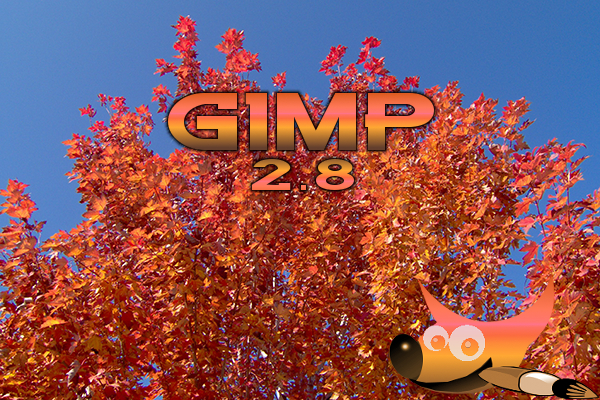
Browsing through my photos today I decided a few needed to become Autumn Splashes! :mrgreen:

ImageImageImageImageImage


Attachment:
Autumn_Splash_1-5_2.8.zip [2.03 MiB]
Downloaded 181 times

_________________
Image


Top
 Post subject: Re: Gimp Splash Screens
PostPosted: Sun Oct 16, 2016 9:15 pm  (#56) 
Offline
GimpChat Member

Joined: May 12, 2015
Posts: 4693
Pretty images, thank you for sharing.


Top
 Post subject: Re: Gimp Splash Screens
PostPosted: Sun Oct 16, 2016 9:57 pm  (#57) 
Offline
Script Coder
User avatar

Joined: May 07, 2014
Posts: 4526
Location: Canada
The cross mirrored crossed sidewalks makes me feel like an autumn walk :hehe

_________________
TinT


Top
 Post subject: Re: Gimp Splash Screens
PostPosted: Mon Oct 17, 2016 9:47 pm  (#58) 
Offline
GimpChat Member
User avatar

Joined: Mar 13, 2016
Posts: 83
@Pat, You're welcome...thanks for your comment! (-:

@Tin, You might want to stay away from that street on Halloween! :hehe

_________________
Image


Top
 Post subject: Re: Gimp Splash Screens
PostPosted: Mon Oct 17, 2016 11:29 pm  (#59) 
Offline
Administrator
User avatar

Joined: Aug 10, 2012
Posts: 14141
Location: Native to NYC living in Arizona, Gimp 2.8 - 3.0, Win 11 PC.
Hey RMDesigns, nice autumn splash screens. :bigthup

_________________
Image
"A wise man learns more from a foolish question than a fool can learn from a wise answer"
Image


Top
 Post subject: Re: Gimp Splash Screens
PostPosted: Tue Oct 18, 2016 1:14 am  (#60) 
Offline
Script Coder
User avatar

Joined: May 07, 2014
Posts: 4526
Location: Canada
Here's an idea, what if you make a splash for each script that produces some visual result.

So that every time GIMP loads up, it'll remind you that you have that plug-in/script
and you might go "Hey, yeah, I haven't used that script in a while maybe i'll use it".

Here's my first one featuring Mahvin Camouflage and in Halloween-ish feel.
Image

EDIT: And this second will remind us that we have Lyle Style Details featuring details zoomed in.
Image

_________________
TinT


Last edited by trandoductin on Wed Nov 28, 2018 12:52 pm, edited 2 times in total.

Top
Post new topic Reply to topic  [ 144 posts ]  Go to page Previous  1, 2, 3, 4, 5, 6 ... 8  Next

All times are UTC - 5 hours [ DST ]


* Login  


Powered by phpBB3 © phpBB Group