It is currently Sat Aug 08, 2026 5:39 pm


All times are UTC - 5 hours [ DST ]


Post new topic Reply to topic  [ 29 posts ]  Go to page 1, 2  Next
Author Message
 Post subject: Follow Path With Perspective Brush for GIMP
PostPosted: Wed Nov 02, 2016 1:34 pm  (#1) 
Offline
Script Coder
User avatar

Joined: May 07, 2014
Posts: 4527
Location: Canada
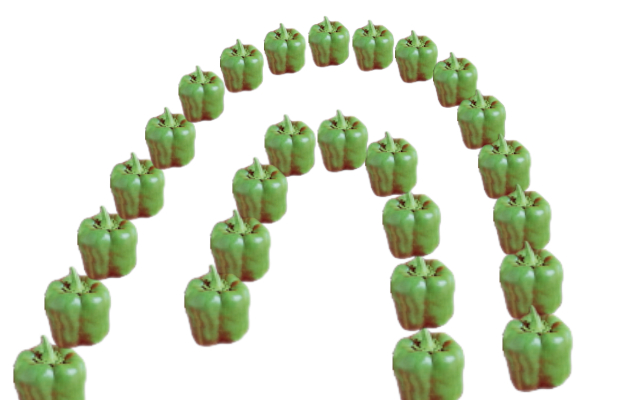
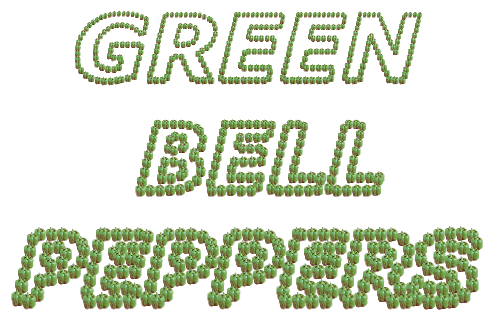
Requested by Rod,
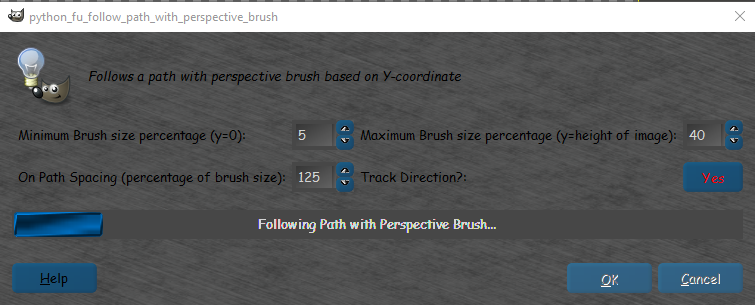
To base the brush size on Y-coordinate (to create fake 3D perspective effect).

Image
Image

Click here for download --> Follow Path with Perspective Brush for GIMP

_________________
TinT


Last edited by trandoductin on Thu Nov 02, 2017 7:29 pm, edited 2 times in total.

Share on Facebook Share on Twitter Share on Orkut Share on Digg Share on MySpace Share on Delicious Share on Technorati
Top
 Post subject: Re: Follow Path With Perspective Brush for GIMP
PostPosted: Wed Nov 02, 2016 2:02 pm  (#2) 
Offline
Script Coder
User avatar

Joined: May 07, 2014
Posts: 4527
Location: Canada
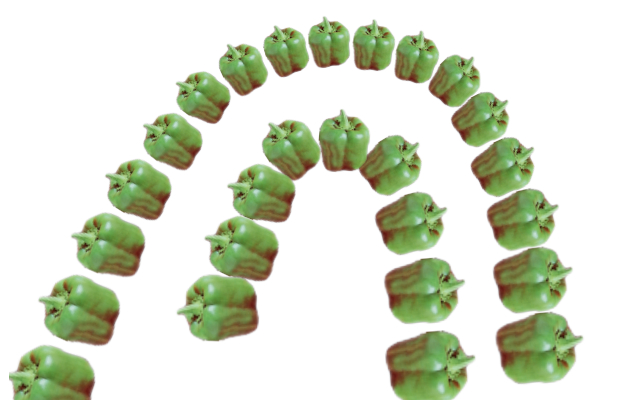
version 2 is up.
Fixed a Track Direction (angle) bug.
Image

_________________
TinT


Top
 Post subject: Re: Follow Path With Perspective Brush for GIMP
PostPosted: Wed Nov 02, 2016 3:41 pm  (#3) 
Offline
Script Coder
User avatar

Joined: May 07, 2014
Posts: 4527
Location: Canada
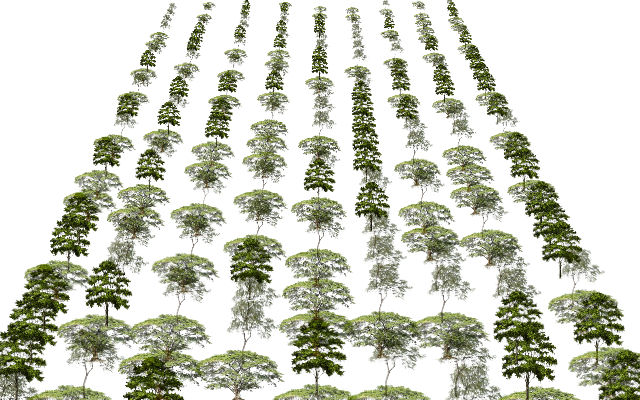
version 3 is up.
Added forgotten progress bar updates for friendliness.

and here's a sample run of paths where i drew rows of trees.
Image

_________________
TinT


Top
 Post subject: Re: Follow Path With Perspective Brush for GIMP
PostPosted: Wed Nov 02, 2016 4:22 pm  (#4) 
Offline
Script Coder
User avatar

Joined: May 07, 2014
Posts: 4527
Location: Canada
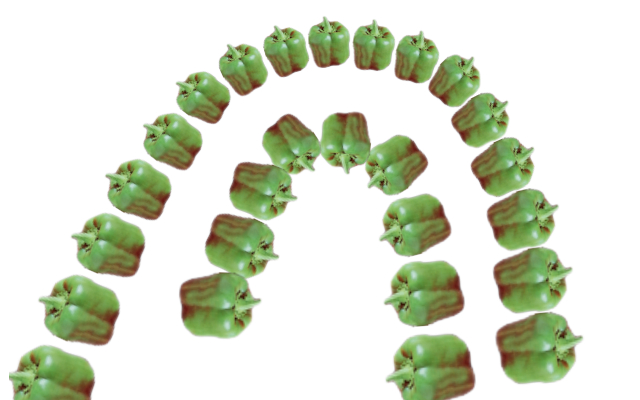
Version 4 is up.
Draws smaller brushes first because smaller brushes in the foreground would look weird in front of nearer (larger) brushes.

Version 5 is up. Forgot stupid progress bar update again.
Image

_________________
TinT


Top
 Post subject: Re: Follow Path With Perspective Brush for GIMP
PostPosted: Wed Nov 02, 2016 10:51 pm  (#5) 
Offline
GimpChat Member

Joined: Dec 29, 2015
Posts: 223
Hi
I am sorry to say that after using different settings I am unable to get change in size in terms of perspective. Perhaps I am unable to find suitable combination of settings. I get straight line of repititive objects without diminishing size.
Bye


Top
 Post subject: Re: Follow Path With Perspective Brush for GIMP
PostPosted: Wed Nov 02, 2016 10:54 pm  (#6) 
Offline
Script Coder
User avatar

Joined: May 07, 2014
Posts: 4527
Location: Canada
are you drawing a line from top to bottom? size changes based on y-coordinate.
If you draw a straight horizontal line there would be no changes in size.

_________________
TinT


Top
 Post subject: Re: Follow Path With Perspective Brush for GIMP
PostPosted: Thu Nov 03, 2016 12:25 am  (#7) 
Offline
GimpChat Member

Joined: Dec 29, 2015
Posts: 223
I have tried two versions but I get the same result. First tried 5th and then removed and installed 3rd version. I am attaching screenshots of the process.


Attachments:
Result.jpg
Result.jpg [ 198.65 KiB | Viewed 5553 times ]
Top
 Post subject: Re: Follow Path With Perspective Brush for GIMP
PostPosted: Thu Nov 03, 2016 12:40 am  (#8) 
Offline
Script Coder
User avatar

Joined: May 07, 2014
Posts: 4527
Location: Canada
what is your brush?
it looks small on image 2 but how does it even fill the whole image in 3 it looks like.
It should only brush along the path.

_________________
TinT


Top
 Post subject: Re: Follow Path With Perspective Brush for GIMP
PostPosted: Thu Nov 03, 2016 1:21 am  (#9) 
Offline
GimpChat Member

Joined: Dec 29, 2015
Posts: 223
I have changed the brush but no perspective change.


Attachments:
Result2.jpg
Result2.jpg [ 132.24 KiB | Viewed 5547 times ]
Top
 Post subject: Re: Follow Path With Perspective Brush for GIMP
PostPosted: Thu Nov 03, 2016 1:32 am  (#10) 
Offline
Script Coder
User avatar

Joined: May 07, 2014
Posts: 4527
Location: Canada
I don't know what's the problem could be.
You're using GIMP 2.8 right?

I remember long time ago I wrote a script in scheme (I think it was the Green Apple Script), where i tried setting the context's brush attributes such as size and it didn't seem to do anything, i had to create a new brush myself in order for script to work.

But i am using 2.8 now and setting the context's set brush size works fine now.
So i am wondering if you might be using an older GIMP.
Other than that possibility I don't know why is isn't working for you.

_________________
TinT


Top
 Post subject: Re: Follow Path With Perspective Brush for GIMP
PostPosted: Thu Nov 03, 2016 6:00 am  (#11) 
Offline
Global Moderator
User avatar

Joined: May 16, 2010
Posts: 16152
Thank you Tran. I made a gear following a gear path. :) Nice filter.

Image

_________________
Image


Top
 Post subject: Re: Follow Path With Perspective Brush for GIMP
PostPosted: Thu Nov 03, 2016 6:10 am  (#12) 
Offline
Global Moderator
User avatar

Joined: May 16, 2010
Posts: 16152
And one with smaller brush settings. The last one was 30 min and 40 max
This one has the settings below.

Image

Image

Very Cool! :bigthup

_________________
Image


Top
 Post subject: Re: Follow Path With Perspective Brush for GIMP
PostPosted: Thu Nov 03, 2016 6:47 am  (#13) 
Offline
GimpChat Member
User avatar

Joined: Jan 13, 2011
Posts: 2648
Location: Poland
Again, I want it in my simple shape plugin...


Attachments:
Follow_Path_With_Perspective_Brush in Gimp 2.9.5.png
Follow_Path_With_Perspective_Brush in Gimp 2.9.5.png [ 338.59 KiB | Viewed 2594 times ]

_________________
Image
Top
 Post subject: Re: Follow Path With Perspective Brush for GIMP
PostPosted: Thu Nov 03, 2016 7:37 am  (#14) 
Offline
Global Moderator
User avatar

Joined: May 16, 2010
Posts: 16152
MareroQ wrote:
Again, I want it in my simple shape plugin...

That is a great example of this filters potential MareroQ! :clap

_________________
Image


Top
 Post subject: Re: Follow Path With Perspective Brush for GIMP
PostPosted: Thu Nov 03, 2016 8:35 am  (#15) 
Offline
GimpChat Member

Joined: Dec 29, 2015
Posts: 223
Does it look-like your tree-plantaion image?

Created a new Brush Dynamic with Size Variation(Size-->Pressure & Fade checked).


Attachments:
Result.jpg
Result.jpg [ 403 KiB | Viewed 2588 times ]
New Brush Dynamic.jpg
New Brush Dynamic.jpg [ 129.28 KiB | Viewed 2588 times ]
Top
 Post subject: Re: Follow Path With Perspective Brush for GIMP
PostPosted: Thu Nov 03, 2016 9:07 am  (#16) 
Offline
Script Coder
User avatar

Joined: May 07, 2014
Posts: 4527
Location: Canada
yes it does look like it, nice work.
But are you using GIMP 2.8 or older GIMP?


EDIT: for a second there i thought the script worked for you, but after looking at it carefully i notice the size variation only seem to happen at the top, it doesn't gradually happen throughout the whole y-coordinate space like the fake 3D effect.

_________________
TinT


Top
 Post subject: Re: Follow Path With Perspective Brush for GIMP
PostPosted: Thu Nov 03, 2016 9:59 am  (#17) 
Offline
GimpChat Member

Joined: Dec 29, 2015
Posts: 223
I am using Gimp 2.8.10. The point of concern is the result of the result of the script which is against expectation.


Top
 Post subject: Re: Follow Path With Perspective Brush for GIMP
PostPosted: Thu Nov 03, 2016 10:03 am  (#18) 
Offline
Script Coder
User avatar

Joined: May 07, 2014
Posts: 4527
Location: Canada
I am using 2.8.16.
It's a concern but if it's an older bug in 2.8.10, I don't want to have create my own brush when the active brush is supposed to work fine.

Found something related to this: https://www.bountysource.com/issues/137 ... ont-t-work.

_________________
TinT


Top
 Post subject: Re: Follow Path With Perspective Brush for GIMP
PostPosted: Thu Nov 03, 2016 10:17 am  (#19) 
Offline
GimpChat Member

Joined: Dec 29, 2015
Posts: 223
My discipline has been 'Plant Sciences (Botany)'. Computer programs are horrible things to me. I visited the site but couldn't understand the importance of the code for console. Apologies.


Top
 Post subject: Re: Follow Path With Perspective Brush for GIMP
PostPosted: Thu Nov 03, 2016 10:31 am  (#20) 
Offline
Global Moderator
User avatar

Joined: May 16, 2010
Posts: 16152
You can actually do that with "WHEEL" and "FADE" in the brush dynamics editor (if you have the wheel in your mouse set to size increase or decrease), . BUT it will only make a small brush and then the rest larger but the same size. Your script is a whole lot different Tran.

_________________
Image


Top
Post new topic Reply to topic  [ 29 posts ]  Go to page 1, 2  Next

All times are UTC - 5 hours [ DST ]


* Login  


Powered by phpBB3 © phpBB Group