It is currently Sun Oct 11, 2026 5:27 pm


All times are UTC - 5 hours [ DST ]


Post new topic Reply to topic  [ 204 posts ]  Go to page 1, 2, 3, 4, 5 ... 11  Next
Author Message
 Post subject: Qt-based G'MIC plug-in
PostPosted: Mon Feb 27, 2017 12:20 pm  (#1) 
Offline
GimpChat Member
User avatar

Joined: Jan 03, 2011
Posts: 1656
Hello there,

As you may know, we are currently implementing a brand new interface for the G'MIC plug-in, based on Qt. It is intended to become a kind of 'universal' plug-in that could be ported for other software than GIMP (in particular, we have Krita in mind).
By the way, this is still a beta project, but we have managed to build a version of this Qt-based plug-in for Windows, and I'd like to share the news with you.
So here is the new plug-in in action, under Windows :

Attachment:
gmic_gimp_qt.png
gmic_gimp_qt.png [ 700.75 KiB | Viewed 9397 times ]


As you can notice, this plug-in has an adjustable preview, as well as a filter search engine (by keywords).
We would be really interested to get your feedback about it.
So, Windows users, if you want to test it, you can get it from these two URLs:

* installer : http://gmic.eu/files/prerelease/gmic_gi ... _win64.exe
* zip archive : http://gmic.eu/files/prerelease/gmic_gi ... _win64.zip

There are probably some regressions compared to the current GTK-based implementation, so please be indulgent :hehe

Any feedback, bug report and suggestions are welcome !

*Note 1: The sources are not yet available for this plug-in, but they will someday :hehe
*Note 2: No Linux versions available due to probable library version mismatches.


Share on Facebook Share on Twitter Share on Orkut Share on Digg Share on MySpace Share on Delicious Share on Technorati
Top
 Post subject: Re: Qt-based G'MIC plug-in
PostPosted: Mon Feb 27, 2017 1:45 pm  (#2) 
Offline
GimpChat Member

Joined: Oct 30, 2016
Posts: 145
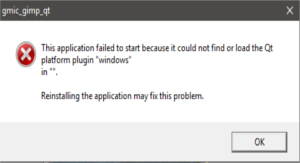
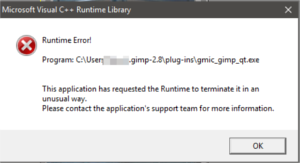
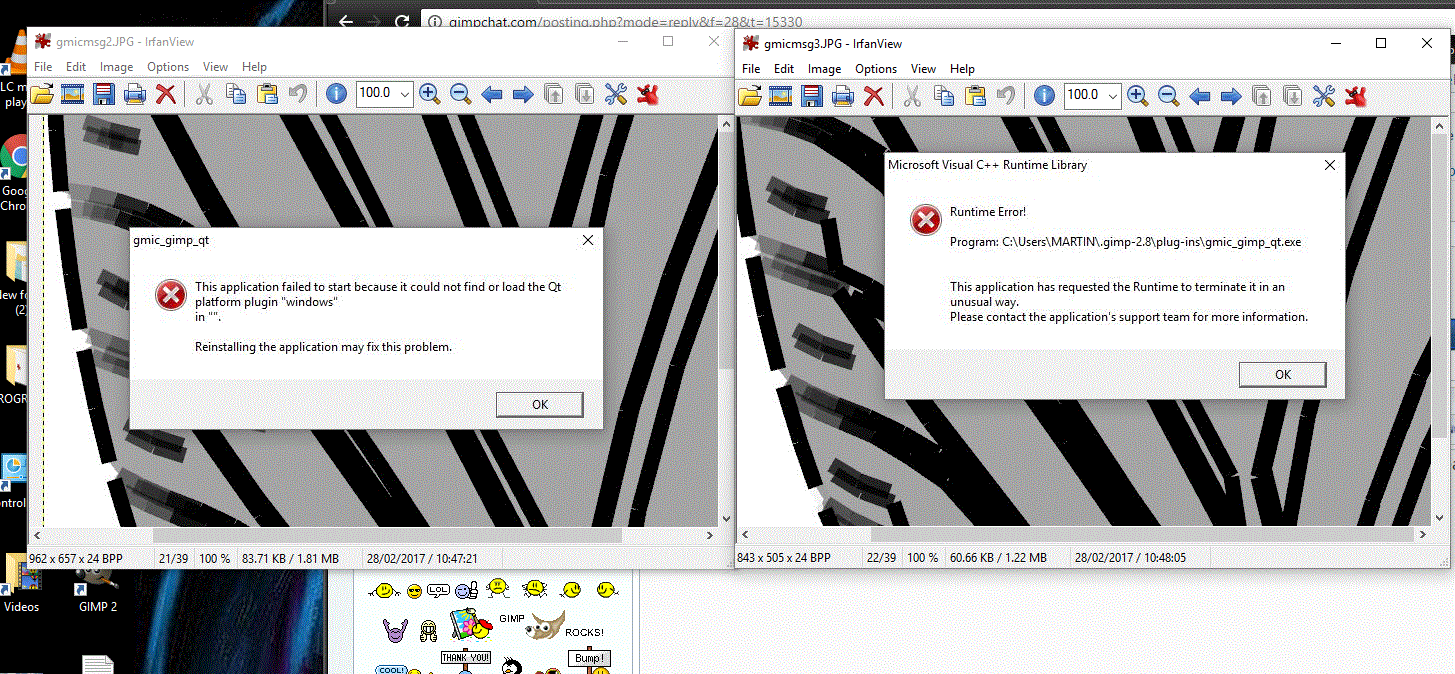
Had a couple of error messages.

ImageImage

:puzzled

Win10/Gimp 2.8.20


Top
 Post subject: Re: Qt-based G'MIC plug-in
PostPosted: Mon Feb 27, 2017 2:15 pm  (#3) 
Offline
GimpChat Member

Joined: Sep 20, 2016
Posts: 293
Win7 - 64bit

After installing i had two versions of G'MIC side by side.
When i uninstalled G'MIC through the control panel, both versions were gone.

So i re-installing the new version and got this error:


Attachments:
errorrrrr.png
errorrrrr.png [ 39.94 KiB | Viewed 9349 times ]
Top
 Post subject: Re: Qt-based G'MIC plug-in
PostPosted: Mon Feb 27, 2017 2:37 pm  (#4) 
Offline
GimpChat Member
User avatar

Joined: Jan 03, 2011
Posts: 1656
Thanks, humm maybe some DLLs are missing.
I'll try to post a new package tomorrow to fix that.


Top
 Post subject: Re: Qt-based G'MIC plug-in
PostPosted: Tue Feb 28, 2017 4:32 am  (#5) 
Offline
GimpChat Member
User avatar

Joined: Jan 13, 2011
Posts: 2648
Location: Poland
Whether gmic-gimp-qt-build will the test version for Win 32bit?

Probably:
No subdirectory gmic-gimp-qt-build\platforms with additional file qwindows.dll

_________________
Image


Top
 Post subject: Re: Qt-based G'MIC plug-in
PostPosted: Tue Feb 28, 2017 4:50 am  (#6) 
Offline
GimpChat Member
User avatar

Joined: Jan 03, 2011
Posts: 1656
I've posted a new installer, at the same address, with additional DLLs that could hopefully work as expected :
http://gmic.eu/files/prerelease/gmic_gi ... _win64.exe

(you have to uninstall the previous one explicitly this time).


Top
 Post subject: Re: Qt-based G'MIC plug-in
PostPosted: Tue Feb 28, 2017 5:57 am  (#7) 
Offline
Script Coder
User avatar

Joined: Jun 22, 2010
Posts: 1171
Location: Here and there
Same error message:
Attachment:
Untitled.png
Untitled.png [ 8.72 KiB | Viewed 9249 times ]


Your installer is dropping this pile of files:
Attachment:
Untitled1.png
Untitled1.png [ 60.56 KiB | Viewed 9249 times ]


Kevin


Top
 Post subject: Re: Qt-based G'MIC plug-in
PostPosted: Tue Feb 28, 2017 6:03 am  (#8) 
Offline
GimpChat Member
User avatar

Joined: Jan 06, 2017
Posts: 204
Having similar issues to everyone else, downloaded and installed the new version you posted earlier (and explicitly uninstalled the previous version (the 2.0.0 pre version in my case)

Win 10 64-bit / GIMP 2.8.20

Image


Top
 Post subject: Re: Qt-based G'MIC plug-in
PostPosted: Tue Feb 28, 2017 6:43 am  (#9) 
Offline
GimpChat Member
User avatar

Joined: Jan 03, 2011
Posts: 1656
OK, I see no solutions to this problem right now.
I'm sorry about that, I'll just remove the files, and maybe try again in the future.
Windows is really an unfriendly system for developers.


Top
 Post subject: Re: Qt-based G'MIC plug-in
PostPosted: Tue Feb 28, 2017 8:16 am  (#10) 
Offline
GimpChat Member

Joined: Oct 30, 2016
Posts: 145
Image

Thank you for all your effort and commitment with g'mic, it is appreciated.


Top
 Post subject: Re: Qt-based G'MIC plug-in
PostPosted: Tue Feb 28, 2017 8:39 am  (#11) 
Offline
GimpChat Member
User avatar

Joined: Jan 13, 2011
Posts: 2648
Location: Poland
Why do not you try to add "qwindows.dll" (in the subdirectory "Platforms")???


Attachments:
Example QT for Win.png
Example QT for Win.png [ 173.62 KiB | Viewed 3471 times ]

_________________
Image
Top
 Post subject: Re: Qt-based G'MIC plug-in
PostPosted: Tue Feb 28, 2017 8:50 am  (#12) 
Offline
GimpChat Member
User avatar

Joined: Jan 03, 2011
Posts: 1656
Apparently, samj has maybe an archive that works : http://samjcreations.blogspot.com/2017/ ... rsion.html
Maybe you can test and tell me if that is working with her version ?


Top
 Post subject: Re: Qt-based G'MIC plug-in
PostPosted: Tue Feb 28, 2017 8:59 am  (#13) 
Offline
GimpChat Member
User avatar

Joined: Jan 13, 2011
Posts: 2648
Location: Poland
Today I do not have access to a computer 64bit - so I asked for 32bit (or source...).

_________________
Image


Top
 Post subject: Re: Qt-based G'MIC plug-in
PostPosted: Tue Feb 28, 2017 9:03 am  (#14) 
Offline
Script Coder
User avatar

Joined: Jun 22, 2010
Posts: 1171
Location: Here and there
Ronounours wrote:
Apparently, samj has maybe an archive that works : http://samjcreations.blogspot.com/2017/ ... rsion.html
Maybe you can test and tell me if that is working with her version ?


It has the same problem.

With a very quick Google I found at least two threads on Stackoverflow that suggest doing exactly what MareroQ is saying, put qwindows.dll in a platforms sub-directory.

http://stackoverflow.com/questions/16773789/qt5-static-build-yields-failed-to-load-platform-plugin-windows?noredirect=1
http://stackoverflow.com/questions/20495620/qt-5-1-1-application-failed-to-start-because-platform-plugin-windows-is-missi


Top
 Post subject: Re: Qt-based G'MIC plug-in
PostPosted: Tue Feb 28, 2017 11:53 am  (#15) 
Offline
GimpChat Member

Joined: Mar 04, 2011
Posts: 2618
Update from

http://samjcreations.blogspot.ca/2017/0 ... rsion.html

has the required "platforms" files and works.

This in a Win7 VM

Attachment:
gmicqt.jpg
gmicqt.jpg [ 110.18 KiB | Viewed 3424 times ]


Unzipped (7-zip) put the 'gmic' folder in 'C:\' Added that to the plugins folder in Preferences.


Top
 Post subject: Re: Qt-based G'MIC plug-in
PostPosted: Tue Feb 28, 2017 6:06 pm  (#16) 
Offline
Script Coder
User avatar

Joined: Feb 18, 2011
Posts: 4826
Location: Bendigo Vic. Australia
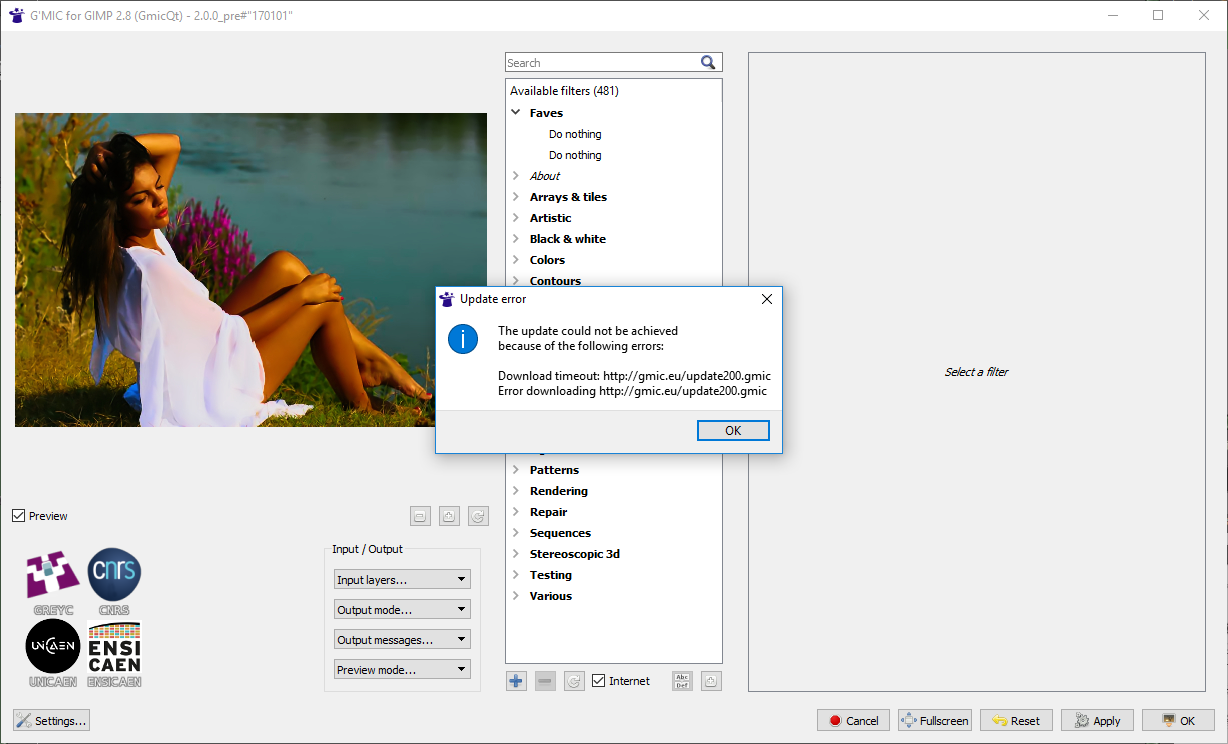
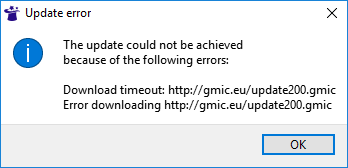
No Go in 2.8.18. error message points to update
Image

Image

Edit- I needed to start 2 or 3 times before it started OK without error

_________________
Image
No matter how much you push the envelope, it'll still be stationery.


Last edited by Graechan on Wed Mar 01, 2017 1:27 am, edited 2 times in total.

Top
 Post subject: Re: Qt-based G'MIC plug-in
PostPosted: Tue Feb 28, 2017 6:29 pm  (#17) 
Offline
GimpChat Member
User avatar

Joined: Jan 06, 2017
Posts: 204
I'm getting an error when i try to process a lissajous animated sequence... haven't tried much else thus far.

Image


Top
 Post subject: Re: Qt-based G'MIC plug-in
PostPosted: Tue Feb 28, 2017 6:35 pm  (#18) 
Offline
GimpChat Member
User avatar

Joined: Jun 06, 2016
Posts: 1033
I


Last edited by animicule on Tue Feb 28, 2017 6:37 pm, edited 1 time in total.

Top
 Post subject: Re: Qt-based G'MIC plug-in
PostPosted: Tue Feb 28, 2017 6:35 pm  (#19) 
Offline
GimpChat Member
User avatar

Joined: Jun 06, 2016
Posts: 1033
I don't have internet connection at home. every time I update gmic I must go
to their site for the manual download. I did this last Friday from:

gmic.eu/update200.gmic

On my windows 7 professional the exact path to install the file "update200.gmic"
is:
C:\USERS\BA\APPDATA\ROAMING\GMIC
APPDATA is a hidden folder by default in windows. You should unhide it and
drop the update200.gmic into the proper folder.

Hope this helps...
although I have never seen that error message. Just missing over a hundred filters
until I gather the update200.gmic file...


Top
 Post subject: Re: Qt-based G'MIC plug-in
PostPosted: Tue Feb 28, 2017 11:24 pm  (#20) 
Offline
Script Coder
User avatar

Joined: Feb 18, 2011
Posts: 4826
Location: Bendigo Vic. Australia
animicule wrote:
I don't have internet connection at home. every time I update gmic I must go
to their site for the manual download. I did this last Friday from:

gmic.eu/update200.gmic

On my windows 7 professional the exact path to install the file "update200.gmic"
is:
C:\USERS\BA\APPDATA\ROAMING\GMIC
APPDATA is a hidden folder by default in windows. You should unhide it and
drop the update200.gmic into the proper folder.

Hope this helps...
although I have never seen that error message. Just missing over a hundred filters
until I gather the update200.gmic file...

Where should a copy of the update200.gmic file be placed

_________________
Image
No matter how much you push the envelope, it'll still be stationery.


Top
Post new topic Reply to topic  [ 204 posts ]  Go to page 1, 2, 3, 4, 5 ... 11  Next

All times are UTC - 5 hours [ DST ]


* Login  


Powered by phpBB3 © phpBB Group