It is currently Sat Jun 27, 2026 8:02 am


All times are UTC - 5 hours [ DST ]


Post new topic Reply to topic  [ 14 posts ] 
Author Message
 Post subject: Palettes
PostPosted: Wed Dec 20, 2017 10:21 pm  (#1) 
Offline
Global Moderator
User avatar

Joined: Apr 01, 2012
Posts: 8396
Location: On the other side of your screen
GIMP Version: 2.8.22
Operating System: Windows
OS Version: 10, 32 bit
GIMP Experience: New User


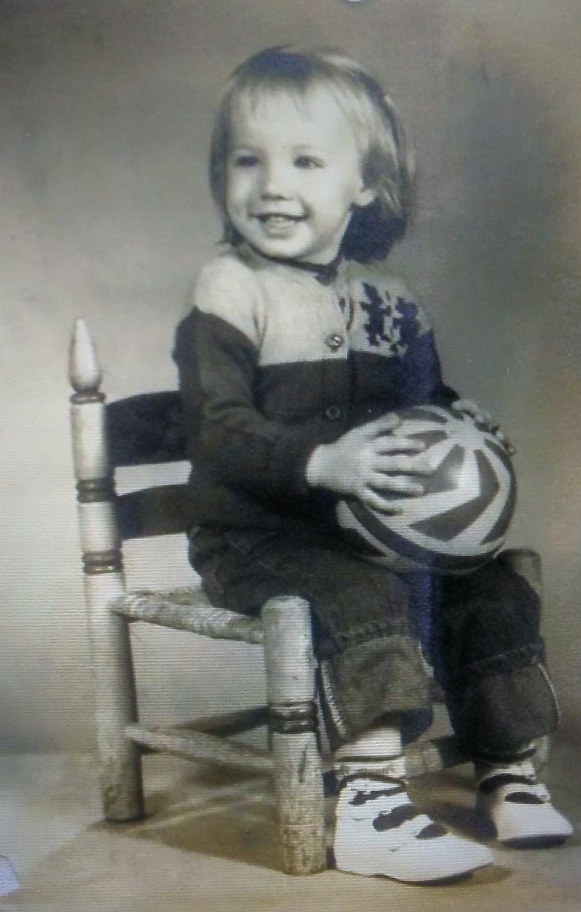
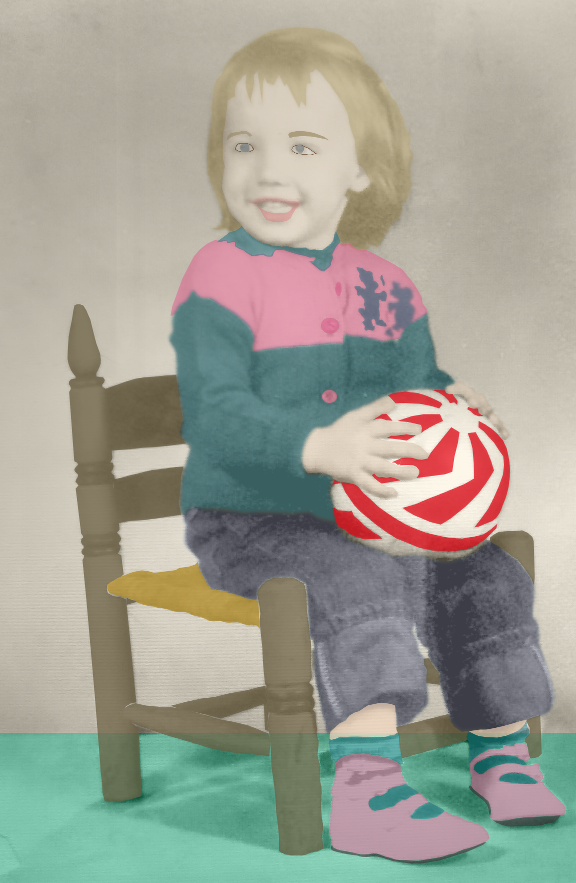
I posted my first colourized picture this morning for someone who probably didn't expect a great job.
(I was finally brave enough) I know if I do this more I will get better at it.

ImageImage

I need some help though. I haven't found what I need although there may be in resources or even in the primary pallettes in gimp

I need a pallette for hair colour, skin colour and eye colour.

Can someone point me to a place I have missed or are the pallettes that come with gimp sufficient?

_________________
Image
Free Fun Photo Editing & resources
Poems from the Lord
Gimp Newby
Gimp version 3.2.0 and GMIC-Qt 3.7.5 OS :- Windows 10 Home 64


Share on Facebook Share on Twitter Share on Orkut Share on Digg Share on MySpace Share on Delicious Share on Technorati
Top
 Post subject: Re: Palettes
PostPosted: Wed Dec 20, 2017 11:04 pm  (#2) 
Offline
Script Coder
User avatar

Joined: Feb 18, 2011
Posts: 4826
Location: Bendigo Vic. Australia
Here is one for skin color
Attachment:
Basic-Skin-Tones-by-Cocco-Carissa.zip [439 Bytes]
Downloaded 157 times

_________________
Image
No matter how much you push the envelope, it'll still be stationery.


Top
 Post subject: Re: Palettes
PostPosted: Wed Dec 20, 2017 11:11 pm  (#3) 
Offline
Global Moderator
User avatar

Joined: Apr 01, 2012
Posts: 8396
Location: On the other side of your screen
Thank you Wallace

_________________
Image
Free Fun Photo Editing & resources
Poems from the Lord
Gimp Newby
Gimp version 3.2.0 and GMIC-Qt 3.7.5 OS :- Windows 10 Home 64


Top
 Post subject: Re: Palettes
PostPosted: Wed Dec 20, 2017 11:19 pm  (#4) 
Offline
Administrator
User avatar

Joined: Aug 10, 2012
Posts: 14080
Location: Native to NYC living in Arizona, Gimp 2.8 - 3.0, Win 11 PC.
sallyanne wrote:
Thank you Wallace

Don't thank me sallyanne.
:hehe

***

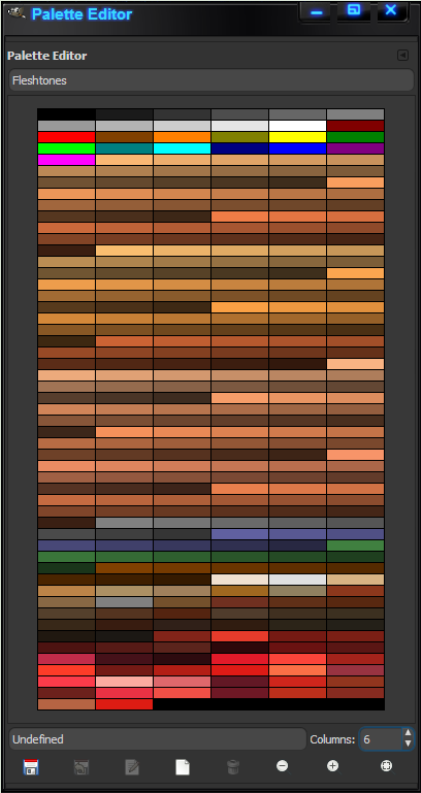
However here's my palette.

Image

Attachment:
gimp_fleshtone_color_palette_by_wallace.zip [4.65 KiB]
Downloaded 142 times

_________________
Image
"A wise man learns more from a foolish question than a fool can learn from a wise answer"
Image


Top
 Post subject: Re: Palettes
PostPosted: Thu Dec 21, 2017 1:00 am  (#5) 
Offline
Global Moderator
User avatar

Joined: Apr 01, 2012
Posts: 8396
Location: On the other side of your screen
:tyspin

_________________
Image
Free Fun Photo Editing & resources
Poems from the Lord
Gimp Newby
Gimp version 3.2.0 and GMIC-Qt 3.7.5 OS :- Windows 10 Home 64


Top
 Post subject: Re: Palettes
PostPosted: Thu Dec 21, 2017 6:06 am  (#6) 
Offline
GimpChat Member
User avatar

Joined: Nov 15, 2014
Posts: 875
@sallyanne

I have made a very quick (and untidy!) attempt at parts of your photograph to see if I could achieve more natural results.
I looked for photographs on the internet with suitable colouring, pulled them into Gimp and then sampled from them.
This photo is not easy, because of the low definition.

david.


Attachments:
girl_on_chair.png
girl_on_chair.png [ 697.4 KiB | Viewed 3247 times ]
Top
 Post subject: Re: Palettes
PostPosted: Thu Dec 21, 2017 7:29 am  (#7) 
Offline
GimpChat Member
User avatar

Joined: Aug 16, 2012
Posts: 4271
Location: Göteborg, Sweden
sallyanne: oh, it's so much fun colouring black and white photos! i see you have already got good palettes, otherwise odin posted a basic one here: basic skin tones palette. i like your version of the picture, it's got the look of an illustration from a children's book.

david: wow, good job on that!

_________________


Top
 Post subject: Re: Palettes
PostPosted: Thu Dec 21, 2017 7:43 am  (#8) 
Offline
Global Moderator
User avatar

Joined: Apr 01, 2012
Posts: 8396
Location: On the other side of your screen
david wrote:
@sallyanne

I have made a very quick (and untidy!) attempt at parts of your photograph to see if I could achieve more natural results.
I looked for photographs on the internet with suitable colouring, pulled them into Gimp and then sampled from them.
This photo is not easy, because of the low definition.

david.

That is really nice David. Could use your help if your on facebook ;)
Photo is only half the size it was originally

_________________
Image
Free Fun Photo Editing & resources
Poems from the Lord
Gimp Newby
Gimp version 3.2.0 and GMIC-Qt 3.7.5 OS :- Windows 10 Home 64


Top
 Post subject: Re: Palettes
PostPosted: Thu Dec 21, 2017 7:54 am  (#9) 
Offline
GimpChat Member
User avatar

Joined: Nov 15, 2014
Posts: 875
@sallyanne,

Sorry, I'm not on facebook, but if I can provide any help you are very welcome.
You can either contact me here, or via a private message.

I don't often colour photographs, but slowly have devised a work pattern which I think produces reasonable results, speeds-up the process slightly, and helps with accuracy.
(I have great difficulty being really accurate when painting - I will never become an artist!)

david.


Top
 Post subject: Re: Palettes
PostPosted: Thu Dec 21, 2017 1:54 pm  (#10) 
Offline
GimpChat Member

Joined: May 12, 2015
Posts: 4693
David, with the beautiful work that you did with that photo, you are an artist! It would pass for an original photo!


Top
 Post subject: Re: Palettes
PostPosted: Sun Dec 24, 2017 9:17 am  (#11) 
Offline
GimpChat Member
User avatar

Joined: Jul 04, 2010
Posts: 2253
Location: Retired Moderator Slowly Returning to the Living.
Hey David, maybe a tutorial of sorts to outline your process/work flow?
It would be a great learning experience for all of us!

_________________
Artists aren't crazy! We're eccentric! ~G.M. Ross

Image

My Sigs = My Photos
Check out my work at http://www.flickr.com/photos/photomastergreg.


Top
 Post subject: Re: Palettes
PostPosted: Sun Dec 24, 2017 9:51 am  (#12) 
Offline
GimpChat Member
User avatar

Joined: Jan 20, 2013
Posts: 14831
Location: roma, italy
PM, did you look at GL?
https://www.gimplearn.net/viewtopic.php ... =10&t=1133

_________________
"Where am I ?"


Top
 Post subject: Re: Palettes
PostPosted: Sun Dec 24, 2017 12:53 pm  (#13) 
Offline
GimpChat Member
User avatar

Joined: Jul 04, 2010
Posts: 2253
Location: Retired Moderator Slowly Returning to the Living.
I did not see that. Thanks Muchly!

_________________
Artists aren't crazy! We're eccentric! ~G.M. Ross

Image

My Sigs = My Photos
Check out my work at http://www.flickr.com/photos/photomastergreg.


Top
 Post subject: Re: Palettes
PostPosted: Wed Dec 27, 2017 9:26 am  (#14) 
Offline
Global Moderator
User avatar

Joined: Apr 01, 2012
Posts: 8396
Location: On the other side of your screen
Thank you Graechan for posting the first pallette. I don't know what I was thinking when I replied - Sorry :oops: :oops: :oops: :oops:

_________________
Image
Free Fun Photo Editing & resources
Poems from the Lord
Gimp Newby
Gimp version 3.2.0 and GMIC-Qt 3.7.5 OS :- Windows 10 Home 64


Top
Post new topic Reply to topic  [ 14 posts ] 

All times are UTC - 5 hours [ DST ]


* Login  


Powered by phpBB3 © phpBB Group