It is currently Wed Sep 23, 2026 5:51 am


All times are UTC - 5 hours [ DST ]


Post new topic Reply to topic  [ 5 posts ] 
Author Message
 Post subject: Undo History Details (solved)
PostPosted: Fri Nov 23, 2018 12:18 pm  (#1) 
Offline
New Member

Joined: Nov 23, 2018
Posts: 2
GIMP Version: 2.10.6
Operating System: Linux
OS Version: Ubuntu 18.10
GIMP Experience: Intermediate Level


I can go through my undo history and see the results at any particular step. However is it possible to stop at a particular step and see the details of that step? For example, say I open the Adjust Color Levels dialogue, move the sliders as desired, and select ok. Then, after I proceed through several additional steps, can I go back to the Adjust Color Levels step and see where I had set the sliders?
Thanks


Last edited by 72saab on Sun Nov 25, 2018 12:54 pm, edited 1 time in total.

Share on Facebook Share on Twitter Share on Orkut Share on Digg Share on MySpace Share on Delicious Share on Technorati
Top
 Post subject: Re: Undo History Details
PostPosted: Fri Nov 23, 2018 1:31 pm  (#2) 
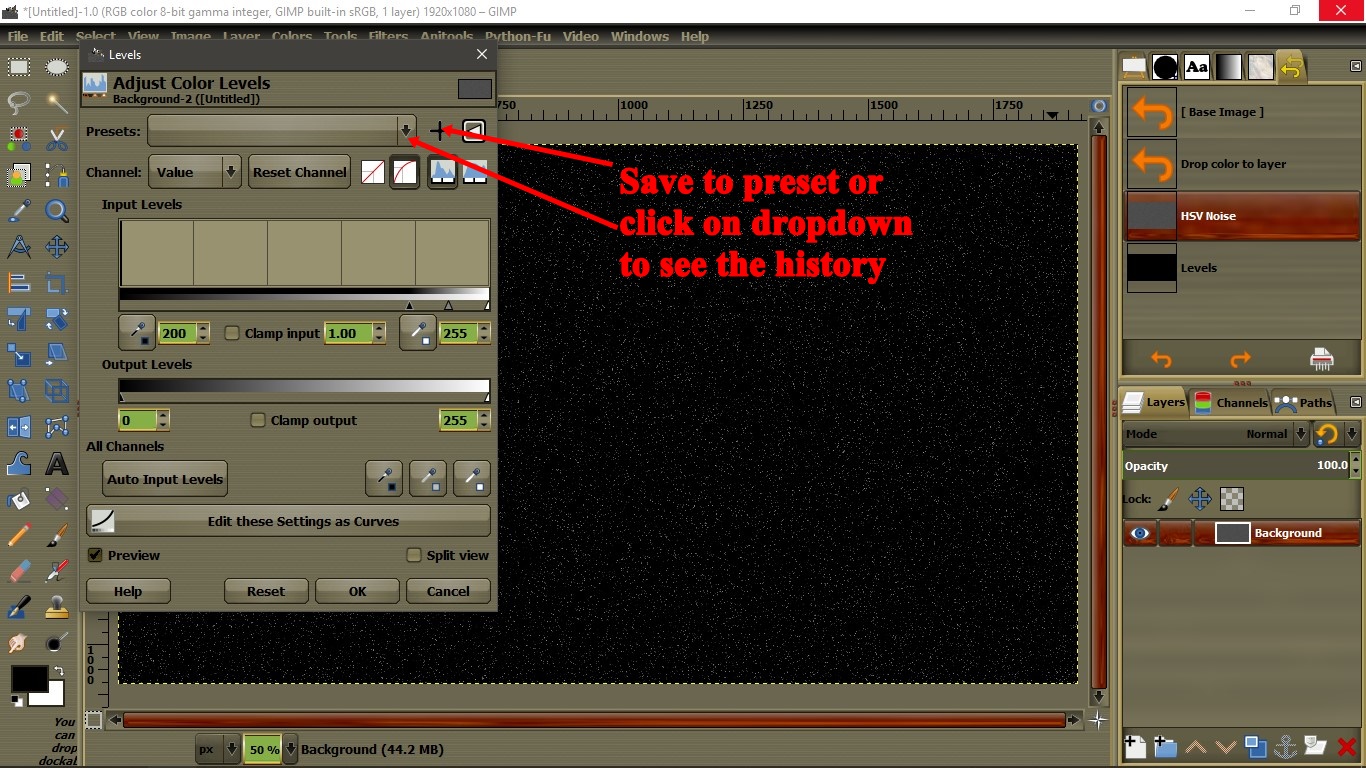
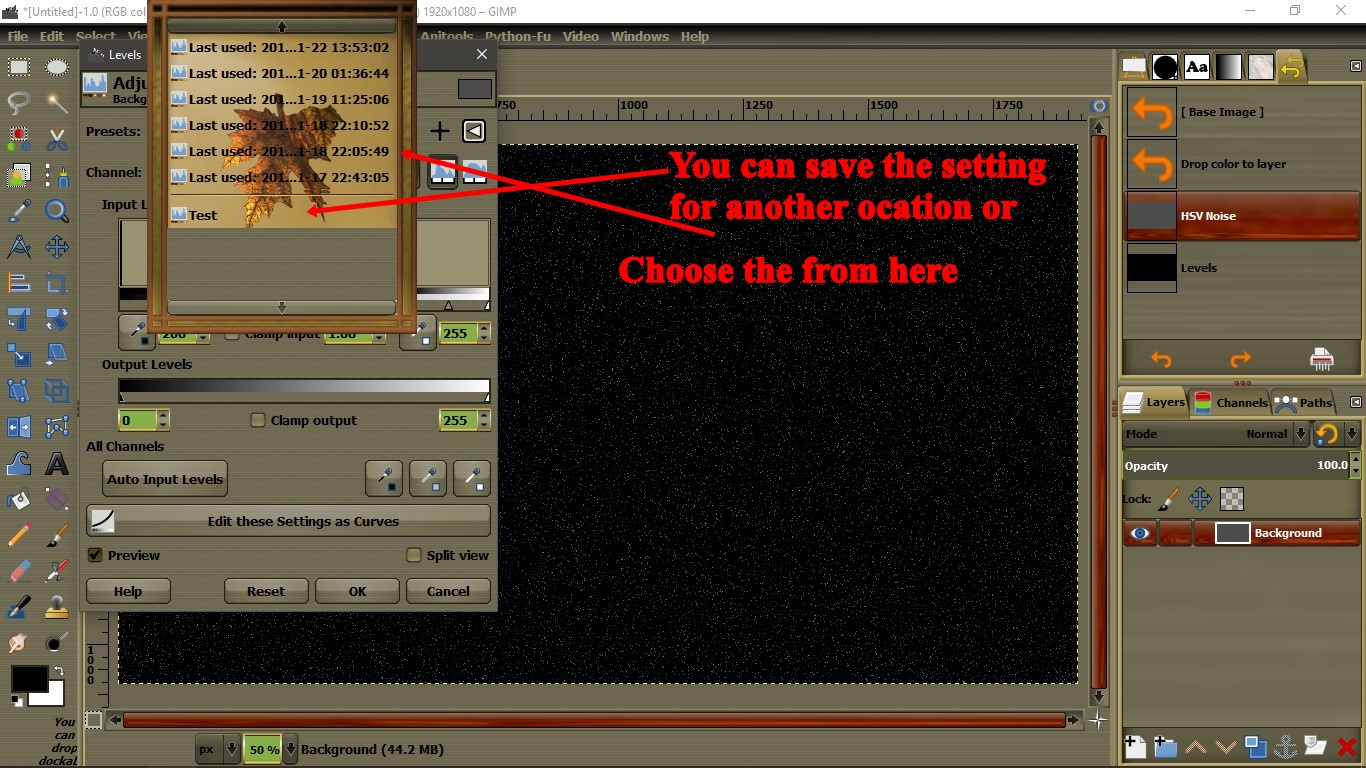
Hi 72saab. No, you cannot. Gimp filters will reset back to the default mode once you apply the filter. You can re-apply the filters with the last setting when you go to: Filters> Reapply, the last filter you used. Now, in order to go back and see the settings you applied, you need to save the setting on the filter or check the Filters history: Example below

1. Click on the cross icon to save current setting. Or click on the dropdown to see your history.

Image


2. Choose the aproximated time you used the filter from the history or choose you preset.

Image


Top
 Post subject: Re: Undo History Details
PostPosted: Sat Nov 24, 2018 7:29 am  (#3) 
Offline
GimpChat Member
User avatar

Joined: Sep 14, 2018
Posts: 29
Location: Nederland
Your images are not visible to me Pocholo.


Top
 Post subject: Re: Undo History Details
PostPosted: Sat Nov 24, 2018 9:00 am  (#4) 
How about now, my friend.

1. Click on the cross icon to save current setting. Or click on the dropdown to see your history.

Image

2. Choose the aproximated time you used the filter from the history or choose you preset.

Image


Top
 Post subject: Re: Undo History Details (solved)
PostPosted: Sun Nov 25, 2018 12:56 pm  (#5) 
Offline
New Member

Joined: Nov 23, 2018
Posts: 2
Thanks for clearing this up Pocholo.


Top
Post new topic Reply to topic  [ 5 posts ] 

All times are UTC - 5 hours [ DST ]


* Login  


Powered by phpBB3 © phpBB Group