It is currently Wed Jun 03, 2026 6:37 pm


All times are UTC - 5 hours [ DST ]


Post new topic Reply to topic  [ 33 posts ]  Go to page 1, 2  Next
Author Message
 Post subject: IMAGE SCALING
PostPosted: Mon Jun 17, 2019 6:10 am  (#1) 
Offline
GimpChat Member
User avatar

Joined: Apr 26, 2014
Posts: 3785
Location: belgium
I want to scale an image with the scale tool but that doesn't work.

Image

01-I have a background layer
02-an image layer that I want to scale
03-I select the scale tool
04-I click on my image, a small scale window appears, I adjust the width and height
05-the scaled outside line can be seen on the image
06-I click OK in the small scale window

BUT NOTHING HAPPENS!! :gaah :gaah

am I doing something wrong, or does something have to be adjusted in my gimp 2.10.12


Share on Facebook Share on Twitter Share on Orkut Share on Digg Share on MySpace Share on Delicious Share on Technorati
Top
 Post subject: Re: IMAGE SCALING
PostPosted: Mon Jun 17, 2019 7:13 am  (#2) 
Offline
GimpChat Member
User avatar

Joined: Nov 04, 2015
Posts: 1442
hey Gimper.
Could it be that the layer you are trying to scale is not visible because the eye symbol is off?
You maybe scaling it but you can't see it :)


Top
 Post subject: Re: IMAGE SCALING
PostPosted: Mon Jun 17, 2019 9:53 am  (#3) 
Offline
GimpChat Member
User avatar

Joined: Mar 23, 2012
Posts: 7388
Location: Göteborg at last!
If you are using 2.10, try pressing enter after scaling.

EDIT: Ignore me, I didn't read where you said you had clicked on OK. :oops:


Last edited by Erisian on Mon Jun 17, 2019 10:02 am, edited 1 time in total.

Top
 Post subject: Re: IMAGE SCALING
PostPosted: Mon Jun 17, 2019 9:57 am  (#4) 
Offline
GimpChat Member

Joined: Mar 04, 2011
Posts: 2599
I cannot see anything wrong with those settings at all. The layer visibility icon (eye) does not show when a tool is in preview mode = on.

However the sceenshot shows the scale tool extents as if preview mode = off

I have never come across a setting like that getting stuck, might be shomething in your Gimp Profile.

Try clicking the preview toggle on/off See if there is a change like this.

Attachment:
scale-view.gif
scale-view.gif [ 707.74 KiB | Viewed 7102 times ]


Top
 Post subject: Re: IMAGE SCALING
PostPosted: Mon Jun 17, 2019 10:04 am  (#5) 
@Tas. When you try to Scale the image, one thing I noticed is that, when you have the option "Show image preview" checked, the Eye of the layer gets Invisible and you will see the effect on Canvas. Now, when you don't have it checked, you won't see the preview and the changes will apply once you click "Scale".

Hi Gimper, make sure you have the option "Show image preview" checked".


Top
 Post subject: Re: IMAGE SCALING
PostPosted: Mon Jun 17, 2019 2:03 pm  (#6) 
Offline
GimpChat Member
User avatar

Joined: Apr 26, 2014
Posts: 3785
Location: belgium
Image
Image
I have tested the rotate and perspective tools and that works perfectly
Image
then I have done the scale tool
1-with the eye off
2-show image previeuw is on
3-but it doesn't not work

Image
then I did the same with the eye on,but it doesn't work

Image
then I did the scaling with
layer-scale layer - and that works perfectly


Image

so i think there is something wrong with the scale tool,because that is the only one of all tools that does not work properly.


Top
 Post subject: Re: IMAGE SCALING
PostPosted: Mon Jun 17, 2019 2:43 pm  (#7) 
Offline
Administrator
User avatar

Joined: Aug 10, 2012
Posts: 14011
Location: Native to NYC living in Arizona, Gimp 2.8 - 3.0, Win 11 PC.
I think that rich2005 my be correct and it's a Profile issue.

If you move your profile from it's current location, to somewhere else.
Then launch Gimp, it should create an entirely new user Profile.
Then test to see if the Scale Tool works as it should.
If it does, it was something within the old profile causing the malfunction.

_________________
Image
"A wise man learns more from a foolish question than a fool can learn from a wise answer"
Image


Top
 Post subject: Re: IMAGE SCALING
PostPosted: Mon Jun 17, 2019 3:00 pm  (#8) 
Offline
GimpChat Member
User avatar

Joined: Apr 26, 2014
Posts: 3785
Location: belgium
Wallace wrote:
I think that rich2005 my be correct and it's a Profile issue.

If you move your profile from it's current location, to somewhere else.
Then launch Gimp, it should create an entirely new user Profile.
Then test to see if the Scale Tool works as it should.
If it does, it was something within the old profile causing the malfunction.

Hey wallace
how do I do that wallace transfer my profile to another place, I am always scared that I am doing something wrong


Top
 Post subject: Re: IMAGE SCALING
PostPosted: Mon Jun 17, 2019 3:08 pm  (#9) 
Offline
Administrator
User avatar

Joined: Aug 10, 2012
Posts: 14011
Location: Native to NYC living in Arizona, Gimp 2.8 - 3.0, Win 11 PC.
gimper66 wrote:
Hey wallace
how do I do that wallace transfer my profile to another place, I am always scared that I am doing something wrong[/color]


You would go to the location.
Whatever it is, say Appdata>gimp.2.10,
or whatever it is and cut the entire folder from where it is and past it somewhere else,
for later use.
Then launch Gimp and it will create a new profile.
Then test the Scale Tool.
You can also simply name it differently,
by adding the word old to the end of the folder's name,
and then launch Gimp and it will create a new profile.
However,
I do believe, that moving it,
will ensure that nothing it reused to populate the new profile.

_________________
Image
"A wise man learns more from a foolish question than a fool can learn from a wise answer"
Image


Top
 Post subject: Re: IMAGE SCALING
PostPosted: Mon Jun 17, 2019 4:25 pm  (#10) 
Offline
GimpChat Member
User avatar

Joined: Apr 26, 2014
Posts: 3785
Location: belgium
Image

I have a new user profile and it works
thanks everyone for the help i have learned something again.
now that everything is working properly I am going to sleep well,I will fill in the empty folders again tomorrow.
Here in Belgium I say good night and see you tomorrow,gimper66


Top
 Post subject: Re: IMAGE SCALING
PostPosted: Mon Jun 17, 2019 4:27 pm  (#11) 
Offline
Administrator
User avatar

Joined: Aug 10, 2012
Posts: 14011
Location: Native to NYC living in Arizona, Gimp 2.8 - 3.0, Win 11 PC.
gimper66 wrote:
[ Image ]

I have a new user profile and it works
thanks everyone for the help i have learned something again.
now that everything is working properly I am going to sleep well,I will fill in the empty folders again tomorrow.
Here in Belgium I say good night and see you tomorrow,gimper66

Image

_________________
Image
"A wise man learns more from a foolish question than a fool can learn from a wise answer"
Image


Top
 Post subject: Re: IMAGE SCALING
PostPosted: Tue Jun 18, 2019 4:43 am  (#12) 
Offline
GimpChat Member
User avatar

Joined: Apr 26, 2014
Posts: 3785
Location: belgium
Image


thanks guys,it works perfectly


Top
 Post subject: Re: IMAGE SCALING
PostPosted: Tue Jun 18, 2019 9:32 am  (#13) 
Offline
GimpChat Member
User avatar

Joined: Apr 26, 2014
Posts: 3785
Location: belgium
I also miss add multiple guides

Image


Top
 Post subject: Re: IMAGE SCALING
PostPosted: Tue Jun 18, 2019 10:16 am  (#14) 
Offline
GimpChat Member
User avatar

Joined: May 17, 2014
Posts: 1552
Here it is in a zip folder gimper66


Attachments:
add_multiple_guides_plug-en.zip [2.05 KiB]
Downloaded 127 times

_________________
Ella's gallery - YouTube
Top
 Post subject: Re: IMAGE SCALING
PostPosted: Tue Jun 18, 2019 10:46 am  (#15) 
Offline
GimpChat Member
User avatar

Joined: Apr 26, 2014
Posts: 3785
Location: belgium
Ella Louise wrote:
Here it is in a zip folder gimper66


Image


THANKS ELLA LOUISE,I installed it and it works


Top
 Post subject: Re: IMAGE SCALING
PostPosted: Tue Jun 18, 2019 12:27 pm  (#16) 
Offline
GimpChat Member
User avatar

Joined: Apr 26, 2014
Posts: 3785
Location: belgium
Image

Image

Image

Image

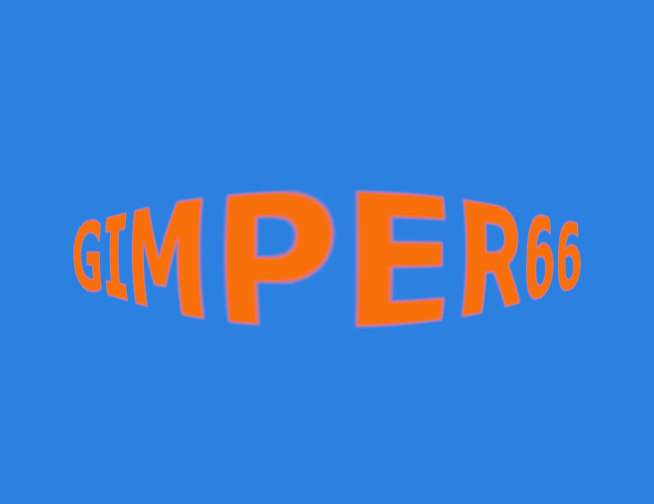
at my previous gimp2.10 was a tool with which I could make this image,but now that I have created a new profile this tool is no longer in my toolbox.
could anyone give me the tool.


Image


Top
 Post subject: Re: IMAGE SCALING
PostPosted: Tue Jun 18, 2019 12:54 pm  (#17) 
Offline
GimpChat Member
User avatar

Joined: Mar 23, 2012
Posts: 7388
Location: Göteborg at last!
Have you looked in Edit/preferences/toolbox to see if it is visible?


Top
 Post subject: Re: IMAGE SCALING
PostPosted: Tue Jun 18, 2019 1:09 pm  (#18) 
Offline
GimpChat Member
User avatar

Joined: Apr 26, 2014
Posts: 3785
Location: belgium
Erisian wrote:
Have you looked in Edit/preferences/toolbox to see if it is visible?


yes erisian,I have looked into the preferences but the tool is not present.
would it be possible that I can pick up the tools somewhere?!


Top
 Post subject: Re: IMAGE SCALING
PostPosted: Tue Jun 18, 2019 1:16 pm  (#19) 
Offline
Administrator
User avatar

Joined: Aug 10, 2012
Posts: 14011
Location: Native to NYC living in Arizona, Gimp 2.8 - 3.0, Win 11 PC.
Image

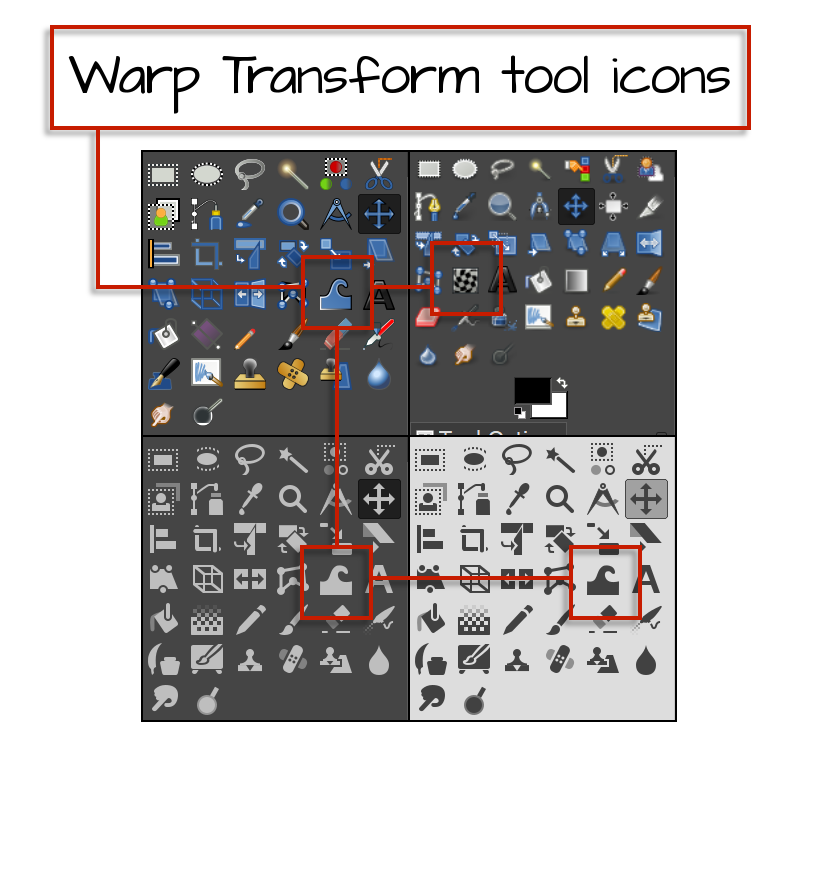
I believe the tool icons,
that are shown.
Are tied to the "Icon Theme" your using.

Image

Try switching the Icon Theme in Preferences>Icon Theme to Legacy.

Image

_________________
Image
"A wise man learns more from a foolish question than a fool can learn from a wise answer"
Image


Top
 Post subject: Re: IMAGE SCALING
PostPosted: Tue Jun 18, 2019 2:19 pm  (#20) 
Offline
GimpChat Member
User avatar

Joined: Apr 26, 2014
Posts: 3785
Location: belgium
YES THAT WORKS ALSO,but the tool that I am looking for was very easy to work with


Image


Top
Post new topic Reply to topic  [ 33 posts ]  Go to page 1, 2  Next

All times are UTC - 5 hours [ DST ]


* Login  


Powered by phpBB3 © phpBB Group