It is currently Fri Sep 18, 2026 10:02 pm


All times are UTC - 5 hours [ DST ]


Post new topic Reply to topic  [ 24 posts ]  Go to page 1, 2  Next
Author Message
 Post subject: Color Brush is gray and black
PostPosted: Sun Jun 05, 2011 6:38 pm  (#1) 
Offline
GimpChat Member

Joined: Jun 05, 2011
Posts: 8
Hi, i've downloaded brush that have already color in it, but when I started working with it on gimp they are only in grey and black. why is that. thank you for answering


Share on Facebook Share on Twitter Share on Orkut Share on Digg Share on MySpace Share on Delicious Share on Technorati
Top
 Post subject: Re: Color Brush is gray and black
PostPosted: Sun Jun 05, 2011 6:59 pm  (#2) 
Offline
Retired Staff
User avatar

Joined: May 22, 2008
Posts: 6946
Location: Somewhere in GIMP
Can you give us a link to the place where you got your brush? Is the brush colored or is it a gray scale brush that uses the foreground color?

Also, check to see if your image is RGB mode by clicking Image > Mode > RGB in the menu bar of the image you have open. If Grayscale is selected your brush will come out in shades of black and gray no matter what color brush is; make sure the mode is RGB.

_________________
Image
World War IV will be fought with sticks and stones. - Albert Einstein


Top
 Post subject: Re: Color Brush is gray and black
PostPosted: Sun Jun 05, 2011 7:01 pm  (#3) 
Offline
GimpChat Member
User avatar

Joined: Oct 06, 2010
Posts: 4050
Just on a hunch, it sounds as if the brush was saved as standard RGB and they won't work as a .gbr file. It should be .gih (animated)

_________________
"In order to attain the impossible, one must attempt the absurd."
~ Miguel de Cervantes


Top
 Post subject: Re: Color Brush is gray and black
PostPosted: Sun Jun 05, 2011 7:06 pm  (#4) 
Offline
Retired Staff
User avatar

Joined: May 22, 2008
Posts: 6946
Location: Somewhere in GIMP
mahvin wrote:
Just on a hunch, it sounds as if the brush was saved as standard RGB and they won't work as a .gbr file. It should be .gih (animated)
A gbr as a colored brush (RGB) should work fine.

A gbr brush that is flattened and made grayscale will take on the foreground color.

A gih brush is an animated brush that has more than one layer and different views. A grayscale gih brush will take on the foreground color.

_________________
Image
World War IV will be fought with sticks and stones. - Albert Einstein


Top
 Post subject: Re: Color Brush is gray and black
PostPosted: Sun Jun 05, 2011 8:03 pm  (#5) 
Offline
GimpChat Member
User avatar

Joined: Oct 06, 2010
Posts: 4050
I've actually had this happen to me once (a color brush would paint as black), but I'm not explaining it correctly. Not sure where I posted about it before (perhaps GimpTalk?).

If a colored brush was saved in grayscale mode, it would convert to grayscale and not show in color.

_________________
"In order to attain the impossible, one must attempt the absurd."
~ Miguel de Cervantes


Last edited by mahvin on Sun Jun 05, 2011 8:28 pm, edited 2 times in total.

Top
 Post subject: Re: Color Brush is gray and black
PostPosted: Sun Jun 05, 2011 8:26 pm  (#6) 
Offline
Retired Staff
User avatar

Joined: May 22, 2008
Posts: 6946
Location: Somewhere in GIMP
This place is dragging its heels.

The gimp manual is pretty thorough about brushes.

I'm wondering if lamia has a grayscale image up and her colored brush is getting trashed that way - or maybe it's Indexed. If it's Index mode I think everything comes out black.

_________________
Image
World War IV will be fought with sticks and stones. - Albert Einstein


Top
 Post subject: Re: Color Brush is gray and black
PostPosted: Sun Jun 05, 2011 8:30 pm  (#7) 
Offline
GimpChat Member
User avatar

Joined: Oct 06, 2010
Posts: 4050
Yep, indeed, GimpChat is sloooooooow loading today.

It could have been indexed. I'll open a color brush and save it as indexed and see if that is it.

_________________
"In order to attain the impossible, one must attempt the absurd."
~ Miguel de Cervantes


Top
 Post subject: Re: Color Brush is gray and black
PostPosted: Sun Jun 05, 2011 8:35 pm  (#8) 
Offline
Retired Staff
User avatar

Joined: May 22, 2008
Posts: 6946
Location: Somewhere in GIMP
Actually, to test it out, just open a new transparent image and make it Indexed mode. Don't change your brush.

_________________
Image
World War IV will be fought with sticks and stones. - Albert Einstein


Top
 Post subject: Re: Color Brush is gray and black
PostPosted: Sun Jun 05, 2011 8:36 pm  (#9) 
Offline
GimpChat Member
User avatar

Joined: Oct 06, 2010
Posts: 4050
Yep, that's it. The image being brushed is in index mode and the brush is painting as black.

_________________
"In order to attain the impossible, one must attempt the absurd."
~ Miguel de Cervantes


Top
 Post subject: Re: Color Brush is gray and black
PostPosted: Sun Jun 05, 2011 8:43 pm  (#10) 
Offline
Retired Staff
User avatar

Joined: May 22, 2008
Posts: 6946
Location: Somewhere in GIMP
It gets even weirder. Open a new transparent image and fill it with a color. Then change it to indexed mode. It paints with the color you filled it with.

_________________
Image
World War IV will be fought with sticks and stones. - Albert Einstein


Top
 Post subject: Re: Color Brush is gray and black
PostPosted: Sun Jun 05, 2011 8:47 pm  (#11) 
Offline
Retired Staff
User avatar

Joined: May 22, 2008
Posts: 6946
Location: Somewhere in GIMP
Lamia, I hope we haven't scared you away with all this side chat about brushes. We're learning too. :paint

My first suggestion is to check the mode of your image by clicking Image > Mode > make it RGB. If that doesn't work, please post back to us.

_________________
Image
World War IV will be fought with sticks and stones. - Albert Einstein


Top
 Post subject: Re: Color Brush is gray and black
PostPosted: Mon Jun 06, 2011 5:49 am  (#12) 
Offline
GimpChat Member

Joined: Jun 05, 2011
Posts: 8
No not at all ;D, the website is www.free-brushes.com and the thins is I don't have RGB, I have RVB? could that be the problem, and thank you so much for answering


Top
 Post subject: Re: Color Brush is gray and black
PostPosted: Mon Jun 06, 2011 7:58 am  (#13) 
Offline
Retired Staff
User avatar

Joined: May 22, 2008
Posts: 6946
Location: Somewhere in GIMP
It says RVB where the arrow is pointing in the image below? What version of gimp do you have and what language is it in?

Image

_________________
Image
World War IV will be fought with sticks and stones. - Albert Einstein


Top
 Post subject: Re: Color Brush is gray and black
PostPosted: Mon Jun 06, 2011 8:02 am  (#14) 
Offline
GimpChat Member

Joined: Apr 12, 2010
Posts: 5870
Quote:
thins is I don't have RGB, I have RVB? could that be the problem,


:ninja by O!
maybe that is just a overzelous translation:
as example a italian translator may have the bad idea to translate RGB, Red,Green,Blue in RVG for Rosso. Verde ,Blu

i never noticed this on my gimp, but is also true i switched to english immediatly (because most of tuts are in english )

anyway if you go to Image> Image Mode you should see 3 options:
INDEX
GRAYSCALE
RGB

if instead then "greyscale" you see "Scala di grigi" or something else in another language don't worry,
same if RGB become RVG
....that may depend from computer language (and may be changed from gimp )

_________________
My 3D Gallery on Deviantart http://photocomix2.deviantart.com/
Main gallery http://www.flickriver.com/photos/photocomix-mandala/
Mandala and simmetry http://www.flickriver.com/photos/photocomix_mandala/

Image

Mrs Wilbress


Top
 Post subject: Re: Color Brush is gray and black
PostPosted: Mon Jun 06, 2011 8:17 am  (#15) 
Offline
GimpChat Member

Joined: Jun 05, 2011
Posts: 8
yes exactly I have gimp in french, but even when i do RGB I have always nothing :( it's still in black and gray


Top
 Post subject: Re: Color Brush is gray and black
PostPosted: Mon Jun 06, 2011 8:32 am  (#16) 
Offline
Retired Staff
User avatar

Joined: May 22, 2008
Posts: 6946
Location: Somewhere in GIMP
I would really like to know which brush you downloaded. You gave us a link but didn't say which brush.

_________________
Image
World War IV will be fought with sticks and stones. - Albert Einstein


Top
 Post subject: Re: Color Brush is gray and black
PostPosted: Mon Jun 06, 2011 8:42 am  (#17) 
Offline
GimpChat Member

Joined: Apr 12, 2010
Posts: 5870
lamia25 wrote:
yes exactly I have gimp in french, but even when i do RGB I have always nothing :( it's still in black and gray


ahh...once converted to grayscale the colors can't be recovered

but yes the brush link would help

_________________
My 3D Gallery on Deviantart http://photocomix2.deviantart.com/
Main gallery http://www.flickriver.com/photos/photocomix-mandala/
Mandala and simmetry http://www.flickriver.com/photos/photocomix_mandala/

Image

Mrs Wilbress


Top
 Post subject: Re: Color Brush is gray and black
PostPosted: Mon Jun 06, 2011 8:43 am  (#18) 
Offline
GimpChat Member

Joined: Jun 05, 2011
Posts: 8
http://free-brushes.com/2010/03/22/little_birdie.html this one and http://free-brushes.com/2009/05/06/vale ... ushes.html


Top
 Post subject: Re: Color Brush is gray and black
PostPosted: Mon Jun 06, 2011 9:21 am  (#19) 
Offline
Retired Staff
User avatar

Joined: May 22, 2008
Posts: 6946
Location: Somewhere in GIMP
I downloaded and looked at the Little Birdie brushes. They are all grayscale gbr brushes which means they will take on the foreground color or you can use a gradient to color them.

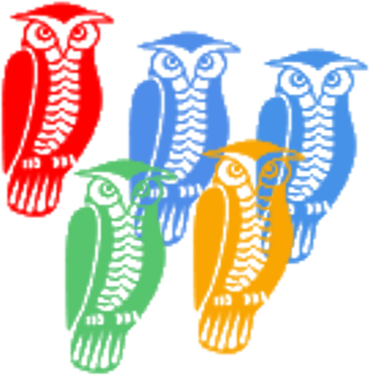
Unfortunately, it shows prettily colored birds but that's not what you get. The valentine brushes are the same way - grayscale and they take on either the foreground color or gradient colors.

Here's brush 10 which is an owl that I used with a gradient. You can see that they come out solid colored rather than various colors like it shows in the picture of them. It kind of ruined the brushes in my opinion.

Anyway, if your foreground color is black, either brush will come out in shades of black and gray. It's not your fault, it's the way the brushes were made.

Image

You can use a single color (I used black) to paint the brush, then make a new transparent layer under the brush and paint in some of the empty spaces with color.

Image

_________________
Image
World War IV will be fought with sticks and stones. - Albert Einstein


Top
 Post subject: Re: Color Brush is gray and black
PostPosted: Mon Jun 06, 2011 12:18 pm  (#20) 
Offline
Global Moderator
User avatar

Joined: May 16, 2010
Posts: 16173
I was going to suggest that you may need to change the foreground color to suit your needs.
Wow i am glad it wasn't just me, i thought for sure i was never going to see Gimp Chat again! :lol
Timed out on me several times.

_________________
Image


Top
Post new topic Reply to topic  [ 24 posts ]  Go to page 1, 2  Next

All times are UTC - 5 hours [ DST ]


* Login  


Powered by phpBB3 © phpBB Group