It is currently Fri Jul 03, 2026 10:56 am


All times are UTC - 5 hours [ DST ]


Post new topic Reply to topic  [ 45 posts ]  Go to page Previous  1, 2, 3  Next
Author Message
 Post subject: Re: CrazyCrochet
PostPosted: Sat Oct 16, 2021 11:50 am  (#21) 
Offline
GimpChat Member
User avatar

Joined: Jan 20, 2013
Posts: 14831
Location: roma, italy
OK, I will do it.

_________________
"Where am I ?"


Top
 Post subject: Re: CrazyCrochet
PostPosted: Sat Oct 16, 2021 12:03 pm  (#22) 
Offline
GimpChat Member
User avatar

Joined: Jan 20, 2013
Posts: 14831
Location: roma, italy
Done.

Attachment:
DIEGO_CROCHETKNITPATCH_CrochetLook.7z [7.07 KiB]
Downloaded 89 times


Many thanks again Patrice
:tyspin

_________________
"Where am I ?"


Top
 Post subject: Re: CrazyCrochet
PostPosted: Sat Oct 16, 2021 1:13 pm  (#23) 
Offline
GimpChat Member
User avatar

Joined: Jan 13, 2011
Posts: 2644
Location: Poland
Hi Diego.

Such a case is also possible:


Attachments:
Minimal size.jpg
Minimal size.jpg [ 101.66 KiB | Viewed 2932 times ]

_________________
Image
Top
 Post subject: Re: CrazyCrochet
PostPosted: Sat Oct 16, 2021 2:42 pm  (#24) 
Offline
GimpChat Member
User avatar

Joined: Jan 20, 2013
Posts: 14831
Location: roma, italy
You choose a too small dimension.
(There was an indication for the user to choose W+U of at least 2000, it has been recently removed to introduce new warnings).
Added a check in the filter, which set now automatically the out size to the minimum of 2000.

Attachment:
DIEGO_CROCHETKNITPATCH_CrochetLook.7z [7.12 KiB]
Downloaded 67 times


Retry and let me know.
I will see you reply tomorrow, I'm going to bed now.

_________________
"Where am I ?"


Top
 Post subject: Re: Crochet
PostPosted: Sat Oct 16, 2021 4:56 pm  (#25) 
Offline
GimpChat Member
User avatar

Joined: Jan 13, 2011
Posts: 2644
Location: Poland
OK.
Good night after a busy day (no "crazy","crochet" dreams). :seeya

_________________
Image


Top
 Post subject: Re: CrazyCrochet
PostPosted: Sat Oct 16, 2021 11:47 pm  (#26) 
Offline
GimpChat Member
User avatar

Joined: Jan 20, 2013
Posts: 14831
Location: roma, italy
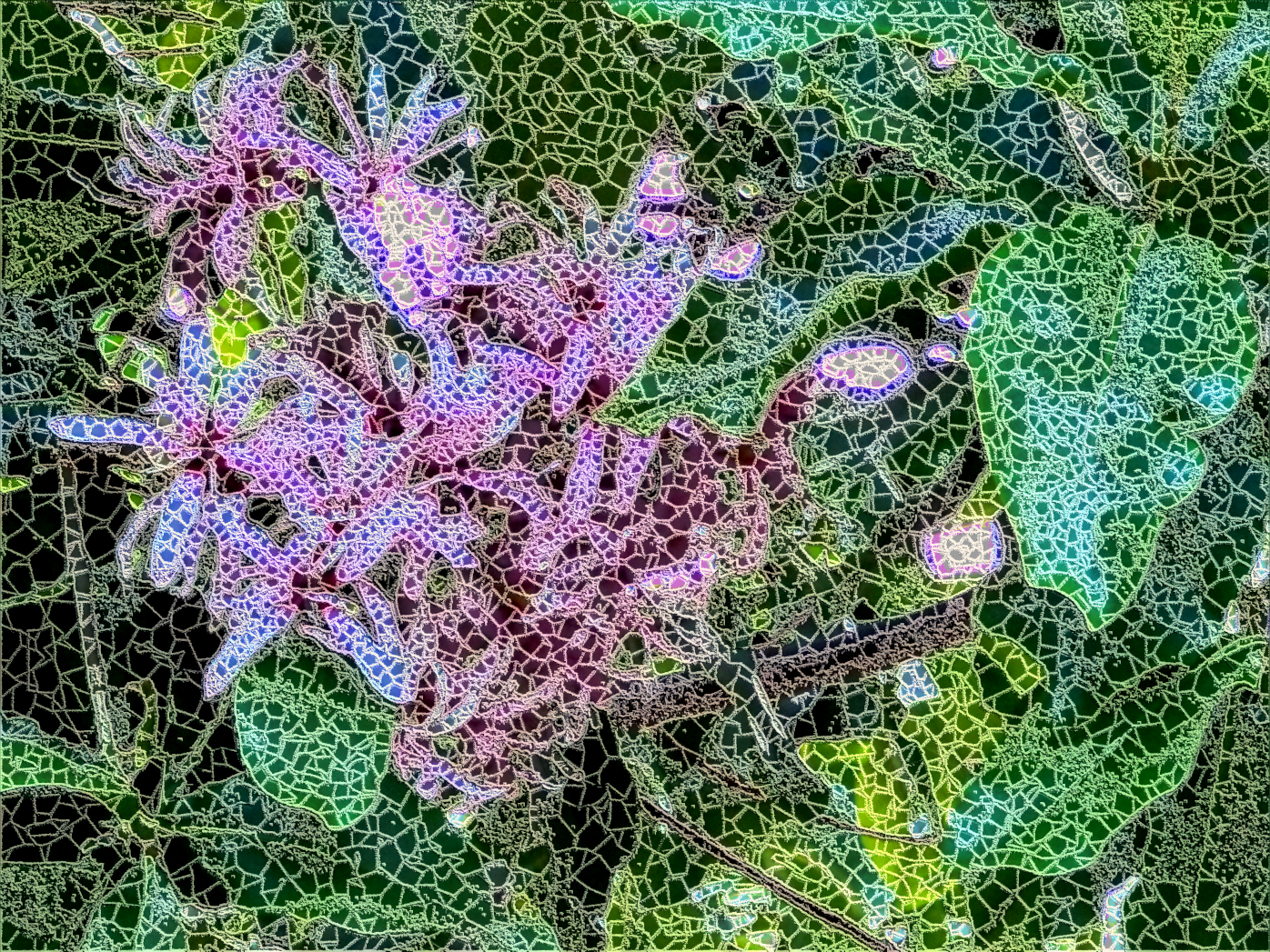
Good morning.

Attachment:
GoodMorning.jpeg
GoodMorning.jpeg [ 1.59 MiB | Viewed 2866 times ]

_________________
"Where am I ?"


Top
 Post subject: Re: CrazyCrochet
PostPosted: Mon Oct 18, 2021 7:25 am  (#27) 
Offline
Global Moderator
User avatar

Joined: Apr 01, 2012
Posts: 8406
Location: On the other side of your screen
Image

_________________
Image
Free Fun Photo Editing & resources
Poems from the Lord
Gimp Newby
Gimp version 3.2.0 and GMIC-Qt 3.7.5 OS :- Windows 10 Home 64


Top
 Post subject: Re: CrazyCrochet
PostPosted: Mon Oct 18, 2021 10:15 am  (#28) 
Offline
GimpChat Member
User avatar

Joined: Jan 20, 2013
Posts: 14831
Location: roma, italy
Thanks, Sallyanne, very nice outcome.
Any problem with the filter?

_________________
"Where am I ?"


Top
 Post subject: Re: CrazyCrochet
PostPosted: Thu Oct 21, 2021 2:44 am  (#29) 
Offline
Global Moderator
User avatar

Joined: Apr 01, 2012
Posts: 8406
Location: On the other side of your screen
Sorry for replying so late. I think I had an error message but it still ran. I'll try it again and see what happens.

EDIT : Not responding on a 1280x 853 image - new image 3000, texture areas 7, transparent background but my computer is on go slow at the moment. Something is happening now.

EDIT again : - It completed

_________________
Image
Free Fun Photo Editing & resources
Poems from the Lord
Gimp Newby
Gimp version 3.2.0 and GMIC-Qt 3.7.5 OS :- Windows 10 Home 64


Top
 Post subject: Re: CrazyCrochet
PostPosted: Thu Oct 21, 2021 5:51 am  (#30) 
Offline
GimpChat Member
User avatar

Joined: Jan 20, 2013
Posts: 14831
Location: roma, italy
Thanks Sallyanne for the info.
If you have a slow computer, you may reduce 3000 to 2400, time will be approx reduced by 40%.
The message you got was possibly due to an automatic adjustment of the size:
- if you run it with size=0 and the source has a W+H < 2000, the filter set size to 2000 informing the user.
In general when one of my filters gives a msg then continues to run, it's only to inform the user, no errors.

_________________
"Where am I ?"


Top
 Post subject: Re: CrazyCrochet
PostPosted: Sat Oct 30, 2021 10:42 am  (#31) 
Offline
GimpChat Member

Joined: Jan 31, 2014
Posts: 53
Location: Johannesburg, South Africa
I was a long time not using GIMP or visited the forums and now see this nice filter.
The download I am trying is taking me to an error page.
Can someone tells me if it's still available as I am very much interested in this Crazy Crochet filter.
If not, is there any other similar filters?

Thank you,
Laura


Top
 Post subject: Re: CrazyCrochet
PostPosted: Sat Oct 30, 2021 11:14 am  (#32) 
Offline
GimpChat Member
User avatar

Joined: Jan 20, 2013
Posts: 14831
Location: roma, italy
Did you download the filter from post #24?

_________________
"Where am I ?"


Top
 Post subject: Re: CrazyCrochet
PostPosted: Sat Oct 30, 2021 11:27 am  (#33) 
Offline
GimpChat Member

Joined: Jan 31, 2014
Posts: 53
Location: Johannesburg, South Africa
dinasset wrote:
Did you download the filter from post #24?


Hallo there, yes I did. I also sent you a PM now just before.

Laura


Top
 Post subject: Re: CrazyCrochet
PostPosted: Sat Oct 30, 2021 11:37 am  (#34) 
Offline
GimpChat Member
User avatar

Joined: Jan 20, 2013
Posts: 14831
Location: roma, italy
replied to the PM, but what you have to do is:
- once downloaded unzip it (so that you get the .py filter)
- place it in your plug-ins folder (not in scripts folder!)
- restart Gimp

_________________
"Where am I ?"


Top
 Post subject: Re: CrazyCrochet
PostPosted: Mon Nov 01, 2021 4:13 am  (#35) 
Offline
GimpChat Member

Joined: Jan 31, 2014
Posts: 53
Location: Johannesburg, South Africa
dinasset wrote:
replied to the PM, but what you have to do is:
- once downloaded unzip it (so that you get the .py filter)
- place it in your plug-ins folder (not in scripts folder!)
- restart Gimp


Dear dinasset,

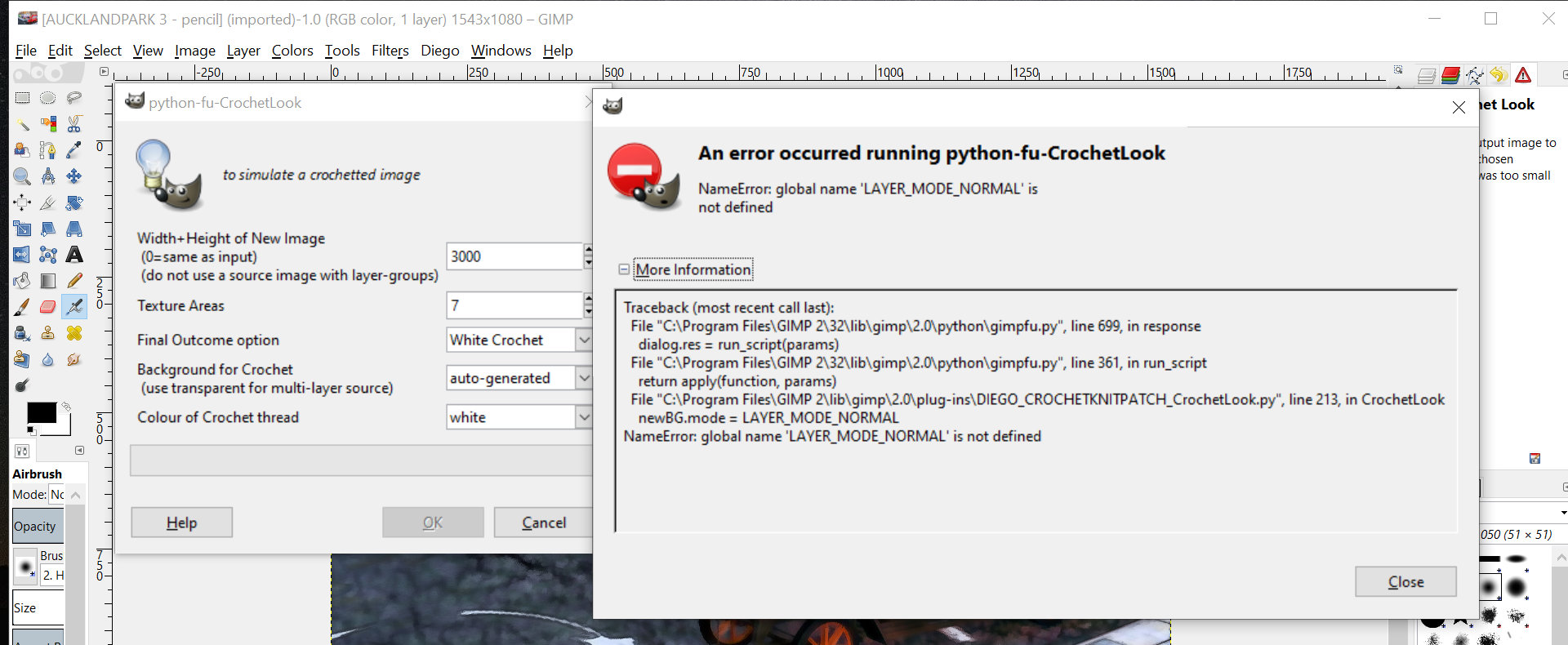
I have installed the DIEGO filter in both Gimp 2.8 and Gimp 2.10.
In Gimp 2.8 it shows up but don't run correctly and in Gimp 2.10 it don't show up at all.
My friend who has Gimp 2.10 (same version) has no problem and it works for him.
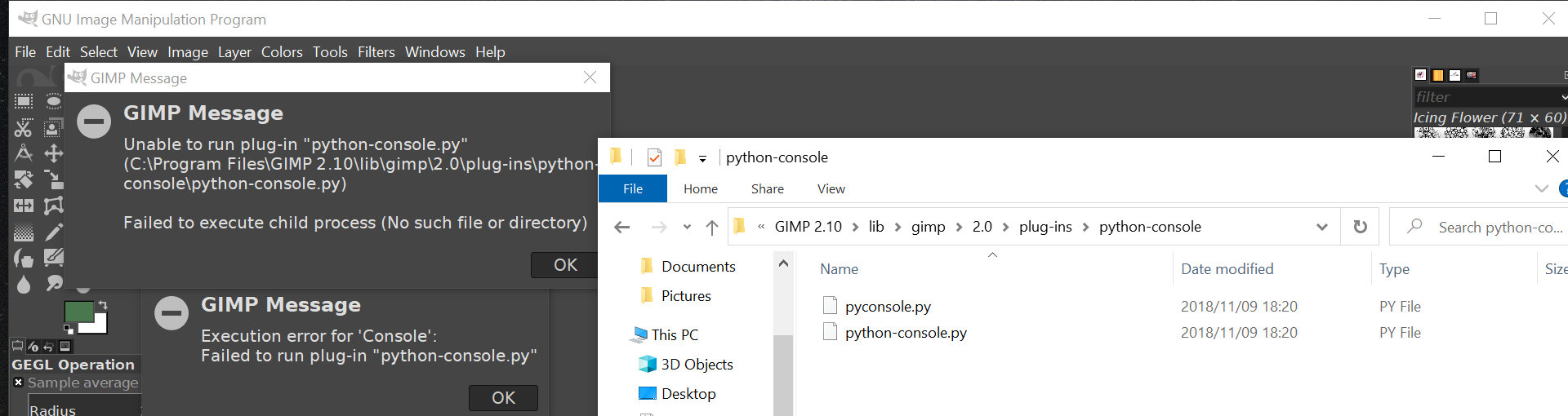
Here are screenshots with both versions and the problems.

Gimp 2.8 screenshot:
Image

Gimp 2.10 screenshot:
Image

I am a newbie and not sure why this can be. My friend saw my screenshot for 2.10 and it looks fine how it is setup in Windows.

I have noticed some other filters overwriting each other when I install them, i.e. Xero filters works but when I install Artistic filters, the Xero disappears from the list or vice versa. This is on Gimp 2.10.
This tells me the problem lay in the plugins setup.

I really hope that I can get the Diego crochet filter to work as it works on my friend's.

Thank you for your time,

Laura


Last edited by launok on Mon Nov 01, 2021 4:35 am, edited 1 time in total.

Top
 Post subject: Re: CrazyCrochet
PostPosted: Mon Nov 01, 2021 4:34 am  (#36) 
Offline
GimpChat Member
User avatar

Joined: Jan 20, 2013
Posts: 14831
Location: roma, italy
Thanks for trying Laura.
In 2.8 it can't run (unless changes are made to "restore" old parameters).
in 2.10 it should run without problems, I do not understand the reference to "console", did you try to run it from the console?
"CrochetLook" should appear under menu "<Image>/Diego/CrochetKnitPatch", which I do not see it in your snapshot for 2.10. Ask your friend whether he sees that menu entry and the steps he used. I hope you succeed too, good luck!

_________________
"Where am I ?"


Top
 Post subject: Re: CrazyCrochet
PostPosted: Mon Nov 01, 2021 4:38 am  (#37) 
Offline
GimpChat Member
User avatar

Joined: Jan 20, 2013
Posts: 14831
Location: roma, italy
One way could be:
- prepare a Gimp launch with ONLY my filter linked
- if you can run it, then try to restore the links to other plug-ins you have a few at a time, until you discover a conflict.

_________________
"Where am I ?"


Top
 Post subject: Re: CrazyCrochet
PostPosted: Mon Nov 01, 2021 5:02 am  (#38) 
Offline
GimpChat Member
User avatar

Joined: Jan 13, 2011
Posts: 2644
Location: Poland
Hi Laura.
Try to place the file in that location (only put it here - don't leave a duplicate 'somewhere'):

c:\Users\ * YOUR NAME FOR LOGIN* \AppData\Roaming\GIMP\2.10\plug-ins\DIEGO_CROCHETKNITPATCH_CrochetLook.py

_________________
Image


Top
 Post subject: Re: CrazyCrochet
PostPosted: Mon Nov 01, 2021 5:37 am  (#39) 
Offline
GimpChat Member

Joined: Jan 31, 2014
Posts: 53
Location: Johannesburg, South Africa
Attachment:
gimp problem 6.jpg
gimp problem 6.jpg [ 234.94 KiB | Viewed 1609 times ]
dinasset wrote:
Thanks for trying Laura.
In 2.8 it can't run (unless changes are made to "restore" old parameters).
in 2.10 it should run without problems, I do not understand the reference to "console", did you try to run it from the console?
"CrochetLook" should appear under menu "<Image>/Diego/CrochetKnitPatch", which I do not see it in your snapshot for 2.10. Ask your friend whether he sees that menu entry and the steps he used. I hope you succeed too, good luck!


I have made another screenshot of Gimp 2.10 (shown above) and the Menu > Image but it don't show up there, on the screenshot you can see where the Diego is installed. If it's wrong please tell me.
My friend's "Diego" appears on his main menu bar on top between tools, filters or windows and he runs it straight from there. I will chat with him this evening and ask him if it's showing up also under Image or not.


Top
 Post subject: Re: CrazyCrochet
PostPosted: Mon Nov 01, 2021 5:47 am  (#40) 
Offline
GimpChat Member

Joined: Jan 31, 2014
Posts: 53
Location: Johannesburg, South Africa
MareroQ wrote:
Hi Laura.
Try to place the file in that location (only put it here - don't leave a duplicate 'somewhere'):

c:\Users\ * YOUR NAME FOR LOGIN* \AppData\Roaming\GIMP\2.10\plug-ins\DIEGO_CROCHETKNITPATCH_CrochetLook.py


Thank you, I will look into this together this evening with my friend who knows computer stuff better than myself. My knowledge is very limited. :)


Top
Post new topic Reply to topic  [ 45 posts ]  Go to page Previous  1, 2, 3  Next

All times are UTC - 5 hours [ DST ]


* Login  


Powered by phpBB3 © phpBB Group