It is currently Sun Aug 16, 2026 8:16 am


All times are UTC - 5 hours [ DST ]


Post new topic Reply to topic  [ 733 posts ]  Go to page Previous  1 ... 17, 18, 19, 20, 21, 22, 23 ... 37  Next
Author Message
 Post subject: Re: Custom Fonts for 2023
PostPosted: Sun Sep 03, 2023 10:26 am  (#381) 
Offline
GimpChat Member
User avatar

Joined: Jul 09, 2023
Posts: 1736
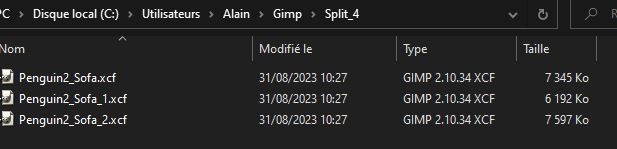
Try using the Penguin2_Sofa custom font from Skinnyhouse.
Image
Image
Image
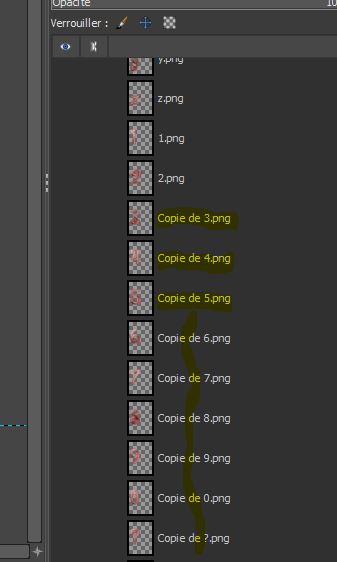
Results after ?????
Image
:gaah :gaah :gaah


Top
 Post subject: Re: Custom Fonts for 2023
PostPosted: Sun Sep 03, 2023 1:16 pm  (#382) 
Offline
GimpChat Member
User avatar

Joined: Aug 08, 2016
Posts: 2855
Location: East Midlands of England
Hi guys - just noticed the conversation...
Have downloaded and extracted own files for BlueRidge custom font and re-assembled without a problem.

Using Gimp 2.10.34 - not upgraded yet to 2.10.34 revision 2.
What version of Gimp are you using?

_________________
Image
"Let no one steal your dreams."
Paul Cookson

Custom Font Links
2.10 Tools
Character Paths
White Bases


Top
 Post subject: Re: Custom Fonts for 2023
PostPosted: Mon Sep 04, 2023 9:14 am  (#383) 
Offline
GimpChat Member
User avatar

Joined: Jul 09, 2023
Posts: 1736
My Gimp version.
Image


Top
 Post subject: Re: Custom Fonts for 2023
PostPosted: Mon Sep 04, 2023 9:23 am  (#384) 
Offline
GimpChat Member
User avatar

Joined: Jul 09, 2023
Posts: 1736
Test with the BlueRidge custom font.
Same Results ?????Image
:gaah :gaah :gaah


Top
 Post subject: Re: Custom Fonts for 2023
PostPosted: Mon Sep 04, 2023 10:00 am  (#385) 
Offline
GimpChat Member

Joined: Mar 14, 2023
Posts: 609
Location: Turkiye
alan5603 wrote:
Suite 3108 (numbers).

your files are not merging are you kidding?


Top
 Post subject: Re: Custom Fonts for 2023
PostPosted: Mon Sep 04, 2023 10:50 am  (#386) 
Offline
GimpChat Member
User avatar

Joined: Jul 09, 2023
Posts: 1736
Here is custom font 3109.
_1.xcf: A to M
_2.xcf: N to Z
_3.xcf: 0 to 9
To reassemble used: File >> Open as layers


Attachments:
Gimp_PSe_Sonar242_5_Cooper Black_Regular_1.xcf [4.04 MiB]
Downloaded 71 times
Gimp_PSe_Sonar242_5_Cooper Black_Regular_2.xcf [4.41 MiB]
Downloaded 81 times
Gimp_PSe_Sonar242_5_Cooper Black_Regular_GC_1.jpg
Gimp_PSe_Sonar242_5_Cooper Black_Regular_GC_1.jpg [ 422.43 KiB | Viewed 3060 times ]
Top
 Post subject: Re: Custom Fonts for 2023
PostPosted: Mon Sep 04, 2023 10:52 am  (#387) 
Offline
GimpChat Member
User avatar

Joined: Jul 09, 2023
Posts: 1736
Suite 3109 (numbers).


Attachments:
Gimp_PSe_Sonar242_5_Cooper Black_Regular_3.xcf [2.47 MiB]
Downloaded 53 times
Gimp_PSe_Sonar242_5_Cooper Black_Regular_GC_2.jpg
Gimp_PSe_Sonar242_5_Cooper Black_Regular_GC_2.jpg [ 386.64 KiB | Viewed 3060 times ]
Top
 Post subject: Re: Custom Fonts for 2023
PostPosted: Mon Sep 04, 2023 11:39 am  (#388) 
Offline
GimpChat Member
User avatar

Joined: Aug 08, 2016
Posts: 2855
Location: East Midlands of England
Looks like a problem with Revision 2 then.
As a short term measure do as Alan suggests and use:
File>>Open as layers

This works perfectly well but obviously has to be done with each of the custom font files.

I hope there are no other nasties lurking in the Revision 2 woodshed.

:gaah :gaah :gaah :gaah

_________________
Image
"Let no one steal your dreams."
Paul Cookson

Custom Font Links
2.10 Tools
Character Paths
White Bases


Top
 Post subject: Re: Custom Fonts for 2023
PostPosted: Mon Sep 04, 2023 1:29 pm  (#389) 
Offline
GimpChat Member

Joined: Mar 14, 2023
Posts: 609
Location: Turkiye
yes no problem.


Top
 Post subject: Re: Custom Fonts for 2023
PostPosted: Tue Sep 05, 2023 3:04 am  (#390) 
Offline
GimpChat Member
User avatar

Joined: Jul 09, 2023
Posts: 1736
Skinnyhouse; Thank you very much for your support, fortunately all your other filters are working well. :yes


Top
 Post subject: Re: Custom Fonts for 2023
PostPosted: Tue Sep 05, 2023 3:29 am  (#391) 
Offline
GimpChat Member
User avatar

Joined: Jul 09, 2023
Posts: 1736
Here is custom font 1674.
_1.cxf: A to M
_2.xcf: N to Z
_3.xcf: 0 to 9
To reassemble used: File >> Open as layers


Attachments:
Gimp_Dealj_14_1_CandleLight_v2_1.rar [3.71 MiB]
Downloaded 58 times
Gimp_Dealj_14_1_CandleLight_v2_2.rar [3.18 MiB]
Downloaded 58 times
Font_1674.jpg
Font_1674.jpg [ 182.45 KiB | Viewed 3102 times ]
Top
 Post subject: Re: Custom Fonts for 2023
PostPosted: Tue Sep 05, 2023 3:30 am  (#392) 
Offline
GimpChat Member
User avatar

Joined: Jul 09, 2023
Posts: 1736
Suite 1674 (numbers).


Attachments:
Gimp_Dealj_14_1_CandleLight_v2_3.xcf [3.51 MiB]
Downloaded 55 times
Top
 Post subject: Re: Custom Fonts for 2023
PostPosted: Tue Sep 05, 2023 1:29 pm  (#393) 
Offline
GimpChat Member
User avatar

Joined: Aug 08, 2016
Posts: 2855
Location: East Midlands of England
I have installed Gimp 2.10.34 Revision 2 but unfortunatel cannot replicate the problem experienced with Stitcher v0.2

Obviously no error messages are encountered - but, from your screenshot, the layer name is not correctly given.

I will look at my code again to see if I can see what may be going on.

_________________
Image
"Let no one steal your dreams."
Paul Cookson

Custom Font Links
2.10 Tools
Character Paths
White Bases


Top
 Post subject: Re: Custom Fonts for 2023
PostPosted: Tue Sep 05, 2023 2:22 pm  (#394) 
Offline
GimpChat Member
User avatar

Joined: Aug 08, 2016
Posts: 2855
Location: East Midlands of England
A thought. It may be a language thing.
Could you try this version of Stitcher to see if it fixes the problem.

Attachment:
Custom_Font_File_Stitcher_v_02b.zip [4.04 KiB]
Downloaded 40 times

_________________
Image
"Let no one steal your dreams."
Paul Cookson

Custom Font Links
2.10 Tools
Character Paths
White Bases


Top
 Post subject: Re: Custom Fonts for 2023
PostPosted: Wed Sep 06, 2023 3:38 am  (#395) 
Offline
GimpChat Member
User avatar

Joined: Aug 08, 2016
Posts: 2855
Location: East Midlands of England
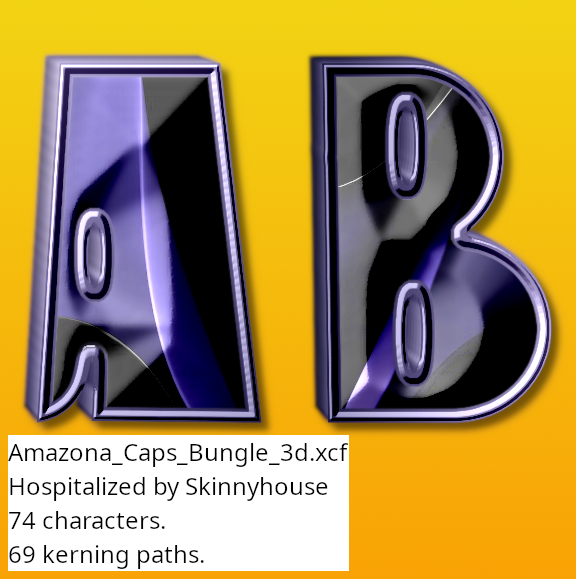
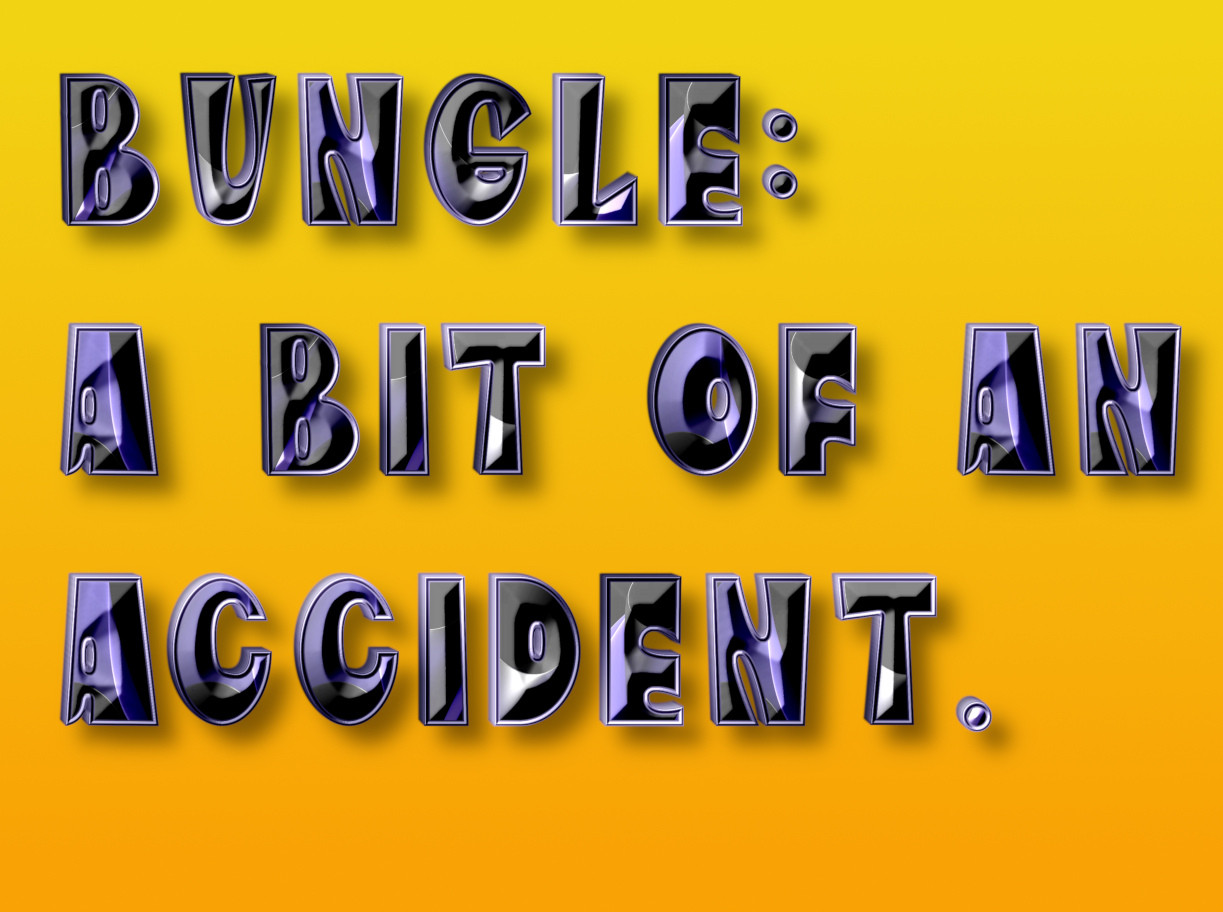
In the meantime here's one that needs no re-assembling...
...using an image from Unsplash.

Attachment:
Bungle 3d.7z [5.35 MiB]
Downloaded 60 times


Image

Image

_________________
Image
"Let no one steal your dreams."
Paul Cookson

Custom Font Links
2.10 Tools
Character Paths
White Bases


Top
 Post subject: Re: Custom Fonts for 2023
PostPosted: Wed Sep 06, 2023 4:05 am  (#396) 
Offline
GimpChat Member
User avatar

Joined: Jul 09, 2023
Posts: 1736
Thank you very much Skinnyhouse for your help and suggestion, ok I will try your new version. For your information, I installed Gimp on 2 computers, one with Win 10 and the other with Win 11, giving the same results with the old version of the filter, to see. :hi5


Top
 Post subject: Re: Custom Fonts for 2023
PostPosted: Wed Sep 06, 2023 4:52 am  (#397) 
Offline
GimpChat Member
User avatar

Joined: Jul 09, 2023
Posts: 1736
Skinnyhouse, good news, your new version works very well, congratulations. I will use your scripts for the next custom font. Well done again. :jumpclap :clap :yes


Top
 Post subject: Re: Custom Fonts for 2023
PostPosted: Wed Sep 06, 2023 4:57 am  (#398) 
Offline
GimpChat Member
User avatar

Joined: Jul 09, 2023
Posts: 1736
A quick question: how to know the number to split the original file, 2 or 3 or more?


Top
 Post subject: Re: Custom Fonts for 2023
PostPosted: Wed Sep 06, 2023 6:45 am  (#399) 
Offline
GimpChat Member
User avatar

Joined: Aug 08, 2016
Posts: 2855
Location: East Midlands of England
Sorry Alan but no magic to the split number!
Usually an educated guess based on previous ones of the same style.
With a new style/font I sometimes do a zip on the full custom font to see what the rate of compression looks like and take it from there.
Anything with a glow or blur tends to produce poor compression results of course.

Anyway - relieved at the news about Splitter 2b. Thanks for testing so quickly. Will replace the version in post#1 ASAP. :hi5 :bigthup :clap :tyspin

_________________
Image
"Let no one steal your dreams."
Paul Cookson

Custom Font Links
2.10 Tools
Character Paths
White Bases


Top
 Post subject: Re: Custom Fonts for 2023
PostPosted: Wed Sep 06, 2023 12:52 pm  (#400) 
Offline
GimpChat Member
User avatar

Joined: Aug 08, 2016
Posts: 2855
Location: East Midlands of England
Using part of an image from Unsplash.

Attachment:
Split 3d.7z [5.5 MiB]
Downloaded 53 times


Image

Image

Example using 3D:

Image

Here is a version without 3d if you want to play with your own 3d images...

Attachment:
Basehead_Caps_Split.7z [3.16 MiB]
Downloaded 51 times

_________________
Image
"Let no one steal your dreams."
Paul Cookson

Custom Font Links
2.10 Tools
Character Paths
White Bases


Top
Post new topic Reply to topic  [ 733 posts ]  Go to page Previous  1 ... 17, 18, 19, 20, 21, 22, 23 ... 37  Next

All times are UTC - 5 hours [ DST ]


* Login  


Powered by phpBB3 © phpBB Group