It is currently Fri Jul 10, 2026 4:48 am


All times are UTC - 5 hours [ DST ]


Post new topic Reply to topic  [ 7 posts ] 
Author Message
 Post subject: Gimp 3.0.0RC1 Lite [SOLVED]
PostPosted: Sat Jan 11, 2025 12:10 pm  (#1) 
Offline
GimpChat Member
User avatar

Joined: Mar 23, 2012
Posts: 7388
Location: Göteborg at last!
GIMP Version: 3.0.0RC1
Operating System: Linux
GIMP Experience: Experienced User


I downloaded Tas_mania's Gimp 3.0.0RC1 Lite from here
https://github.com/TasMania17/Gimp-Appimages-Made-From-Debs/releases/tag/Gimp-v3.0.0rc1

I have set it to execute as a program in permissions and I have tried running it but nothing happens. My guess is the amd architecture - I can never remember whether my setup uses amd or arm. Can something be done? I like the idea of a lite version for my low hard drive space.


Last edited by Erisian on Sat Jan 11, 2025 5:08 pm, edited 1 time in total.

Share on Facebook Share on Twitter Share on Orkut Share on Digg Share on MySpace Share on Delicious Share on Technorati
Top
 Post subject: Re: Gimp 3.0.0RC1 Lite
PostPosted: Sat Jan 11, 2025 1:18 pm  (#2) 
Offline
GimpChat Member

Joined: Mar 04, 2011
Posts: 2605
Certainly will make a difference if the cpu is arm. In a terminal what does uname -p say ?

I do not think amd / intel cpu will make any difference. What version of linux are you using ? That will make a difference. Ubuntu 22.04 / 24.04 (+spin offs) should be ok. I use that in both versions (22/24) of kubuntu and it works really well. Stretching the memory a bit but I remember uninstalling snapd which stopped appimages running.

If you want to do a bit of snagging, put the appimage in a folder, then run it with the --appimage-extract switch to extract a squashfs-root folder. In that folder run AppRun in a terminal and look for error messages.

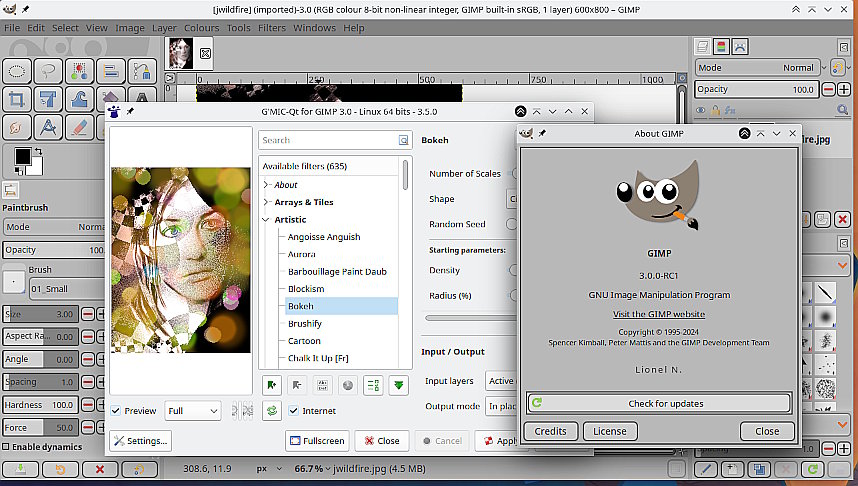
This my old kubuntu 22.04 laptop Using a pixelmixer theme and a Gimp 3.0 gmic_gimp_qt

Attachment:
rc1-linux.jpg
rc1-linux.jpg [ 119.03 KiB | Viewed 1663 times ]


Top
 Post subject: Re: Gimp 3.0.0RC1 Lite
PostPosted: Sat Jan 11, 2025 2:49 pm  (#3) 
Offline
GimpChat Member
User avatar

Joined: Mar 23, 2012
Posts: 7388
Location: Göteborg at last!
I am running Debian Bullseye and uname -p says unknown. My other appimages run fine.

I would need more step by step details for "If you want to do a bit of snagging, put the appimage in a folder, then run it with the --appimage-extract switch to extract a squashfs-root folder. In that folder run AppRun in a terminal and look for error messages." I have little experience of working in terminal.


Top
 Post subject: Re: Gimp 3.0.0RC1 Lite
PostPosted: Sat Jan 11, 2025 2:52 pm  (#4) 
Offline
GimpChat Member
User avatar

Joined: Mar 23, 2012
Posts: 7388
Location: Göteborg at last!
I ran dpkg --print-architecture and it is amd64.


Top
 Post subject: Re: Gimp 3.0.0RC1 Lite
PostPosted: Sat Jan 11, 2025 3:15 pm  (#5) 
Offline
GimpChat Member

Joined: Mar 04, 2011
Posts: 2605
Debian 11 (bullseye) Probably that appimage is not compatible since it was made for ubuntu.

There are other Gimp 3 appimages but generally larger - about 150 to 200 MB
https://github.com/ivan-hc/GIMP-appimage/releases
and the "official" Gimp 3 currently https://gitlab.gnome.org/GNOME/gimp/-/j ... e/_Output/

Short of disk space ? They should run off an external usb drive.


Top
 Post subject: Re: Gimp 3.0.0RC1 Lite
PostPosted: Sat Jan 11, 2025 4:03 pm  (#6) 
Offline
GimpChat Member
User avatar

Joined: Nov 04, 2015
Posts: 1458
Hi Erisian. The Gimp dev team now make up to date AppImages so I no longer make them. That was just a Gimp3 experimental. I support the fact Gimp now do AppImages, it should have happened a long time ago.

They are listed on the Gimp development downloads page
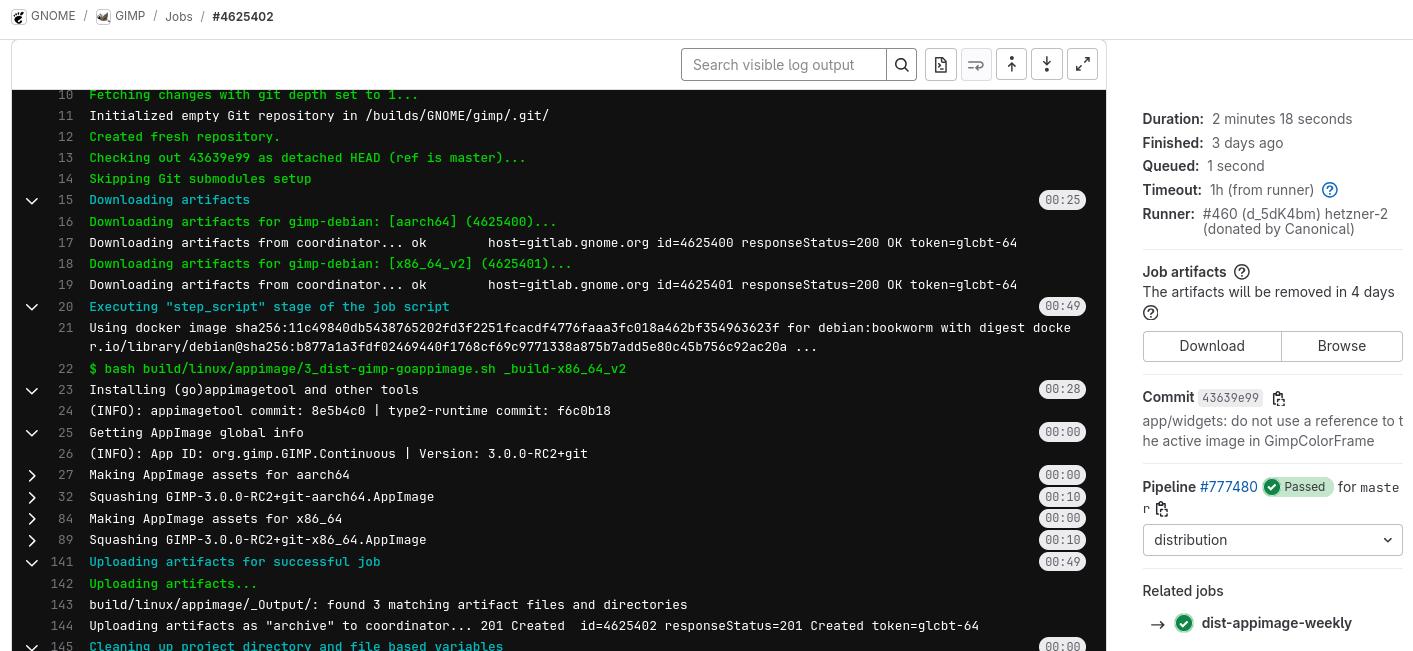
and you can find them here.

Image

That page is is here and it changes weekly.
Click the 'Download' box on the RHS and you will get the current. RC2 now and as up to date as the source :)


Top
 Post subject: Re: Gimp 3.0.0RC1 Lite
PostPosted: Sat Jan 11, 2025 5:07 pm  (#7) 
Offline
GimpChat Member
User avatar

Joined: Mar 23, 2012
Posts: 7388
Location: Göteborg at last!
Thank you Tas_mania and Rich2005. That is a great idea to run from a USB drive. AnMal bought me a 100gb drive for Christmas and stupid me didn't think to use it for this so I was hoping for a lite version.


Top
Post new topic Reply to topic  [ 7 posts ] 

All times are UTC - 5 hours [ DST ]


* Login  


Powered by phpBB3 © phpBB Group