It is currently Wed Nov 04, 2026 7:02 am


All times are UTC - 5 hours [ DST ]


Post new topic Reply to topic  [ 24 posts ]  Go to page 1, 2  Next
Author Message
 Post subject: Animated Scene
PostPosted: Mon Feb 03, 2025 11:45 am  (#1) 
Offline
GimpChat Member
User avatar

Joined: Jan 13, 2011
Posts: 2648
Location: Poland
Animated Scene Ver.1.9

Older versions of this plugin were available on gimpscripts.net.

There are many changes in this version - but in short: there are now 30 animation effects and 25 types of decorations (mostly for text).

Image

In menu: Filters ➤ Animation ➤ Animated Scene...

Image


Attachments:
MrQ Animated Scene Ver.1.9.zip [19.66 KiB]
Downloaded 91 times

_________________
Image
Share on Facebook Share on Twitter Share on Orkut Share on Digg Share on MySpace Share on Delicious Share on Technorati
Top
 Post subject: Re: Animated Scene
PostPosted: Tue Feb 04, 2025 1:40 am  (#2) 
Offline
Global Moderator
User avatar

Joined: May 16, 2010
Posts: 16231
Nice! Thx MrQ. :) This is going to be fun to play with.

_________________
Image


Top
 Post subject: Re: Animated Scene
PostPosted: Tue Feb 04, 2025 11:09 am  (#3) 
Offline
GimpChat Member
User avatar

Joined: Mar 01, 2014
Posts: 14221
Location: Spain, Aragón
It's cool! Thanks a lot, MareroQ. :hi5


Attachments:
MrQ--Thanks.gif
MrQ--Thanks.gif [ 597.11 KiB | Viewed 7813 times ]

_________________
Image

Gimp 2.10.36 (samj) portable _ OS Windows 10 Home_ 64bits
Don’t be afraid to start over. It’s a new chance to rebuild what you want.
Top
 Post subject: Re: Animated Scene
PostPosted: Tue Feb 04, 2025 10:58 pm  (#4) 
Offline
Administrator
User avatar

Joined: Aug 10, 2012
Posts: 14258
Location: Native to NYC living in Arizona, Gimp 2.8 - 3.0, Win 11 PC.
Image

_________________
Image
"A wise man learns more from a foolish question than a fool can learn from a wise answer"
Image


Top
 Post subject: Re: Animated Scene
PostPosted: Wed Feb 05, 2025 1:46 am  (#5) 
Offline
Global Moderator
User avatar

Joined: Oct 02, 2014
Posts: 5086
Location: Sydney Australia
I had a quick 5 minute play - so quick that I had no idea of what I was doing, but I did get a result. Thanks MareroQ for the plugin.


Attachments:
MrQ.gif
MrQ.gif [ 2.07 MiB | Viewed 7768 times ]

_________________
Image

Respect should be offered freely but hard earned
Top
 Post subject: Re: Animated Scene
PostPosted: Wed Feb 05, 2025 3:56 am  (#6) 
Offline
GimpChat Member
User avatar

Joined: Jan 13, 2011
Posts: 2648
Location: Poland
Thanks to everyone for the examples.

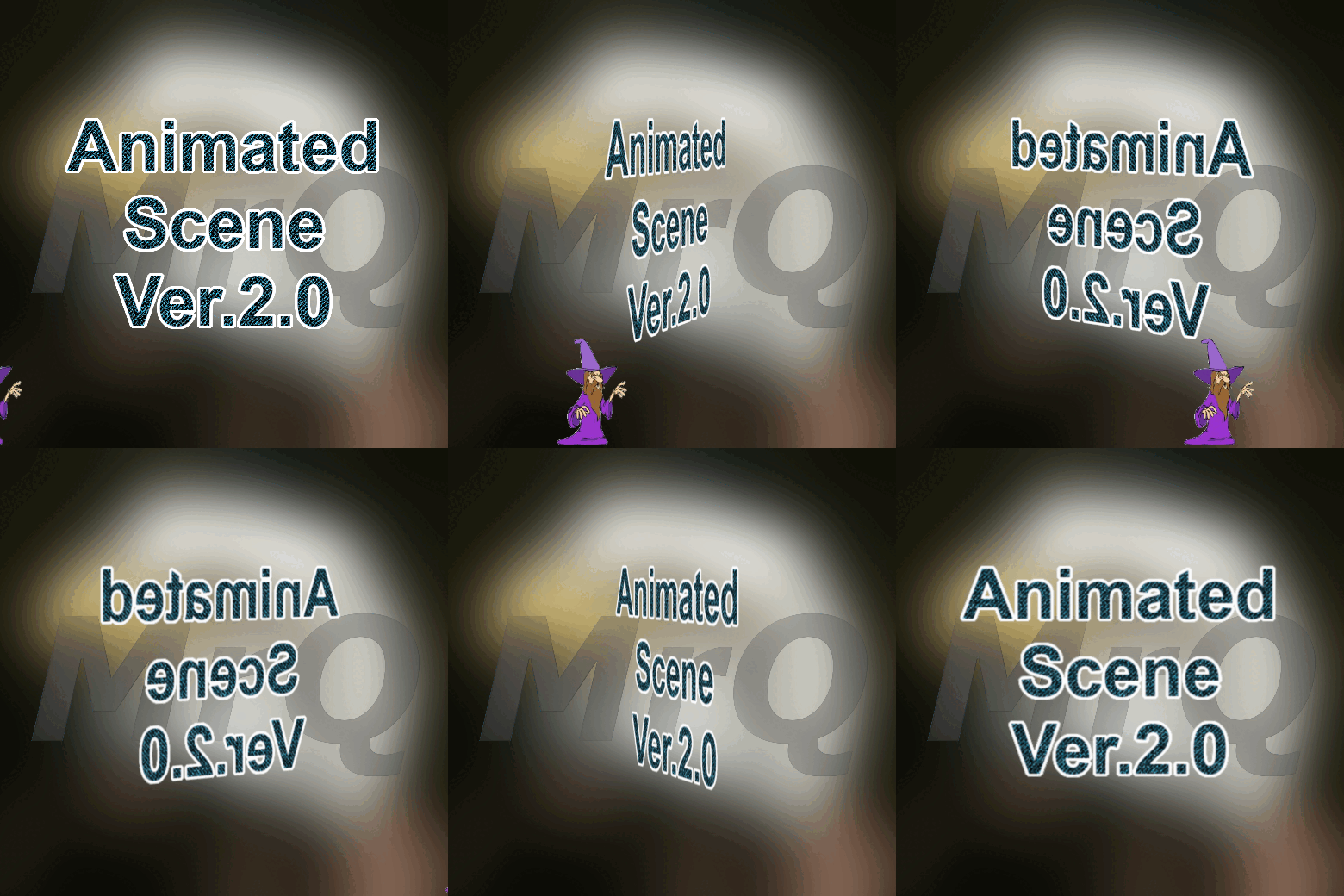
Animated Scene Ver.2.0.

Unfortunately, version 1.9 contains a strange bug that shouldn't happen - after starting Bumpmap, no layer is active, which prevents the code from continuing.

It's my fault, because I forgot that plug_in_bump_map, when it became a procedure (instead of a filter), causes various problems. :oops:

So in version 2.0 I replaced it with the Gegl Embos filter.

(which gives a different effect)

Sorry, I didn't notice it earlier, but it's impossible to check all possible combinations. :hoh

In the case of a very extensive plugin, it sometimes happens that after adding a new option/fixing a specific bug, another bug appears.

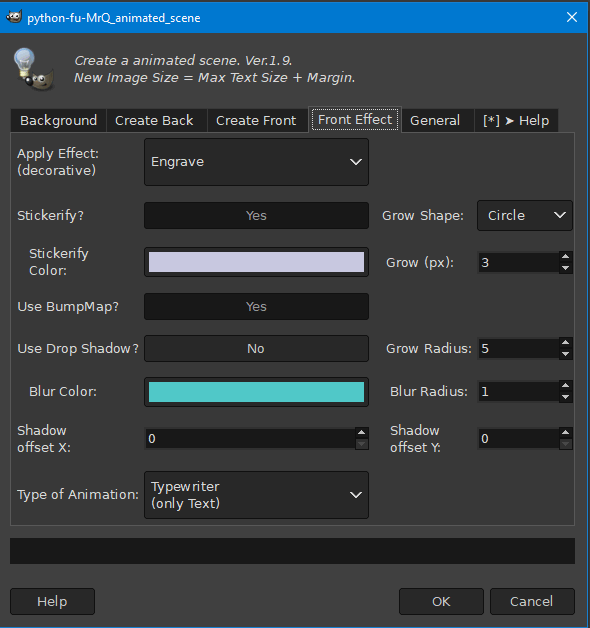
If you find another bug, report it here (screenshots of the settings are desirable). :hi5

Image


Attachments:
MrQ Animated Scene Ver.2.0.zip [22.06 KiB]
Downloaded 68 times

_________________
Image
Top
 Post subject: Re: Animated Scene
PostPosted: Wed Feb 05, 2025 5:53 am  (#7) 
Offline
GimpChat Member
User avatar

Joined: Mar 01, 2014
Posts: 14221
Location: Spain, Aragón
Thanks again MareroQ, :tyspin
I still haven't got the hang of it.
but I'm trying to correct the margins and the effects.
The effect is :coolthup

_________________
Image

Gimp 2.10.36 (samj) portable _ OS Windows 10 Home_ 64bits
Don’t be afraid to start over. It’s a new chance to rebuild what you want.


Top
 Post subject: Re: Animated Scene
PostPosted: Wed Feb 05, 2025 10:15 am  (#8) 
Offline
GimpChat Member

Joined: Mar 14, 2023
Posts: 619
Location: Turkiye
Attachment:
loading.gif
loading.gif [ 74.57 KiB | Viewed 7726 times ]


Top
 Post subject: Re: Animated Scene
PostPosted: Thu Feb 06, 2025 2:46 am  (#9) 
Offline
GimpChat Member
User avatar

Joined: Mar 01, 2014
Posts: 14221
Location: Spain, Aragón
MrQ, I don't know how to do your turning effect. Please, could you help me with your advice? :)


Attachments:
7-7.gif
7-7.gif [ 666.31 KiB | Viewed 7691 times ]
Animate-Scene-v2.gif
Animate-Scene-v2.gif [ 1.44 MiB | Viewed 7691 times ]

_________________
Image

Gimp 2.10.36 (samj) portable _ OS Windows 10 Home_ 64bits
Don’t be afraid to start over. It’s a new chance to rebuild what you want.
Top
 Post subject: Re: Animated Scene
PostPosted: Thu Feb 06, 2025 5:12 am  (#10) 
Offline
GimpChat Member
User avatar

Joined: Jan 13, 2011
Posts: 2648
Location: Poland
Hi Issabella.

In post #6: "Rotation about Y axis",
I recommend trying all options on a small number of frames and creating the final effect with > 25 frames.

"Rotation about X axis"

Image

(Text Align TOP, Distance to edge 30)

Image

_________________
Image


Top
 Post subject: Re: Animated Scene
PostPosted: Thu Feb 06, 2025 12:40 pm  (#11) 
Offline
GimpChat Member
User avatar

Joined: Mar 01, 2014
Posts: 14221
Location: Spain, Aragón
Thank you so much MareroQ. :tyspin
I got some first steps and outcomes, they are still very nervous as you can see. :hehe
I think I'll be a bit better with practice. :hi5


Attachments:
6-outcome-Issa.gif
6-outcome-Issa.gif [ 2.35 MiB | Viewed 7649 times ]
Rotation-Axis-H-Issa.gif
Rotation-Axis-H-Issa.gif [ 1.76 MiB | Viewed 7649 times ]
Rotation-Axis-V-Issa.gif
Rotation-Axis-V-Issa.gif [ 1.98 MiB | Viewed 7649 times ]

_________________
Image

Gimp 2.10.36 (samj) portable _ OS Windows 10 Home_ 64bits
Don’t be afraid to start over. It’s a new chance to rebuild what you want.
Top
 Post subject: Re: Animated Scene
PostPosted: Thu Feb 06, 2025 10:50 pm  (#12) 
Offline
Global Moderator
User avatar

Joined: Oct 02, 2014
Posts: 5086
Location: Sydney Australia
Could not resist it.


Attachments:
omg_anim_MrQ.gif
omg_anim_MrQ.gif [ 3.7 MiB | Viewed 7610 times ]

_________________
Image

Respect should be offered freely but hard earned
Top
 Post subject: Re: Animated Scene
PostPosted: Fri Feb 07, 2025 4:22 am  (#13) 
Offline
Global Moderator
User avatar

Joined: Oct 02, 2014
Posts: 5086
Location: Sydney Australia
And another - thanks again MareroQ for this pleasurable plugin; gives lots of fun and is easy to augment.


Attachments:
omg_meli_truck_MrQ.gif
omg_meli_truck_MrQ.gif [ 1.13 MiB | Viewed 7589 times ]

_________________
Image

Respect should be offered freely but hard earned
Top
 Post subject: Re: Animated Scene
PostPosted: Fri Feb 07, 2025 9:43 am  (#14) 
Offline
GimpChat Member
User avatar

Joined: Jan 13, 2011
Posts: 2648
Location: Poland
Issabella
Adjust frame display time ;)

OMG.
You always inspire me with Your ideas and perfect execution, Possible next version,

_________________
Image


Top
 Post subject: Re: Animated Scene
PostPosted: Fri Feb 07, 2025 10:32 pm  (#15) 
Offline
Global Moderator
User avatar

Joined: Oct 02, 2014
Posts: 5086
Location: Sydney Australia
MareroQ - I'm flattered :lol:

Still playing with your toy.


Attachments:
omg_kamika_anim.gif
omg_kamika_anim.gif [ 4.08 MiB | Viewed 7526 times ]

_________________
Image

Respect should be offered freely but hard earned
Top
 Post subject: Re: Animated Scene
PostPosted: Sat Feb 08, 2025 2:11 am  (#16) 
Offline
Global Moderator
User avatar

Joined: Oct 02, 2014
Posts: 5086
Location: Sydney Australia
No text this one; exploring other parameters


Attachments:
MrQ_omg_spiral_anim.gif
MrQ_omg_spiral_anim.gif [ 2.83 MiB | Viewed 7509 times ]

_________________
Image

Respect should be offered freely but hard earned
Top
 Post subject: Re: Animated Scene
PostPosted: Sat Feb 08, 2025 2:43 am  (#17) 
Offline
GimpChat Member
User avatar

Joined: Mar 01, 2014
Posts: 14221
Location: Spain, Aragón
OMG, nice outcomes with o without texts. :hi5
MareroQ, thanks for your toy. I corrected the time for frames and they are better. :tyspin

_________________
Image

Gimp 2.10.36 (samj) portable _ OS Windows 10 Home_ 64bits
Don’t be afraid to start over. It’s a new chance to rebuild what you want.


Top
 Post subject: Re: Animated Scene
PostPosted: Sat Feb 08, 2025 3:43 pm  (#18) 
Offline
Global Moderator
User avatar

Joined: Oct 02, 2014
Posts: 5086
Location: Sydney Australia
Issabella - thank you.

Here is my last play for now; I apologise for hogging this thread bit I love this plugin because it provides so much functionality, plus output that so easily allows augmentation. For this one below I did 2 separate versions from the MrQ plugin, then interleaved the result using Ofnuts' ' "interleave" plugin.


Attachments:
risnfall_anim.gif
risnfall_anim.gif [ 3.33 MiB | Viewed 7459 times ]

_________________
Image

Respect should be offered freely but hard earned
Top
 Post subject: Re: Animated Scene
PostPosted: Tue Feb 11, 2025 3:42 am  (#19) 
Offline
GimpChat Member
User avatar

Joined: Mar 01, 2014
Posts: 14221
Location: Spain, Aragón
Playing with this plug-in. I love it. :hi5
MareroQ, Thanks again for so much joy. :hi5


Attachments:
Pyrenees-600.gif
Pyrenees-600.gif [ 427.18 KiB | Viewed 7353 times ]

_________________
Image

Gimp 2.10.36 (samj) portable _ OS Windows 10 Home_ 64bits
Don’t be afraid to start over. It’s a new chance to rebuild what you want.
Top
 Post subject: Re: Animated Scene
PostPosted: Tue Feb 11, 2025 4:20 pm  (#20) 
Offline
GimpChat Member
User avatar

Joined: Jan 06, 2020
Posts: 404
Location: The Netherlands
Playing a bit, very nice.Thanks mareroQ


Attachments:
spring.gif
spring.gif [ 1.83 MiB | Viewed 7312 times ]
Top
Post new topic Reply to topic  [ 24 posts ]  Go to page 1, 2  Next

All times are UTC - 5 hours [ DST ]


* Login  


Powered by phpBB3 © phpBB Group