Downolad Inkscape from:
https://inkscape.org/release/inkscape-1 ... directed=1Read about ZebraTrace installation and plugin operation here:
viewtopic.php?f=9&t=21614&start=0and a little bit of what to do in Inkscape:
viewtopic.php?f=9&t=21618&start=0In menu: Filters ➤ Render ➤ Inkscape...
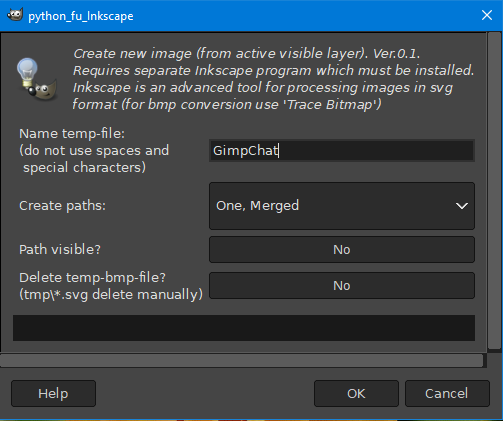
Changed the location of temporary files because there are too many things going on in the dumpster in the Windows folder ... AppData\Local\Temp\... in Windows.
Now in Gimp's tmp directory.
How is this version different from traditional ShellOut?
Not much, but it includes:
- one filter - one entry in the Gimp menu (as Partha showed for Nik Collection and that's OK for me),
- creates a pseudo file to overwrite (my idea for changing the extension: enter external program with type X,
return to Gimp with file with extension Y). Login
Login Register
 Tweets
 FAQ
FAQ Advanced Search







