It is currently Fri Jul 31, 2026 12:12 pm


All times are UTC - 5 hours [ DST ]


Post new topic Reply to topic  [ 15 posts ] 
Author Message
 Post subject: What GIMP Features Can Be Utilised?
PostPosted: Fri Jun 06, 2025 5:04 am  (#1) 
Offline
GimpChat Member
User avatar

Joined: Feb 26, 2025
Posts: 19
GIMP Version: 2.8.14
Operating System: Windows
GIMP Experience: New User


I create resident evil based 3D renders using DAZ Studio. I'm wondering is there a GIMP feature/adjustment that create the haze or the effect that the games filtering layer seems to incorporate in pictures of in-game play from RE2 & RE3 remakes?

My render is: Jilleon-Gas-Station-Test-3. The others are the ones that have the "haze".


Attachments:
Jilleon-Gas-Station-Test-3-Con40-High40.jpg
Jilleon-Gas-Station-Test-3-Con40-High40.jpg [ 529 KiB | Viewed 20522 times ]
Screenshot_20250606_191416_Brave.jpg
Screenshot_20250606_191416_Brave.jpg [ 169.67 KiB | Viewed 20522 times ]
RE2make_Mizol_Gas_(2).jpg
RE2make_Mizol_Gas_(2).jpg [ 138.66 KiB | Viewed 20523 times ]


Last edited by thenic123 on Sat Jun 21, 2025 8:05 am, edited 1 time in total.
Share on Facebook Share on Twitter Share on Orkut Share on Digg Share on MySpace Share on Delicious Share on Technorati
Top
 Post subject: Re: What GIMP Feature Can Be Utilised?
PostPosted: Fri Jun 06, 2025 12:29 pm  (#2) 
Offline
Administrator
User avatar

Joined: Aug 10, 2012
Posts: 14142
Location: Native to NYC living in Arizona, Gimp 2.8 - 3.0, Win 11 PC.
I used Differences Clouds to produce this effect.

Attachment:
Jilleon-Gas-Station-Test-3-Con40-High40_wallace.jpg
Jilleon-Gas-Station-Test-3-Con40-High40_wallace.jpg [ 1014.51 KiB | Viewed 20475 times ]

_________________
Image
"A wise man learns more from a foolish question than a fool can learn from a wise answer"
Image


Top
 Post subject: Re: What GIMP Feature Can Be Utilised?
PostPosted: Fri Jun 06, 2025 1:02 pm  (#3) 
Offline
Script Coder
User avatar

Joined: May 07, 2014
Posts: 4526
Location: Canada
I am familiar with DAZ but back when I was doing 3 models using google's sketchup I would create fake fog that looked convincing by creating multiple copies of white or light gray transparent planes
so I asked ChatGPT:
Daz studio can you render haze by creating multiple layers of somewhat transparent white


ChatGPT said:
Yes, you can create haze in Daz Studio by layering multiple slightly transparent white surfaces or planes — this is a simple and effective trick when you're not using volumetric fog.

If you do it with GIMP it won't look convincing since GIMP is 2D unless you take the time to paint manually. With multiple somewhat transparent planes however you'll get really convincing because further objects will be behind more somewhat transparent planes than closer objects.

When you successfully create haze or fog in DAZ, please share results I'd love to see it.

_________________
TinT


Top
 Post subject: Re: What GIMP Feature Can Be Utilised?
PostPosted: Fri Jun 06, 2025 10:16 pm  (#4) 
Offline
GimpChat Member
User avatar

Joined: Feb 26, 2025
Posts: 19
Wallace wrote:
I used Differences Clouds to produce this effect.

Attachment:
Jilleon-Gas-Station-Test-3-Con40-High40_wallace.jpg


Yeah, sort of. Can it be a full layer that covers the entire image, not patches?


Top
 Post subject: Re: What GIMP Feature Can Be Utilised?
PostPosted: Sat Jun 07, 2025 4:15 pm  (#5) 
Offline
GimpChat Member
User avatar

Joined: Feb 26, 2025
Posts: 19
Created a depth map in DAZ Studio. How is it brightened up and applied to the render using GIMP?


Attachments:
fb799364f9db4c1ea7f8b88f25d196.png
fb799364f9db4c1ea7f8b88f25d196.png [ 54.84 KiB | Viewed 20414 times ]
Top
 Post subject: Re: What GIMP Feature Can Be Utilised?
PostPosted: Sat Jun 07, 2025 9:50 pm  (#6) 
Offline
Administrator
User avatar

Joined: Aug 10, 2012
Posts: 14142
Location: Native to NYC living in Arizona, Gimp 2.8 - 3.0, Win 11 PC.
Here's what I did with that "depth map".

Attachment:
File comment: Example Curves
Screenshot (2690).png
Screenshot (2690).png [ 987.18 KiB | Viewed 20406 times ]

_________________
Image
"A wise man learns more from a foolish question than a fool can learn from a wise answer"
Image


Top
 Post subject: Re: What GIMP Feature Can Be Utilised?
PostPosted: Tue Jun 10, 2025 1:32 am  (#7) 
Offline
GimpChat Member
User avatar

Joined: Feb 26, 2025
Posts: 19
Wallace wrote:
Here's what I did with that "depth map".

Attachment:
The attachment Screenshot (2690).png is no longer available


I gave it a go. The "greyish" layer does not go over the characters which is what I want.


Attachments:
GIMP Change Layer Opacity.JPG
GIMP Change Layer Opacity.JPG [ 184.46 KiB | Viewed 20340 times ]
Gimp Curves.JPG
Gimp Curves.JPG [ 161.19 KiB | Viewed 20340 times ]
Top
 Post subject: Re: What GIMP Feature Can Be Utilised?
PostPosted: Tue Jun 10, 2025 4:03 am  (#8) 
Offline
Global Moderator
User avatar

Joined: Apr 01, 2012
Posts: 8446
Location: On the other side of your screen
If you don't want patches and have the haze over the whole picture. Just add a white layer and reduce the opacity until you get it as you like. Maybe down to 5

Or you could use 'simplex noise' Scale 4. Iterations 2. Random 0. Mode addition. Opacity 10 or less. Depends if you want smoke or fog.

You could also use GMIC and use the clouds there, taking the density and smoothness to the far right. Have the output as a new layer and bring the opacity down on that and use addition mode

_________________
Image
Free Fun Photo Editing & resources
Poems from the Lord
Gimp Newby
Gimp version 3.2.4 and GMIC-Qt 4.2.0 OS :- Windows 10 Home 64


Top
 Post subject: Re: What GIMP Feature Can Be Utilised?
PostPosted: Thu Jun 19, 2025 8:42 am  (#9) 
Offline
GimpChat Member
User avatar

Joined: Feb 26, 2025
Posts: 19
I've been playing around with various adjustments with GIMP, Depth Maps and Fog. I found a few Fog effects in the DAZ Shop. Also a one of the posters that also create environments shared a Fog effect zip. I ended up using one I found from the shop for the gas station exterior view and the one for the close up. Best I could do using these Fog effects.

What are your opinions?

Image

Image


Top
 Post subject: Re: What GIMP Feature Can Be Utilised?
PostPosted: Thu Jun 19, 2025 11:36 am  (#10) 
Offline
Administrator
User avatar

Joined: Aug 10, 2012
Posts: 14142
Location: Native to NYC living in Arizona, Gimp 2.8 - 3.0, Win 11 PC.
thenic123 wrote:
I've been playing around with various adjustments with GIMP, Depth Maps and Fog. I found a few Fog effects in the DAZ Shop. Also a one of the posters that also create environments shared a Fog effect zip. I ended up using one I found from the shop for the gas station exterior view and the one for the close up. Best I could do using these Fog effects.

What are your opinions?

[ Image ]

[ Image ]


I believe you've achieved the overall look.
Minus perhaps a few lighting tweaks,
that might add more depth to a night scene containing prominent or obvious lighting.
Attachment:
File comment: Lighting tweaks added.
bloody-footprints-mizoil-gas-station-1st-meet-0-by-thenic123-djyzd1n_wallace_1.png
bloody-footprints-mizoil-gas-station-1st-meet-0-by-thenic123-djyzd1n_wallace_1.png [ 8.16 MiB | Viewed 1174 times ]


Below is the lighting layer used to demonstrate these possible lighting tweaks.
Attachment:
File comment: Lighting layer with layer mode set to addition.
bloody-footprints-mizoil-gas-station-1st-meet-0-by-thenic123-djyzd1n_wallace_Lighting.png
bloody-footprints-mizoil-gas-station-1st-meet-0-by-thenic123-djyzd1n_wallace_Lighting.png [ 1.65 MiB | Viewed 1174 times ]


Here is the xcf file that will show the breakdown of the isolated lighting layers.
Attachment:
File comment: xcf file showing the isolated lighting layers
bloody-footprints-mizoil-gas-station-1st-meet-0-by-thenic123-djyzd1n_wallace.xcf [49.24 MiB]
Downloaded 24 times

_________________
Image
"A wise man learns more from a foolish question than a fool can learn from a wise answer"
Image


Top
 Post subject: Re: What GIMP Feature Can Be Utilised?
PostPosted: Thu Jun 19, 2025 3:56 pm  (#11) 
Offline
Script Coder
User avatar

Joined: May 07, 2014
Posts: 4526
Location: Canada
the fog effect look good but I really like what Wallace did with lighting of the car beams...really cool

_________________
TinT


Top
 Post subject: Re: What GIMP Feature Can Be Utilised?
PostPosted: Fri Jun 20, 2025 7:20 am  (#12) 
Offline
GimpChat Member
User avatar

Joined: Feb 26, 2025
Posts: 19
Wallace wrote:
I believe you've achieved the overall look.
Minus perhaps a few lighting tweaks,
that might add more depth to a night scene containing prominent or obvious lighting.
Attachment:
bloody-footprints-mizoil-gas-station-1st-meet-0-by-thenic123-djyzd1n_wallace_1.png


Below is the lighting layer used to demonstrate these possible lighting tweaks.
Attachment:
bloody-footprints-mizoil-gas-station-1st-meet-0-by-thenic123-djyzd1n_wallace_Lighting.png


Here is the xcf file that will show the breakdown of the isolated lighting layers.
Attachment:
bloody-footprints-mizoil-gas-station-1st-meet-0-by-thenic123-djyzd1n_wallace.xcf


@Wallace
All I can say is Wow!

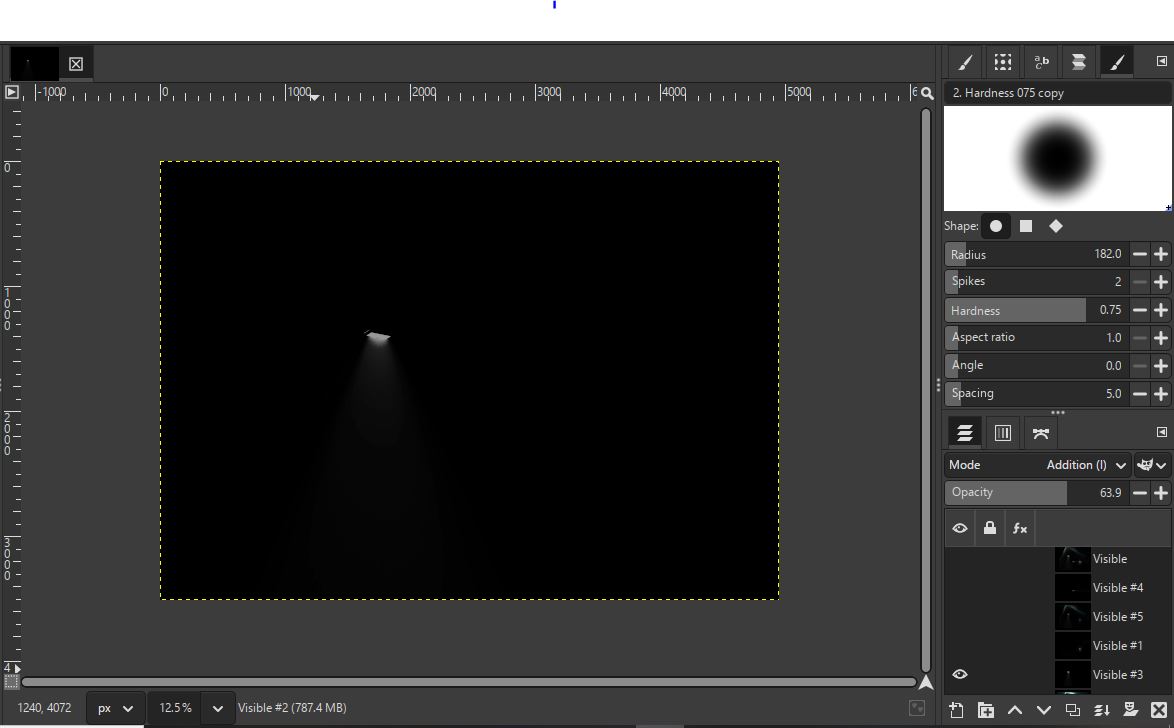
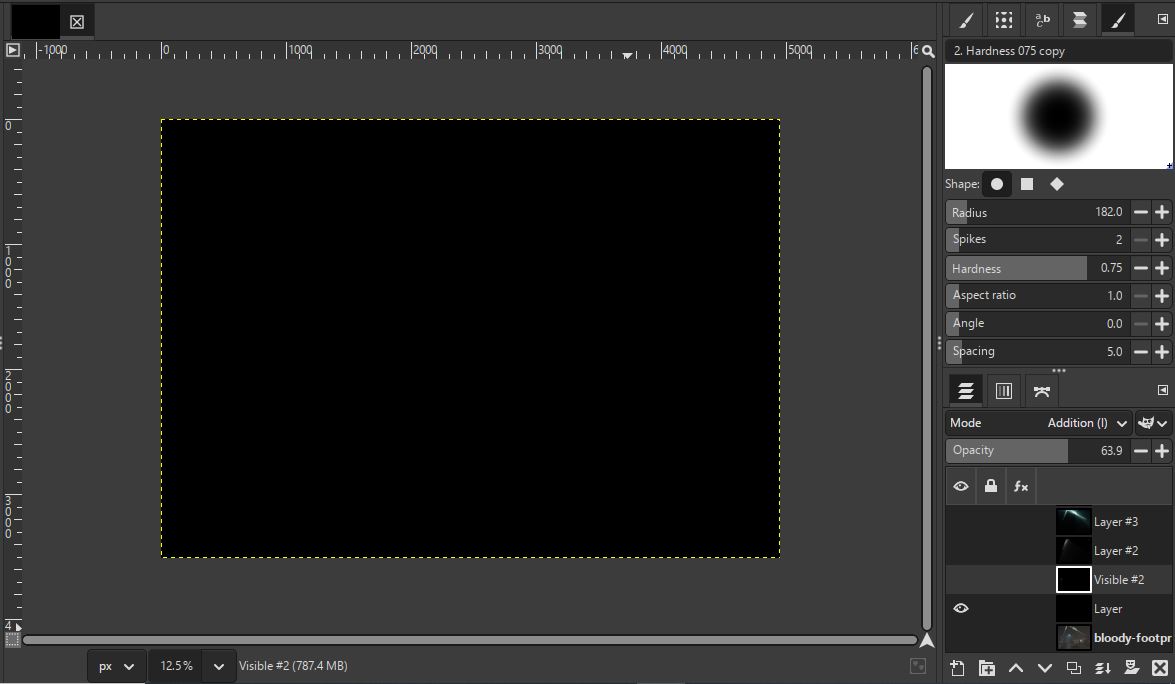
I opened the file you shared and looked at each layer. I had a look in the Layer menu but couldn't find a "Lighting" option. I noticed each numbered "Visible" and 'Layer' had a different opacity but not the two without numbers?

I would like to learn. Can I kindly ask what the specific process of making each isolated layer is made and how the final image is saved, Please?
Image
Image
Image
Image
Image
Image
Image
Image
Image

I might sound nit picky. Is there a way to make the beam of light wider from this emissive light where the yellow are spaced if possible?
I think it's called soft light which is either side of the main beam?
Image

I not sure about the angles and blending of light. Can the beams of light from the jeeps upper four lights be joined to form more of a solid beams?
Image


Top
 Post subject: Re: What GIMP Feature Can Be Utilised?
PostPosted: Fri Jun 20, 2025 8:44 am  (#13) 
Offline
Administrator
User avatar

Joined: Aug 10, 2012
Posts: 14142
Location: Native to NYC living in Arizona, Gimp 2.8 - 3.0, Win 11 PC.
I used the "Luce plugin" to create the beams of light on each isolated lighting layer.
I duplicated the original layer and used Grain Extract then Color Curves to pick out the bright spots.
Then did New From Visible,
which gave me the bright points to begin isolating and running the Luce Plugin.
Image

You can isolate the lighting elements however you like,
onto there own black filled layers.
Then run Luce on each layer to create the beams of light you desire.
Once the lighting layers are all created.
Set the layer mode to Addition and adjust their opacity.

Here is the Luce 2.0.0 plugin,
which works in GIMP 2.8 but not in 2.10
Attachment:
File comment: Luce 2.0.0.exe
luce_plugin.zip [73.17 KiB]
Downloaded 29 times


As an example.
Here is one lighting element that I ran the Luce plugin on.
Attachment:
File comment: Luce Single layer Example.
Screenshot (2709).png
Screenshot (2709).png [ 465.26 KiB | Viewed 1137 times ]


Note:
One can also create these lighting elements manually,
without the use of plugins or scripts.
However,
this method is slow and tedious,
when compared to what Luce can accomplish is a fraction of the time.

Also note,
that with added lighting comes more shadows.
Sometimes multiple shadows going in different directions.
If you look at the image carefully,
you'll notice that there are few shadows,
if any at all that are well defined.
Adding additional shadows may be something to consider.

_________________
Image
"A wise man learns more from a foolish question than a fool can learn from a wise answer"
Image


Top
 Post subject: Re: What GIMP Features Can Be Utilised?
PostPosted: Sun Jun 22, 2025 5:30 am  (#14) 
Offline
GimpChat Member
User avatar

Joined: Feb 26, 2025
Posts: 19
"You can isolate the lighting elements however you like,
onto there own black filled layers."


I have to ask how this is done?

Image

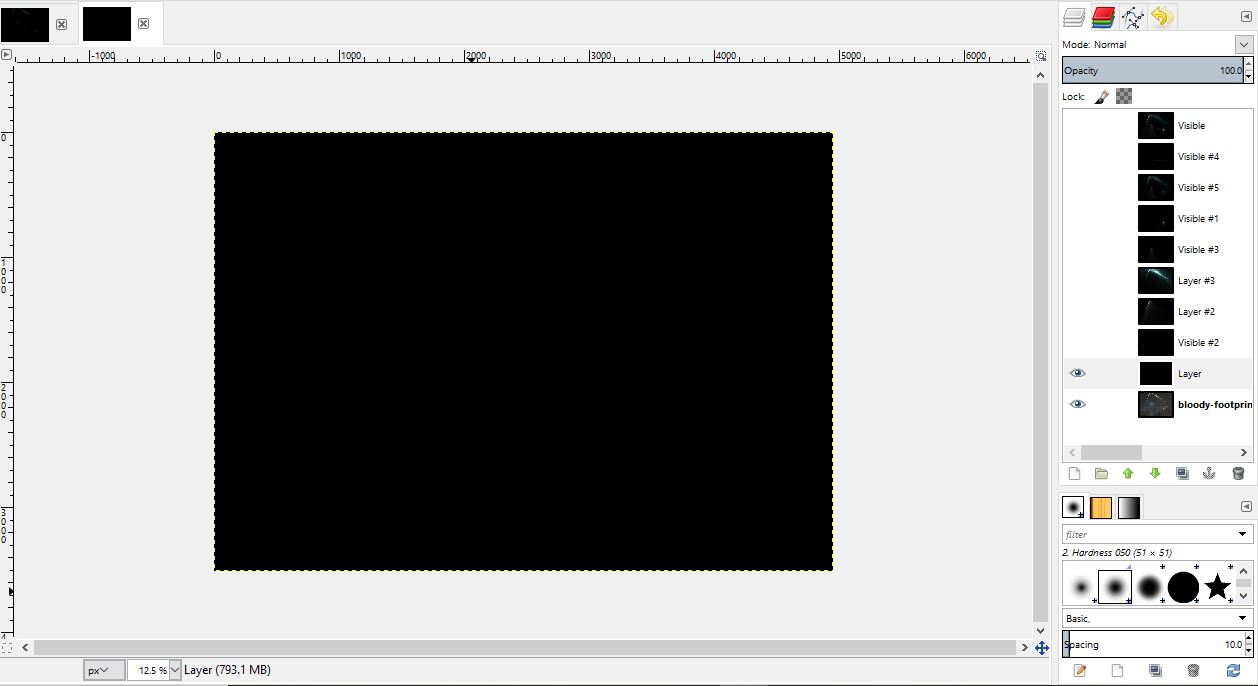
I got as far as the Color Curves step. I noticed you have a black Layer before the visible layers. Is this needed and how is it created?

Image


Top
 Post subject: Re: What GIMP Features Can Be Utilised?
PostPosted: Sun Jun 22, 2025 12:22 pm  (#15) 
Offline
Administrator
User avatar

Joined: Aug 10, 2012
Posts: 14142
Location: Native to NYC living in Arizona, Gimp 2.8 - 3.0, Win 11 PC.
thenic123 wrote:
"You can isolate the lighting elements however you like,
onto there own black filled layers."


I have to ask how this is done?

[ Image ]

I got as far as the Color Curves step. I noticed you have a black Layer before the visible layers. Is this needed and how is it created?

[ Image ]

Within my example XCF file.
Each black layer used for this effect has a lighting element within it.
The black layer without an apparent lighting element within it,
was not used and can be ignored.
•••
Once I created the new layer from the visible layers.
I used the free selection tool :freesel to make the appropriate selections of each element.
I copied and pasted each of the elements onto it's own black layer.
Once you have all the lighting element you want.
Run the LUCE plugin on each element to your liking.

Once LUCE was run to my satisfaction on each lighting layer.
I then use "artistic license" on each of the lighting elements,
to refine the look of each element.
This includes the use of whatever tool I feel would help refine each element to my liking.
I used the paint brush tool mostly :brush , the smudge tool :smudge and also the eraser tool :eraser

_________________
Image
"A wise man learns more from a foolish question than a fool can learn from a wise answer"
Image


Top
Post new topic Reply to topic  [ 15 posts ] 

All times are UTC - 5 hours [ DST ]


* Login  


Powered by phpBB3 © phpBB Group