It is currently Fri Nov 13, 2026 7:16 pm


All times are UTC - 5 hours [ DST ]


Post new topic Reply to topic  [ 5 posts ] 
Author Message
 Post subject: So long Stacy
PostPosted: Tue Nov 10, 2026 10:08 pm  (#1) 
Offline
GimpChat Member
User avatar

Joined: Sep 24, 2010
Posts: 12860
ref: https://www.tvinsider.com/wp-content/up ... 20x798.jpg

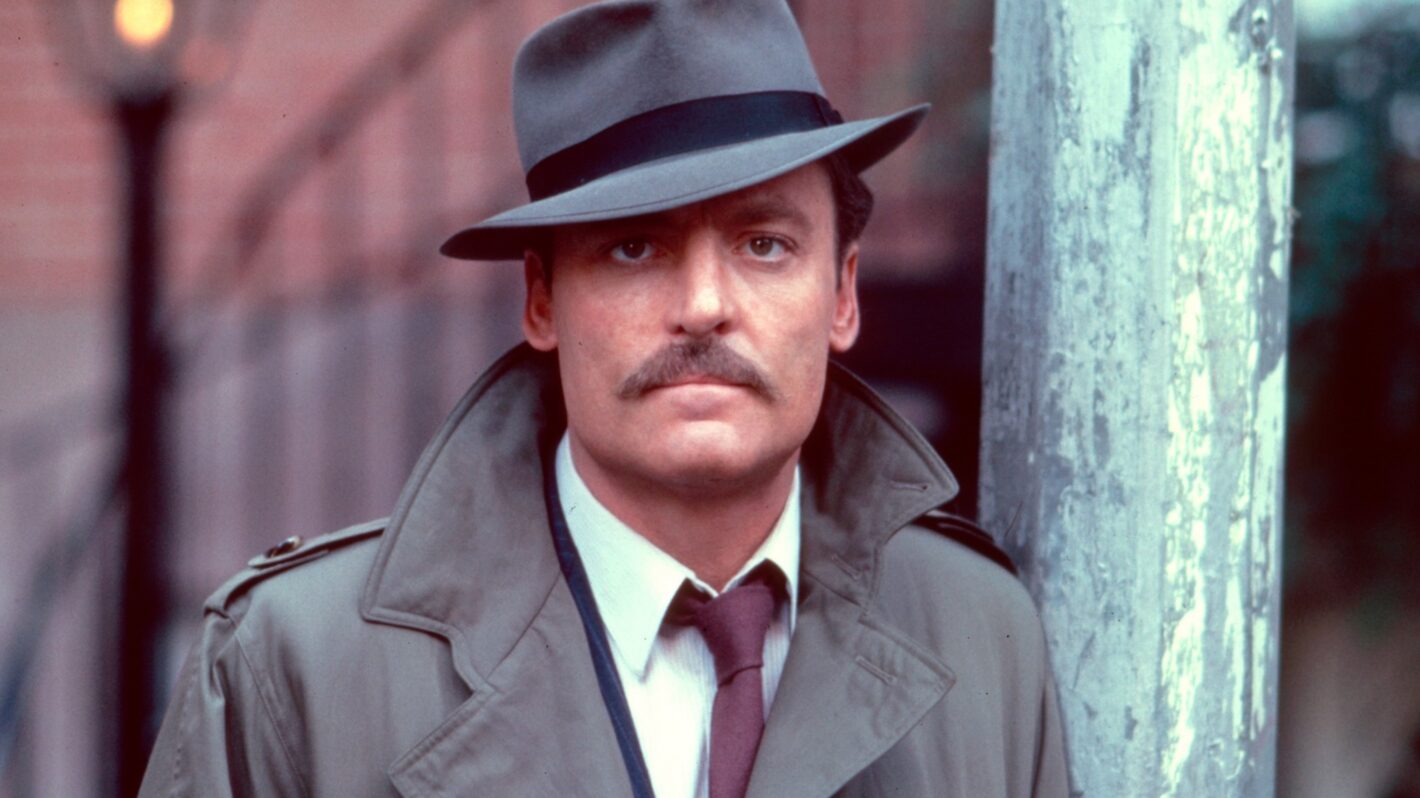
Just found out that Stacy Keach (Mike Hammer) passed away earlier. Watched plenty of Mike Hammer back in the day (betraying my age, now; lol). Wow; so many folk are leaving this realm that I cannot keep up with this any more. Is what it is.

So long, Stacy; RIP.


Attachments:
So Long Mike.jpg
So Long Mike.jpg [ 620.22 KiB | Viewed 122 times ]

_________________
Lyle

Psalm 109:8

Image
Share on Facebook Share on Twitter Share on Orkut Share on Digg Share on MySpace Share on Delicious Share on Technorati
Top
 Post subject: Re: So long Stacy
PostPosted: Tue Nov 10, 2026 10:12 pm  (#2) 
Offline
Global Moderator
User avatar

Joined: May 16, 2010
Posts: 16262
Man i loved his character as the cop that turns into a lizard in Cheech and Chong "Up in Smoke"

Gonna be missed for sure. Too many great actors passing lately it seems. :(

_________________
Image


Top
 Post subject: Re: So long Stacy
PostPosted: Thu Nov 12, 2026 5:55 am  (#3) 
Offline
GimpChat Member
User avatar

Joined: Mar 01, 2014
Posts: 14241
Location: Spain, Aragón
Lyle, when you retire and have enough free time, would you please tell us how you create such beautiful portraits? I love them.
All the styles you work in are lovely, and they are a wonderful tribute to the people to whom you dedicate.
Thank you for sharing them. :) :tyspin

_________________
Image

Gimp 2.10.36 (samj) portable _ OS Windows 10 Home_ 64bits
Don’t be afraid to start over. It’s a new chance to rebuild what you want.


Top
 Post subject: Re: So long Stacy
PostPosted: Thu Nov 12, 2026 11:01 pm  (#4) 
Offline
GimpChat Member
User avatar

Joined: Sep 24, 2010
Posts: 12860
Sort of can give you an idea. I used G'MIC's new Marker Drawing preset (play with lengths and width of line and also set background color to transparent (0)) with base layer original. I use the eraser to get the eye detail back as needed, and then I run Redfield's Fine Touch preset (still works in PSPI) to get a more illustrated look. Of course that's just a good starting point. Do play with G'MIC's Illustrative look in the blend more often than not, too (before running Marker Drawing step that is). All about the blending; have to play with the settings for yourself. At the end, I add an Ivory (like elephan ivory; lol) texture for the paper look (would think it would work but surprisingly, the Ivory texture I have when blended in looks like paper to me; lol).

Appreciate the feedback, too, Issabella. :)

edit: Just realized that I didn't add paper texture for this particular render. lol

:)

_________________
Lyle

Psalm 109:8

Image


Top
 Post subject: Re: So long Stacy
PostPosted: Fri Nov 13, 2026 2:21 am  (#5) 
Offline
GimpChat Member
User avatar

Joined: Mar 01, 2014
Posts: 14241
Location: Spain, Aragón
Thank you so much Lyle. :tyspin :)
Thanks for getting time to give guide :hi5 :tyspin

_________________
Image

Gimp 2.10.36 (samj) portable _ OS Windows 10 Home_ 64bits
Don’t be afraid to start over. It’s a new chance to rebuild what you want.


Top
Post new topic Reply to topic  [ 5 posts ] 

All times are UTC - 5 hours [ DST ]


* Login  


Powered by phpBB3 © phpBB Group