It is currently Sun Nov 01, 2026 6:37 pm


All times are UTC - 5 hours [ DST ]


Post new topic Reply to topic  [ 10 posts ] 
Author Message
 Post subject: Molten Material
PostPosted: Fri Aug 13, 2010 1:45 pm  (#1) 
Offline
Global Moderator
User avatar

Joined: May 16, 2010
Posts: 16224
a very cool python script
Image

download it here
http://download1080.mediafire.com/30d1d ... erial_0.py


Share on Facebook Share on Twitter Share on Orkut Share on Digg Share on MySpace Share on Delicious Share on Technorati
Top
 Post subject: Re: Molten Material
PostPosted: Fri Aug 13, 2010 2:33 pm  (#2) 
Offline
Retired Staff
User avatar

Joined: May 22, 2008
Posts: 6946
Location: Somewhere in GIMP
I put it in .gimp2.6 > plug-ins. It doesn't show in GIMP nor does it show in the plug-ins browser. Yes, I have Python. Came with Linux.

I closed and restarted GIMP to make sure.

According to the plug-in, it's supposed to be in Filters > Artistic.

_________________
Image
World War IV will be fought with sticks and stones. - Albert Einstein


Top
 Post subject: Re: Molten Material
PostPosted: Fri Aug 13, 2010 3:06 pm  (#3) 
Offline
Retired Staff
User avatar

Joined: May 22, 2008
Posts: 6946
Location: Somewhere in GIMP
Fixed it. Forgot to check Permissions. They weren't allowed. In Linux I went to File Properties > Permissions, and in there by Execute I had to check the box Allow executing file as program. Now it works.

Any links I click to see how to use it are in German.

The plug-in is also available here along with the links in German.
http://registry.gimp.org/node/13948

This was done using text (you don't need anything but a blank image to run the script - stuff can be put in later). I merged the two resulting layers, made a new red-orange layer, set it to Grain Merge and this is the result.
Image

_________________
Image
World War IV will be fought with sticks and stones. - Albert Einstein


Top
 Post subject: Re: Molten Material
PostPosted: Fri Aug 13, 2010 8:46 pm  (#4) 
Offline
Global Moderator
User avatar

Joined: May 16, 2010
Posts: 16224
It is kinda fun to play with. =)
The above image i actually selected the text and had a dif cloud layer.The result was a layer of molten under some pretty defined text. I had selected the text layer thinking it would run the molten inside the selection...Not SO!
It switched to the cloud layer...lol

So evidently you can not run the script on a text layer.

It kinda resembles the Plastic Wrap script effect.

Pretty cool.


Top
 Post subject: Re: Molten Material
PostPosted: Fri Aug 13, 2010 8:57 pm  (#5) 
Offline
Retired Staff
User avatar

Joined: May 22, 2008
Posts: 6946
Location: Somewhere in GIMP
Rod wrote:
So evidently you can not run the script on a text layer.
Mine was run on a text layer with nothing selected.

I merged the two resulting layers and then filled a new layer with the red-orange and set the layer mode to Grain Merge. It helped make the text stand out.

_________________
Image
World War IV will be fought with sticks and stones. - Albert Einstein


Top
 Post subject: Re: Molten Material
PostPosted: Fri Aug 13, 2010 8:59 pm  (#6) 
Offline
Global Moderator
User avatar

Joined: May 16, 2010
Posts: 16224
So you can run it on a text layer but it wont work on a selection then?


Top
 Post subject: Re: Molten Material
PostPosted: Fri Aug 13, 2010 9:17 pm  (#7) 
Offline
Retired Staff
User avatar

Joined: May 22, 2008
Posts: 6946
Location: Somewhere in GIMP
I hadn't tried it on a selection so I just did. Doesn't work.

_________________
Image
World War IV will be fought with sticks and stones. - Albert Einstein


Top
 Post subject: Re: Molten Material
PostPosted: Fri Aug 13, 2010 10:05 pm  (#8) 
Offline
Global Moderator
User avatar

Joined: May 16, 2010
Posts: 16224
Gradients look real cool though! =)
Image


Top
 Post subject: Re: Molten Material
PostPosted: Fri Aug 13, 2010 10:18 pm  (#9) 
Offline
Global Moderator
User avatar

Joined: May 16, 2010
Posts: 16224
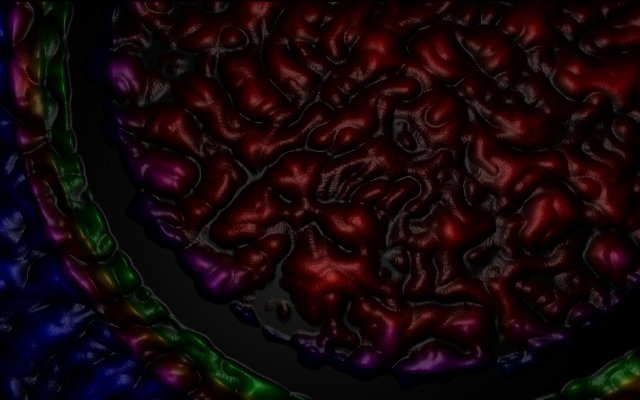
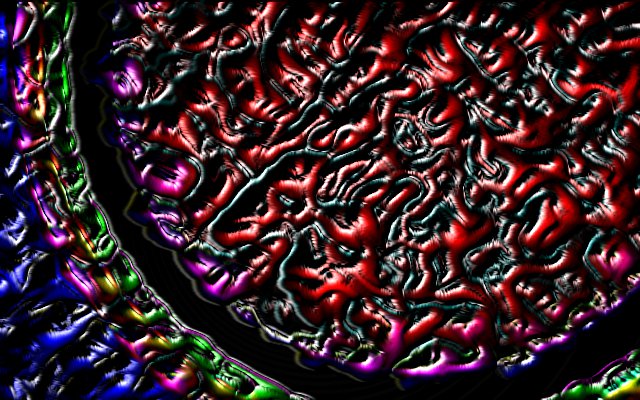
Here is the same gradient created with the molten material filter with a duplicate layer set to edge detect/neon with a amount of 0.30, and 5 radius.

Image


Top
 Post subject: Re: Molten Material
PostPosted: Fri Aug 13, 2010 11:02 pm  (#10) 
Offline
Global Moderator
User avatar

Joined: May 16, 2010
Posts: 16224
Here is some text chiseled out of it. =)

Image


Top
Post new topic Reply to topic  [ 10 posts ] 

All times are UTC - 5 hours [ DST ]


* Login  


Powered by phpBB3 © phpBB Group