It is currently Tue Jul 28, 2026 5:13 am


All times are UTC - 5 hours [ DST ]


Post new topic Reply to topic  [ 30 posts ]  Go to page Previous  1, 2
Author Message
 Post subject: Re: Filter Effects
PostPosted: Fri Nov 11, 2011 8:53 pm  (#21) 
Offline
GimpChat Member
User avatar

Joined: Oct 07, 2010
Posts: 439
Location: home/Nixnine/.gimp-2.0/scripts/nixnine.scm
JPGs. The things is that I try some of the other settings and they go all the way to the edge. It's just the watercolor preset.

_________________
I refuse to be confused, but am often confused at this refusal.


Top
 Post subject: Re: Filter Effects
PostPosted: Fri Nov 11, 2011 9:07 pm  (#22) 
Offline
GimpChat Member
User avatar

Joined: Oct 06, 2010
Posts: 4050
Well, the thing is, I see the border within GIMPressionist, but when I run the script it covers the entire area of my jpg files. I've tried several images from different sources.

_________________
"In order to attain the impossible, one must attempt the absurd."
~ Miguel de Cervantes


Top
 Post subject: Re: Filter Effects
PostPosted: Fri Nov 11, 2011 9:12 pm  (#23) 
Offline
GimpChat Member
User avatar

Joined: Oct 07, 2010
Posts: 439
Location: home/Nixnine/.gimp-2.0/scripts/nixnine.scm
Well, thanks anyway. I'll keep looking into it

_________________
I refuse to be confused, but am often confused at this refusal.


Top
 Post subject: Re: Filter Effects
PostPosted: Fri Nov 11, 2011 9:15 pm  (#24) 
Offline
GimpChat Member
User avatar

Joined: Oct 06, 2010
Posts: 4050
How about posting your original image before you run GIMPressionist?

_________________
"In order to attain the impossible, one must attempt the absurd."
~ Miguel de Cervantes


Top
 Post subject: Re: Filter Effects
PostPosted: Fri Nov 11, 2011 9:35 pm  (#25) 
Offline
GimpChat Member
User avatar

Joined: Oct 07, 2010
Posts: 439
Location: home/Nixnine/.gimp-2.0/scripts/nixnine.scm
This is it


Attachments:
pic2.jpg
pic2.jpg [ 500.79 KiB | Viewed 1467 times ]

_________________
I refuse to be confused, but am often confused at this refusal.
Top
 Post subject: Re: Filter Effects
PostPosted: Fri Nov 11, 2011 9:43 pm  (#26) 
Offline
GimpChat Member
User avatar

Joined: Oct 06, 2010
Posts: 4050
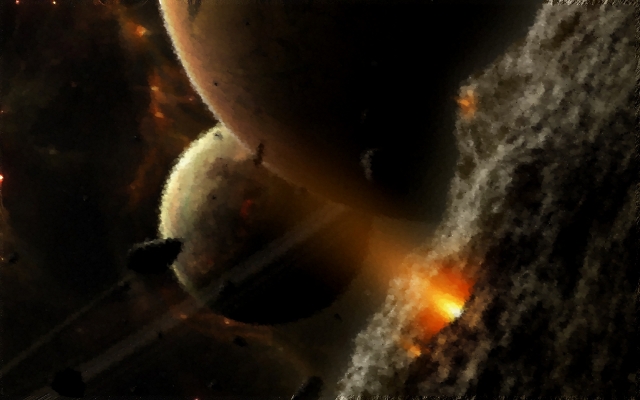
I rescaled the image after running GIMPressionist.

Image

What's interesting is that you can see a real small band on my scaled image, but on my GIMP workspace, I zoom in and can see the watercolor effect on the border area. Weird, either way. Nope, there is clearly a border there. (I reverted back to original image size). Hmmmm... interesting.

_________________
"In order to attain the impossible, one must attempt the absurd."
~ Miguel de Cervantes


Top
 Post subject: Re: Filter Effects
PostPosted: Fri Nov 11, 2011 10:00 pm  (#27) 
Offline
GimpChat Member
User avatar

Joined: Oct 07, 2010
Posts: 439
Location: home/Nixnine/.gimp-2.0/scripts/nixnine.scm
And now I can cease to question my sanity. Does that with all my images effected with gimpressionist watercolor.

_________________
I refuse to be confused, but am often confused at this refusal.


Top
 Post subject: Re: Filter Effects
PostPosted: Fri Nov 11, 2011 10:05 pm  (#28) 
Offline
GimpChat Member
User avatar

Joined: Oct 06, 2010
Posts: 4050
The border is 14 pixels. The only thing set at 14 pixels is the paper scale at 14.1, but lowering it doesn't help the image.

_________________
"In order to attain the impossible, one must attempt the absurd."
~ Miguel de Cervantes


Top
 Post subject: Re: Filter Effects
PostPosted: Fri Nov 11, 2011 11:06 pm  (#29) 
Offline
GimpChat Member
User avatar

Joined: Apr 18, 2011
Posts: 620
Location: New York
made a basic difference cloud, applied the Gimpressionist watercolor preset and wanting to punch up that PS look I gave it some Unsharp mask. I think it's closer to the photoshop look that way

Attachment:
watercolorUSM.png
watercolorUSM.png [ 199.22 KiB | Viewed 1462 times ]

_________________
Ubuntu 24.04.1, Kernel i686, 6.8.0-52-generic
python3 v3.12.3 ----- GIMP - ver 2.10.38


Top
 Post subject: Re: Filter Effects
PostPosted: Sat Nov 12, 2011 8:04 am  (#30) 
Offline
GimpChat Member
User avatar

Joined: Aug 24, 2011
Posts: 1785
Location: Dallas, TX
Mahvin, Nixnine - Looks like Cecelia has the same issue with the edges.

Cecelia - Looks pretty good but I think the Edge Detect punches up the dark edges quite a bit more. Maybe a combination.

_________________
Image


Top
Post new topic Reply to topic  [ 30 posts ]  Go to page Previous  1, 2

All times are UTC - 5 hours [ DST ]


* Login  


Powered by phpBB3 © phpBB Group