It is currently Sat Jun 27, 2026 10:06 am


All times are UTC - 5 hours [ DST ]


Post new topic Reply to topic  [ 6 posts ] 
Author Message
 Post subject: how to reproduce lotus pattern in the background
PostPosted: Thu Dec 22, 2011 10:20 am  (#1) 
Offline
GimpChat Member

Joined: Oct 31, 2011
Posts: 112
GIMP Version: 2.6.11
Operating System: Windows
OS Version: windows 7 and ubuntu
GIMP Experience: Beginner Level


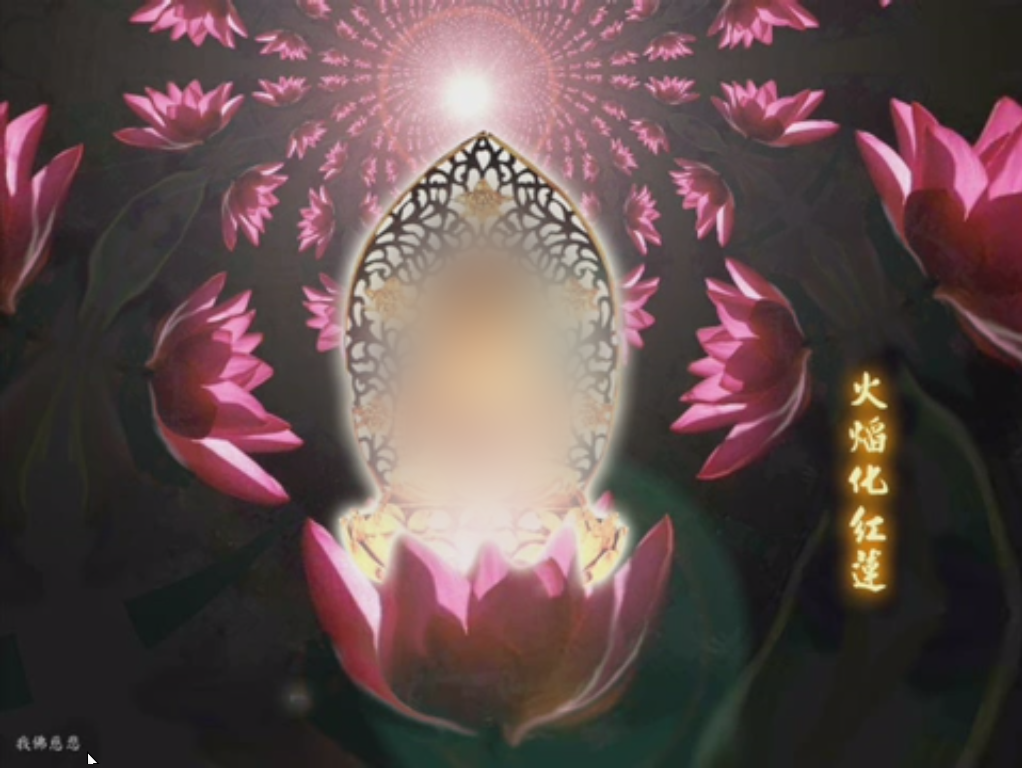
Hello all, I have a question. How to reproduce lotus fractal pattern in the background of this image:
Image

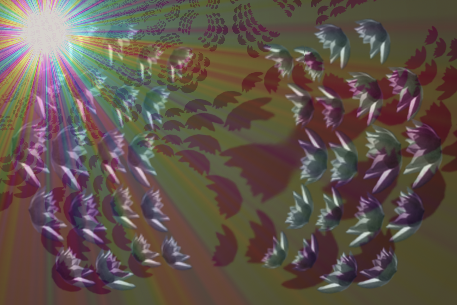
I have been playing around with GIMP fractal trace, this is what I get:
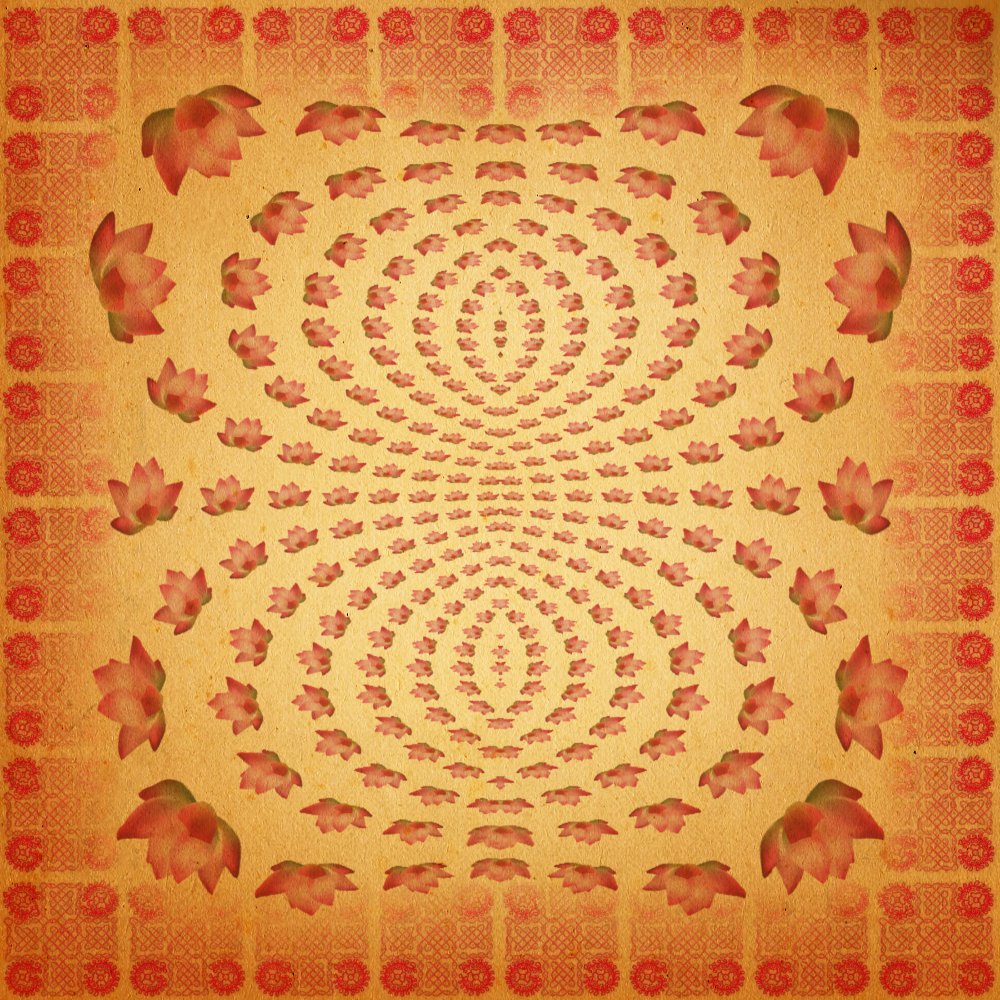
Image

I am not satisfied with the result, because the lotuses are stretched here and there: they are not proportional. For example, you see that the lotus in upper right corner has different proportion than the one immediately below it, and still different with the one in the middle rightmost one (and leftmost one). Some lotuses are flattened in horizontal direction, and the others in vertical direction, etc. What I want is all the lotuses have the same proportion, just their sizes are different, as in the first picture.

Could anyone help me with this? Thank you very much :D Have a nice day :D


Share on Facebook Share on Twitter Share on Orkut Share on Digg Share on MySpace Share on Delicious Share on Technorati
Top
 Post subject: Re: how to reproduce lotus pattern in the background
PostPosted: Thu Dec 22, 2011 2:22 pm  (#2) 
Offline
Global Moderator
User avatar

Joined: May 16, 2010
Posts: 16061
You could probably just create a brush and create half the effect and then duplicate the image and flip it horizontally.
Take a while though. :)

_________________
Image


Top
 Post subject: Re: how to reproduce lotus pattern in the background
PostPosted: Thu Dec 22, 2011 3:10 pm  (#3) 
Offline
Global Moderator
User avatar

Joined: May 16, 2010
Posts: 16061
I created this with the attached brush , gradient map and fractal trace on the final layer.
I added the xcf file in the zip. :)

Image

If nothing else you can use the brush probably. :)

Attachment:
Lotusflowertrace.zip [874.45 KiB]
Downloaded 176 times

_________________
Image


Top
 Post subject: Re: how to reproduce lotus pattern in the background
PostPosted: Tue Dec 27, 2011 5:38 am  (#4) 
Offline
GimpChat Member

Joined: Oct 31, 2011
Posts: 112
Rod wrote:
I created this with the attached brush , gradient map and fractal trace on the final layer.
I added the xcf file in the zip. :)

Image

If nothing else you can use the brush probably. :)

Attachment:
Lotusflowertrace.zip


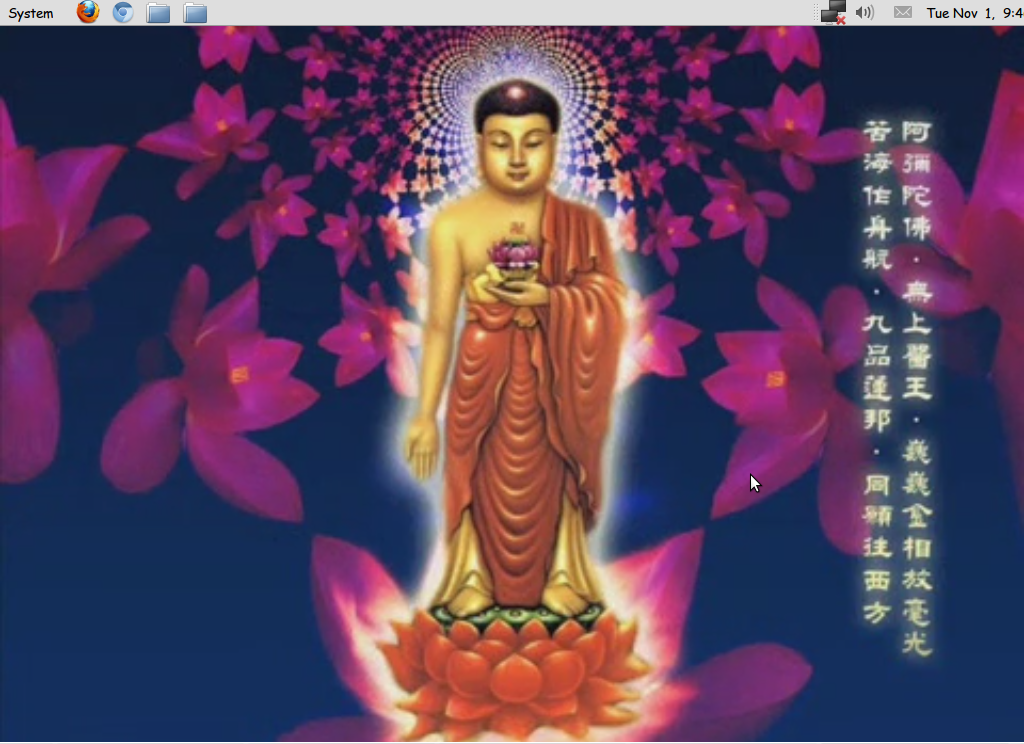
Hello Rod, thank you very much for your answer. But actually I would prefer not using brush. Because it looks like something that can be generated using some program. I found another picture with the same method, as I attach below. One question: do you know how to tweak the parameters in fractal trace of GIMP so that "the center" of the fractal is in the middle of the picture? (by "the center", I mean the most dense region of the pattern. in the picture below, it is the part immediately above Buddha's head.) From what I know, fractal trace in GIMP generates a fractal with the most dense part placed on the edge; and that's annoying because I have to crop, duplicate, rotate, etc, etc; and the result can't merge seamlessly (or do you know how to make it seamless?)

Again, thanx for your time and have a happy holiday!

Image


Top
 Post subject: Re: how to reproduce lotus pattern in the background
PostPosted: Tue Dec 27, 2011 9:37 am  (#5) 
Offline
Global Moderator
User avatar

Joined: May 16, 2010
Posts: 16061
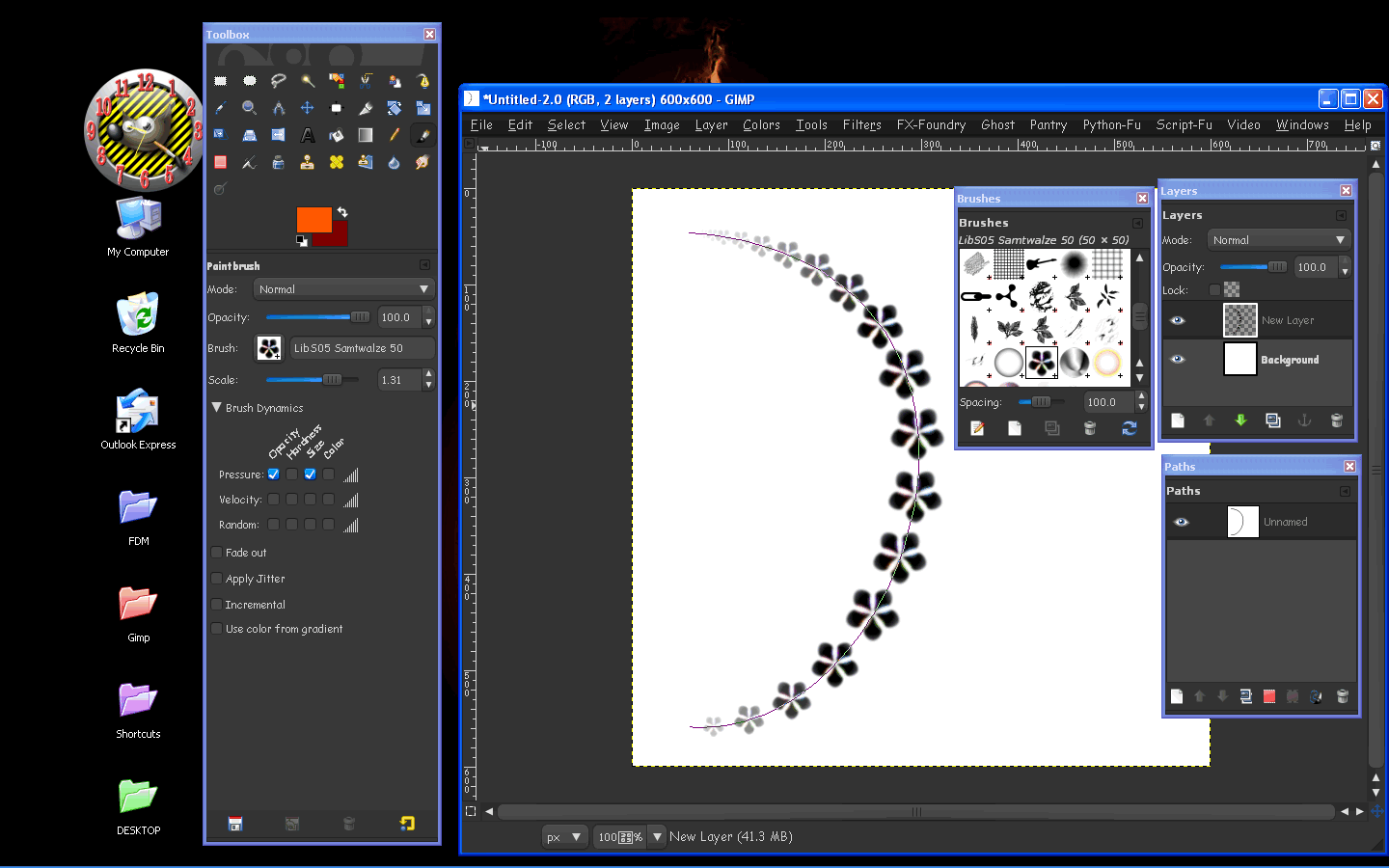
You may want to try paint or stroke many paths with the paint brush tool and use dynamics like this.

Image

You will get much better results this way than to use the Fractal Trace filter in my honest opinion.

_________________
Image


Top
 Post subject: Re: how to reproduce lotus pattern in the background
PostPosted: Wed Dec 28, 2011 5:42 am  (#6) 
Offline
GimpChat Member

Joined: Oct 31, 2011
Posts: 112
Rod wrote:
You may want to try paint or stroke many paths with the paint brush tool and use dynamics like this.

You will get much better results this way than to use the Fractal Trace filter in my honest opinion.


I have thought about that, but (at first) I don't want to do it because I have to make all the paths manually, I am not comfortable with path tool in GIMP, and not comfortable with stroking paths either (seldom use brushes with dynamics setting) :hehe . but it seems there is no other way, I have to play around with it.

Thanx very much for your answer, and have a nice holiday!


Top
Post new topic Reply to topic  [ 6 posts ] 

All times are UTC - 5 hours [ DST ]


* Login  


Powered by phpBB3 © phpBB Group