Sorry to hear you are having problems right out of the gate.
From what i can tell by reading some of the posts from others who have had this problem (never had this problem myself), it seems .ICEauthority is no longer owned by you the user. From the screenshots, it appears your user name is "molly" right?
The chown command changes ownership of a file from one user to another. Issuing the "chown" from terminal using a Live CD will attempt to change ownership of .ICEauthority on the (ramdisk image) of the live CD, not on your hard drive, so don't bother trying that.

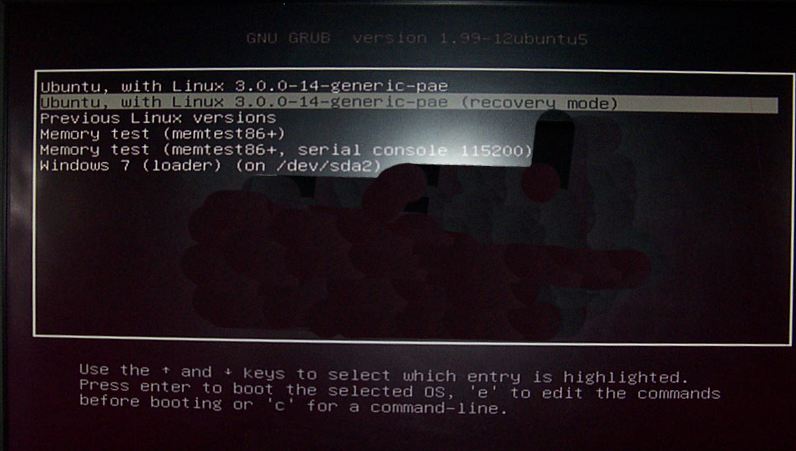
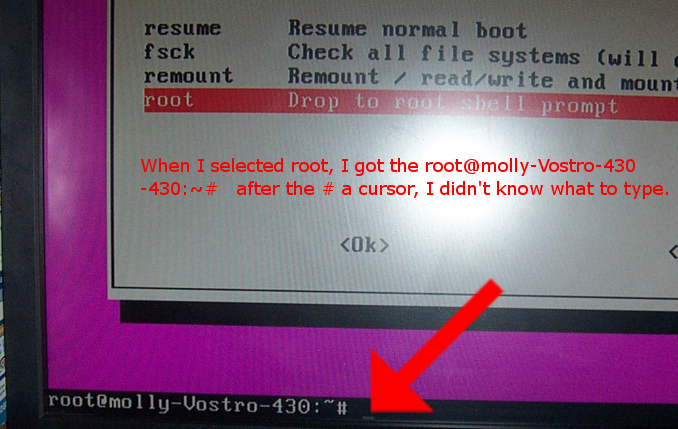
Using the last option on your startup screen to get to the root prompt, I would recommend you issue the chrown command from there. Since you are "root" at that point, you don't need the "sudo" (super user do) part of any command you issue from there.
One thing that seems odd is the error message states: /home/
test/.ICEauthority. I would think the error message would reference /home/
molly/.ICEauthority. In Linux, each user has their own /home/
user folder, where
user would be the user name. In this case, it's
test (and I assume there is a
molly as well). Perhaps you installed something that created a "
test" user.
Anyway, all of this is just some background info that you might find useful.
Can you drop to the root command prompt (last option on menu) and issue this command exactly as written..
ls -la /home/molly | grep .ICEauthority
Then take a pic or write down the output..
Next issue this command
ls -la /home/test | grep .ICEauthority
Then take a pic or write down the output..
This will give us a starting point and tell us whether or not you have both users "test" & "molly".
From there we can go about finding and changing ownership to the correct user.
 Login
Login Register
 Tweets
 FAQ
FAQ Advanced Search